My desktop keep freezes screen, need help

loserqueen

Junior Member
Joined
Apr 16, 2018
Messages
28
Reaction score
1
i3-9100 CPU @ 3.60GHz
NVIDIA GeForce GTX 1050 Ti
ASRock H310CM-HDV
16GB RAM
120GB SSD
1TB HDD
Windows 10 64Bit Unactivated
 

TrEaSuRe

Senior Member
Joined
Feb 21, 2007
Messages
1,038
Reaction score
29
Your cpu how many years old , check your cpu temperature is it over heating, maybe need re apply thermal paste.
 

loserqueen

Junior Member
Joined
Apr 16, 2018
Messages
28
Reaction score
1
i3-9100 CPU @ 3.60GHz
NVIDIA GeForce GTX 1050 Ti
ASRock H310CM-HDV
16GB RAM
New 250GB SSD (Samsung)
1TB HDD

CPU Temperature - 60.5'C
M/B Temperature - 38.0'C
CPU voltage - 1.024V

temperature normal right ??
 

Yongkit

Supremacy Member
Joined
Oct 9, 2015
Messages
5,904
Reaction score
2,493
Possible ram issue, maybe try 1 ram stick for each RAM slot?
 

Haman

Senior Member
Joined
Aug 16, 2003
Messages
1,207
Reaction score
72
NOt sure if reboot windows in Safe mode can see which driver or component is giving problem?
 

Yongkit

Supremacy Member
Joined
Oct 9, 2015
Messages
5,904
Reaction score
2,493
for some cases CPU temperature on idle not always around 40c to 50c if the power profile was not setup as "Balance" mode.
 

loserqueen

Junior Member
Joined
Apr 16, 2018
Messages
28
Reaction score
1
starting my desktop is Klevv 8 GB ram, so i buy one more Klevv ram, top up to 16 GB ram. Freeze / hang still happen, i will try take off the 1 ram to test.
 

Goodshot

Great Supremacy Member
Joined
Sep 20, 2013
Messages
62,391
Reaction score
4,356
starting my desktop is Klevv 8 GB ram, so i buy one more Klevv ram, top up to 16 GB ram. Freeze / hang still happen, i will try take off the 1 ram to test.
I also using Klew . Same always kena random crash
 

86technie

High Supremacy Member
Joined
Jun 8, 2006
Messages
40,356
Reaction score
5,943
Try test the RAM one by one, service them if need to.
Next will be power supply which PSU are you using?
PS not sure how you did Windows OS reinstall, hopefully it is not Windows reset
as reinstall and reset are different.

If you have difficulty troubleshooting, suggest bring to a shop at Sim Lim Square
like PC care and solutions let them troubleshoot for you.
 

loserqueen

Junior Member
Joined
Apr 16, 2018
Messages
28
Reaction score
1
This Temperature is from BIOS one.

CPU Temperature - 60.5'C
M/B Temperature - 38.0'C
CPU voltage - 1.024V
 

Yongkit

Supremacy Member
Joined
Oct 9, 2015
Messages
5,904
Reaction score
2,493
Maybe you can check your BIOS cpu fan profile and open up the case to observe if it spinning smoothly.
 

86technie

High Supremacy Member
Joined
Jun 8, 2006
Messages
40,356
Reaction score
5,943
This Temperature is from BIOS one.

CPU Temperature - 60.5'C
M/B Temperature - 38.0'C
CPU voltage - 1.024V
Nothing wrong here especially if you are using Intel stock cooler.
I am using Intel i5 9400, temperature even with a Cooler Master Hyper 212X
under load is around 50 - 60 Degree.
Idle wise is around 40 Degree but the hang is not due to temperature.

If PC overheat, it will shutdown to cool itself or lag very badly in games due to thermal throttling.
If you are concern with heat, suggest reapply a new coat of Thermal paste but
Intel stock cooler are not very good.

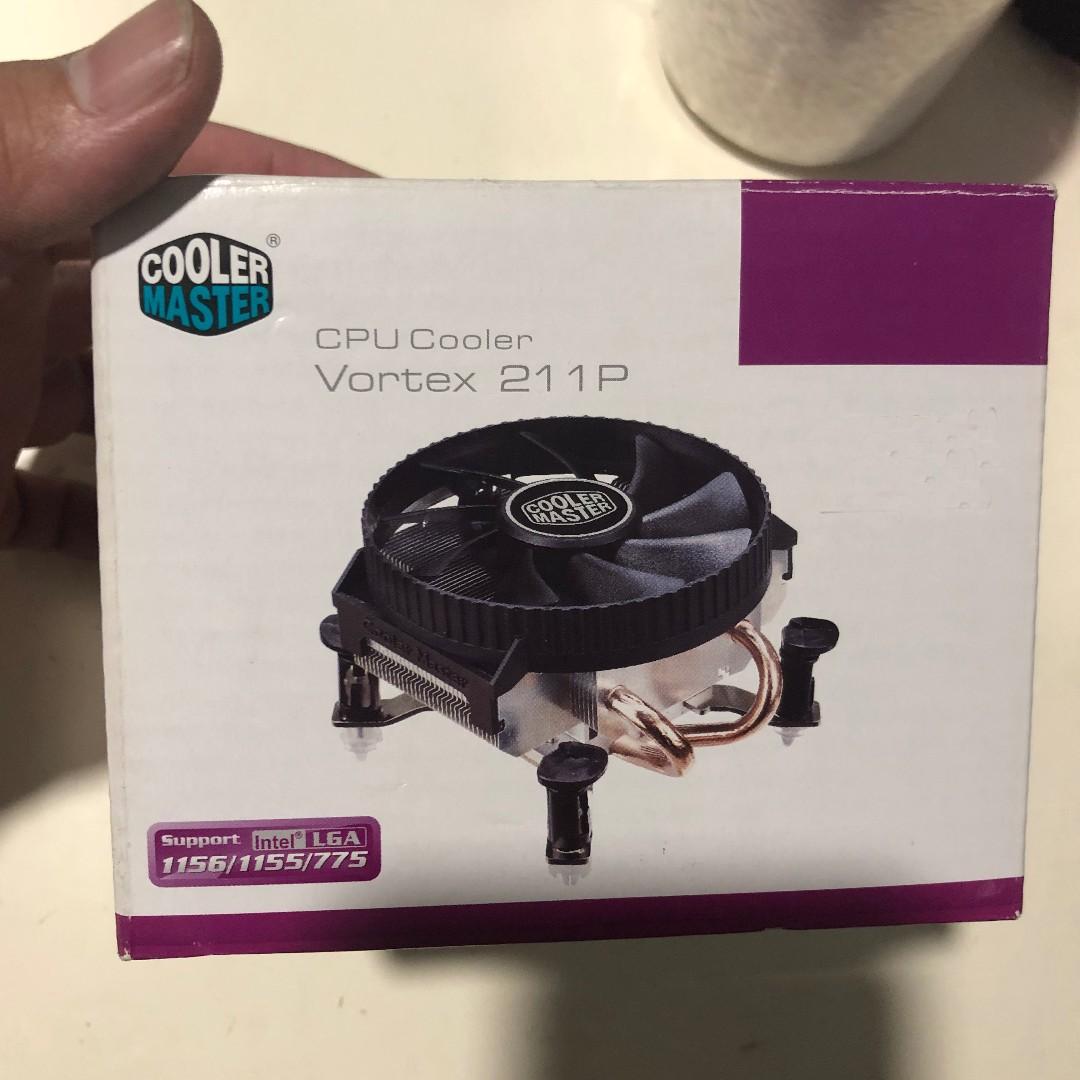
cooler_master_cpu_cooler_vortex_211p_brand_new_1550990736_aefe5cf70_progressive


You can consider getting this cooler around $30. It's push pin design so easy to install.

https://www.coolermaster.com/catalog/coolers/cpu-air-coolers/vortex-211p/
 

loserqueen

Junior Member
Joined
Apr 16, 2018
Messages
28
Reaction score
1
Yesterday I remove one ram klevv(made in Taiwan) , currently using one ram KLEVV (made in Korea) at desktop. So far until now , no issue.
 
Important Forum Advisory Note
This forum is moderated by volunteer moderators who will react only to members' feedback on posts. Moderators are not employees or representatives of HWZ Forums. Forum members and moderators are responsible for their own posts. Please refer to our Community Guidelines and Standards and Terms and Conditions for more information.
Top