need advise, ssd sudden kaput

RisingMelon

Junior Member
Joined
Jun 1, 2023
Messages
56
Reaction score
7
shortly after boot up, met with a black screen showing this error (kmode exception not handled 0x1e).

PC auto restart and stuck at boot splash for 2mins then finally into bios, bios show the ssd but after restart, stuck at boot splash and into bios again, the ssd is gone from the boot drive list.. isit uplorry :cry::cry: what a bad time to spoil..
 

Koenig168

Arch-Supremacy Member
Joined
Nov 4, 2007
Messages
10,030
Reaction score
1,741
Could be bad SSD or connection. Suggest you try a different M.2 or SATA cable/port.
 

Koenig168

Arch-Supremacy Member
Joined
Nov 4, 2007
Messages
10,030
Reaction score
1,741
thanks all.. tried with a different m.2 port in mb but same problem, first boot shows in bios after reboot not shown. tried with nvme enclosure too but unable to detect also o_O

RMA time, just pray that they give you a replacement and not refund.
 

RisingMelon

Junior Member
Joined
Jun 1, 2023
Messages
56
Reaction score
7
RMA time, just pray that they give you a replacement and not refund.
used it for quite a while already.. might need to get a budget ssd tahan till next upgrade.. im more concerned if can access the ssd since got family stuff inside
 

nothinghere

Member
Joined
Aug 9, 2022
Messages
403
Reaction score
274
used it for quite a while already.. might need to get a budget ssd tahan till next upgrade.. im more concerned if can access the ssd since got family stuff inside
If cannot access now, likely cannot access anymore unless you want to fork out 5k+ for professional data recovery, and even that is a gamble because you do not know what is fried.
 

green72

Senior Member
Joined
Feb 10, 2016
Messages
1,482
Reaction score
676
Nowadays any storage component fail, eg SSD, HDD, Memory, means need to eat grass for awhile after buying replacement. GPU also. Haiz.

SSD fail almost guarantee cannot recover. Learn to backup important stuff in the future. Sorry about it, I learnt it years ago.
 

yukita

Supremacy Member
Joined
Jan 1, 2000
Messages
8,533
Reaction score
234
used it for quite a while already.. might need to get a budget ssd tahan till next upgrade.. im more concerned if can access the ssd since got family stuff inside
i tried to send before, basically failed and no data can be recovered. those during HDD time. maybe, just a maybe, SSD easier?
 

wwenze

Greater Supremacy Member
Joined
Dec 2, 2002
Messages
86,362
Reaction score
30,051
used it for quite a while already.. might need to get a budget ssd tahan till next upgrade.. im more concerned if can access the ssd since got family stuff inside

SSD due got two levels

1) The entire hardware not detected
2) The partition gone

Interestingly, both can have the same root cause but at different degree of damage

You'll need another working drive+OS to begin

If the drive hardware is detectable in Device Manager, download DMDE to copy out the data

If the drive hardware is not detectable, wait a few hours and/or change temperature and try again - If the drive has been on all the time before it failed, then wait for it to cool down. If the drive failed after a cool boot, then wait for it to heat up.
 

Koenig168

Arch-Supremacy Member
Joined
Nov 4, 2007
Messages
10,030
Reaction score
1,741
my gigabyte nvme ssd kaput yesterday after 5 yrs, bios cannot detect

today went dynacore bought a new one $275 samsung 990 evo plus 1TB

this month damn suay, my memory also sent to taiwan RMA last week

SSD so expensive nowadays
 

tigerwoods

Arch-Supremacy Member
Joined
Oct 7, 2005
Messages
11,363
Reaction score
2,607
SSD so expensive nowadays
no choice need to use has to replace

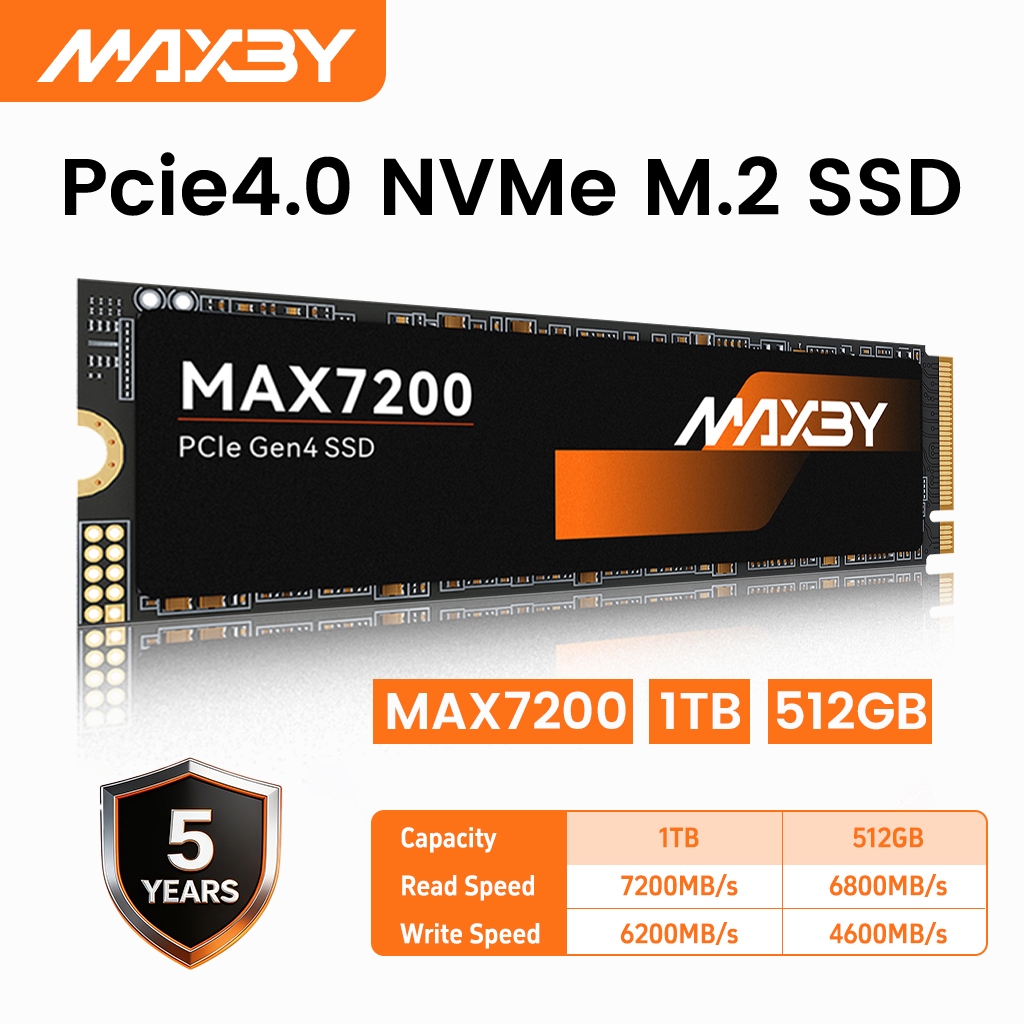
was considering getting this cheaper mic one $187 but has doubt about the warranty

https://shopee.sg/Maxby-MAX7200-NVM...50?xptdk=199faa6e-e154-47c0-8911-b6d57c622ad4
cn-11134207-820l4-moytnpca3uo098
 

yukita

Supremacy Member
Joined
Jan 1, 2000
Messages
8,533
Reaction score
234

-Synchronicity-

Senior Member
Joined
Apr 29, 2012
Messages
2,462
Reaction score
197
no choice need to use has to replace

was considering getting this cheaper mic one $187 but has doubt about the warranty

https://shopee.sg/Maxby-MAX7200-NVM...50?xptdk=199faa6e-e154-47c0-8911-b6d57c622ad4
Them not even knowing the theoretical speed limits of PCIE 3.0 is already a huge red flag. The below is extracted from the listing you provided.

PCIe 3.0 SSD read/write speed:

â—Ź Maximum Sequential Read Speed: 7200MB/s

â—Ź Maximum Sequential Write Speed: 6200MB/s

I also can't find any info on what flash they are using aside from them claiming that it's TLC with 320TBW which is way below the typical 500-600 TBW for a 1TB TLC drive. Their controller seems to be using the popular maxio map1602 favoured by popular dramless rated drives like lexar nm790, Acer Predator GM7 / FA200.

In other words, I don't trust them.
 

RisingMelon

Junior Member
Joined
Jun 1, 2023
Messages
56
Reaction score
7
SSD due got two levels

1) The entire hardware not detected
2) The partition gone

Interestingly, both can have the same root cause but at different degree of damage

You'll need another working drive+OS to begin

If the drive hardware is detectable in Device Manager, download DMDE to copy out the data

If the drive hardware is not detectable, wait a few hours and/or change temperature and try again - If the drive has been on all the time before it failed, then wait for it to cool down. If the drive failed after a cool boot, then wait for it to heat up.
i noticed when it is "cold" then will get shown in bios but after next reboot gone from bios already and by the time ssd slightly warm. :cry:
 

Amon86

Master Member
Joined
Jun 13, 2016
Messages
2,941
Reaction score
1,488

tigerwoods

Arch-Supremacy Member
Joined
Oct 7, 2005
Messages
11,363
Reaction score
2,607
moi that day on lazada payday see kioxia 2tb going for $375 exceria basic read/write 7200/6600Mb/s gen 4 but end up buying crucial one as $360 same spec 2TB
nQS9cqv.jpeg
T500 pro still can get at this price?
 
Important Forum Advisory Note
This forum is moderated by volunteer moderators who will react only to members' feedback on posts. Moderators are not employees or representatives of HWZ Forums. Forum members and moderators are responsible for their own posts. Please refer to our Community Guidelines and Standards and Terms and Conditions for more information.
Top