NEED HELP WITH EXTERNAL HDD DATA LOST

LIN_JOEL

Supremacy Member
Joined
Aug 4, 2001
Messages
6,092
Reaction score
663
Hi guys, I got this issue which happens a few times.

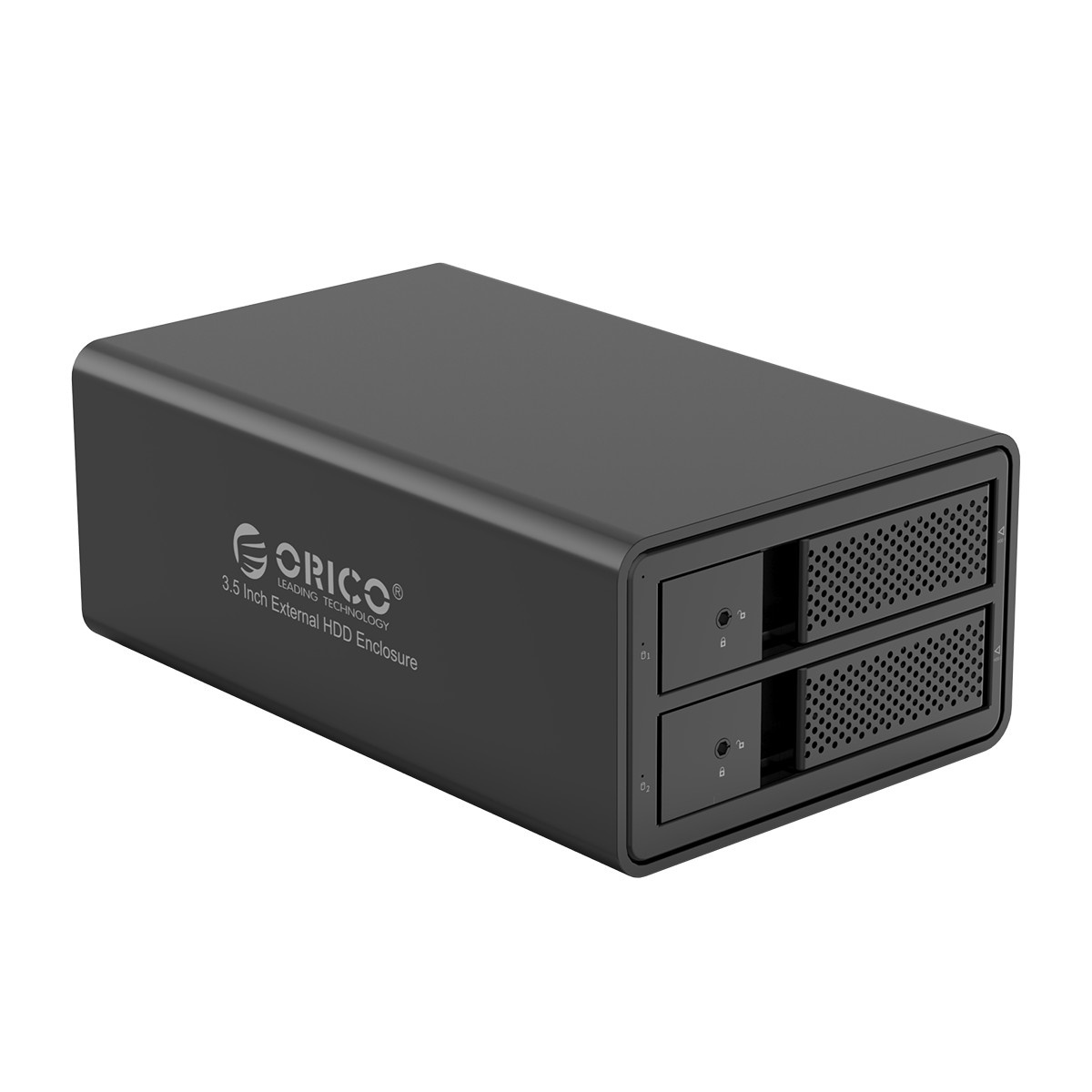
I’m using Orico 2 dual enclosure with WD 6TB Black and Toshiba N300 8TB as Storage and backup.
My NAS got lots of duplicate photos and I intend to copy it to external HDD and re organize before deleting the files in my NAS.

Sometimes I’m unable to safety eject the drive and there no activity under taskbar; so usually I’ll reboot/power off my laptop instead.
Connect is direct laptop to Orico via USB.
When I turn on my laptop, the drive will become Raw and prompt me to format the drive….and it happens 3 times so far.

May I know what should I do to prevent it in future as it’s time consuming to copy the data from my NAS to my HDD.

TIA
 

LIN_JOEL

Supremacy Member
Joined
Aug 4, 2001
Messages
6,092
Reaction score
663
I google and found this method working.
Hopefully it helps other with similar issue as mine; extracted form the site.


Its usually difficult to identify, so what I normally do is restart Windows Explorer to see if it relinquishes it.
Press Windows key + X
Click Task Manager
Select the Processes tab
Scroll down to Windows Explorer then select it
Click Restart
 

keenklee

Arch-Supremacy Member
Joined
Sep 9, 2000
Messages
19,386
Reaction score
6,775
IMHO.
Your Orico setup like not very stable.
You could try with only 1 drive and see if that happens?
 

LIN_JOEL

Supremacy Member
Joined
Aug 4, 2001
Messages
6,092
Reaction score
663
IMHO.
Your Orico setup like not very stable.
You could try with only 1 drive and see if that happens?
I tried 1 drive (WD Black 6TB) got this issue before.
Recently got another 8TB as a spare for my NAS and use it to backup the WD black.
Ended after copying almost all of the data and encounter this issue again.

Now redoing all over again and hopefully that method will allow me to safely eject the drive.

By right after reboot the external drive should not be in operating and rejecting safety eject if I'm not using right.
 

keenklee

Arch-Supremacy Member
Joined
Sep 9, 2000
Messages
19,386
Reaction score
6,775
I tried 1 drive (WD Black 6TB) got this issue before.
Recently got another 8TB as a spare for my NAS and use it to backup the WD black.
Ended after copying almost all of the data and encounter this issue again.

Now redoing all over again and hopefully that method will allow me to safely eject the drive.

By right after reboot the external drive should not be in operating and rejecting safety eject if I'm not using right.

IMHO.
Your troubleshooting needs to be done by elimination. It will be complex and time consuming.
The quickest method is to change enclosure to another brand.

If not, you can bring the enclosure to another computer and try the setup.

In my experience, you should be able to copy TB of data between computer-HDD and USB-HDDs in every possible combination.

In my setup, I turn on my 2-Bay USB Enclosure after booting to Windows. If there is no activity to the USB-HDDs, the enclosure will go to Sleep. When I access the USB-HDDs using Windows Explorer, they would wake up again.
 
Last edited:

LIN_JOEL

Supremacy Member
Joined
Aug 4, 2001
Messages
6,092
Reaction score
663
IMHO.
Your troubleshooting needs to be done by elimination. It will be complex and time consuming.
The quickest method is to change enclosure to another brand.

If not, you can bring the enclosure to another computer and try the setup.

In my experience, you should be able to copy TB of data between computer-HDD and USB-HDDs in every possible combination.

In my setup, I turn on my 2-Bay USB Enclosure after booting to Windows. If there is no activity to the USB-HDDs, the enclosure will go to Sleep. When I access the USB-HDDs using Windows Explorer, they would wake up again.
I'm able to copy. But I'm unable to safely eject it after using... will monitor and take your suggest after the copying task done. :)
 

86technie

High Supremacy Member
Joined
Jun 8, 2006
Messages
40,356
Reaction score
5,943
Usually for me, external hard disk I will shut down the PC than unplug it.
Cuz when you plug in the external HDD, it is still spinning which you can feel it.
Even if you safely remove the external HDD is still spinning.

Unlike Windows 7 safely remove stops the external device but not Win 10.
If occasionally your hard disk shows RAW, you have to check the HDD health using Crystaldisk.

https://crystalmark.info/en/software/crystaldiskinfo/
BTW is it a NAS setup or a HDD enclosure setup? From the sound of it, it sounds like a HDD enclosure
than a NAS.

heading@2x.png


orico-35-inch-dual-bay-external-hard-drive-enclosu.jpg


Locally Orico NAS are not sold so your setup should be a enclosure not a NAS.
FYI NAS is Network Attached Storage which cost more than enclosure.
In the future you can consider desktop external HDD which uses 3.5" inch HDD like Seagate
expansion.

expansion-desk-upper-hero-left_l.png


Support up to 16TB of storage space.
One piece solution is if anything just RMA/Serivce the entire unit.
 

keenklee

Arch-Supremacy Member
Joined
Sep 9, 2000
Messages
19,386
Reaction score
6,775
Usually for me, external hard disk I will shut down the PC than unplug it.
Cuz when you plug in the external HDD, it is still spinning which you can feel it.
Even if you safely remove the external HDD is still spinning.

Unlike Windows 7 safely remove stops the external device but not Win 10.
If occasionally your hard disk shows RAW, you have to check the HDD health using Crystaldisk.

IMHO.
It depends on the external HDD.
On Windows 10, tested one will and the other won't.
 

LIN_JOEL

Supremacy Member
Joined
Aug 4, 2001
Messages
6,092
Reaction score
663
Usually for me, external hard disk I will shut down the PC than unplug it.
Cuz when you plug in the external HDD, it is still spinning which you can feel it.
Even if you safely remove the external HDD is still spinning.

Unlike Windows 7 safely remove stops the external device but not Win 10.
If occasionally your hard disk shows RAW, you have to check the HDD health using Crystaldisk.

https://crystalmark.info/en/software/crystaldiskinfo/
BTW is it a NAS setup or a HDD enclosure setup? From the sound of it, it sounds like a HDD enclosure
than a NAS.

heading@2x.png


orico-35-inch-dual-bay-external-hard-drive-enclosu.jpg


Locally Orico NAS are not sold so your setup should be a enclosure not a NAS.
FYI NAS is Network Attached Storage which cost more than enclosure.
In the future you can consider desktop external HDD which uses 3.5" inch HDD like Seagate
expansion.

expansion-desk-upper-hero-left_l.png


Support up to 16TB of storage space.
One piece solution is if anything just RMA/Serivce the entire unit.
Please correct me or feel free to suggest if my methods are unnecessary..

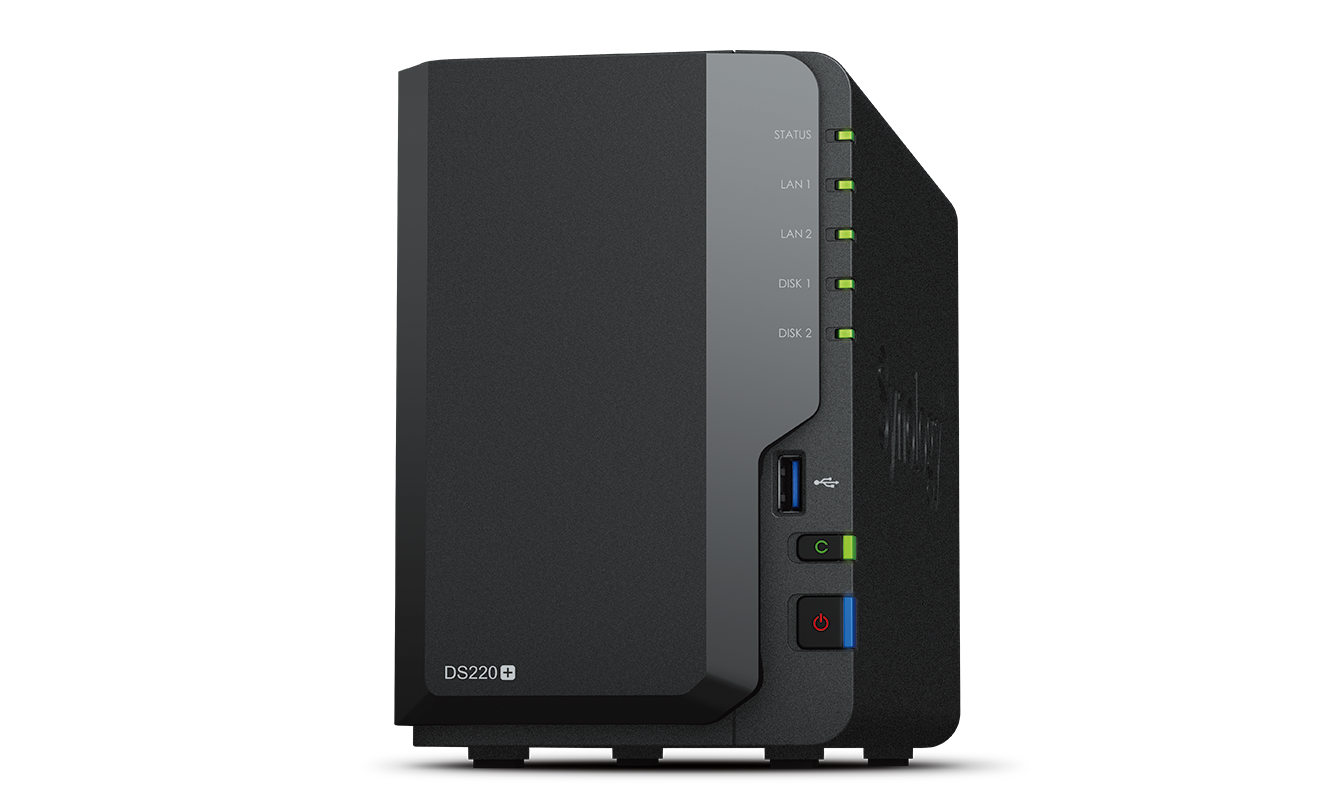
I got Synology NAS and 2 of my HDD failed before and data was gone.
Somehow I managed to google and recover most of the data and since then I been dumping photos from my camera and phones inside.

Now I'm trying to sort out duplicate photos and files in the NAS, therefore I'm planning to copy out the data into external HDD and index from there and sort it out before transferring it to NAS and delete the duplicates files inside NAS and at the same time use the external as clone copy.
 

86technie

High Supremacy Member
Joined
Jun 8, 2006
Messages
40,356
Reaction score
5,943
Currently were you able to extract the data?
Maybe for NAS you can consider Seagate Ironwolf NAS hard disk than the current one you are using.
These have three years warranty, Ironwolf pro have five years warranty.
 

LIN_JOEL

Supremacy Member
Joined
Aug 4, 2001
Messages
6,092
Reaction score
663
Currently were you able to extract the data?
Maybe for NAS you can consider Seagate Ironwolf NAS hard disk than the current one you are using.
These have three years warranty, Ironwolf pro have five years warranty.
My NAS is using 3 iron wolf and 1 HGST.

WD I bought it years ago as backup copy and Toshiba I just got it recently to standby the HGST.

NAS no issue just that the last try when I copy from laptop to external, some of the files and folder went into laptop recycle bin and the 6hrs transfer basically got only the files folder without any files for Toshiba HDD.
I reboot and both WD and HDD become Raw.

Now I'm transferring from NAS to external HDD.
 

keenklee

Arch-Supremacy Member
Joined
Sep 9, 2000
Messages
19,386
Reaction score
6,775
Please correct me or feel free to suggest if my methods are unnecessary..

I got Synology NAS and 2 of my HDD failed before and data was gone.
Somehow I managed to google and recover most of the data and since then I been dumping photos from my camera and phones inside.

Now I'm trying to sort out duplicate photos and files in the NAS, therefore I'm planning to copy out the data into external HDD and index from there and sort it out before transferring it to NAS and delete the duplicates files inside NAS and at the same time use the external as clone copy.

IMHO.
I understand your fustration.
Long time back, I had a Dlink NAS which failed in a similar way - and I had another set used for troubleshooting purposes ! I have sort of moved away from NAS for the time being and running on external USB enclosures.

I do have an Asustor NAS now but it is used for experimenting purposes to backup mobile devices. :D

My current setup is 2 x 2-Bay USB 3.0 Enclosures. I also have an additional set as backup.

For longevity of drives, it is controlling the heat. I think WD Purple and Seagate Skyhawk makes sense.

You can check out these programs
DirSyncPro - for synchronising your drives
Winmerge - for merging your files
 

LIN_JOEL

Supremacy Member
Joined
Aug 4, 2001
Messages
6,092
Reaction score
663
Update!

Same issue happens when I connected the external disk to my laptop.
I wasn't able to stop the operation and eject safety.

So I off my laptop before unplug the USB cable.

When I plug back the cable, 5.86TB of data become raw again.

So restart windows explorer does not really works..
 

TanKianW

Supremacy Member
Joined
Apr 21, 2005
Messages
6,899
Reaction score
3,604
If you are a professional and data is crucial to you, I recommend moving on:
  • Get 2 NASes. One for working files, another to back up the working NAS.
  • Create routine snapshots for both NASes
  • Backup NAS cloud-sync to external cloud providers (Eg. Backblaze B2 or AWS Glacier) on a schedule
  • Connect your NASes to UPS
  • Good to have: NAS runs on ECC Memory
 

LIN_JOEL

Supremacy Member
Joined
Aug 4, 2001
Messages
6,092
Reaction score
663
If you are a professional and data is crucial to you, I recommend moving on:
  • Get 2 NASes. One for working files, another to back up the working NAS.
  • Create routine snapshots for both NASes
  • Backup NAS cloud-sync to external cloud providers (Eg. Backblaze B2 or AWS Glacier) on a schedule
  • Connect your NASes to UPS
  • Good to have: NAS runs on ECC Memory
Too bad I'm not.
I know nope of these except I got an old NAS DS916+ with some of 2 or 3 of the 4 slot might be working. :p
 

keenklee

Arch-Supremacy Member
Joined
Sep 9, 2000
Messages
19,386
Reaction score
6,775
If you are a professional and data is crucial to you, I recommend moving on:
  • Get 2 NASes. One for working files, another to back up the working NAS.
  • Create routine snapshots for both NASes
  • Backup NAS cloud-sync to external cloud providers (Eg. Backblaze B2 or AWS Glacier) on a schedule
  • Connect your NASes to UPS
  • Good to have: NAS runs on ECC Memory
IMHO.
I classify myself as a regular user but data is still critical.
One of my application is low cost per TB and fast copying speed.

NAS Gigabit vs USB 3.0 Enclosures is 1Gbps vs 5GBps.
HDDs can exceed Gigabit Ethernet.

2.5GbE and 10GbE looks interesting.

You recommend good to have NAS run on ECC Memory. Does all the NASes alert when there is ECC errors ?
 

TanKianW

Supremacy Member
Joined
Apr 21, 2005
Messages
6,899
Reaction score
3,604
IMHO.
I classify myself as a regular user but data is still critical.
One of my application is low cost per TB and fast copying speed.

NAS Gigabit vs USB 3.0 Enclosures is 1Gbps vs 5GBps.
HDDs can exceed Gigabit Ethernet.

2.5GbE and 10GbE looks interesting.

You recommend good to have NAS run on ECC Memory. Does all the NASes alert when there is ECC errors ?

If data is crucial to you. I recommend ECC as "must have". ECC will correct the error. The NASes will not alert you.

If you do not want the hassle to DIY, normally the higher end NAS models will come with ECC and 2.5G/10G NIC.

Interested in DIY NASes, check out here:
https://forums.hardwarezone.com.sg/threads/starting-truenas-core-for-new-users.6480129/
 

keenklee

Arch-Supremacy Member
Joined
Sep 9, 2000
Messages
19,386
Reaction score
6,775
If data is crucial to you. I recommend ECC as "must have". ECC will correct the error. The NASes will not alert you.
IMHO.
That is just delaying the problem.
Not sure how NASes handle parity errors.
 

TanKianW

Supremacy Member
Joined
Apr 21, 2005
Messages
6,899
Reaction score
3,604
IMHO.
That is just delaying the problem.
Not sure how NASes handle parity errors.

You should use ZFS with ECC. IMHO, I will only go with NASes using ZFS. No other file system come close. Most consumer users just do not understand how much their data meant to them until they lose it.

I had systems running ZFS with ECC in homelab, production and worklab. Data has been intact for >10 years.

Recommend to watch this. Can check out timestamp 17:00 on ZFS self healing and error checks. And Wendell thoughts on Btrfs VS ZFS
 
Last edited:

keenklee

Arch-Supremacy Member
Joined
Sep 9, 2000
Messages
19,386
Reaction score
6,775
You should use ZFS with ECC. IMHO, I will only go with NASes using ZFS. No other file system come close. Most consumer users just do not understand how much their data meant to them until they lose it.

I had systems running ZFS with ECC in homelab, production and worklab. Data has been intact for >10 years.

Recommend to watch this. Can check out timestamp 17:00 on ZFS self healing and error checks.


IMHO.
It is price vs performance.
Important data need a backup system. NAS is not a backup.
No matter how robust the file system, it cannot recover from a multiple drives failure.

I estimate I need about 20 TB of storage.
Of course I can use ZFS with ECC. I need to buy or build 3 same sets.

Thanks for the info.
 
Important Forum Advisory Note
This forum is moderated by volunteer moderators who will react only to members' feedback on posts. Moderators are not employees or representatives of HWZ Forums. Forum members and moderators are responsible for their own posts. Please refer to our Community Guidelines and Standards and Terms and Conditions for more information.
Top