New HDB BTO Flat - How do you connect your Home Fiber Network

sadboy

Master Member
Joined
Nov 24, 2000
Messages
2,908
Reaction score
171
Hello all,

Wanted to ask about the existing lan ports in new HDB homes.
My computer lan speed detected is 100mpbs. I have checked the computer lan card and its supporting up to 2.5gbps, and lan cable used is cat7. May I know what is causing the detected 100mpbs? could it be the internal hdb cables used or the lan port outlet to support only 100mpbs?

My current setup -
Viewqwest 1Gbps - installed at db box and router connected to 2 lan ports for study room desktop direct connection.
Study room - direct lan connection from data point.

Have you try to replace the cable between DB and your study room?

If after replacing the DB and Study room cable still the same. Your internal hdb cable might have issue either the cabling or the LAN Point not patch correctly.
 

meladu

Junior Member
Joined
Dec 9, 2018
Messages
5
Reaction score
0
Have you try to replace the cable between DB and your study room?

If after replacing the DB and Study room cable still the same. Your internal hdb cable might have issue either the cabling or the LAN Point not patch correctly.
Hmm. I tried connecting my laptop directly to the lan point and it shows 100mbps too. I'll try to repair the data point first to see if it's the case. If not.. i'll live with the 100mbps haha.
 

xonix

Arch-Supremacy Member
Joined
Mar 24, 2001
Messages
17,592
Reaction score
1,688
sorry for the multiple replies but would you be able to direct me a site where i cld check to see if one of them is faulty?
Check with laptop directly at db location. If you can get normal speed there, confirm cable between db and rooms faulty
 

meladu

Junior Member
Joined
Dec 9, 2018
Messages
5
Reaction score
0
Check with laptop directly at db location. If you can get normal speed there, confirm cable between db and rooms faulty
Hello!

just changed the wire from the router to DB and it worked like a charm! Appreciate all the help rendered.
 

gregory_choo

Arch-Supremacy Member
Joined
Nov 7, 2007
Messages
10,477
Reaction score
1,973
sorry for the multiple replies but would you be able to direct me a site where i cld check to see if one of them is faulty?
connect your laptop at the db, if it is 1Gbps, then either the cable or the RJ45 connectors is having problem. RJ45 is easy to change (there are 2, one at DB and one wall plate in the room).

cable is harder to change if faulty.

one way to check is to use multimeter. short the green pair at one end, go to another end and measure connectivity of the green pair, do the same for the other 3 pairs.
 

freezerz

Senior Member
Joined
Jan 1, 2000
Messages
694
Reaction score
0
sorry for the multiple replies but would you be able to direct me a site where i cld check to see if one of them is faulty?

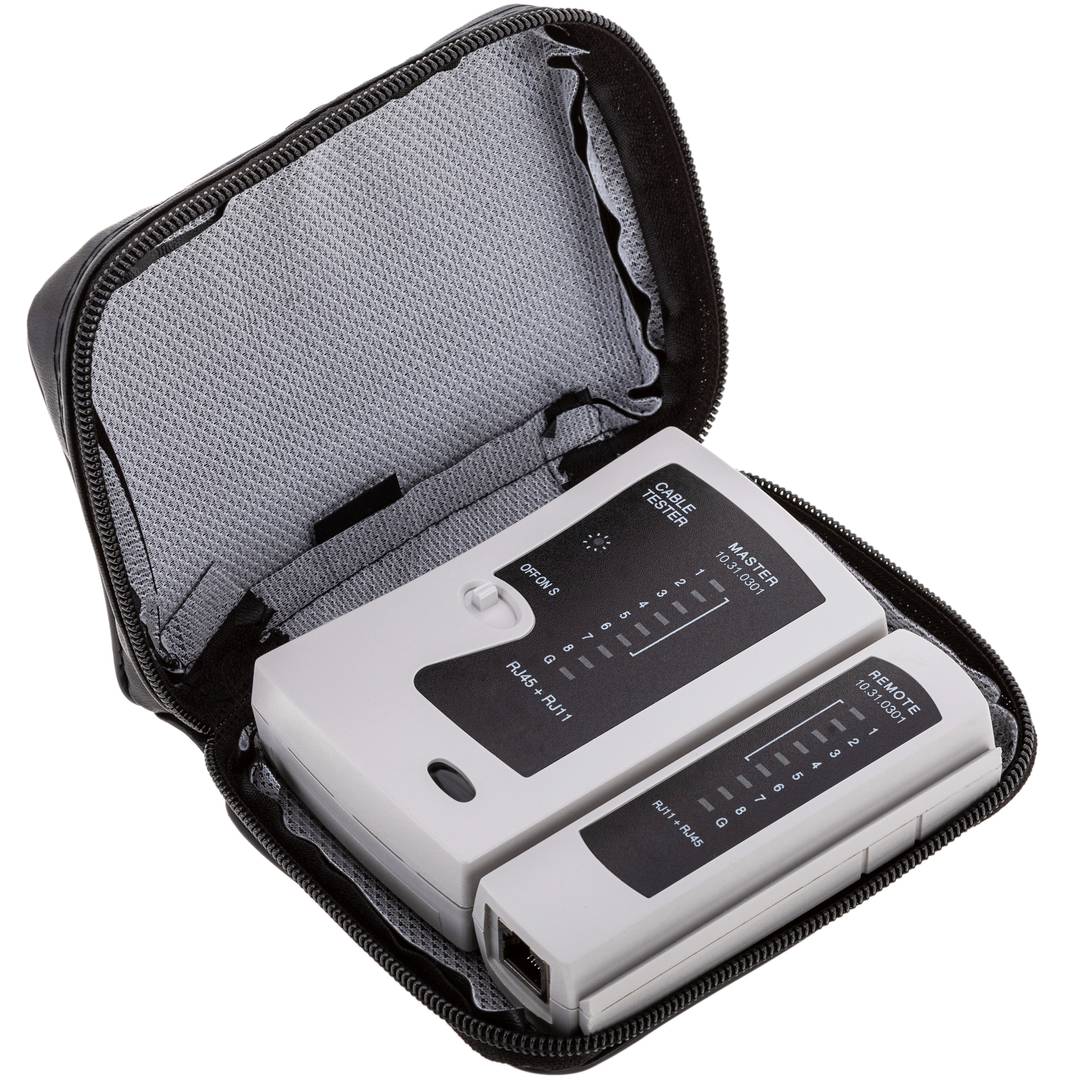
Just buy a LAN cable tester. You can check both your patch cables and the lan ports between rooms.

ct00600-01-thumbnail-1080x1080-70.jpg
 

shin89

Arch-Supremacy Member
Joined
Sep 17, 2004
Messages
17,874
Reaction score
59
Wanted to ask if I was using asus ac5300 as main router in DB box with wifi turned off, and wanted to add on 2 xiaomi ax6000 as AP mesh with ethernet backhaul in 2 separate rooms...

1) Am I able to just connect the 2 APs directly to the Asus router? Would the mesh still work?
2) Or does mesh always require the 2nd AP to connect directly to the first AP node?
 

zaviour

Senior Member
Joined
Jul 29, 2005
Messages
791
Reaction score
8
Hi there,

Just want to get advice for the new bto network setup. If I want to put the router not inside the DB box but instead on the living room. How do I plan that?

Here is the DB box network point
1. From the Left small box to ONT
2. ONT to ?
3.?

Thank you for the advice!

BTO-Network.jpg
 

xonix

Arch-Supremacy Member
Joined
Mar 24, 2001
Messages
17,592
Reaction score
1,688
Hi there,

Just want to get advice for the new bto network setup. If I want to put the router not inside the DB box but instead on the living room. How do I plan that?

Here is the DB box network point
1. From the Left small box to ONT
2. ONT to ?
3.?

Thank you for the advice!

BTO-Network.jpg
Yes, you can but rest of the network point in the house will not be able to use.
ONT > DX ( X=1,2,3,4,5 or 6 ) > Router (at living rm)

Do you have 2 lans port side by side in the rest of house ?
If yes, you can do for example:
ONT > Router (at living rm #1) > living rm #2 > Switch (at DB) > all the lan points
 
Last edited:

zaviour

Senior Member
Joined
Jul 29, 2005
Messages
791
Reaction score
8
Yes, you can but rest of the network point in the house will not be able to use.
ONT > DX ( X=1,2,3,4,5 or 6 ) > Router (at living rm)

Do you have 2 lans port side by side in the rest of house ?
If yes, you can do for example:
ONT > Router (at living rm #1) > living rm #2 > Switch (at DB) > all the lan points

I need to check for the 2 lan ports: so for this setup, I need to purchase a switch is it? And how do I connect those to all the lan points?

But if let's say I have a spare lousier router that I put at the DB as AP. How do I set up this for the main router in the living room?

Thanks
 

xonix

Arch-Supremacy Member
Joined
Mar 24, 2001
Messages
17,592
Reaction score
1,688
I need to check for the 2 lan ports: so for this setup, I need to purchase a switch is it? And how do I connect those to all the lan points?

But if let's say I have a spare lousier router that I put at the DB as AP. How do I set up this for the main router in the living room?

Thanks
Ports labeled d1 to d6 ( patch panel ) ?
Those lead to network points in the rooms

If you have 2 routers,
ONT > router > patch panel > all network points > AP at living room network point
 

zaviour

Senior Member
Joined
Jul 29, 2005
Messages
791
Reaction score
8
Ports labeled d1 to d6 ( patch panel ) ?
Those lead to network points in the rooms

If you have 2 routers,
ONT > router > patch panel > all network points > AP at living room network point

Yeah so from the switch to all the rest of the DX is it? It means I need lots of Cat6 cable...

For the 2 routers setup case, how to make the main router in the living room? Based on your suggestion the living room is acting as AP without any function. I am thinking to get ROG AX110000 for the living room, it will be wasteful to just act as AP there. My spare router is AC1200G+.
 

xonix

Arch-Supremacy Member
Joined
Mar 24, 2001
Messages
17,592
Reaction score
1,688
Yeah so from the switch to all the rest of the DX is it? It means I need lots of Cat6 cable...

For the 2 routers setup case, how to make the main router in the living room? Based on your suggestion the living room is acting as AP without any function. I am thinking to get ROG AX110000 for the living room, it will be wasteful to just act as AP there. My spare router is AC1200G+.
Read my initial reply to your post.
 

gregory_choo

Arch-Supremacy Member
Joined
Nov 7, 2007
Messages
10,477
Reaction score
1,973
I need to check for the 2 lan ports: so for this setup, I need to purchase a switch is it? And how do I connect those to all the lan points?

But if let's say I have a spare lousier router that I put at the DB as AP. How do I set up this for the main router in the living room?

Thanks
Let's name the devices first:
Router A: AC1200
Router B: ROG AX110000.

Put router A in the DB, disable the wifi .
ONT --> router A WAN port
router A lan1 --> Rm1
router A lan2 --> Rm2
router A lan3 --> Rm3
router A lan4 --> router B lan4

disable router B 's DHCP. change router B's IP address to be in the same subnet as router A. e.g if the ip no of router A is 192.168.1.1, then set router B to 192.168.1.254

For this configuration, in fact router A functions as the main router, router B is set as AP. You don't have to install switch in DB, unless you want lan ports in more than 3 rooms.
 

Apex

Senior Member
Joined
Jan 1, 2000
Messages
2,496
Reaction score
237
Yeah so from the switch to all the rest of the DX is it? It means I need lots of Cat6 cable...

For the 2 routers setup case, how to make the main router in the living room? Based on your suggestion the living room is acting as AP without any function. I am thinking to get ROG AX110000 for the living room, it will be wasteful to just act as AP there. My spare router is AC1200G+.

The setup i think zaviour suggest

4pmrnhd.jpg

*This setup still allow you o make main router in living room.

Do take note if Living room has two lan point assume D1 and D2. You can use D2 to loop connection back to the DB.

Add a switch in the DB will allow you to use D3/4/5. (dont see a need to put a router i DB box area)
 

zaviour

Senior Member
Joined
Jul 29, 2005
Messages
791
Reaction score
8
Thanks for the suggestion.

I just checked so there are 3 Lan ports in the living room area connecting back to the DB. So maybe I will consider the suggestion setup above so at least my router in the living room act as the main router for better wifi coverage than putting it inside the DB box.

The setup i think zaviour suggest

4pmrnhd.jpg

*This setup still allow you o make main router in living room.

Do take note if Living room has two lan point assume D1 and D2. You can use D2 to loop connection back to the DB.

Add a switch in the DB will allow you to use D3/4/5. (dont see a need to put a router i DB box area)
 
Last edited:

gregory_choo

Arch-Supremacy Member
Joined
Nov 7, 2007
Messages
10,477
Reaction score
1,973
Thanks for the suggestion.

I just checked so there are 3 Lan ports in the living room area connecting back to the DB. So maybe I will consider the suggestion setup above so at least my router in the living room act as the main router for better wifi coverage than putting it inside the DB box.
Is yours a new BTO or a resale unit?
 
Important Forum Advisory Note
This forum is moderated by volunteer moderators who will react only to members' feedback on posts. Moderators are not employees or representatives of HWZ. Forum members and moderators are responsible for their own posts.

Please refer to our Community Guidelines and Standards, Terms of Service and Member T&Cs for more information.
Top