Note 2 battery life

justln

High Supremacy Member
Joined
Nov 13, 2004
Messages
30,776
Reaction score
5,872
I tried killing apps and putting my phone on airplane before I go to slp but can't achieve your standard. Any advise?

7 hours will drop 5% for me.

Notice the 'Awake' portion is not as good as yours.

Do I have to turn off WIFI, sync and data? I am assuming airplane will actually cut all those off as well.

I would suggest trying out Deep Sleep Battery Saver, it forces your phone to go into deep sleep when you lock it. You can choose to disable WIFI/GPS/Mobile Data/Bluetooth.
It'll wake your phone up during intervals for a certain period of time to sync data.
You can also set a sleep time like 12 - 8pm so that it doesn't wake up at all.

The Pro version just allows you to set custom timing, otherwise the free version works fine.
 

kennyboy

High Supremacy Member
Joined
Nov 30, 2000
Messages
43,150
Reaction score
43
I would suggest trying out Deep Sleep Battery Saver, it forces your phone to go into deep sleep when you lock it. You can choose to disable WIFI/GPS/Mobile Data/Bluetooth.
It'll wake your phone up during intervals for a certain period of time to sync data.
You can also set a sleep time like 12 - 8pm so that it doesn't wake up at all.

The Pro version just allows you to set custom timing, otherwise the free version works fine.
The aim is to achieve similar results without resorting to apps that cripples the phone. :D

Using such apps is sadly the easy/lazy way out.
 

senthiljams

Junior Member
Joined
Aug 4, 2006
Messages
41
Reaction score
0
I would suggest trying out Deep Sleep Battery Saver, it forces your phone to go into deep sleep when you lock it. You can choose to disable WIFI/GPS/Mobile Data/Bluetooth.
It'll wake your phone up during intervals for a certain period of time to sync data.
You can also set a sleep time like 12 - 8pm so that it doesn't wake up at all.

The Pro version just allows you to set custom timing, otherwise the free version works fine.

While you are at it, also try out Juice defender app.

I had pathetic battery life until I disabled Season Zen HD live wallpaper, HD Weather widgets and installed juice defender
 

samson1

Senior Member
Joined
Jan 1, 2000
Messages
864
Reaction score
4
I tried killing apps and putting my phone on airplane before I go to slp but can't achieve your standard. Any advise?

7 hours will drop 5% for me.

Notice the 'Awake' portion is not as good as yours.

Do I have to turn off WIFI, sync and data? I am assuming airplane will actually cut all those off as well.

Bro, your graph damn good liao. The awake occurrences are minimum. Turn off your WIFI when not in use.
 

carey

High Supremacy Member
Joined
Sep 10, 2002
Messages
40,839
Reaction score
5,179
I tried killing apps and putting my phone on airplane before I go to slp but can't achieve your standard. Any advise?

7 hours will drop 5% for me.

Notice the 'Awake' portion is not as good as yours.

Do I have to turn off WIFI, sync and data? I am assuming airplane will actually cut all those off as well.

Nope, my wifi is still on all the time - only off sync :)

Like I said, follow the guide I posted and you will understand what I am talking about...hahah

Anyway, a good way of testing if any of your apps are still trying to access the net without your knowledge is to off all data connection for a hour or so - see if the battery usage is showing a flat line...

If yes, then you have found the reason and it's a matter of knowing which apps are these...

I use system panel to help me sniff out these rogue apps - all included in the guide I posted :D
 

kennyboy

High Supremacy Member
Joined
Nov 30, 2000
Messages
43,150
Reaction score
43
There is no need to turn off wifi unless u don't want to stay connected/leaving wifi range. Compared to 3g/lte, wifi is much more battery saving.

On a decent wifi connection, battery drain with syncing on and screen off should result in a nearly horizontal battery curve.
 

samson1

Senior Member
Joined
Jan 1, 2000
Messages
864
Reaction score
4
There is no need to turn off wifi unless u don't want to stay connected/leaving wifi range. Compared to 3g/lte, wifi is much more battery saving.

On a decent wifi connection, battery drain with syncing on and screen off should result in a nearly horizontal battery curve.

That is if you are in wifi range all the time. If not, then turn it off.
 

tapway

Junior Member
Joined
Oct 23, 2012
Messages
62
Reaction score
0
I would suggest trying out Deep Sleep Battery Saver, it forces your phone to go into deep sleep when you lock it. You can choose to disable WIFI/GPS/Mobile Data/Bluetooth.
It'll wake your phone up during intervals for a certain period of time to sync data.
You can also set a sleep time like 12 - 8pm so that it doesn't wake up at all.

The Pro version just allows you to set custom timing, otherwise the free version works fine.

Thanks for the tip !!
 

dscans

Member
Joined
Sep 21, 2000
Messages
379
Reaction score
0
I typically use a suite of apps to track down apps or processes that cause unacceptably high battery drain. Like some have mentioned in the thread, it's better to track down the source of your battery drain problem than to install 3rd party apps that mask the problem :)

The 2 most essential apps I use are:

1. Better Battery Stats (only the paid version is available on Google Play, though I think you can get the free apk from the XDA forums). This app provides a wealth of details about mis-behaving apps and phone processes that prevent your phone from going into deep sleep. If I don't do anything to my phone (i.e. overnight when I'm asleep, the % of time the phone in deep sleep is usually well over 90%). In particular, I look at the partial wakelock stat - this shows which app or process that "wakes" your phone and consume battery.

2. Watchdog lite - there's a "pro" version available, but I found the features in the free "lite" version are enough for me :) This app offers real time monitoring of your phone, and gives an alarm if an app or process is hogging your CPU over a period of time. That way you can use the built in task killer to "kill" the offending app. To be forewarned is to be forearmed!

Recently I used these apps to track down the issues that were affecting my Note II's battery life. Firstly, I found that my battery drained about 20% overnight, whereas previously it drained only 1 or 2% overnight at most. Better Battery Stats partial wakelock logs showed BeWeather (a weather widget app) was keeping my phone awake the whole night. I had turned off auto-updating in the widget and set it to manual update, but somehow it still tried to connect to update the whole night. After a few similar instances, I uninstalled the widget :s22:

Now I have another problem which still remained unsolved - Through BBS, I found out that there's this process called mediascannerservice that's keeping the phone awake and running the CPU at 100% This is a major battery killer. It chewed through my battery like no tomorrow, and with the CPU running at close to 100%, it also causes the phone to heat up. I have identified it as "media" in android's default battery app, and have killed it manually after every restart. A brief search through Google showed that it's quite a common problem in ICS and Jelly Bean. The general consensus was that a corrupted file was causing the scanner service to run in a continuous loop. The solutions offered were not too palatable, most involving a full wipe of the phone and reinstalling everything. I haven't taken this step yet as re-installing everything was a major pain. So I have to make do with killing that process whenever Watchdog pops up a warning :s13:
 

dscans

Member
Joined
Sep 21, 2000
Messages
379
Reaction score
0
I typically use a suite of apps to track down apps or processes that cause unacceptably high battery drain. Like some have mentioned in the thread, it's better to track down the source of your battery drain problem than to install 3rd party apps that mask the problem :)

The 2 most essential apps I use are:

1. Better Battery Stats (only the paid version is available on Google Play, though I think you can get the free apk from the XDA forums). This app provides a wealth of details about mis-behaving apps and phone processes that prevent your phone from going into deep sleep. If I don't do anything to my phone (i.e. overnight when I'm asleep, the % of time the phone in deep sleep is usually well over 90%). In particular, I look at the partial wakelock stat - this shows which app or process that "wakes" your phone and consume battery.

2. Watchdog lite - there's a "pro" version available, but I found the features in the free "lite" version are enough for me :) This app offers real time monitoring of your phone, and gives an alarm if an app or process is hogging your CPU over a period of time. That way you can use the built in task killer to "kill" the offending app. To be forewarned is to be forearmed!

Recently I used these apps to track down the issues that were affecting my Note II's battery life. Firstly, I found that my battery drained about 20% overnight, whereas previously it drained only 1 or 2% overnight at most. Better Battery Stats partial wakelock logs showed BeWeather (a weather widget app) was keeping my phone awake the whole night. I had turned off auto-updating in the widget and set it to manual update, but somehow it still tried to connect to update the whole night. After a few similar instances, I uninstalled the widget :s22:

Now I have another problem which still remained unsolved - Through BBS, I found out that there's this process called mediascannerservice that's keeping the phone awake and running the CPU at 100% This is a major battery killer. It chewed through my battery like no tomorrow, and with the CPU running at close to 100%, it also causes the phone to heat up. I have identified it as "media" in android's default battery app, and have killed it manually after every restart. A brief search through Google showed that it's quite a common problem in ICS and Jelly Bean. The general consensus was that a corrupted file was causing the scanner service to run in a continuous loop. The solutions offered were not too palatable, most involving a full wipe of the phone and reinstalling everything. I haven't taken this step yet as re-installing everything was a major pain. So I have to make do with killing that process whenever Watchdog pops up a warning :s13:

 

abuddlah

Banned
Joined
Sep 12, 2009
Messages
2,619
Reaction score
0
Can someone tell me if my Note 2 is good? I don't feel the battery being very good.

screenshot2013012423531.png

screenshot2013012423531.png

screenshot2013012423565.png

screenshot2013012423582.png
 
V

victorlht88

Guest
Can someone tell me if my Note 2 is good? I don't feel the battery being very good.

screenshot2013012423531.png

screenshot2013012423531.png

screenshot2013012423565.png

screenshot2013012423582.png

seems pretty decent to clock almost 24hours with spare juice to leave. depending on your apps and screen time.

average user clocks around 4-5hours of screen time provided the signal is strong or on wifi. i've clocked 6hours screen time at home on wifi which is phenomenal and i don't think any phones will be able to match that time other than razr maxx.

how good do you want it to be, 5 days without charging?
 

abuddlah

Banned
Joined
Sep 12, 2009
Messages
2,619
Reaction score
0
seems pretty decent to clock almost 24hours with spare juice to leave. depending on your apps and screen time.

average user clocks around 4-5hours of screen time provided the signal is strong or on wifi. i've clocked 6hours screen time at home on wifi which is phenomenal and i don't think any phones will be able to match that time other than razr maxx.

how good do you want it to be, 5 days without charging?

I scroll through this thread and saw people with 50% and almost 24hpurs .plus my screen time is only around 3 hours.
 

rollanddie

Supremacy Member
Joined
Aug 15, 2012
Messages
5,343
Reaction score
8
2013-02-05-01-59-45_zps67077481.png


Can someone tell me why is the screen using up so much battery?! I've disabled the auto screen brightness and adjusted it to the lowest whenever possible. :s11::s11:

HELP
 
Last edited:

justln

High Supremacy Member
Joined
Nov 13, 2004
Messages
30,776
Reaction score
5,872
How come never show other apps like chrome etc?
And why is screen using up so much battery?! I've disabled the auto screen brightness and adjusted it to the lowest whenever possible. :s11::s11:

Because you never do anything with your phone and the only activity is screen being active?
10 hours left 71% got anything to complain about meh? :s22:

People, just use your phone LIKE A PHONE and stop caring about battery FFS. Is the low brightness to save battery worth your eyesight? :s22:
Note 2 has a replaceable batteries for that reason, you want can buy 1000000 spare batteries.
 

rollanddie

Supremacy Member
Joined
Aug 15, 2012
Messages
5,343
Reaction score
8
Because you never do anything with your phone and the only activity is screen being active?
10 hours left 71% got anything to complain about meh? :s22:

People, just use your phone LIKE A PHONE and stop caring about battery FFS. Is the low brightness to save battery worth your eyesight? :s22:
Note 2 has a replaceable batteries for that reason, you want can buy 1000000 spare batteries.

I don't see how the low brightness will spoil my eyesight. Stop caring about battery? No battery how to use your phone LIKE A PHONE????? Pls use ur brain to think before you post FFS :s8:
 

N3wXTyp3

Master Member
Joined
Apr 19, 2008
Messages
3,965
Reaction score
1
hmm I think most of us are office workers or students, the places we normally go have easy access to power point. Charging problem is ruled out.

Also we have power bank at very affordable prices, see the market place for great deals.

Screen is always the worst killer in most high tech phone.

AMOLED is worst because the every pixel itself is a light bulb making it drains a lot of power once it is powered on.

For me, I set all my devices to auto, let it adjust to all lighting environment.
 

justln

High Supremacy Member
Joined
Nov 13, 2004
Messages
30,776
Reaction score
5,872
I don't see how the low brightness will spoil my eyesight. Stop caring about battery? No battery how to use your phone LIKE A PHONE????? Pls use ur brain to think before you post FFS :s8:

Note 2 screen so nice you destroy it with low brightness, waste of money. :s22:

Note 2 3100mAh, you got 10 hours out of 29% battery life still whine like a baby.
I wonder how you got by with the other lower capacity phones. :s22:

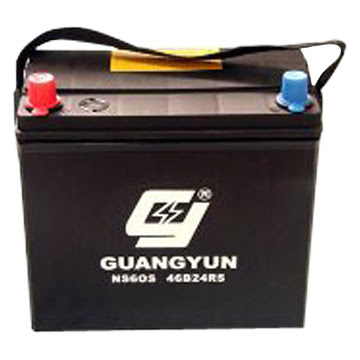
You want to keep crying about battery life might as well bring this along everywhere you go, confirm won't run out of battery. :s22:

car-battery+1.jpg
 
Important Forum Advisory Note
This forum is moderated by volunteer moderators who will react only to members' feedback on posts. Moderators are not employees or representatives of HWZ Forums. Forum members and moderators are responsible for their own posts. Please refer to our Community Guidelines and Standards and Terms and Conditions for more information.
Top