Nvidia driver problems?

reddevil268

Senior Member
Joined
Jul 31, 2011
Messages
1,495
Reaction score
0
hi, would like to find out if graphic card is faulty or the latest nvidia driver is causing problems with my Palit GTX 560 ti.

okay, so i updated to the latest driver a few weeks back and it was fine for a while, then after that, the temps of the GPU is "amazing" It's like 70 to 80 degrees on startup. Found out that the voltage of the card was tweaked to 1.01 from 0.95. By the way, just start up, thus no GPU intense program was running or so. Was 0.95 when in idle mode in the past.

So, i reinstalled the driver, temps (38 - 41 on idle) and voltage back to normal, 0.95. However, after restarting the com, the temps go back to 70 to 80 degrees again... The only way to solve this is to reinstall the driver every now and then i turn on the computer.

Thus, would like to find out if it is possible i bring the card down for a check or is it just the driver's problem?

Thanks alot! :)
 

Gaminator

Supremacy Member
Joined
Jul 21, 2004
Messages
8,629
Reaction score
693
What driver version did you install? Yes, there was a driver or two that boosted voltage for some models of Keplers I think. Unfortunately, it did the same for certain models of Fermi, killing some cards along the way. Best for you to totally uninstall it, use driver sweeper and install 314.xx. Go to guru3d, there is more info on this issue there....nV has been having some issues with their drivers as of late. Heck, I have 2x GTX670 which are Keplers and ev3n I dare not update my driver. Using 320.00....might downgrade as my temps hit more thwn 80C in the Valley benchmark run.
 

reddevil268

Senior Member
Joined
Jul 31, 2011
Messages
1,495
Reaction score
0
What driver version did you install? Yes, there was a driver or two that boosted voltage for some models of Keplers I think. Unfortunately, it did the same for certain models of Fermi, killing some cards along the way. Best for you to totally uninstall it, use driver sweeper and install 314.xx. Go to guru3d, there is more info on this issue there....nV has been having some issues with their drivers as of late. Heck, I have 2x GTX670 which are Keplers and ev3n I dare not update my driver. Using 320.00....might downgrade as my temps hit more thwn 80C in the Valley benchmark run.

i regretably installed the latest.. 326.40 or a version before that. Not sure. I uninstalled already, and after i install another driver the temps are okay. But after i restart, the temps goes crazy again :eek: I dont want to reinstall drivers everytime i turn on the com :(. Maybe i did not uninstall cleanly. Would you tell me how should i uninstall the drivers cleanly? I used advanced uninstaller Pro 11 though.:(
 

Gaminator

Supremacy Member
Joined
Jul 21, 2004
Messages
8,629
Reaction score
693
die??! totally spoilt? then how?
I think due to overvoltage and heat, one of both these factors would cause the card to die. BTW, usually, removing the remnant of driver via Driver Sweeper rids the system of everything.....very strange.
 

reddevil268

Senior Member
Joined
Jul 31, 2011
Messages
1,495
Reaction score
0
I think due to overvoltage and heat, one of both these factors would cause the card to die. BTW, usually, removing the remnant of driver via Driver Sweeper rids the system of everything.....very strange.

Mine was 0.95 on idle(using chrome and all) now after that stupid driver update i cant get it back to 0.95... Now always stay at 1.01v. 1.01v acceptable if i play BF3 but certainly, i do not want to run my fan speeds at 100% even on idle.. Someone from nvidia please fix this!! :(.

Yea everything, then i get some funny 800 x 600 resolution hahaha
 

hiblow

Member
Joined
Mar 30, 2011
Messages
165
Reaction score
0
die??! totally spoilt? then how?

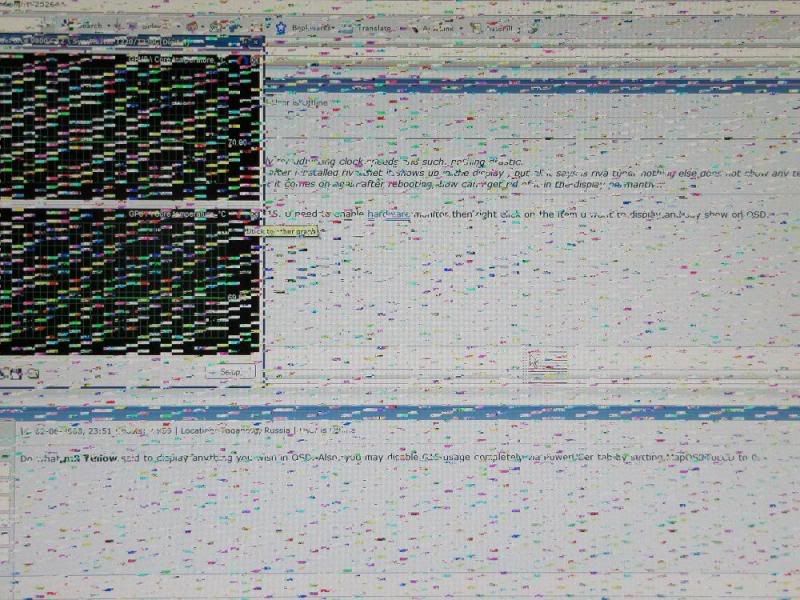
yes totally , it suddenly become like this when playing game and i keep getting beep sound and blue screen when restart window but sometime still can load window , but resolution is revert back to 640 x 480 and gpu driver is not working anymore , btw my card temp is about 45 degree when idle :(

artifacts.jpg
 
Last edited:

reddevil268

Senior Member
Joined
Jul 31, 2011
Messages
1,495
Reaction score
0
yes totally , it suddenly become like this when playing game and i keep getting beep sound and blue screen when restart window but sometime still can load window , but resolution is revert back to 640 x 480 driver is not working anymore:(

artifacts.jpg

wow yours is very bad! No more warranty?? Mine still got receipt but idk whether still under warranty cause i reapplied thermal paste, not sure voided not...
 

hiblow

Member
Joined
Mar 30, 2011
Messages
165
Reaction score
0
wow yours is very bad! No more warranty?? Mine still got receipt but idk whether still under warranty cause i reapplied thermal paste, not sure voided not...

no more warranty and the card die just exactly 2 year and 1 week only , it a palite card
 

reddevil268

Senior Member
Joined
Jul 31, 2011
Messages
1,495
Reaction score
0
no more warranty and the card die just exactly 2 year and 1 week only , it a palite card

haha i just turned on my another com, using gtx 550ti with 314.22 drivers. No such problems.. Tried switching power supplies too, no diff also. Im suspecting its all due to stupid nvidia latest driver causing all these. Will they take responsibilities for it?! Btw both my cards are palit too but my gtx 560ti still under warranty if they dont mind that i reapplied thermal paste :o
 

hiblow

Member
Joined
Mar 30, 2011
Messages
165
Reaction score
0
haha i just turned on my another com, using gtx 550ti with 314.22 drivers. No such problems.. Tried switching power supplies too, no diff also. Im suspecting its all due to stupid nvidia latest driver causing all these. Will they take responsibilities for it?! Btw both my cards are palit too but my gtx 560ti still under warranty if they dont mind that i reapplied thermal paste :o

lucky you if not card problem , not sure whether can rma card if not spoil , if can , i will rma it next time when it warranty period is near over ,a bit sad for my case , spent almost $500 for it and card life span is so short only
 
Last edited:

reddevil268

Senior Member
Joined
Jul 31, 2011
Messages
1,495
Reaction score
0
lucky you if not card problem , not sure whether can rma card if not spoil , if can , i will rma it next time when it warranty period is near over ,a bit sad for my case , spent almost $500 for it and card life span is so short only

haha i learnt my lesson, never update nvidia drivers anymore till stable sia. sian! But i dont think is card problem though..! So i not sure want to make a wasted trip down to convergent or not!
 

Gaminator

Supremacy Member
Joined
Jul 21, 2004
Messages
8,629
Reaction score
693
This is the second time nVidia truly fubar'ed a driver, there was another time a driver screwed up the fan and caused some cards to overheat and die. Gone are the days when nV fans could say that the drivers are perfect. AMD does not have perfect drivers too, but at least they don't kill cards....
 

enenyi

Supremacy Member
Joined
Nov 22, 2011
Messages
5,927
Reaction score
5
This is the second time nVidia truly fubar'ed a driver, there was another time a driver screwed up the fan and caused some cards to overheat and die. Gone are the days when nV fans could say that the drivers are perfect. AMD does not have perfect drivers too, but at least they don't kill cards....
Aiyah, no need to speculate so much, just one very simple business tactic Nvidia used: make sure support for older cards is cut off, so that you have no choice but to upgrade your card to the latest ones. :D
 

reddevil268

Senior Member
Joined
Jul 31, 2011
Messages
1,495
Reaction score
0
This is the second time nVidia truly fubar'ed a driver, there was another time a driver screwed up the fan and caused some cards to overheat and die. Gone are the days when nV fans could say that the drivers are perfect. AMD does not have perfect drivers too, but at least they don't kill cards....

haha nvidia should really compensate or release a driver that fixes this soon enough. Or im losing confidence in them. Never tried an AMD card before though
 

reddevil268

Senior Member
Joined
Jul 31, 2011
Messages
1,495
Reaction score
0
Aiyah, no need to speculate so much, just one very simple business tactic Nvidia used: make sure support for older cards is cut off, so that you have no choice but to upgrade your card to the latest ones. :D

Walao, then ask them sell their GTX 600 and 700 even cheaper or even offer a trade in man. Now im stuck with this GTX 560ti and cant find a way to install older drivers without same problems!! :(
 

lai_cc

Junior Member
Joined
Aug 24, 2008
Messages
73
Reaction score
0
yes totally , it suddenly become like this when playing game and i keep getting beep sound and blue screen when restart window but sometime still can load window , but resolution is revert back to 640 x 480 and gpu driver is not working anymore , btw my card temp is about 45 degree when idle :(

artifacts.jpg

The screenshot looks similar to mine. For my case, i see black flickering squares (about .5cm size). If I don't close my apps and raise GPU fan speed, I will get BSOD with nvlddmdm.sys error. The GPU temperature recorded at idle is around 42c while on load (i.e. gaming) is around 60c-70c+. This symtom can happen after 10mins of gaming (even with lowest settings) or normal surfing after about an hour. It really irritates me.

If i get one of such BSOD, I cannot restart immediately because the problem will still be there. Usually i need to wait for few hours to cool down the GPU? (which means i can only use on next day).

I am on palit gtx550ti (about 1yr old). This problem starts since i upgraded to 32X.xx drivers. According to another thread, it looks like i have insufficient power supply. Now i think its a combination of problems. Barely enough power supply and overheating card (due to driver??).

I hope i have not damaged my GPU yet.
 
Last edited:
Important Forum Advisory Note
This forum is moderated by volunteer moderators who will react only to members' feedback on posts. Moderators are not employees or representatives of HWZ Forums. Forum members and moderators are responsible for their own posts. Please refer to our Community Guidelines and Standards and Terms and Conditions for more information.
Top