Cookee
Master Member
- Joined
- Jan 1, 2000
- Messages
- 3,205
- Reaction score
- 436
contribution to keep the thread alive

Your set up is v nice. Can share what widgets are those?


contribution to keep the thread alive

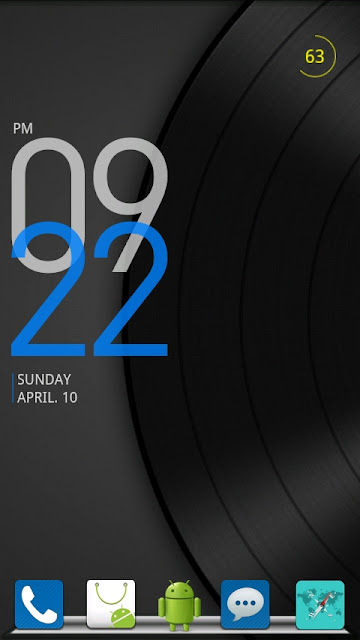
Bro, what is the app u using? showing the date, time and batt status.


minimalistic text
i can only get minimalistic text to display time and date.... battery status cannot... can teach????
i can only get minimalistic text to display time and date.... battery status cannot... can teach????
you need to select custom layout. make two rows by pressing the second square on the right. first square is to add variable. second square is to add rows. third square is to remove rows. to remove a variable long press it den drag it to the thrash can.
first row add these variables in the following order:
Hour(24h), Static text (select space), Minute (2 digits)
then set style to 'Accented' and override size is 55 for each of the variable.
second row:
Day of week, Static text (space), Month text, Static text (space), Day two digits, Static text (space), Battery level, Static text (space), Battery status (text)
then set style to 'Normal' with default text size for each variable.


i like ur lockscreen bg! can share plsss! =)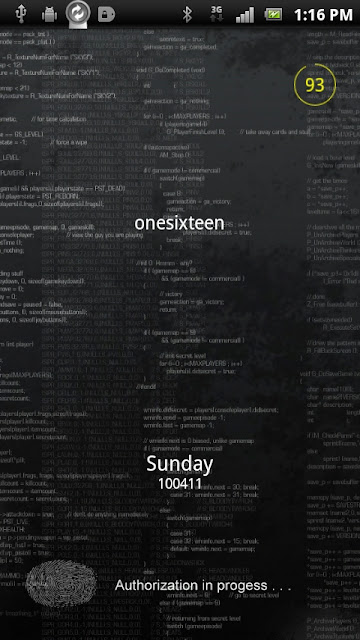

Lockscreen
- widgetlocker
- clock & date - minimalist text
-Battery- Circular Batt
Homescreen
-Launcher pro
-Clock - BobClockD3
-Battery- Circular Batt

i like ur lockscreen bg! can share plsss! =)
the wallpaper can be found here
http://browse.deviantart.com/customization/wallpaper/?q=code&order=9&offset=576#/d16g1ht
You need WidgetLocker to use the CowonD3Lock.
Put all your themes.wltheme.zip in /data/com.teslacoilsw.widgetlocker/themes
Go into Tool Mode and longpress the lockscreen
Choose Custom Slider from the menu that appears
Choose from your themes.

I don't know if this is the right place to ask this qn, mod please move or delete this thread if it's not appropriate for this forum. Thanks
I got some problem with minimalistic text. The text box is very small and is confined into a very small area so it looks something like..... Seven
FOR
TY
Just couldn't get it to show something like SevenFORTY
There seem to be no option to enlarge the box size to a rectangular like what I've seen in some youtube reviews. Anybody has any idea where did I go wrong?
Thanks.
Download adw launcher (both paid and free) or launcherpro plus (only paid). They support resizing of widgets.
Long press the widget and let go on the same spot. A menu will appear in adw, press edit. In launcherpro plus, it will go straight to the edit box.
Drag the sides of the box to resize.