Project: PrometheusCU

Langer

Member
Joined
Sep 20, 2008
Messages
221
Reaction score
0
Thank you Valence, that's exactly how I feel about Prometheus.


I think I'm going to go ahead with rev4, only some very minor revisions to add to it... and I'll let those be a surprise.


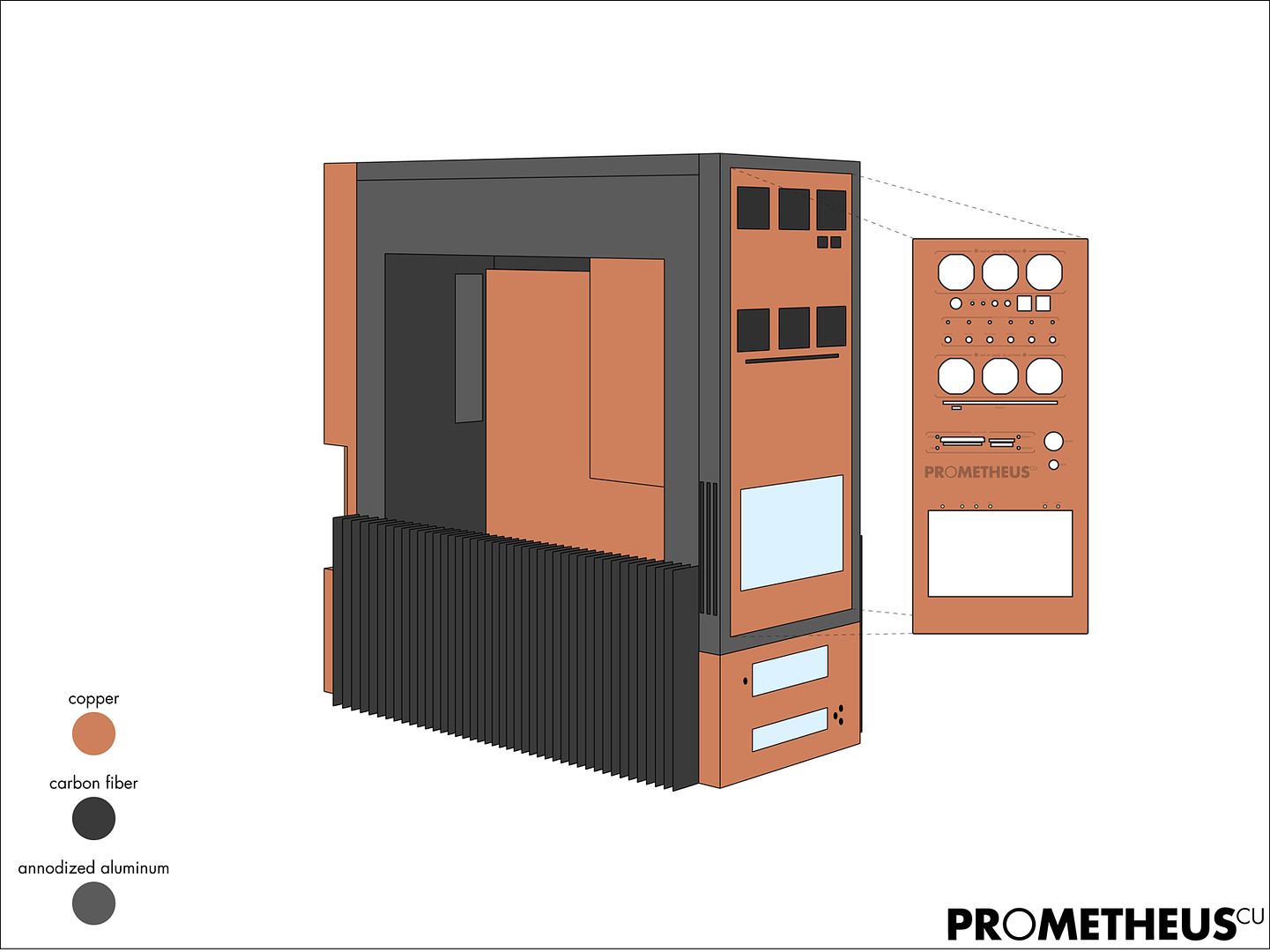
Rev 4 - assembled.
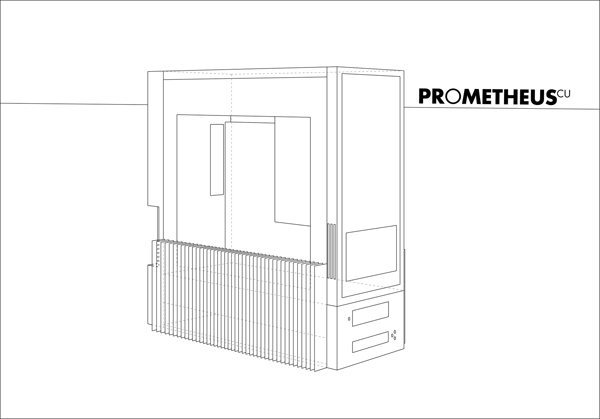

*click for big*


I added a splash of colour to the illustration, just to give a better idea of which parts will be made of which material:
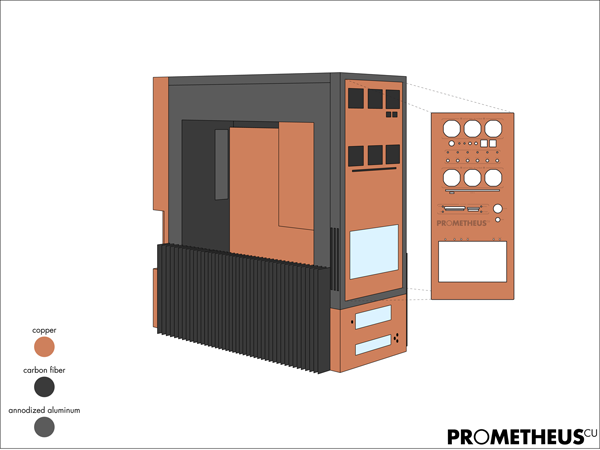
*click for big*
 

Langer

Member
Joined
Sep 20, 2008
Messages
221
Reaction score
0
Thanks a lot for the support everyone, I really appreciate and value your opinions.

Rest assured that I still have a few tricks up my sleeve with the case feet design, and a few ideas to better integrate the fins along with the rest of the case... but I'm going to leave you all guessing what they are.

I've gotten quite a few questions asking me what software and technique I used to produce my concept Illustrations.

So...

As with my earlier "prototype part illustrations" the case feet concepts were drawn Adobe Illustrator. The images above are not 3D models - like you'd get with Sketchup - they are only 2D perspective illustrations. In fact it would have been easier and faster for me to do these perspective drawings by hand... but everything is just so much cleaner on screen.

I'll post a couple of images tonight showing how the drawings are done. Essentially they are just drawn using the line tool - one line at a time, doing my best to eyeball the proportions while staying true to the perspective.

I do it this way because of two major reasons:
1: I like to do perspective drawings, and I like to leave a certain degree of the design to my own internal vision. When I use 3D apps I find myself letting the program dictate my design, often this happens when trying to conform to the limitations of the tools available in the software.
2:Illustrations like the above depend less on exact dimensions and allow more flexibility (at the cost of time).

The only major disadvantages to 2D illustrations is that when you want another view, or even a subtle camera shift you need to do the drawing over again. Also... drawing curves - like the ones in my first foot revision - is a real pain in the ass, and takes a fair bit of understanding perspective principles.
 

Langer

Member
Joined
Sep 20, 2008
Messages
221
Reaction score
0
The last of the parts for the 2nd loop have been ordered today.

Again a big thanks to AquaComputer for their support; they are responsible for providing even more hardware for this project.

1 x aquastream XT USB 12V Pumpe - Ultra Version
2 x Connector set for Aquastream to G1/4
6 x Rotary elbow adapter G1/4

Thanks Sven. ;)
 

Langer

Member
Joined
Sep 20, 2008
Messages
221
Reaction score
0
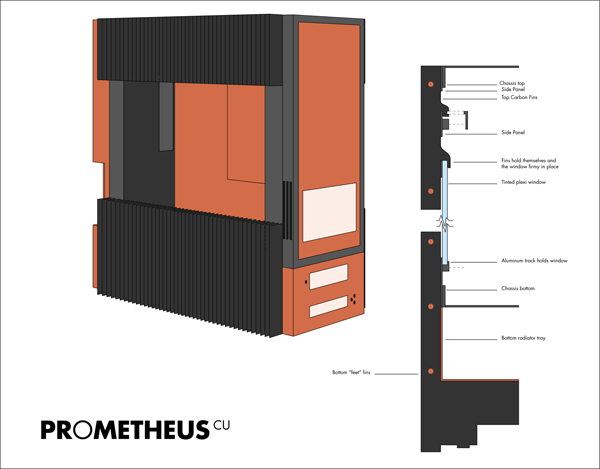
One minor change... I don't like to add things that don't serve purpose, so in adding fins to the top I had to create purpose.

This is what I came up with - there's a bit more to the whole process, but this should give you the idea:
prometheusfeetconcept-05C-LOW.png

*click for big*

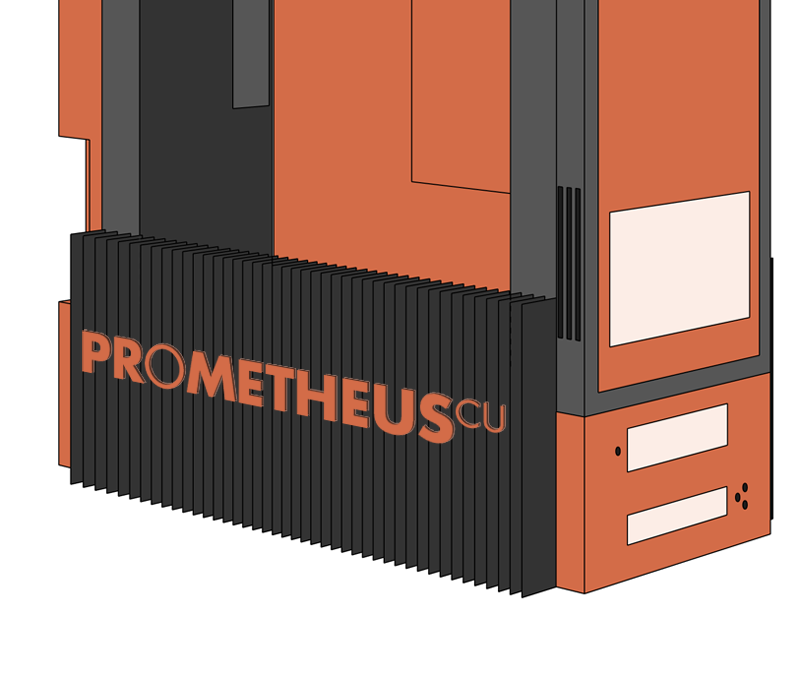
I haven't shown this feature yetm because it would be a **** to draw the inlays in perspective, but I'll do my best to explain.
My plan is to cut the PR[/B]OMETHEUS[sup]CU[/sup] logo lettering out - leaving me 3-4" tall solid 1/8" thick copper letters.
Then I want to cut an 1/8" slots into the cross section of the fins. Letting me inlay the lettering perpendicular to the fins.

Ok I got half way though that last bit and figured I could just make a pic in less time:
prometheusfeetconcept-05C-INLAY.png


Opinions?


[edit]
forgot to add:

here is how the drawings are made... more or less:

*click for big*
[/edit]
 

Langer

Member
Joined
Sep 20, 2008
Messages
221
Reaction score
0
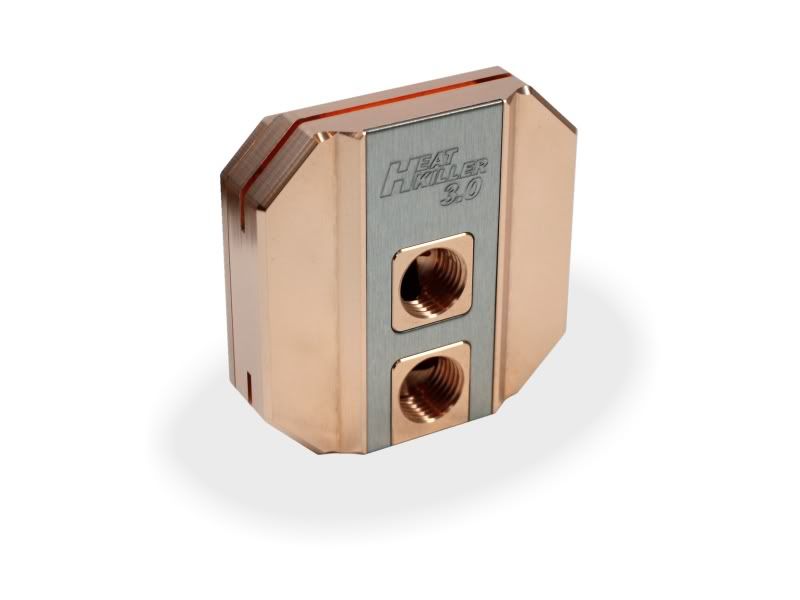
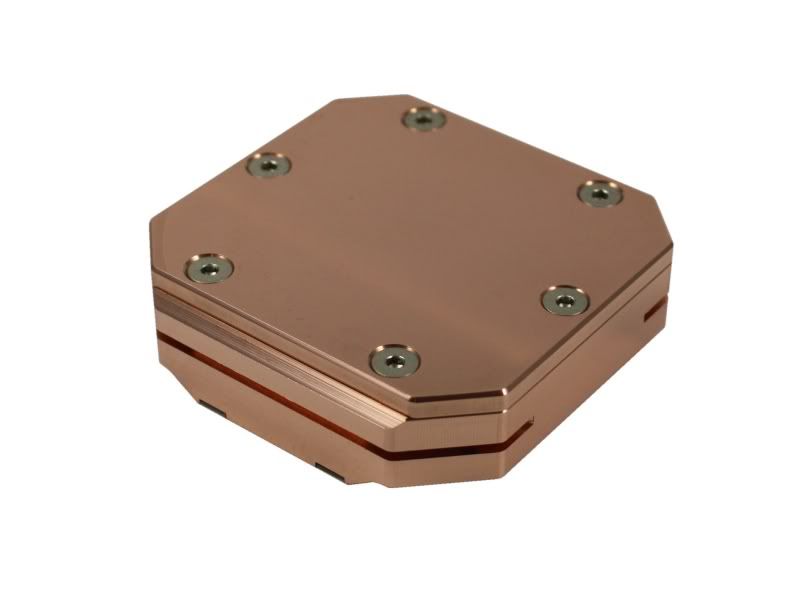
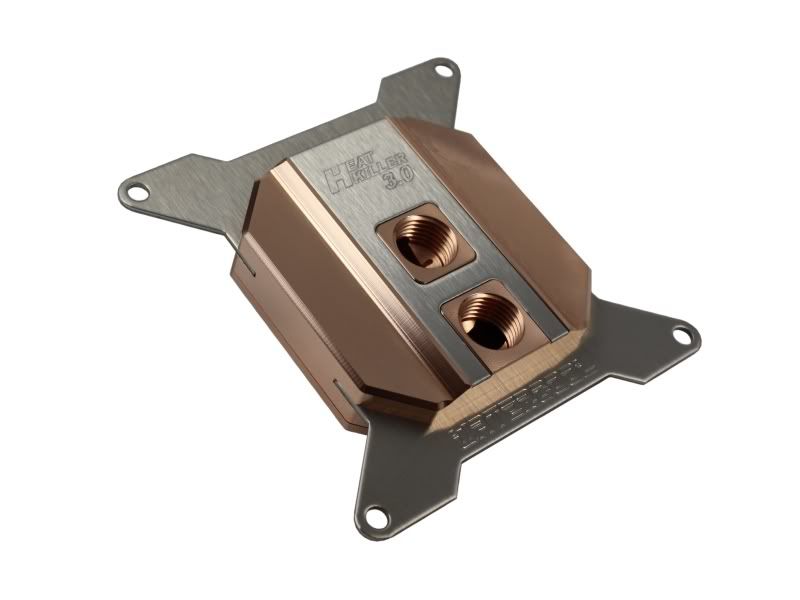
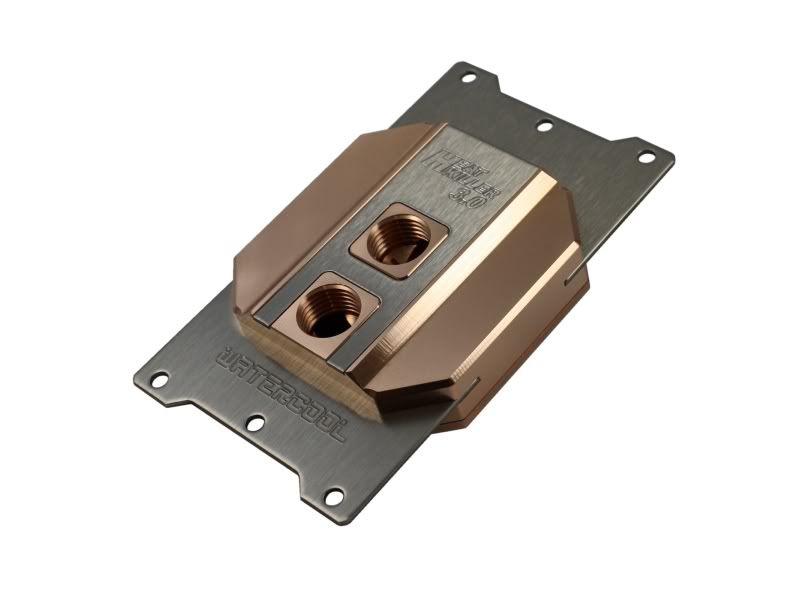
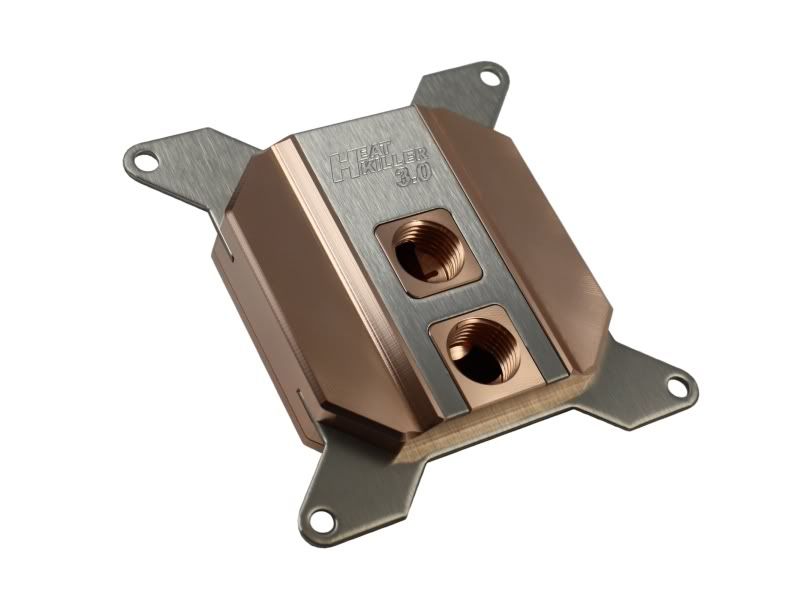
I got an email a few moments ago from Watercool... and it was very good news.

Production of revision 3.0 of the Watercool Heatkiller CPU block is complete - and it's a thing of beauty.

A huge thanks goes out to Rico, from Watercool, who says they'll be able to ship it out next week.


BEHOLD:
prometheus-heatkiller-r3-04.jpg

prometheus-heatkiller-r3-01.jpg

prometheus-heatkiller-r3-02.jpg

prometheus-heatkiller-r3-03.jpg

prometheus-heatkiller-r3-05.jpg


I cannot wait to add this baby to Prometheus... the stainless accents will match perfectly with the existing blocks too.
 

Langer

Member
Joined
Sep 20, 2008
Messages
221
Reaction score
0
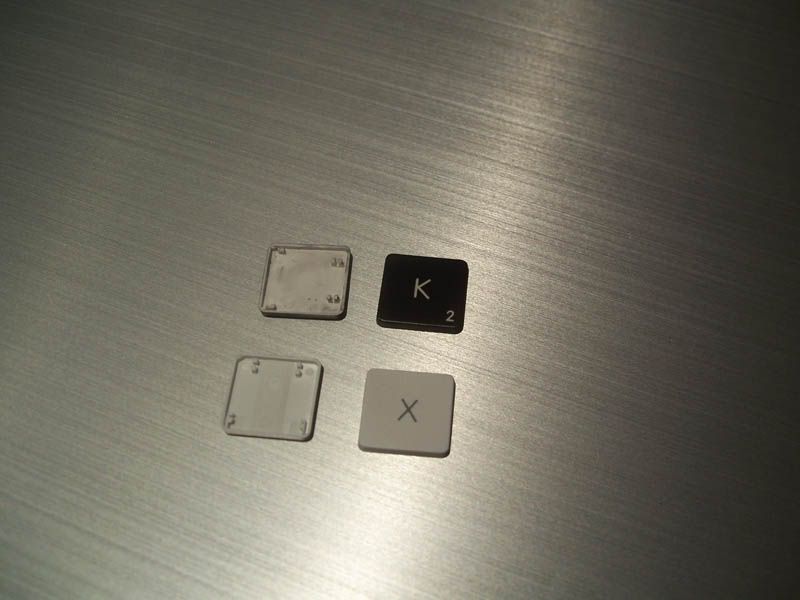
The black keyboard keys FINALLY arrived, and I'm quite pissed.

The keys fit, they fit really well... small caveat:
prometheus-keyboard-01-1.jpg


As you can see, some of the black keys are designed with a twist:
prometheus-keyboard-03.jpg


Normally I'd just scrap the plan, but this was a very expensive plan - that I was uncertain of from the beginning.

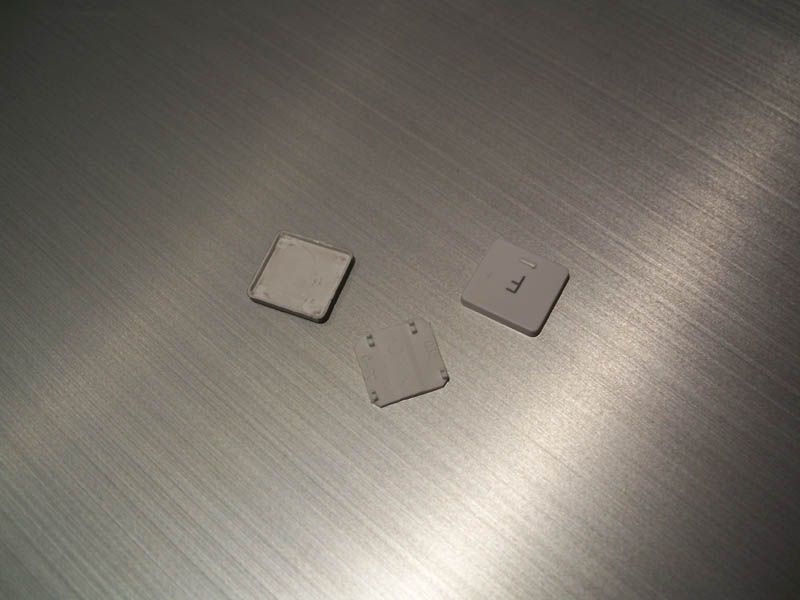
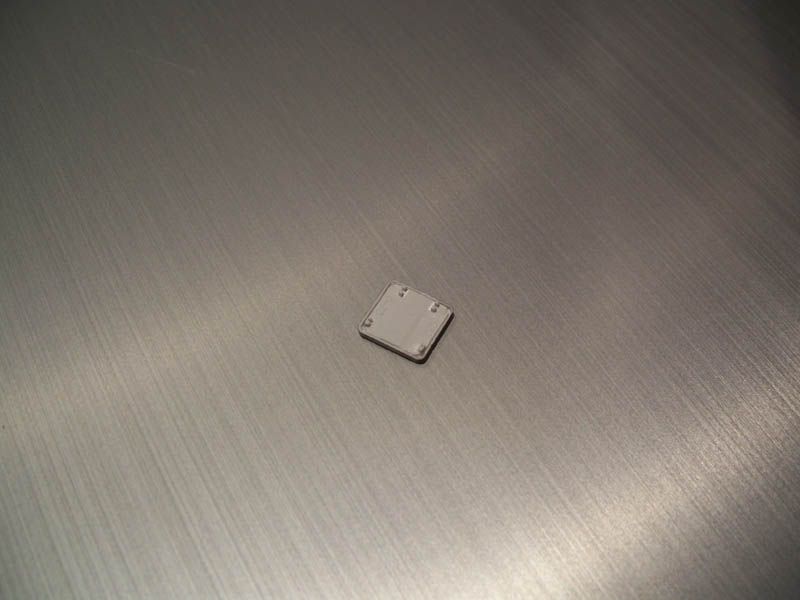
I've been running though a bunch of ideas and I've come up with this:
prometheus-keyboard-04.jpg


using an x-acto knife cut away the clips on he bottoms of the black keys, then cut the walls and corners off the existing white keys...ONE BY ONE!


The end result will work well with a few drops of super glue:
prometheus-keyboard-05.jpg

prometheus-keyboard-06.jpg


If you'll excuse me I have some grumbling and cutting to do.
 

danxiaogui86

Arch-Supremacy Member
Joined
Jan 12, 2003
Messages
11,285
Reaction score
23
what the hell? what happen to ur keyboard. the letter was facing the west direction.
 

Langer

Member
Joined
Sep 20, 2008
Messages
221
Reaction score
0
Hahaha, they are apple keys, only they belong to a black iBook, not a wireless keyboard.


The iBook simply goes about things differently.
 

Langer

Member
Joined
Sep 20, 2008
Messages
221
Reaction score
0
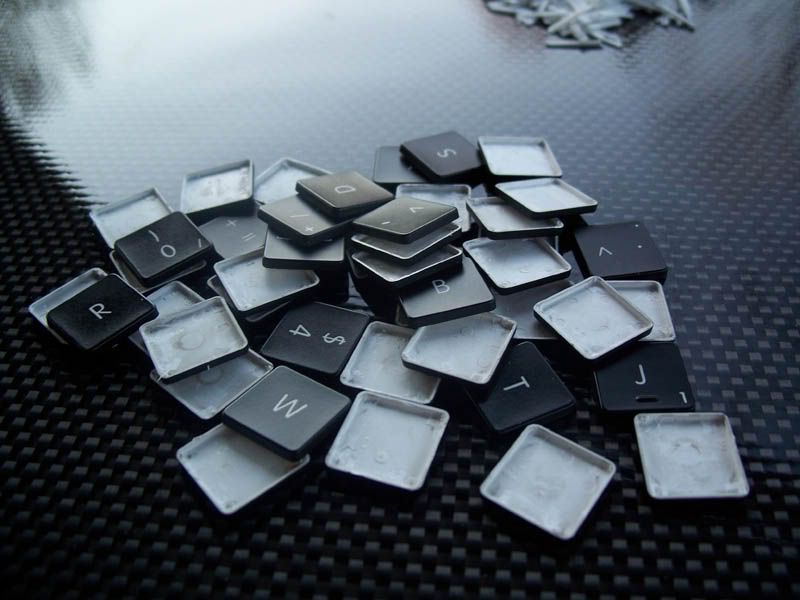
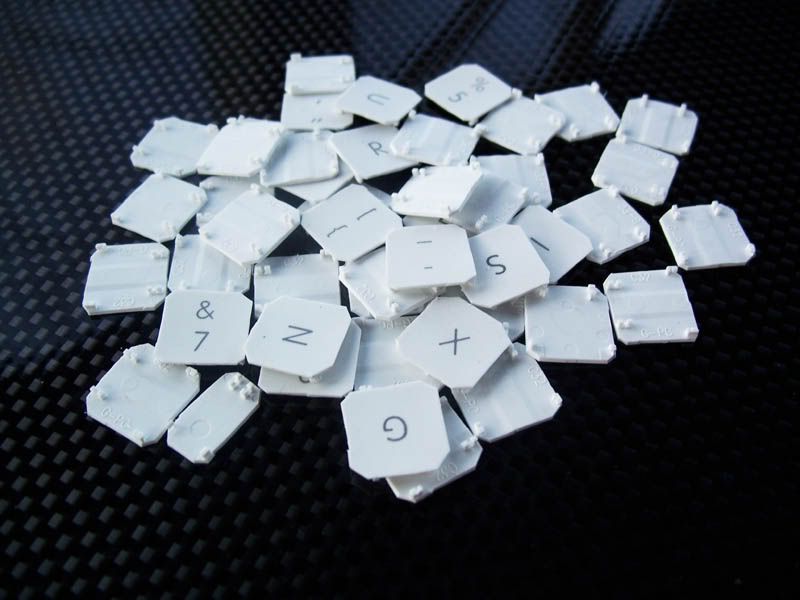
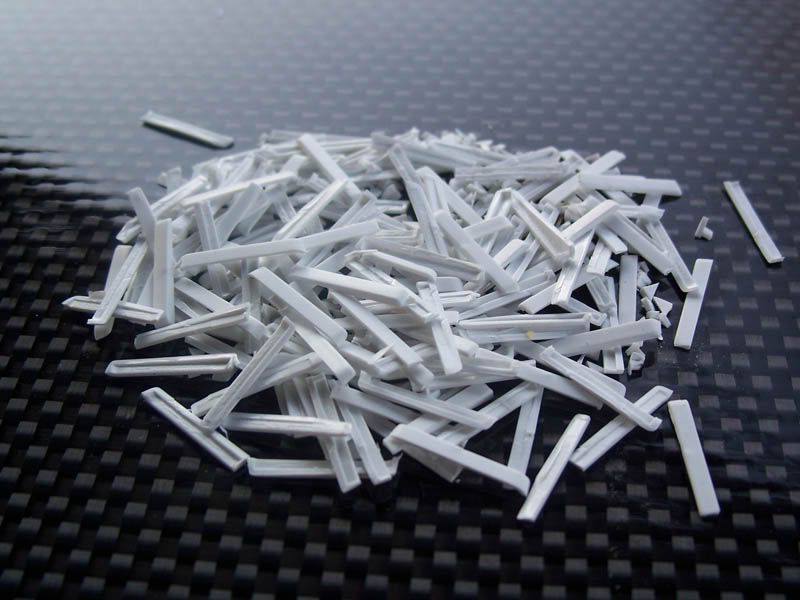
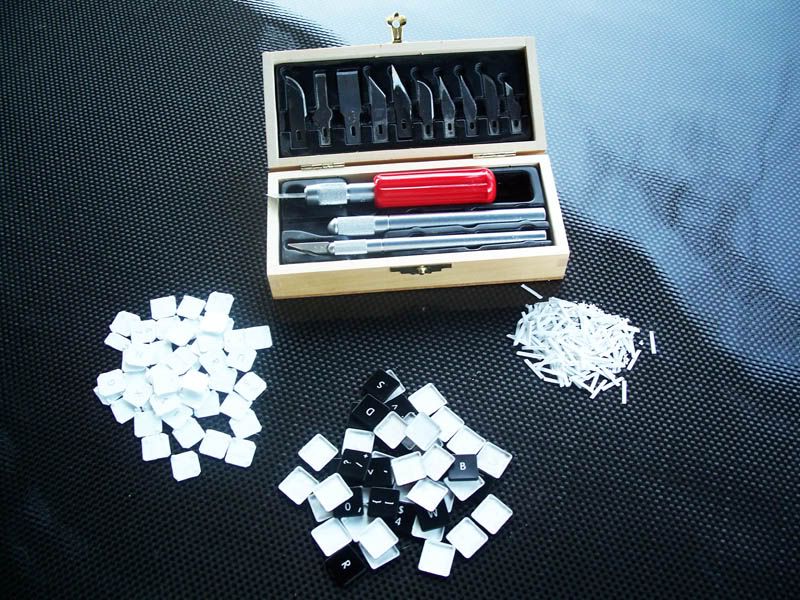
After 7hrs of straight carving and cutting, and a couple nicks on my fingers I have this:
The 'hollow' black keys:
prometheus-keyboard-07.jpg


The 'streamlined' white keys:
prometheus-keyboard-08.jpg


A pile of leftovers:
prometheus-keyboard-09.jpg


And the tools of the trade:
prometheus-keyboard-10.jpg

I still have to go get some super glue to hold them all together. The keys actually happen to 'snap' together quite nicely, the 'snap' even holds firmly... but I want glue.

Pics of the case and such will be posted tonight after clean my desk - perhaps tomorrow, if I can't get the light right I'll need the sunshine tomorrow.
 

rendangzi

Senior Member
Joined
Dec 27, 2005
Messages
1,327
Reaction score
0
That is spectacular work there, which has given me some ideas for my lian li pc7 as well, though it's nowhere as ambitious as yours :))
 

JAson1980

High Supremacy Member
Joined
Feb 27, 2006
Messages
43,302
Reaction score
3,075
waiting for your updates is like waiting for the next episode of manga/anime to be released. :D
 

Langer

Member
Joined
Sep 20, 2008
Messages
221
Reaction score
0
@JAson1980 - Hahaha, thanks very much mate. I appreciate that.... look below and wait no longer!


One of my parcels arrived today:
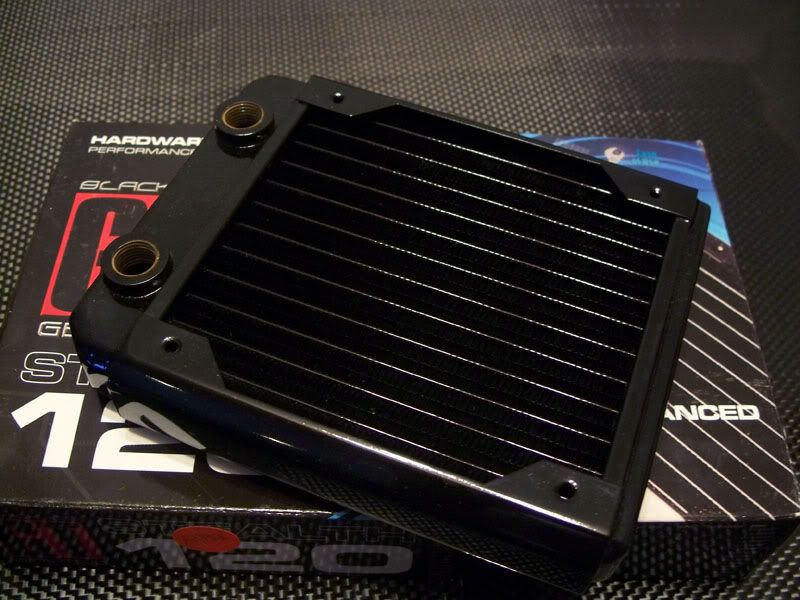
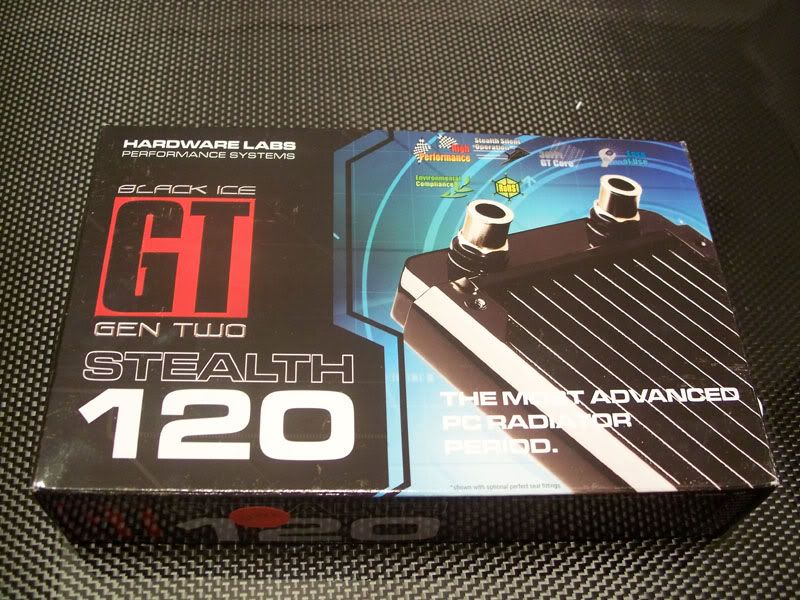
First up the super skinny Black Ice Stealth GT 120mm rad that will cool the mosfets/nb/sb.
prometheus-rad3.jpg

prometheus-rad4.jpg


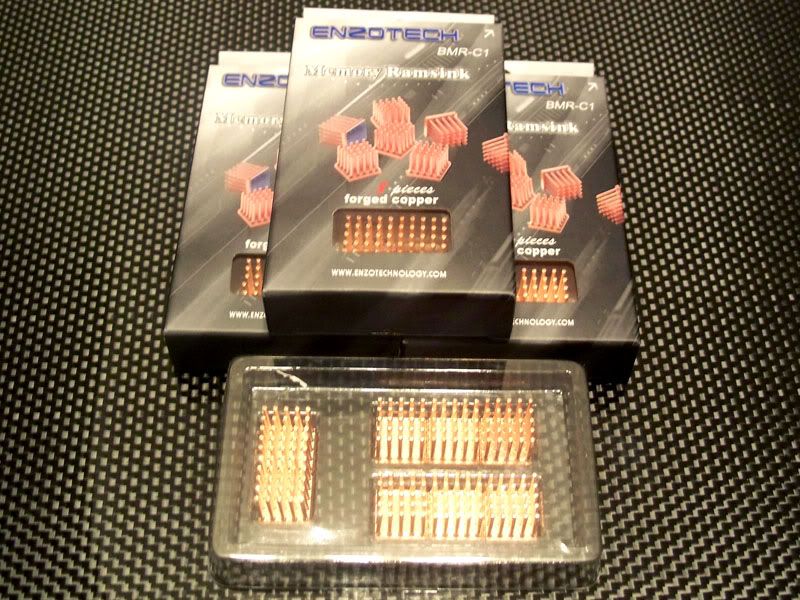
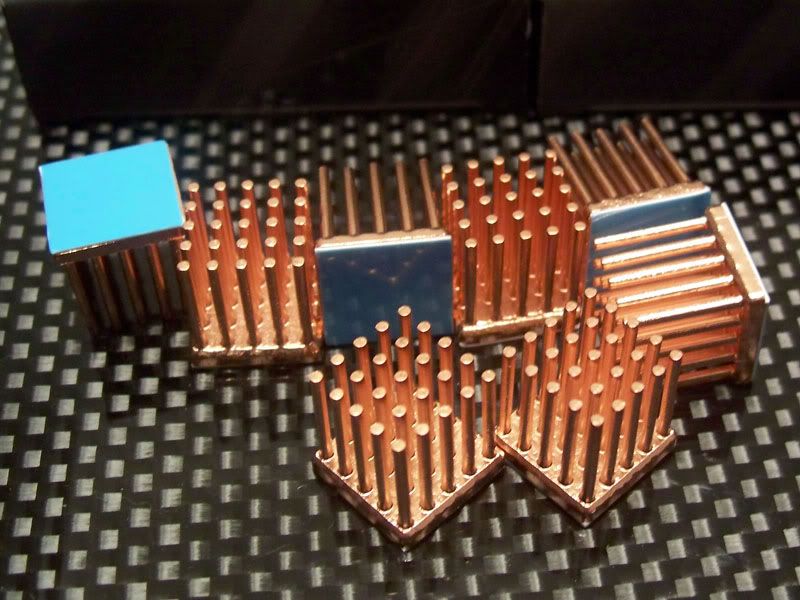
I also got a whole bunch of copper ram sinks that I'll be scattering about the motherboard - for pimp value.
prometheus-chip-heatsinks-01.jpg

prometheus-chip-heatsinks-02.jpg


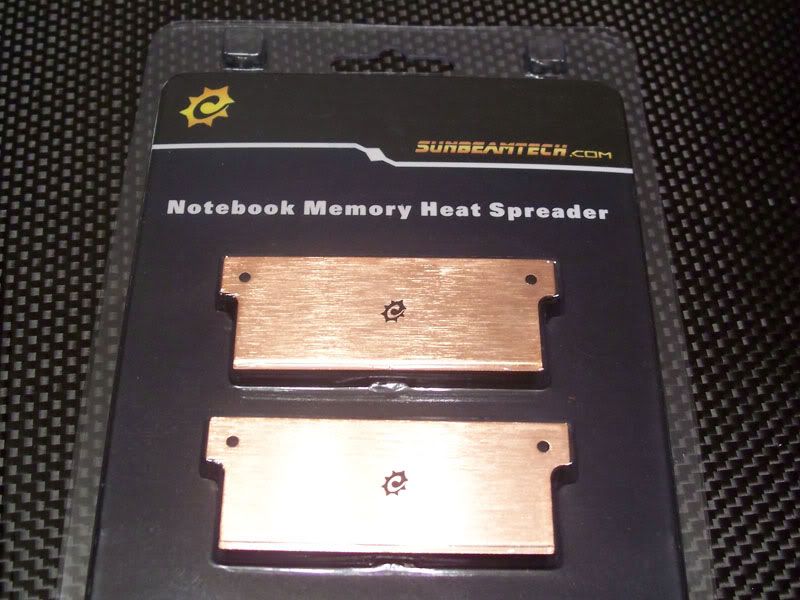
With the unnecessary cooling comes a laptop ram cooler for the Pico-ITX ram.
prometheus-Pico-Ram-Cooler-01.jpg


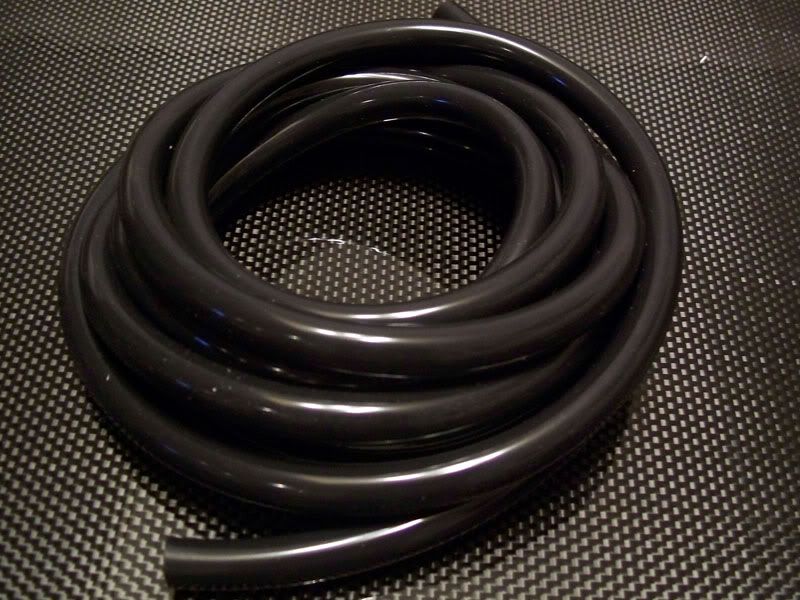
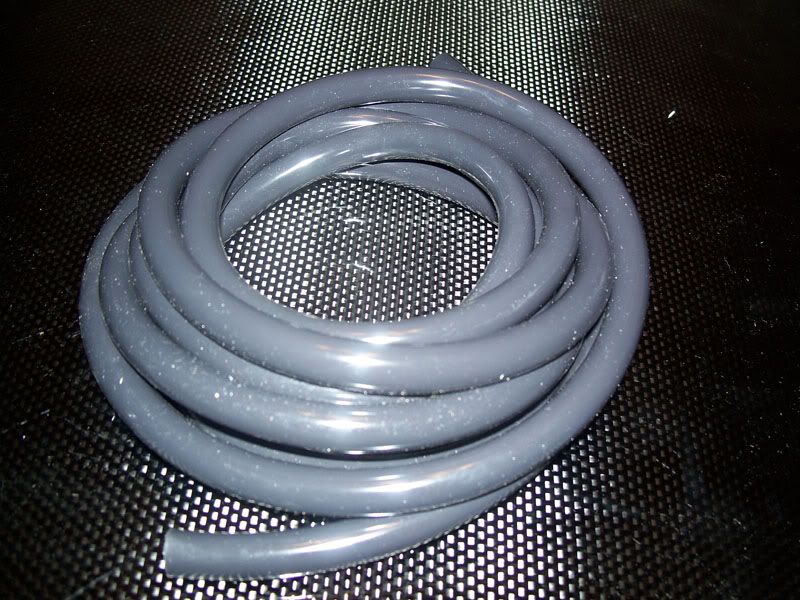
The second loop needed tubing, and I figured 3/8" will more than cover that - my only issue with this tube is that it's a slightly lighter shade of black (also called GREY?!?!? way to drop the ball PPCs!) than my 1/2 tubing... so it will go right into the bin and I'll be ordering more from NCIX (the place where I got my other tubing).
prometheus-tubing3.jpg

The flash shows well just how GREY this 'black' tubing is.... useless.
prometheus-tubing4.jpg
 

Langer

Member
Joined
Sep 20, 2008
Messages
221
Reaction score
0
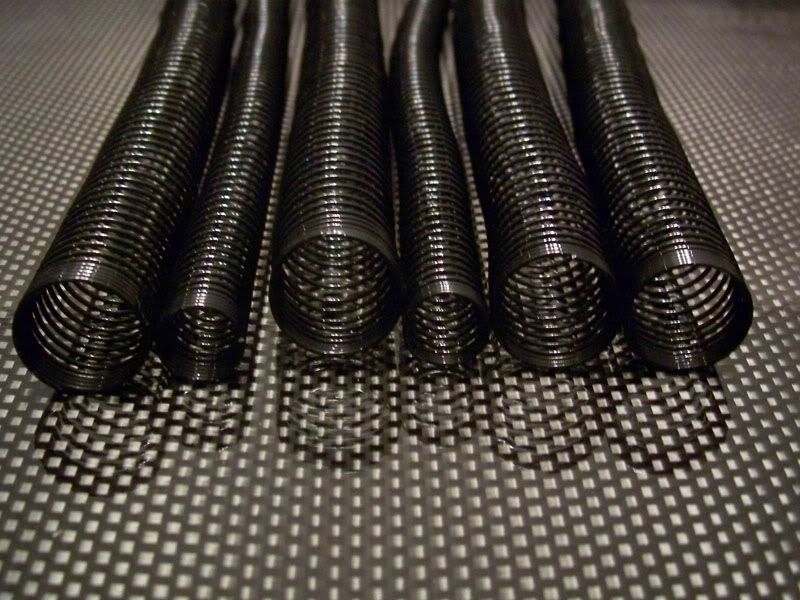
In an attempt to minimize my tubing lengths i got a few anti kink coils:
prometheus-antikink-01.jpg


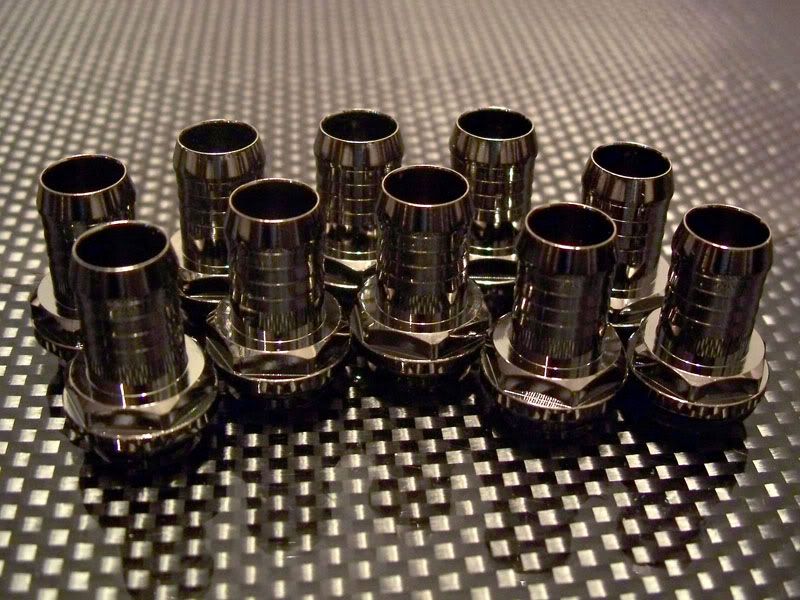
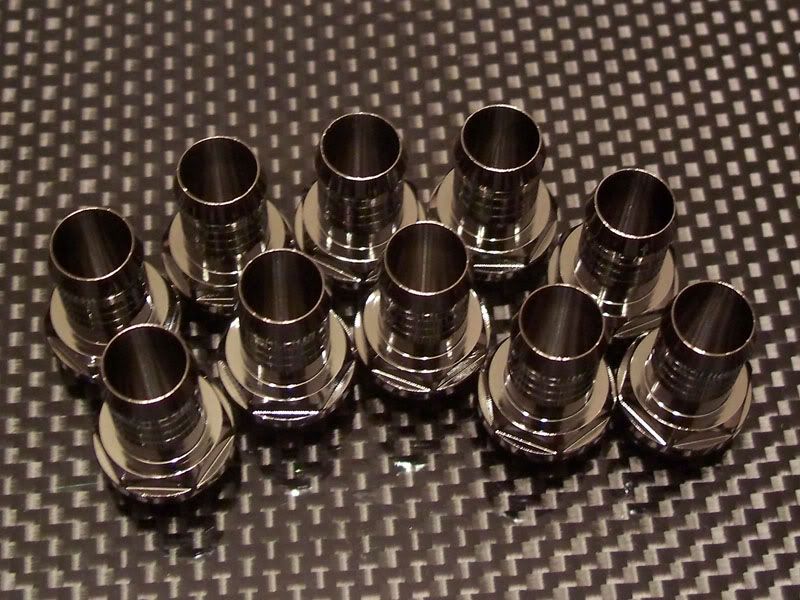
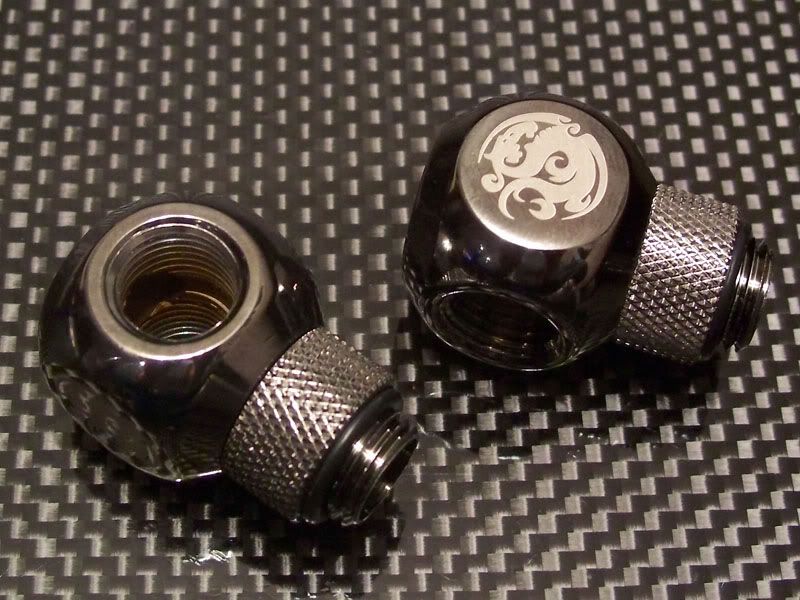
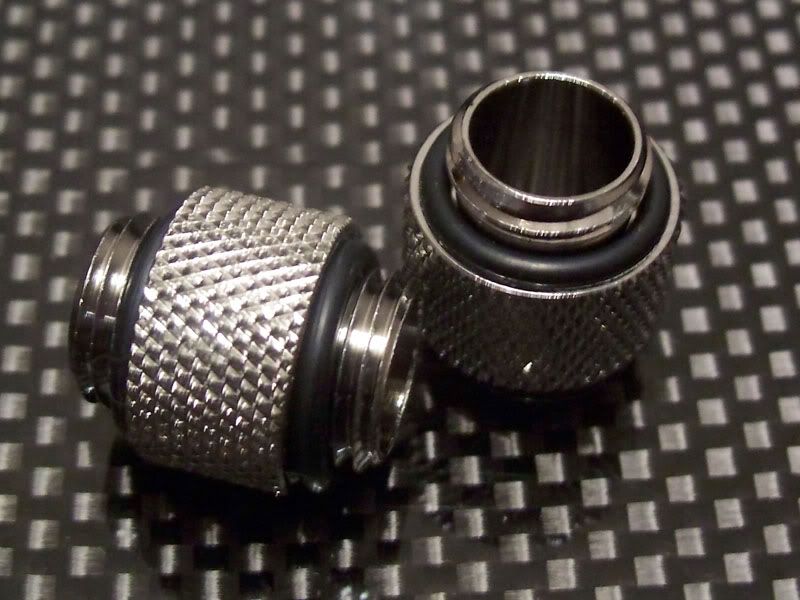
I also needed some dark nickel plated 3/8" bitspower fittings:
prometheus-fittings3.jpg

prometheus-fittings4.jpg


I also got some bitspower T fitting for my fill points:
prometheus-fittings5.jpg


Some G1/4" bitspower male-male adapters:
prometheus-fittings7.jpg


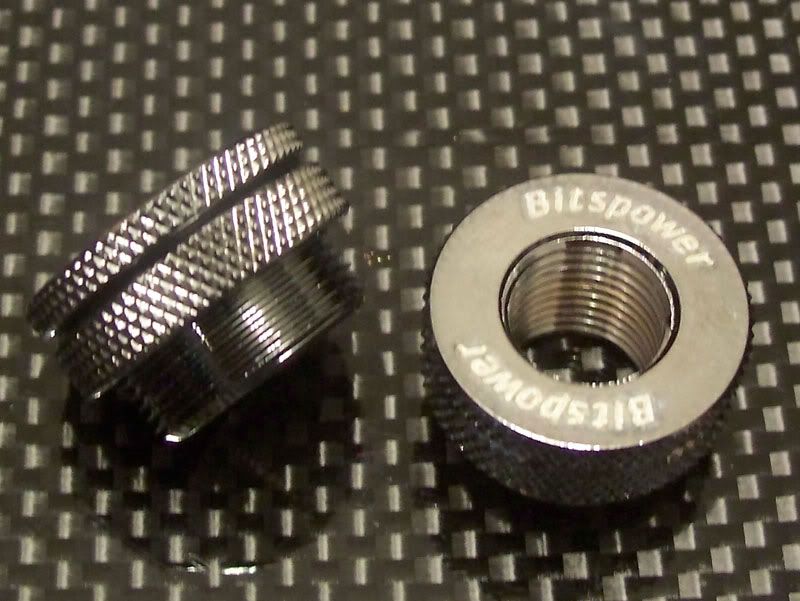
Two bitspower fillports... that don't have caps... i didn't realize that and I expected some sealed caps and not just though holes.
prometheus-fittings6.jpg
 

Langer

Member
Joined
Sep 20, 2008
Messages
221
Reaction score
0
A quick update for you all:

I ordered the cable sleeving today - I couldn't find copper braid to the spec that I wanted and too many people are using plain old PET sleeve, so I went for Nylon.

The nylon sleeve that I will be using is made to military spec and looks damn sexy IMO.

* UV resistant
* Operating Temp. -49°F to 248°F
* Melt Temp. 250°C / 482°F
* Excellent for sound and rattle control
* Compliant with European Union's Restrictions on the use of Hazardous Substances (RoHS) Directive

NM's fabric-like softness and flexibility hide surprisingly tough specifications. The high coverage sleeving meets or exceeds military specifications MIL-I-47203(MI) and MIL-S-47053(MI). Nylon Multifilament is highly resistant to abrasion, cuts, common automotive and marine chemicals, UV damage and vibration. It will not rot or retain moisture.

The only downside is that I had to order 100-225' of each size as a minimum... so I guess all my future projects will sport this sleeve... and the Buick will get some too.

HERE IS A VIDEO

On another note... I also ordered a custom license plate for the Buick - "D VADER"
 

Langer

Member
Joined
Sep 20, 2008
Messages
221
Reaction score
0
I got some more stuff form cableorganizer.com.


Some 'side-entry sleeving' called DuraWrap.
# Tightly woven ballistic nylon construction
# Heavy duty, oversize hook & loop closure
# Resistant to engine chemicals and salt water
# Water, gasoline, and UV resistant
# High abrasion resistance

Dura Wrap is the perfect solution for organizing and controlling cables and hoses that are subject to constant exposure. This sleeve is made from one of the strongest materials known, ballistic nylon. The tightly woven nylon is paired with an industrial hook and loop closure to provide a durable and flexible sleeving.

Dura Wrap is ideal for keeping wires or hoses together or covering chains and hoses to protect the surfaces they run across. The sleeve provides the best abrasion resistance and water repellence when compared to other nylon sleevings.

The flexibility featured by Dura Wrap makes it easy to install over single or multiple hoses. The high strength and durability also help to protect operators or other personnel safe from high-pressure fluids that may be travelling in the hoses.


I opted for the 2.5" variety as I figured it would be a good way to manage the mess of cables that will cascade out the back of this machine when it's up and running.

I'm loving this website, some great stuff on there... check out these.
 

orangina

Senior Member
Joined
Sep 5, 2005
Messages
1,800
Reaction score
1
u are awesome, if this is only just your hobby, u are one freaking hell of an engineer. its great you're hanging out here dude. thanks
 

Langer

Member
Joined
Sep 20, 2008
Messages
221
Reaction score
0
@orangina - For now, just a hobby - but if this project turns out be be as successful as I hope it will be that may change. Thank you for reading, and posting.

@cueball1981 - Sorry about that mate, I should have posted a warning.


Another small update.

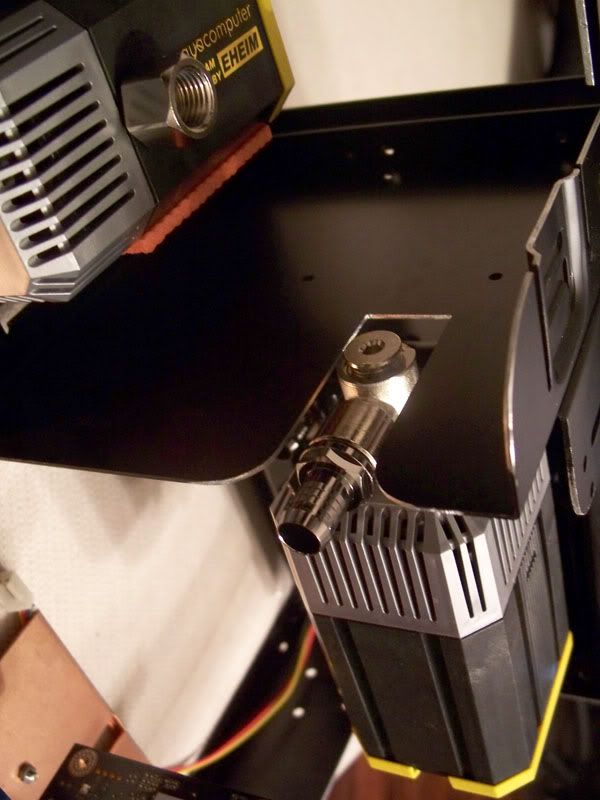
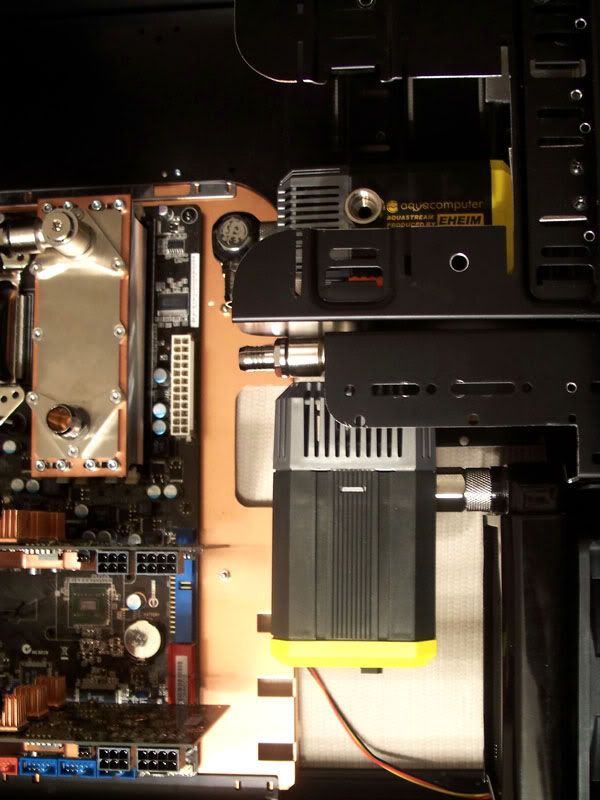
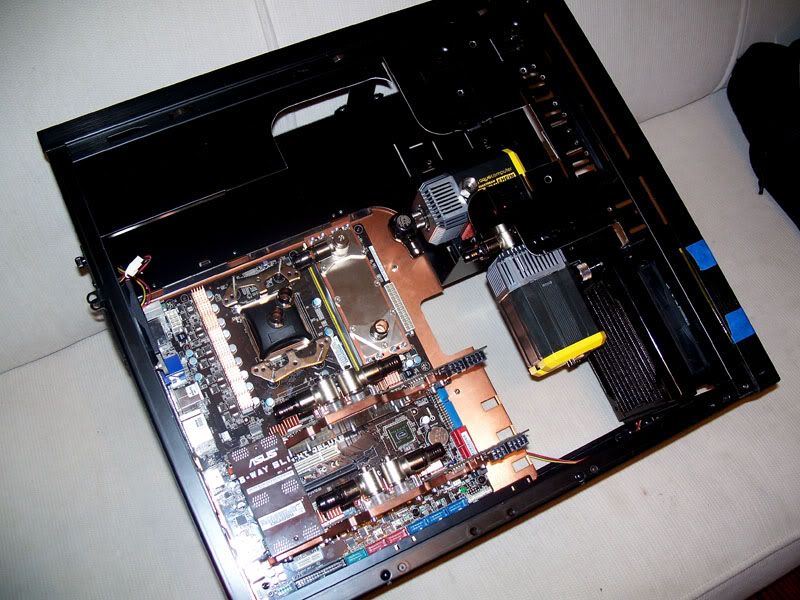
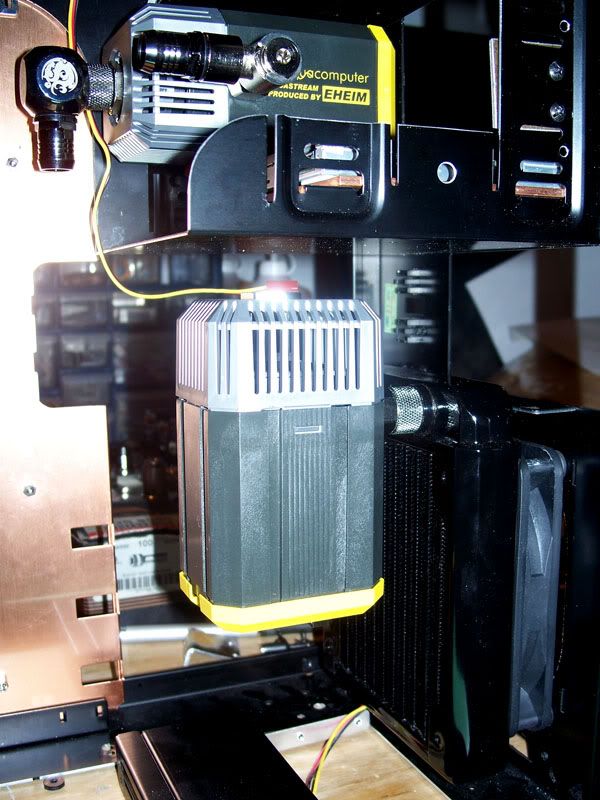
I took delivery of my second Aquastream pump today, and I've made the necessary modifications to mount it.

I must apologize for the very crappy images, the lighting is really poor in my basement.

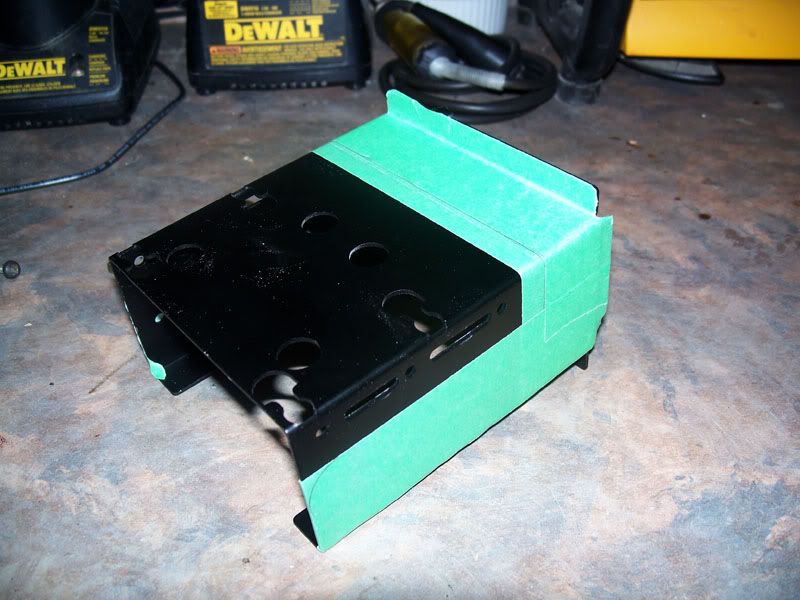
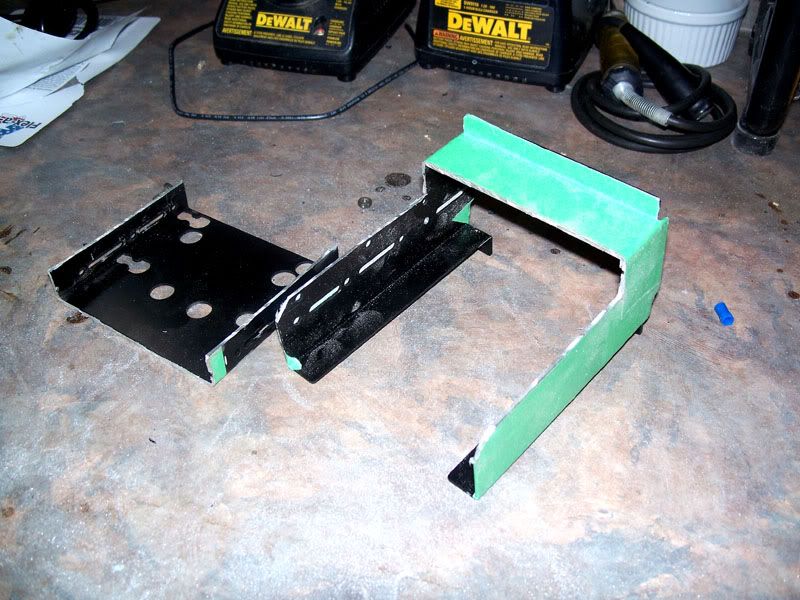
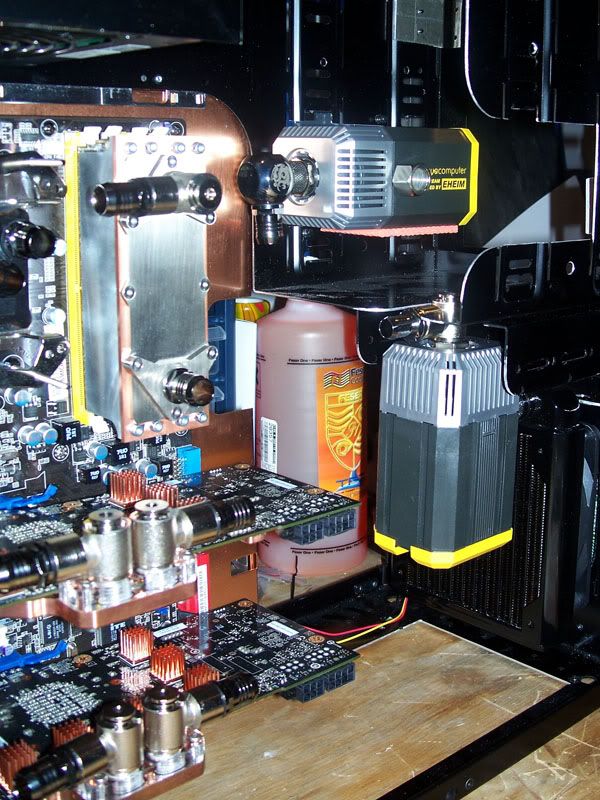
First up I had to modify the 3.5" drive bay to accommodate the height of the radiator and the pump:
prometheus-second-pump-02.jpg

prometheus-second-pump-03.jpg


Then a small cut to the bottom of the 5.25" drive bay to make room for the inlet fittings:
prometheus-second-pump-01.jpg

prometheus-second-pump-07.jpg


Here is the pump installed, the install isn't yet finalized I've ordered a G1/4" plastic nipple to help reduce vibrations - and the pump will have a proper mount made for it to alleviate the strain on the outlet port.
prometheus-second-pump-06.jpg

prometheus-second-pump-05.jpg

prometheus-second-pump-04.jpg

prometheus-second-pump-08.jpg


My Watercool Heatkiller R3.0 CPU block was shipped late last week, and my NB/SB/Mosfet blocks are were shipped from Mips this morning - I'm expecting them Friday.

The cable sleeves will be shipped on the 18th of November.

More coming soon.

Thanks for reading.
 

AHcoolie

Supremacy Member
Joined
May 21, 2007
Messages
5,913
Reaction score
0
wah took 30min to finish the whole 7 pages... really cool!... still waiting for ur final product.. keep it up!
 
Important Forum Advisory Note
This forum is moderated by volunteer moderators who will react only to members' feedback on posts. Moderators are not employees or representatives of HWZ Forums. Forum members and moderators are responsible for their own posts. Please refer to our Community Guidelines and Standards and Terms and Conditions for more information.
Top