
Recommendations for my PC upgrade

N.QX Tech

Junior Member
Joined
Oct 4, 2021
Messages
14
Reaction score
1
As mention unless your PC boots with this logo than you need to enabled CSM.
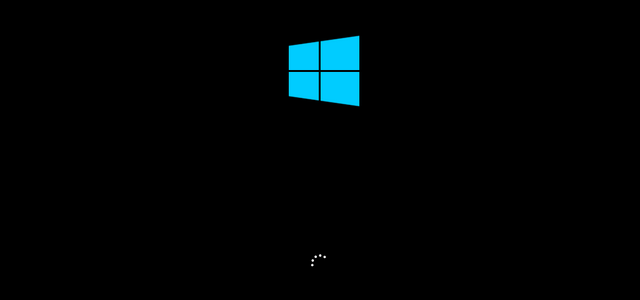
change-windows-10-boot-screen-1.png


If not can skip this step.

what if it boots with this logo? How do I enable CSM? Cos the only CSM I know is Company Sergeant Major 😂😂
 

86technie

High Supremacy Member
Joined
Jun 8, 2006
Messages
40,356
Reaction score
5,943
what if it boots with this logo? How do I enable CSM? Cos the only CSM I know is Company Sergeant Major 😂😂
pCpFvFOFeYG9ezex94p471_JZ-l0NAcBZGV3e0q2d0yxhalA5OSG8N2aqs5_lideXa5tb6ZWqxLXKWYW7S_LHq9osds-hdNTlZZA10GPy1VcCvmY6ukeA9Pnx5XG-xZxBX2PT_J2ZwQWntWPfH_FosdkaLPvbGNYqu-u


Under Boot, click CSM (Compatibly Support Module)

attachment.php


Select Enabled as usually this is disabled to enabled UEFI Boot since UEFI boot is faster than legacy.
 

N.QX Tech

Junior Member
Joined
Oct 4, 2021
Messages
14
Reaction score
1
pCpFvFOFeYG9ezex94p471_JZ-l0NAcBZGV3e0q2d0yxhalA5OSG8N2aqs5_lideXa5tb6ZWqxLXKWYW7S_LHq9osds-hdNTlZZA10GPy1VcCvmY6ukeA9Pnx5XG-xZxBX2PT_J2ZwQWntWPfH_FosdkaLPvbGNYqu-u


Under Boot, click CSM (Compatibly Support Module)

attachment.php


Select Enabled as usually this is disabled to enabled UEFI Boot since UEFI boot is faster than legacy.

Ok, so if it boots with the windows logo, I have to restart the PC and enter the BIOS again to do the setting? Or do I check the settings before doing BIOS upgrade
 

86technie

High Supremacy Member
Joined
Jun 8, 2006
Messages
40,356
Reaction score
5,943
Ok, so if it boots with the windows logo, I have to restart the PC and enter the BIOS again to do the setting? Or do I check the settings before doing BIOS upgrade

Check the settings need not remember all.
Key things like XMP, CSM the rest not crucial.
Don't worry after BIOS update, any issue can check here.
 
Important Forum Advisory Note
This forum is moderated by volunteer moderators who will react only to members' feedback on posts. Moderators are not employees or representatives of HWZ Forums. Forum members and moderators are responsible for their own posts. Please refer to our Community Guidelines and Standards and Terms and Conditions for more information.
Top