USB Wifi Adapter

xiaofan

High Supremacy Member
Joined
Sep 16, 2018
Messages
35,901
Reaction score
12,072
Same setup before, but with the built-in Intel BE200NGW based Intel Killer BE1750 WiFi 7 adapter, 3m distance to TP-Link Archer BE805 triband WiFi 7 router.

1) MLO SSID is also broken (download speed is very slow, upload speed is okay).

Bash:
PS C:\work\speedtest\ookla-speedtest-1.2.0-win64> .\speedtest.exe -s 13623

   Speedtest by Ookla

      Server: Singtel - Singapore (id: 13623)
         ISP: Singtel Fibre
Idle Latency:     3.92 ms   (jitter: 0.16ms, low: 3.68ms, high: 4.05ms)
    Download:    83.39 Mbps (data used: 123.8 MB)
                161.01 ms   (jitter: 85.60ms, low: 4.35ms, high: 697.66ms)
      Upload:  2573.19 Mbps (data used: 4.0 GB)
                 37.20 ms   (jitter: 37.90ms, low: 4.48ms, high: 612.32ms)
 Packet Loss:     0.0%
  Result URL: https://www.speedtest.net/result/c/6fd3a7a7-a36b-43b5-8285-5cd1010000b1

2) 6GHz SSID, 5764 Mbps PHY Link speed

Bash:
PS C:\work\speedtest\ookla-speedtest-1.2.0-win64> .\speedtest.exe -s 13623

   Speedtest by Ookla

      Server: Singtel - Singapore (id: 13623)
         ISP: Singtel Fibre
Idle Latency:     3.37 ms   (jitter: 0.25ms, low: 3.28ms, high: 3.70ms)
    Download:  2933.07 Mbps (data used: 5.1 GB)
                 35.21 ms   (jitter: 12.76ms, low: 3.01ms, high: 160.97ms)
      Upload:  2813.53 Mbps (data used: 3.6 GB)
                 31.72 ms   (jitter: 14.22ms, low: 3.34ms, high: 115.07ms)
 Packet Loss:     0.0%
  Result URL: https://www.speedtest.net/result/c/56cf0508-54e4-491f-a160-c71b3cbb2f17

3) 5GHz SSID.
Bash:
PS C:\work\speedtest\ookla-speedtest-1.2.0-win64> .\speedtest.exe -s 13623

   Speedtest by Ookla

      Server: Singtel - Singapore (id: 13623)
         ISP: Singtel Fibre
Idle Latency:     3.12 ms   (jitter: 0.26ms, low: 2.91ms, high: 3.50ms)
    Download:  1938.85 Mbps (data used: 3.4 GB)
                 37.88 ms   (jitter: 16.52ms, low: 3.80ms, high: 148.62ms)
      Upload:  1020.34 Mbps (data used: 1.8 GB)
                 34.99 ms   (jitter: 15.77ms, low: 6.01ms, high: 189.94ms)
 Packet Loss:     0.0%
  Result URL: https://www.speedtest.net/result/c/46a080f8-804e-4d7b-b3c9-67a0fae41ee1
 
Last edited:

purpleberry

Supremacy Member
Joined
Nov 23, 2008
Messages
5,966
Reaction score
170
Comfast CF-983BE USB WIFi 7 adapter triband BE6500, using TP-Link beta driver mentioned above with MLO support.

Unfortunately MLO SSID is still broken.

3m distance to TP-Link Archer BE805 triband WiFi 7 router

Acer Swift Go 14 2024 model, Intel Core Ultra 5 125H CPU, 16GB/1TB configuration, disable the built-in Intel WiFi 7 adpater and use the external Comfast CF-983BE USB WiFi 7 adapter.

1) 2.4GHz + 6GHz SSID is still broken.
Zf1b0nQ.png

Bash:
PS C:\work\speedtest\ookla-speedtest-1.2.0-win64> .\speedtest.exe -s 13623

   Speedtest by Ookla

      Server: Singtel - Singapore (id: 13623)
         ISP: Singtel Fibre
Idle Latency:     4.01 ms   (jitter: 0.42ms, low: 3.57ms, high: 4.24ms)
    Download:    44.83 Mbps (data used: 58.1 MB)
                248.91 ms   (jitter: 97.28ms, low: 3.58ms, high: 1187.81ms)
      Upload:  1099.51 Mbps (data used: 1.7 GB)
                217.00 ms   (jitter: 79.32ms, low: 6.48ms, high: 927.08ms)
 Packet Loss:     0.0%
  Result URL: https://www.speedtest.net/result/c/96bbe03d-fb9b-4145-9b0f-02bb08ec808e

2) 6GHz SSID, 2882Mbps PHY Link speed

Bash:
PS C:\work\speedtest\ookla-speedtest-1.2.0-win64> .\speedtest.exe -s 13623

   Speedtest by Ookla

      Server: Singtel - Singapore (id: 13623)
         ISP: Singtel Fibre
Idle Latency:     3.82 ms   (jitter: 0.08ms, low: 3.78ms, high: 3.96ms)
    Download:  1491.33 Mbps (data used: 2.6 GB)
                 28.82 ms   (jitter: 10.90ms, low: 3.90ms, high: 69.22ms)
      Upload:  1327.00 Mbps (data used: 2.4 GB)
                 26.61 ms   (jitter: 10.34ms, low: 3.67ms, high: 256.71ms)
 Packet Loss:     0.0%
  Result URL: https://www.speedtest.net/result/c/26725913-7516-4b3b-b6d7-9ce11731092b

PS C:\work\speedtest\ookla-speedtest-1.2.0-win64> .\speedtest.exe -s 13623

   Speedtest by Ookla

      Server: Singtel - Singapore (id: 13623)
         ISP: Singtel Fibre
Idle Latency:     4.02 ms   (jitter: 0.22ms, low: 3.79ms, high: 4.13ms)
    Download:  1545.78 Mbps (data used: 1.8 GB)
                 32.59 ms   (jitter: 12.21ms, low: 3.99ms, high: 320.70ms)
      Upload:  1423.35 Mbps (data used: 2.5 GB)
                 41.05 ms   (jitter: 17.35ms, low: 4.23ms, high: 619.26ms)
 Packet Loss:     0.0%
  Result URL: https://www.speedtest.net/result/c/39cbcb96-0ce7-4d97-be85-bfc1098f3066

3) 5GHz SSID, 2882Mbps PHY Link speed

Bash:
PS C:\work\speedtest\ookla-speedtest-1.2.0-win64> .\speedtest.exe -s 13623

   Speedtest by Ookla

      Server: Singtel - Singapore (id: 13623)
         ISP: Singtel Fibre
Idle Latency:     3.87 ms   (jitter: 0.22ms, low: 3.56ms, high: 4.12ms)
    Download:  1548.50 Mbps (data used: 2.8 GB)
                 24.94 ms   (jitter: 8.09ms, low: 5.07ms, high: 50.05ms)
      Upload:  1306.92 Mbps (data used: 1.9 GB)
                 42.06 ms   (jitter: 9.65ms, low: 13.22ms, high: 93.38ms)
 Packet Loss:     0.0%
  Result URL: https://www.speedtest.net/result/c/092a1ba6-04e2-47db-82e9-5376886c7272
Is this performance similar to Archer TBE400UH? Both also BE6500.
 

xiaofan

High Supremacy Member
Joined
Sep 16, 2018
Messages
35,901
Reaction score
12,072
Is this performance similar to Archer TBE400UH? Both also BE6500.

Yes, the performance may well be similar for all the Realtek RTL8912AU based USB WiFi 7 adapters (triband BE6500, no 320MHz channel bandwidth support on the 6GHz band).

The performance is not too bad. The main problem may be the stability. Be warned that some USB ports may not work well, especially if you have an older system.

BTW, the speed achieved will be similar or slightly higher than a USB WiFi 6E adapter based on Realtek RTL8832CU (triband AXE5400).

No fight in terms of speed and stability, compared to PCIe or M2 based WiFi 7 adapter (Intel BE200, Qualcomm QCNCM865 and Mediatek MT7927).
 
Last edited:

Lastexile

Arch-Supremacy Member
Joined
Mar 6, 2004
Messages
11,718
Reaction score
126
May I know if there is any Wifi 7 USB adapter that support 320mhz? The ones I saw on Lazada/Shopee are Comfast CF-983BE and TP-Link Archer TBE400UH and they only support 160 mhz.
 

masashi

Arch-Supremacy Member
Joined
Feb 20, 2005
Messages
14,999
Reaction score
1,302
May I know if there's any advantage of using 987BE or 985BE from comfast? Am considering getting to replace my green adapter which is wifi6 only
 

xiaofan

High Supremacy Member
Joined
Sep 16, 2018
Messages
35,901
Reaction score
12,072
May I know if there's any advantage of using 987BE or 985BE from comfast? Am considering getting to replace my green adapter which is wifi6 only

They are using the same lousy Realtek RTL8912AU chipset and the main advantage may be a bit better coverage.
 

masashi

Arch-Supremacy Member
Joined
Feb 20, 2005
Messages
14,999
Reaction score
1,302
They are using the same lousy Realtek RTL8912AU chipset and the main advantage may be a bit better coverage.
So it's best for me to look for other adapters instead? Currently using the Asus AX3000.
 

xiaofan

High Supremacy Member
Joined
Sep 16, 2018
Messages
35,901
Reaction score
12,072
So it's best for me to look for other adapters instead? Currently using the Asus AX3000.

It depends on your expectations. I will still say they may still be slightly faster than your current adapter.

Comfast CF-983BE can be pretty cheap from Taobao (less than S$40) and in that case it becomes an okay buy. Not so sure about local pricing.
 

masashi

Arch-Supremacy Member
Joined
Feb 20, 2005
Messages
14,999
Reaction score
1,302
It depends on your expectations. I will still say they may still be slightly faster than your current adapter.

Comfast CF-983BE can be pretty cheap from Taobao (less than S$40) and in that case it becomes an okay buy. Not so sure about local pricing.
The other alternative I see from Singapore is tp link TBE400UH however it's almost $100 :s22:
 

xiaofan

High Supremacy Member
Joined
Sep 16, 2018
Messages
35,901
Reaction score
12,072
ASUS ROG USB-BE92 Driver version 2.0.0.6 (For Europe/Asia-Pacific)
https://rog.asus.com/sg/networking/rog-usb-be92/helpdesk_download/

Version 2.0.0.6
7.74 MB 2025/07/15
SHA-256 :8492B8F031DBF8554A2802AC1F0C09E9F6421B0F092BB635A71D213F80DE0CD3
*Please download the appropriate driver based on your country/region to ensure compatibility and compliance with local regulations.

This driver package is for Europe/Asia-Pacific only.
Windows 11 driver version : 5102.24.126.2
Windows 10 driver version : 5002.24.126.2

Note:*WiFi 7 full functions support will be ready in Windows 11 2024 Platform (Windows 11 24H2) or later.
 

xiaofan

High Supremacy Member
Joined
Sep 16, 2018
Messages
35,901
Reaction score
12,072
Latest Comfast USB WiFi 7 driver -- now with MLO Support
https://en.comfast.com.cn/index.php?m=content&c=index&a=lists&catid=30#orientate

But 2.4GHz+5GHz WiFi 7 MLO is slower than 5GHz WiFi 6, tested with the following.

Router: Asus TUF-BE6500 dual band WiFi 7 router
Desktop: Ryzen 5 5600G CPU based desktop, Comfast CF-983BE USB WiFi 7 adapter
Distance: 3m

1) Main MLO SSID (WiFi 7, MLO)

PIpPD3e.png


0FVjhO1.png


2) 5GHz IoT SSID (WiFi 6)

gX0Hq84.png


TJheDlg.png
 

xiaofan

High Supremacy Member
Joined
Sep 16, 2018
Messages
35,901
Reaction score
12,072
MLO with TP-Link Archer BE805 latest 1.3 FW is quite decent, comparable with either 5GHz band or 6GHz band.

Router: TP-Link Archer BE805 tri-band WiFi 7 router
Desktop: Ryzen 5 5600G CPU based desktop, Comfast CF-983BE USB WiFi 7 adapter
Distance: 3m

6GHz WiFi 7 SSID
E968aWJ.png


u0jiFNf.png


5GHz WiFi 7 SSID
XAIdfAe.png


ixwJlXt.png


5GHz+6GHz WiFi 7 MLO SSID

WlwzlL1.png


m5IEABG.png
 

xiaofan

High Supremacy Member
Joined
Sep 16, 2018
Messages
35,901
Reaction score
12,072
best value adapter under $100?

You do not have many choices anyway. It all depends on your preference of the brand.

Price below is just for reference as I am not good in finding lobang.

1) Asus ROG USB-BE92, about S$104 (quick check in Shopee, Mediapro)
https://rog.asus.com/sg/networking/rog-usb-be92/

2) TP-Link TBE400UH, about S$94 (quick check in Shopee, Mediapro)
https://www.tp-link.com/sg/home-networking/adapter/archer-tbe400uh/

3) Comfast CF-983BE and CF-987BE
https://en.comfast.com.cn/index.php...tid=13&itype=1&mbps=2400&page=1&newkeys=itype
Comfast CF-983BE, about S$53.41 (quick check in Shopee, Comfast)
Comfast CF-987BE, about S$75.21 (quick check in Shopee, Comfast)
 
Last edited:

xiaofan

High Supremacy Member
Joined
Sep 16, 2018
Messages
35,901
Reaction score
12,072
Updated info for Linux.
https://github.com/morrownr/USB-WiF...are_supported_with_Linux_in-kernel_drivers.md
https://github.com/morrownr/USB-WiFi/blob/main/home/USB_WiFi_Chipsets.md

Chipset​
Standard
Maximum
Channel
Width​
Linux
In-Kernel
Driver​
AP Mode​
Monitor Mode​
Recommended
For
Linux​
Mediatek MT7925​
WiFi 7
160​
✔️ 6.7+​
✔️
✔️
Yes [4]​
Realtek RTL8922au​
WiFi 7
160​
❌ [6]​
No​
Realtek RTL8912au​
WiFi 7
160​
❌
No​
Realtek RTL8852cu​
WiFi 6E
160​
❌ [6]​
No​
Realtek RTL8832cu​
WiFi 6E
160​
❌
No​
Mediatek MT7921au​
WiFi 6E
80​
✔️ 5.18+​
✔️
✔️
Yes​
Realtek RTL8852bu​
WiFi 6
80​
✔️ 6.17+ [6]​
✔️
✔️
No​
Realtek RTL8832bu​
WiFi 6
80​
✔️ 6.17+​
✔️
✔️
No​
Realtek RTL8852au​
WiFi 6
80​
❌
No​
Realtek RTL8832au​
WiFi 6
80​
❌
No​
Realtek RTL8851bu​
WiFi 6
?​
✔️ 6.17+ [6]​
✔️
✔️
No​
Realtek RTL8831bu​
WiFi 6
?​
✔️ 6.17+​
✔️
✔️
No​
Realtek RTL8814au​
WiFi 5
80​
✔️ 6.16+​
✔️
✔️
Yes​
Mediatek MT7662u​
WiFi 5
80​
✔️ 5.9+ [6]​
✔️
✔️
No​
Mediatek MT7612u​
WiFi 5
80​
✔️ 4.19+​
✔️
✔️
Yes​
Realtek RTL8822bu​
WiFi 5
80​
✔️ 6.12+ [3][6]​
✔️
✔️
No​
Realtek RTL8812bu​
WiFi 5
80​
✔️ 6.12+ [3]​
✔️
✔️
Yes​
Realtek RTL8822cu​
WiFi 5
80​
✔️ 6.12+ [3][6]​
✔️
✔️
No​
Realtek RTL8812cu​
WiFi 5
80​
✔️ 6.12+ [3]​
✔️
✔️
Yes​
Realtek RTL8812au​
WiFi 5
80​
✔️ 6.14+ [5]​
✔️
✔️
Yes​
Mediatek MT7610u​
WiFi 5
80​
✔️ 4.19+​
✔️
✔️
Yes​
Realtek RTL8821cu​
WiFi 5
80​
✔️ 6.12+ [3][6]​
✔️
✔️
No​
Realtek RTL8811cu​
WiFi 5
80​
✔️ 6.12+ [3]​
✔️
✔️
No​
Realtek RTL8821au​
WiFi 5
80​
✔️ 6.14+ [5]​
✔️
✔️
No​
Realtek RTL8811au​
WiFi 5
80​
✔️ 6.14+ [5]​
✔️
✔️
Yes​
 

xiaofan

High Supremacy Member
Joined
Sep 16, 2018
Messages
35,901
Reaction score
12,072
For Linux users who want to get the things working under Linux.

https://github.com/morrownr/rtw89
USB : RTL8831BU, RTL8851BU, RTL8832AU, RTL8852AU, RTL8832BU, RTL8852BU
USB : RTL8832CU, RTL8852CU, RTL8912AU, RTL8922AU (no MLO yet)
PCIe: RTL8851BE, RTL8852AE, RTL8852BE(-VS, -VT), RTL8852CE, RTL8922AE(-VS)

Wanted to evaluate Linux Mint as a daily driver so threw together all my spare hardware to test. As with all things Linux if you want something friendlier maybe its not right for you.

  • Comfast 983 USB (RTL8912AU) does have drivers now but you need to compile it yourself. Follow the instructions here to DIY:
  • At step 4 I used make not dkms, no particular reason but this is what worked for me.
  • The comfast usb has a built in driver partition that screws up device detection with a modeswitch failure
    • In Disks clicking the gear icon only shows everything greyed out, cannot power off (has to be powered off, ejecting device or resetting usb does not remove from system)
  • You can just replug the USB to detect the device correctly but thats a PITA so:
    • go into terminal
      • systemctl --failed
      • look for the device id of the failed modeswitch
        • for mine it was 0bda:1a2b
      • sudo nano /lib/udev/rules.d/40-usb_modeswitch.rules
        • find the device id and comment it out
        • ctrl-x and save
  • Reboot and after login power off the built in partition (appears as a CDRom drive /dev/sr0)
    • Add this line to your startup applications so it will kick the CDRom when you login
      • udisksctl power-off -b /dev/sr0
  • Wait a few seconds and comfast will be properly detected
 

xiaofan

High Supremacy Member
Joined
Sep 16, 2018
Messages
35,901
Reaction score
12,072
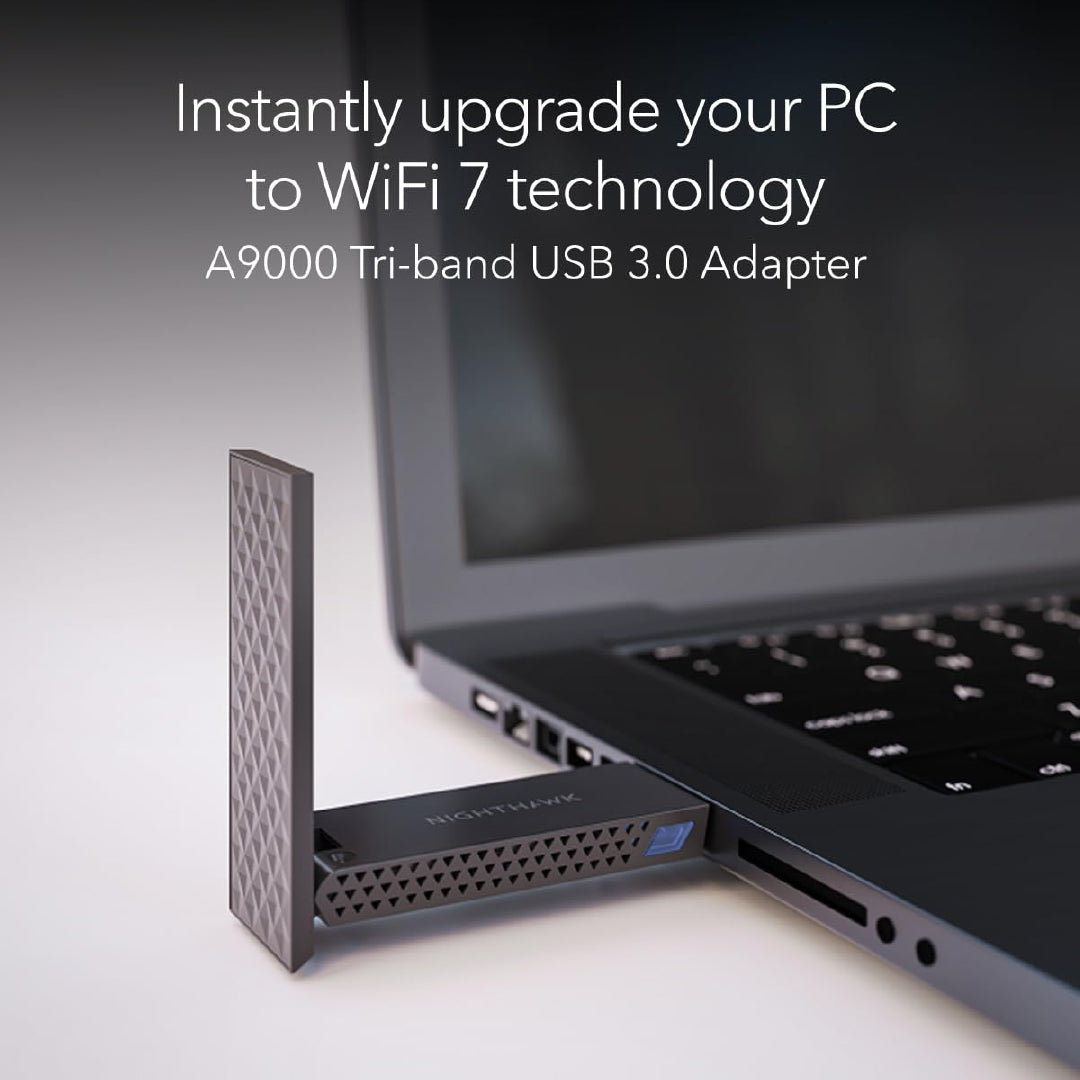
If u r also a LinuxHead, can't go wrong with those based on Mediatek MT7925 chipset with full TXQS/ATF/AQL features, like the Netgear A9000 .

NighthawkA9000-02.jpg

From a recent post.

Now need to wait for cheaper version from Chinese vendors like Comfast and Fenvi.

For those who would like to get this adapter, Netgear Singapore store has it at S$109. You may be able to find better lobangs elsewhere.

NETGEAR Nighthawk A9000 Tri-band WiFi 7 USB 3.0 Adapter
Regular price at S$159.
Sale price at S$109.
https://netgearstore.sg/products/ne...7-usb-3-0-adapter?_pos=1&_sid=39cb618e2&_ss=r
 

xiaofan

High Supremacy Member
Joined
Sep 16, 2018
Messages
35,901
Reaction score
12,072
All the following drivers are supposedly from RealTek.

1. Interestingly Fenvi FU-BE6500 driver just uses the same from Asus USB-BE92
https://cn.fenvi.com/drive.html?id=3
https://download.fenvi.cn/support/ROG USB-BE92 Setup.zip

2. Asus ROG USB-BE92
https://rog.asus.com/sg/networking/rog-usb-be92/helpdesk_download/

ASUS ROG USB-BE92 Driver version 2.0.0.6 (For Europe/Asia-Pacific)

Version 2.0.0.6
7.74 MB 2025/07/15
SHA-256 :8492B8F031DBF8554A2802AC1F0C09E9F6421B0F092BB635A71D213F80DE0CD3
*Please download the appropriate driver based on your country/region to ensure compatibility and compliance with local regulations.

This driver package is for Europe/Asia-Pacific only.
Windows 11 driver version : 5102.24.126.2
Windows 10 driver version : 5002.24.126.2

Note:*WiFi 7 full functions support will be ready in Windows 11 2024 Platform (Windows 11 24H2) or later.

3. TP-Link TBE400UH
https://www.tp-link.com/sg/support/download/archer-tbe400uh/

Archer TBE400UH(EU)_V1_MLO_5x02.24.126.2_Win10_Win11[Beta Driver]

Download
Published Date: 2025-04-30 Language: Multi-language File Size: 7.98 MB
Operating System: win10x86x64、win11x64
1. Add support for MLO (MLSR 2G+5G, MLSR 2G+6G, MLSR 5G+6G, MLSR 5G-H+5G-L). Kindly note that MLO functionality is only supported on Windows 11 24H2 (build 26100) and later.
2. Beta Driver.

4. Comfast CF-983BE, CF-985BE and CF-987BE, looks like the same version as TP-Link.
http://www.comfast.com.cn/index.php?m=content&c=index&a=lists&catid=81
 
Important Forum Advisory Note
This forum is moderated by volunteer moderators who will react only to members' feedback on posts. Moderators are not employees or representatives of HWZ Forums. Forum members and moderators are responsible for their own posts. Please refer to our Community Guidelines and Standards and Terms and Conditions for more information.
Top