
What’s wrong with my CPU VCCIO Voltage?

CCCustom

High Supremacy Member
Joined
Jul 18, 2012
Messages
37,244
Reaction score
10,776
Motherboard: Maximus XIII Hero
CPU: i7 11700 (non-K)

Been having issues with unable to POST if I turn on XMP for my RAM (Crucial Ballistix DDR4 3600 64gb kit) … was recommended to set CPU VCCIO Voltage to 1.25V when I turn XMP on.

Thing is, CPU VCCIO Voltage is set to Auto and the number in the box next to “Auto” says 2.128V :s14: That ain’t right … right?

Anyways, I changed it from Auto to 1.25V, and on the next boot (still not XMP, using manual settings with the RAM set to DDR4 3200 …

The number in the box next to 1.25V now says 2.5xx :s14: :s14:

That can’t be right … right? If this was real the CPU would be fried already no?

FYI I am on the latest BIOS already.

Anyone can tell me what’s going on here?
 

abstrax

Senior Member
Joined
Nov 29, 2001
Messages
1,564
Reaction score
177
Try go to ur bios setting and set to normal mode instead overclocked mode. anyway urs is non K version. And to the default fequency of the cpu too. Hope this help.
 

CCCustom

High Supremacy Member
Joined
Jul 18, 2012
Messages
37,244
Reaction score
10,776
Try go to ur bios setting and set to normal mode instead overclocked mode. anyway urs is non K version. And to the default fequency of the cpu too. Hope this help.
It doesn’t. After clearing CMOS when setting XMP doesn’t POST, everything is Auto yes? The number in the box next to “Auto” for CPU VCCIO Voltage also says 2.128 :s22:
 

CCCustom

High Supremacy Member
Joined
Jul 18, 2012
Messages
37,244
Reaction score
10,776
Whats the voltage if u turn off xmp?
Like I said, the number in the box next to “Auto” says 2.128 even after a clear CMOS and boot into BIOS with everything back to default.

AI says if you can continue to be in the BIOS to see this and can even load into Windows when this is the reading, it means it is wrong, because if this is the actual reading the CPU would be fried already :s22:

What do you guys think?
 

CCCustom

High Supremacy Member
Joined
Jul 18, 2012
Messages
37,244
Reaction score
10,776
All the while xmp turned on no issue?
Anything u changed or meddled with lately?
I’m new to this board, it’s a used board I took over recently.

The RAMs were previously in an ROG Z590I WiFi Gaming ITX board where they were (incorrectly) manually set to 3600 but timings etc all left at Auto and this system ran fine … on this Maximus XIII Hero it doesn’t POST if I do that … stuck at yellow.

I’m not sure if it matters but the CMOS battery on the Maximus XIII Hero was removed for a long time (at least several months if not longer) before I took over. BIOS was version 2001 (from Dec 2023) when I took over and I updated it to the latest version 2501 (from Aug 2026).
 

86technie

High Supremacy Member
Joined
Jun 8, 2006
Messages
40,505
Reaction score
6,027
I’m new to this board, it’s a used board I took over recently.

The RAMs were previously in an ROG Z590I WiFi Gaming ITX board where they were (incorrectly) manually set to 3600 but timings etc all left at Auto and this system ran fine … on this Maximus XIII Hero it doesn’t POST if I do that … stuck at yellow.

I’m not sure if it matters but the CMOS battery on the Maximus XIII Hero was removed for a long time (at least several months if not longer) before I took over. BIOS was version 2001 (from Dec 2023) when I took over and I updated it to the latest version 2501 (from Aug 2026).

If Orange light means the ram got issue.
Adjusting the cpu voltage will make thing worse.
What you can do is:
1) Reset the bios by taking the battery.
2) Test 1 stick of ram at one time
3) Run Memtest since it is 32gb x 2.
It will take an hour to test.
4) If both sticks post that means the OK but if still can't means the ram got issue
Asus Maximus range do check if the RAM is stable or got issue.
If the RAM got issue the PC won't POST.
I myself is also ASUS MAXIMUS range but the older model.
 

abstrax

Senior Member
Joined
Nov 29, 2001
Messages
1,564
Reaction score
177
I’m new to this board, it’s a used board I took over recently.

The RAMs were previously in an ROG Z590I WiFi Gaming ITX board where they were (incorrectly) manually set to 3600 but timings etc all left at Auto and this system ran fine … on this Maximus XIII Hero it doesn’t POST if I do that … stuck at yellow.

I’m not sure if it matters but the CMOS battery on the Maximus XIII Hero was removed for a long time (at least several months if not longer) before I took over. BIOS was version 2001 (from Dec 2023) when I took over and I updated it to the latest version 2501 (from Aug 2026).
Dun tik is the RAM issue. Check for any scratch mark on the back or slight bend pins of the mb.
 

CCCustom

High Supremacy Member
Joined
Jul 18, 2012
Messages
37,244
Reaction score
10,776
If Orange light means the ram got issue.
Adjusting the cpu voltage will make thing worse.
What you can do is:
1) Reset the bios by taking the battery.
2) Test 1 stick of ram at one time
3) Run Memtest since it is 32gb x 2.
It will take an hour to test.
4) If both sticks post that means the OK but if still can't means the ram got issue
Asus Maximus range do check if the RAM is stable or got issue.
If the RAM got issue the PC won't POST.
I myself is also ASUS MAXIMUS range but the older model.
The RAM/XMP issue is just the backstory. The issue is the CPU VCCIO Voltage reading at default even after clear CMOS which was discovered when trying to make XMP work.

Dun tik is the RAM issue. Check for any scratch mark on the back or slight bend pins of the mb.
RAM being able to run at its XMP spec or not, is not my concern right now. My concern right now is the CPU VCCIO reading showing 2.128 at default even after clear CMOS, which according to AI says my CPU should be fried immediately. That, and manually setting it from Auto to 1.25 makes it show as 2.5xx after saving and rebooting back into BIOS.
 

CCCustom

High Supremacy Member
Joined
Jul 18, 2012
Messages
37,244
Reaction score
10,776
able to reflash back to the older bios?
Never done before, so not sure :o Other than the big gap between BIOS updates (version 2001 from Dec 2023 to version 2501 from Aug 2026), there is also probably a huge gap in the Intel ME firmware version between these 2. Is it safe to use the BIOS Flashback to the older version?
 

86technie

High Supremacy Member
Joined
Jun 8, 2006
Messages
40,505
Reaction score
6,027
The RAM/XMP issue is just the backstory. The issue is the CPU VCCIO Voltage reading at default even after clear CMOS which was discovered when trying to make XMP work.


RAM being able to run at its XMP spec or not, is not my concern right now. My concern right now is the CPU VCCIO reading showing 2.128 at default even after clear CMOS, which according to AI says my CPU should be fried immediately. That, and manually setting it from Auto to 1.25 makes it show as 2.5xx after saving and rebooting back into BIOS.
94357i1892ECFDA3A7C6CE

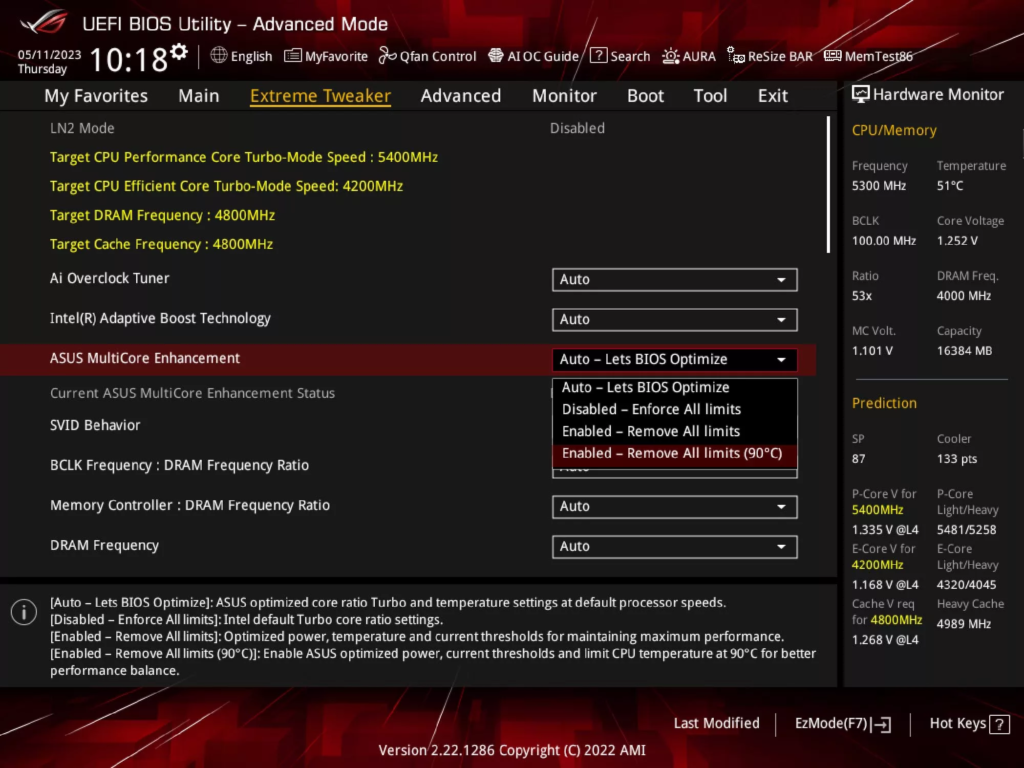
Can you check under this setting.
AI Tweaker Performance Preference is it under ASUS Optimized Setting or Intel Default Settings.
Cuz ASUS higher end motherboard like this can push a lot of voltage if you use ASUS Optimized Setting.
 

CCCustom

High Supremacy Member
Joined
Jul 18, 2012
Messages
37,244
Reaction score
10,776
94357i1892ECFDA3A7C6CE

Can you check under this setting.
AI Tweaker Performance Preference is it under ASUS Optimized Setting or Intel Default Settings.
Cuz ASUS higher end motherboard like this can push a lot of voltage if you use ASUS Optimized Setting.
Bruh this Intel Default Settings is only introduced on boards supporting 13th & 14th gen CPU leh.
 

hlots123

Supremacy Member
Joined
Apr 5, 2006
Messages
5,209
Reaction score
11
try do proper physical cmos clear
maybe leftover nvram data from old fw messing up things, causing ui to show doubled value...
 

CCCustom

High Supremacy Member
Joined
Jul 18, 2012
Messages
37,244
Reaction score
10,776
try do proper physical cmos clear
maybe leftover nvram data from old fw messing up things, causing ui to show doubled value...
There was no battery in the motherboard for months at the very least, if not longer.

But I’d been pressing & holding the CLR CMOS button for 10-15 seconds each time I had to clear.

“Proper”as in … take the new battery out and still press & hold the CLR CMOS button? :o
 
Important Forum Advisory Note
This forum is moderated by volunteer moderators who will react only to members' feedback on posts. Moderators are not employees or representatives of HWZ Forums. Forum members and moderators are responsible for their own posts. Please refer to our Community Guidelines and Standards and Terms and Conditions for more information.
Top
