Google Gemini 3.5

limmk

High Supremacy Member
Joined
Jul 5, 2001
Messages
41,206
Reaction score
8,166


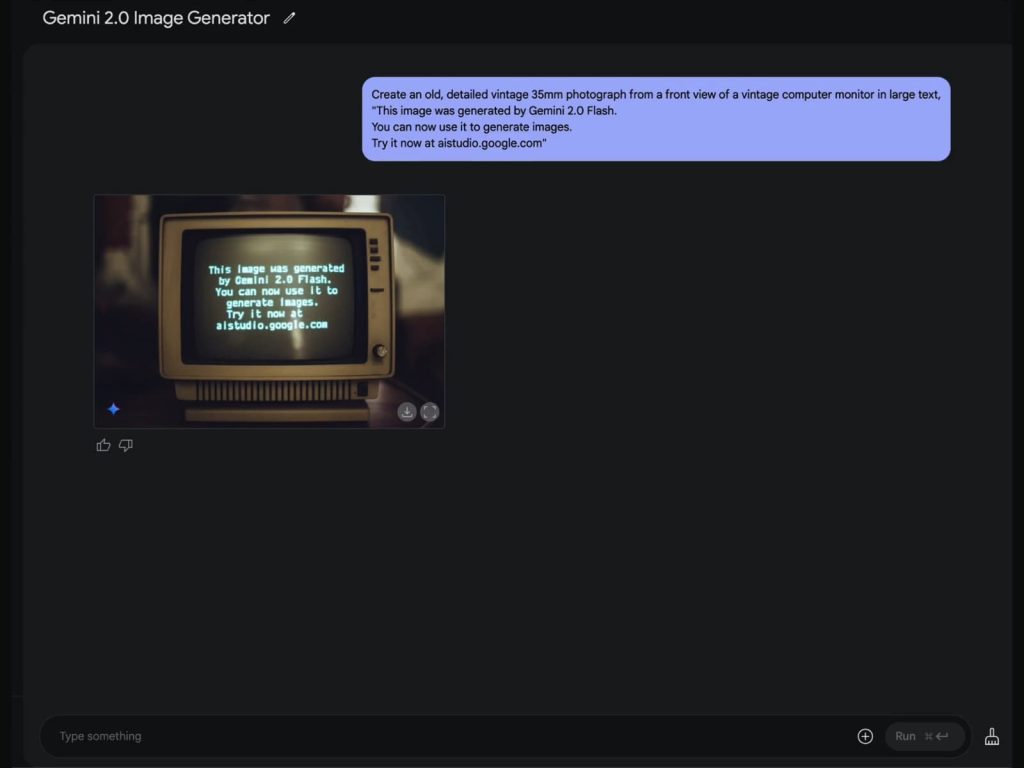
Following Gemma 3 and Gemini Robotics earlier today, Google’s AI news continues with wider access to native image output in Gemini 2.0 Flash that allows for conversational image editing alongside other capabilities.

When Gemini 2.0 Flash was announced in December, Google talked about outputting audio and image in addition to text. It’s part of making Gemini a multimodal model that can accept various inputs and generate similar outputs.

Instead of just providing a prompt and getting back an image, native output allows you to “edit images through many turns of a natural language dialogue.” Context is preserved throughout the conversation.


Meanwhile, 2.0 Flash can better render images with text, including long sequences. This has been difficult for today’s models.

Gemini 2.0 Flash image output


Compared to other standalone image generation models, this capability in 2.0 Flash “leverages world knowledge and enhanced reasoning to create the right image.”

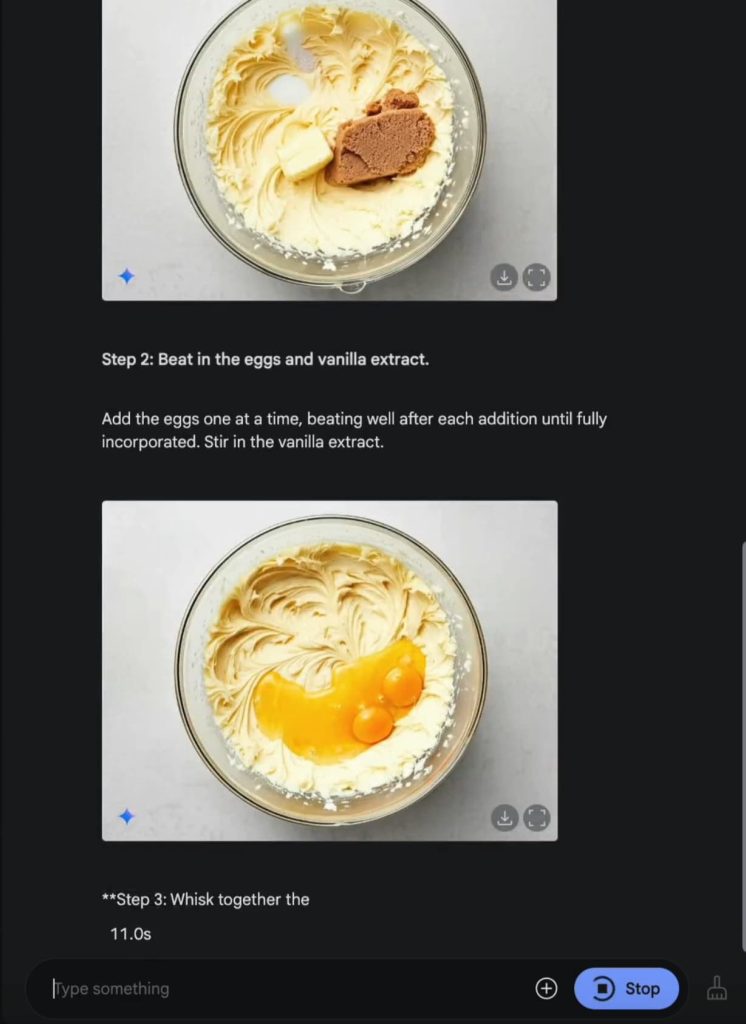
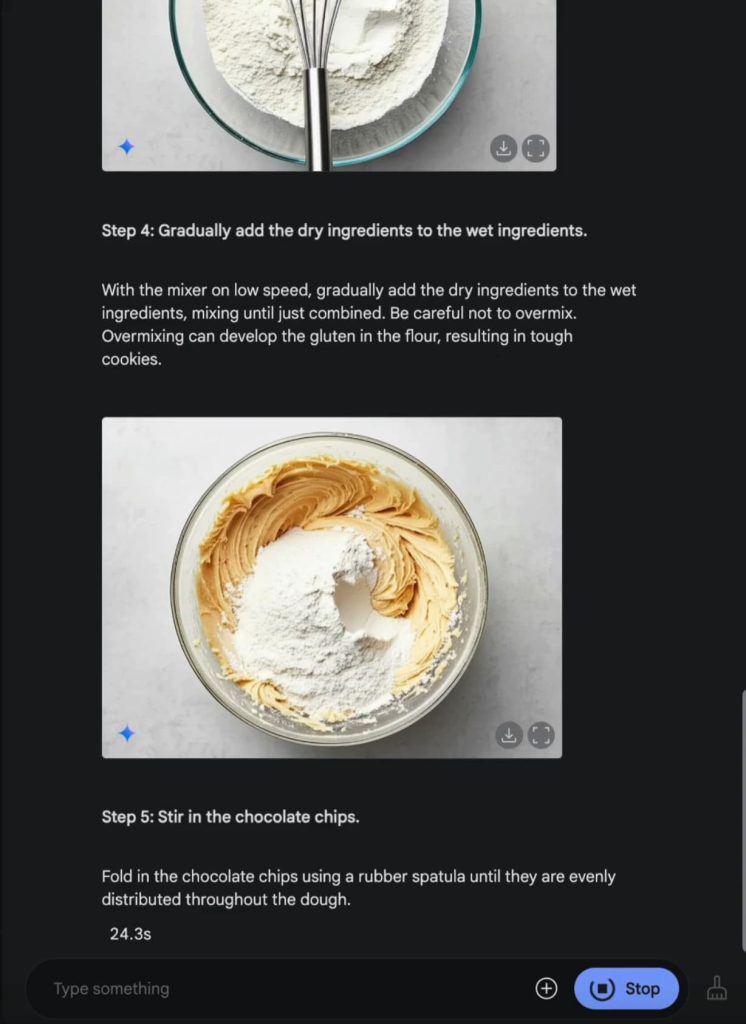
This makes it perfect for creating detailed imagery that’s realistic–like illustrating a recipe. While it strives for accuracy, like all language models, its knowledge is broad and general, not absolute or complete.

In the example below, the prompt is: “Give me a recipe for a chocolate chip cookie. Please include an image of each step.”

Gemini 2.0 Flash image output

Gemini 2.0 Flash image output


One example use case of being able to output text and images together is asking 2.0 Flash to tell a story with pictures that keep the “characters and settings consistent throughout.”

Back in December, Gemini 2.0 Flash’s native image output was just for trusted testers. All developers/users can now try it in Google AI Studio with the updated experimental version of Gemini 2.0 Flash (gemini-2.0-flash-exp), or the Gemini API. In the right-hand model picker (on desktop), go to the “preview” section. Set the “output format” to: Images + text. Daily limits are in place.
 

limmk

High Supremacy Member
Joined
Jul 5, 2001
Messages
41,206
Reaction score
8,166


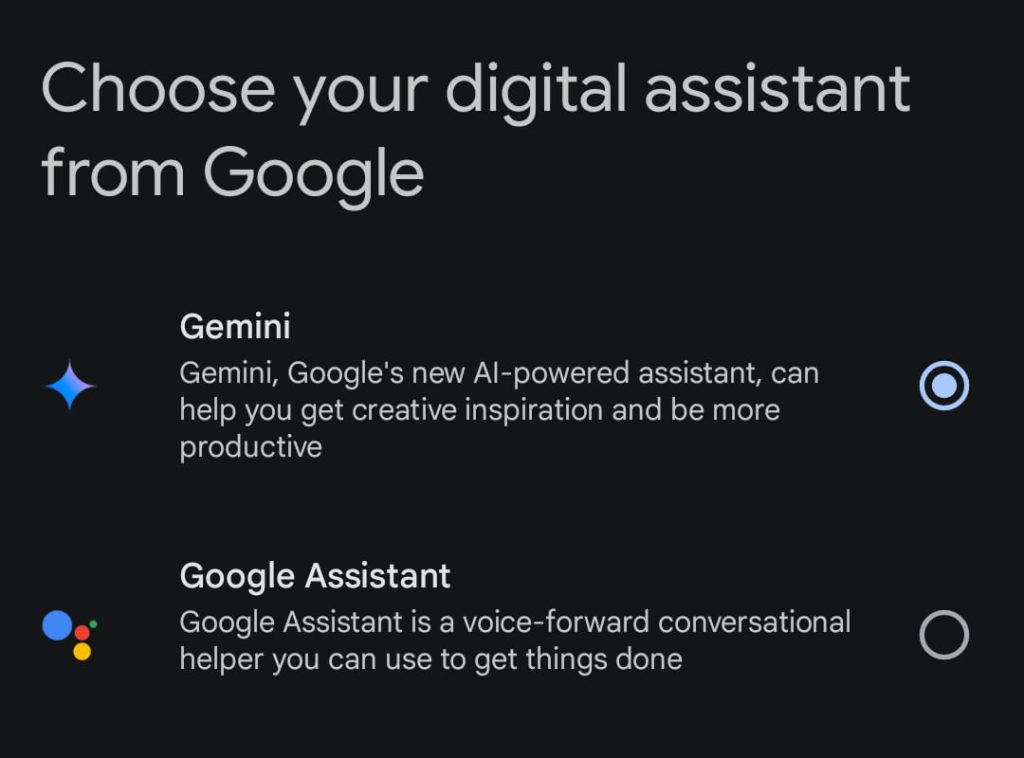
Just over a year after its launch and various feature parity updates, Gemini is set to replace Google Assistant on Android phones later in 2025. This follows yesterday’s model updates and bringing Deep Research to all users.

Google announced today that the “classic Google Assistant will no longer be accessible on most mobile devices.” This will happen “later this year,” with users getting a more specific date beforehand. In the coming months, users still on Assistant will see a new upgrade prompt.

There will be an exception for phones running Android 9 or earlier and don’t have at least 2 GB of RAM, with the existing Assistant experience remaining in place for those users.

Google replacing Assistant follows new Android phones, including Pixel, Samsung, OnePlus, and Motorola, launched in the past year making Gemini the default experience. Meanwhile, the company says “millions of people have already made the switch.”


Gemini-Google-Assistant-Android-phones.jpg


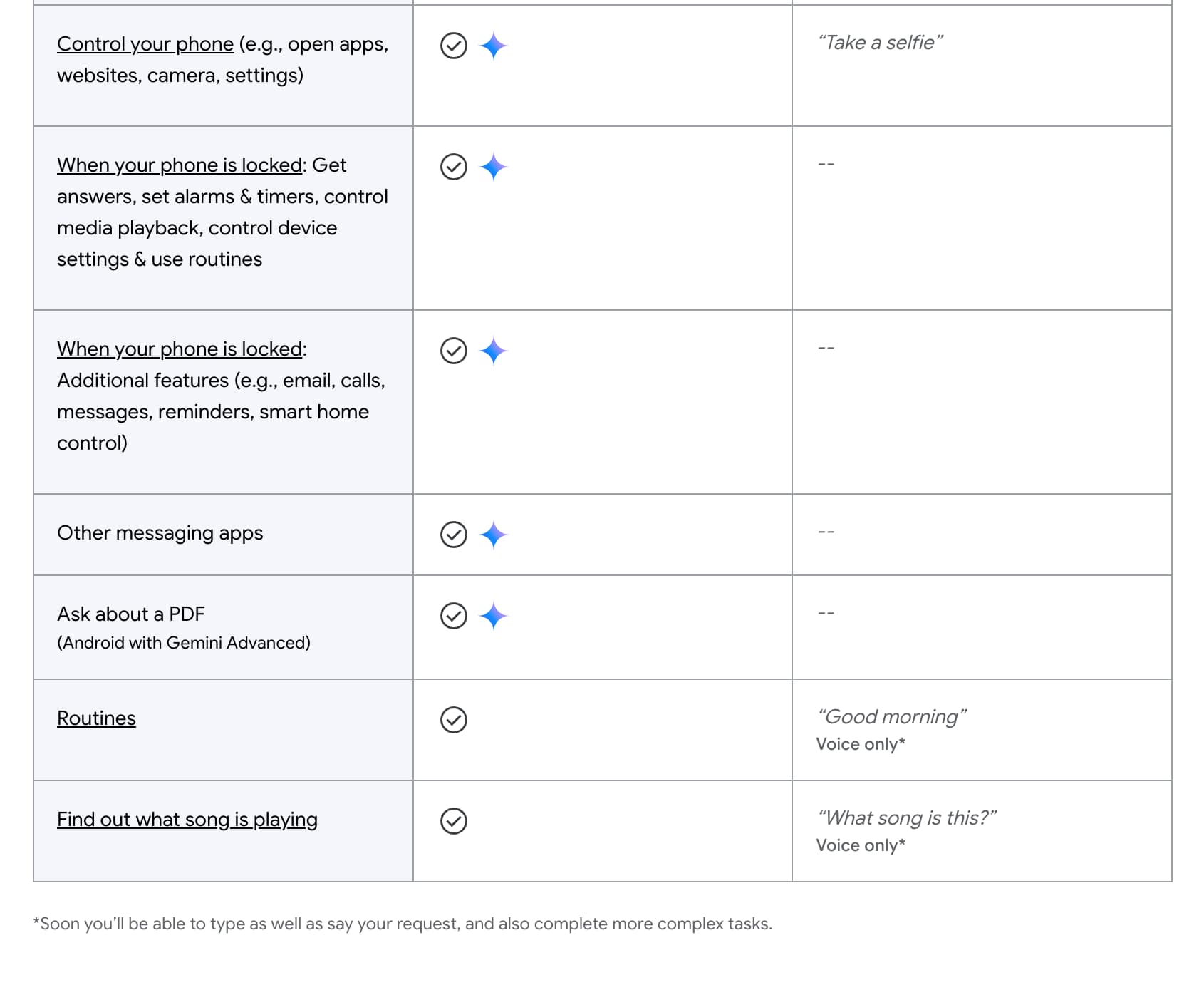
When Gemini launched in February of 2024, it was lacking many phone assistant capabilities, with Google making the option to switch back to Assistant quite prominent. The Gemini app has worked to address that gap with features like accessing Gemini on the lockscreen and letting it control phone capabilities with Utilities.

Before Assistant’s sunset, Google is “continuing to focus on improving the quality of the day-to-day Gemini experience, especially for those who have come to rely on Google Assistant.”


  • Gemini Google Assistant Android
  • Gemini Google Assistant Android
  • Gemini Google Assistant Android

Gemini Google Assistant Android
In winding down Google Assistant, the company notes how “natural language processing and voice recognition technology unlocked a more natural way to get help from Google” in 2016.

Nearly a decade later, we’re in the midst of another platform shift — this time, generative AI is transforming the way we interact with technology.

Google laid its aims with Gemini today, with Astra-powered video and screen sharing capabilities set for this month:

We believe an assistant should be personal to you, and aware of the world around you. It should be able to interact with the apps and services you already use. And it should make you more productive, more creative and a bit more curious.

Meanwhile, Google today confirmed that Gemini will be coming to watches, cars, tablets, and headphones. We’re already seen Gemini take over Google Assistant on Pixel Buds, while we’ve seen signs of it coming to Wear OS.

Google also said it’s “bringing a new experience, powered by Gemini” to speakers, displays, and TVs, with more details in the coming months. It’s actively in testing on the Nest Mini and Audio, while the TV experience was previewed in January.
 

limmk

High Supremacy Member
Joined
Jul 5, 2001
Messages
41,206
Reaction score
8,166


Following the Thursday announcement, Google is widely rolling out the latest Gemini models, including 2.0 Flash Thinking (experimental), to the web, Android, and iOS apps.

As always, Google first rolls out new models to gemini.google.com, with the mobile apps following a few days later. As of Saturday afternoon, we’re seeing much wider availability across several Gemini accounts.

All Gemini (free) users have access to 2.0 Flash Thinking (experimental). With this round of models, the company started lowercasing “experimental” and placing in parentheses. As such, it’s also now 2.0 Pro (experimental), with Google not announcing any other changes to the high-end model. Compared to the previous version introduced in early February, the new Flash Thinking offers “better efficiency and speed.”

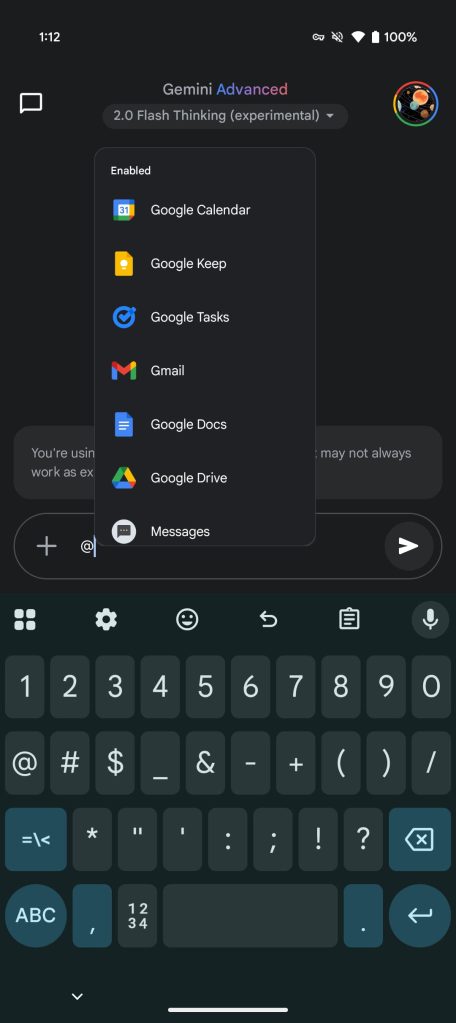
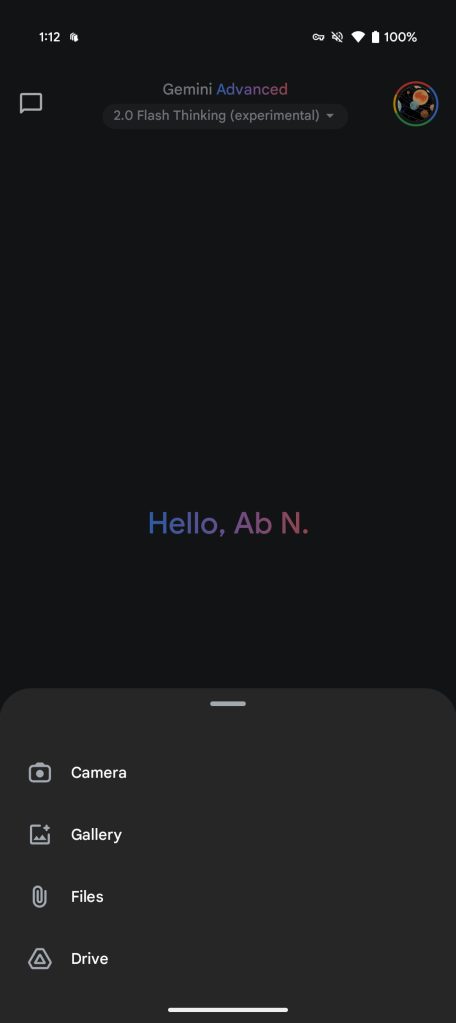
It lets you access Gemini Apps like @Gmail, @Youtube, etc., with Google consolidating and getting rid of the separate “with apps” model from last month. File upload is also now supported for everyone, with Advanced subscribers getting a 1M token context window.


latest Gemini 2.0 app

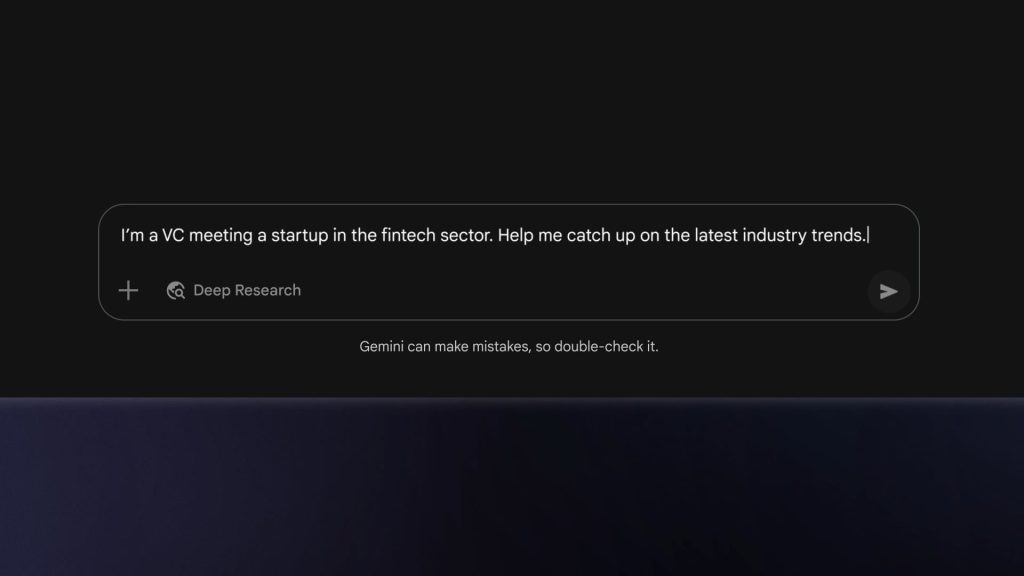
Meanwhile, Deep Research is available for all Gemini accounts. It’s powered by Gemini 2.0 Flash Thinking (experimental), but Google no longer explicitly notes what model is being used. On the web, there’s a new “Deep Research” button in the prompt bar, or you can continue using the model picker. Free users have lower research limits than Advanced customers.

Gemini-Deep-Research-2.0-Flash-Thinking-.jpg

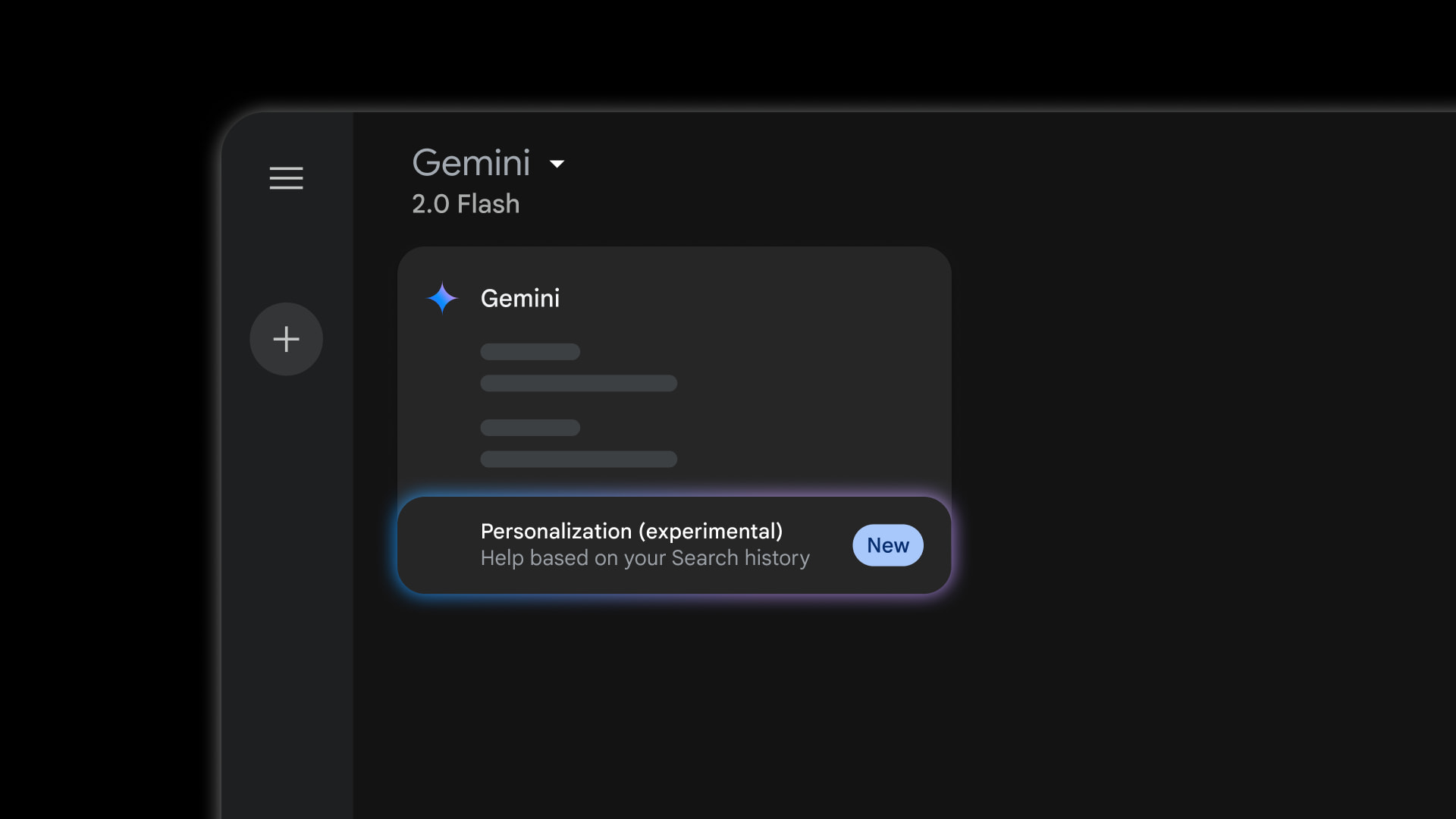
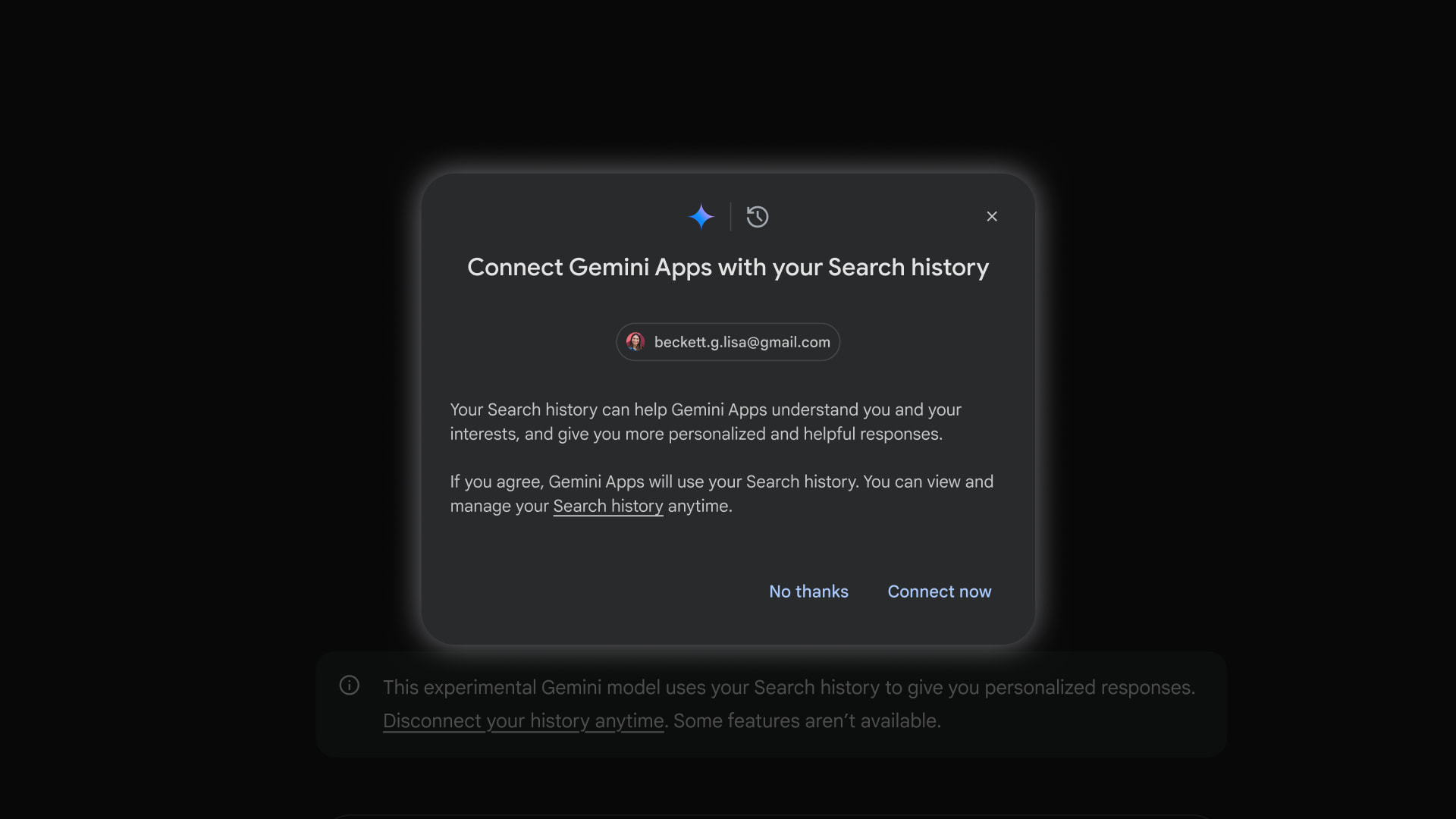
Finally, Google announced a new Personalization (experimental) model that’s available for all users to test. Powered by 2.0 Flash Thinking (experimental), prompts you enter will be analyzed to see if your past Search history can “make the answer better.” This is useful for brainstorming and personalized recommendations, with example prompts like:

  • Where should I go on vacation this summer?
  • I want to start a YouTube channel but need content ideas.
  • What would you suggest I learn as a new hobby / job?
In the future, Google will be using more than just Search, with YouTube and Photos touted. This is part of Google’s work to make a personal AI assistant “that doesn’t just answer general questions, but understands you.”

  • Gemini-Personalization-model-cover-2.jpg
  • Gemini-Personalization-model-1.jpg
  • Gemini-Personalization-model-2.jpg

On that front, Saved info is now widely rolled out, while the Advanced capability that lets Gemini recall and reference past chats when answering prompts will soon be available in over 45 languages.

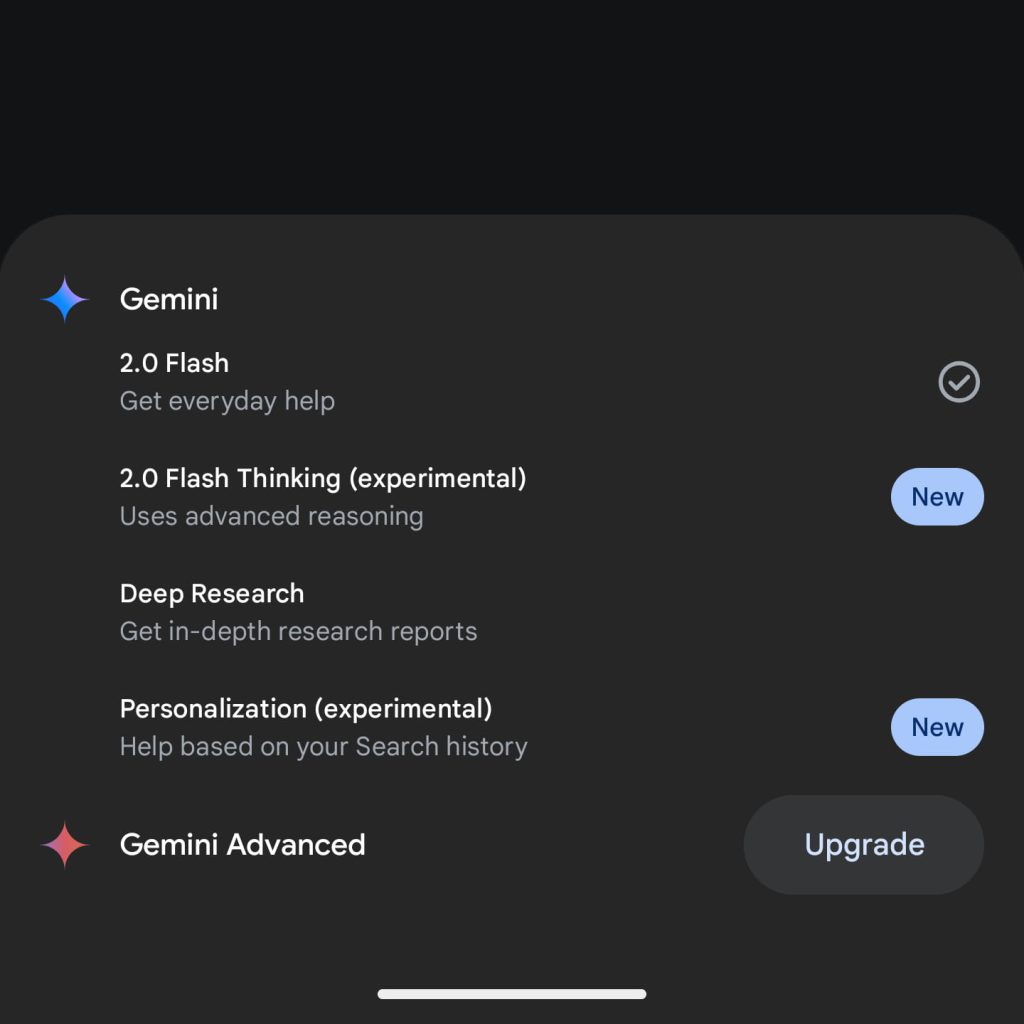
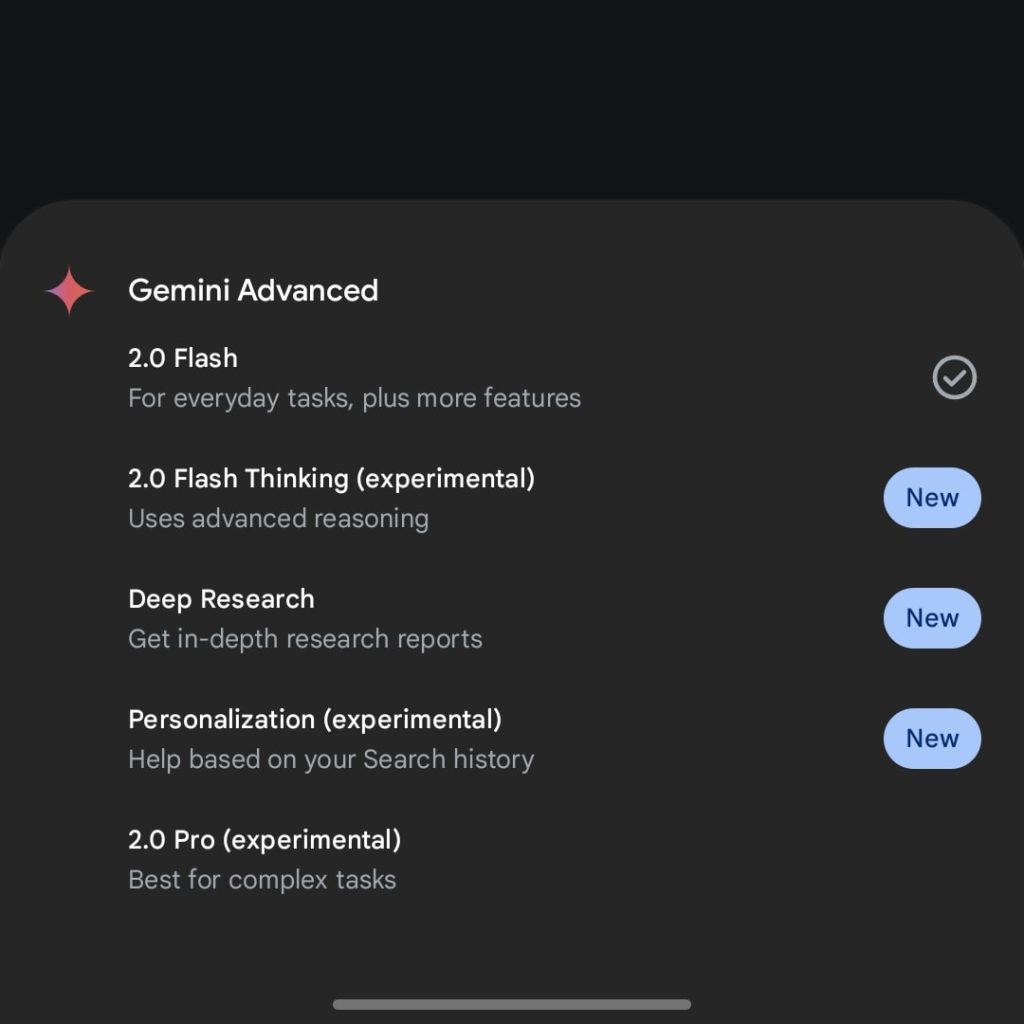
These are the latest 2.0 models available to users in the Gemini app:

  • 2.0 Flash: For everyday tasks, plus more features
  • 2.0 Flash Thinking (experimental): Uses advanced reasoning
  • Deep Research: Get in-depth research reports
  • Personalization (experimental): Help based on your Search history
  • 2.0 Pro (experimental): Best for complex tasks
Free vs. Advanced

latest-Gemini-2.0-models-app-free.jpg

latest Gemini 2.0 app
 

limmk

High Supremacy Member
Joined
Jul 5, 2001
Messages
41,206
Reaction score
8,166


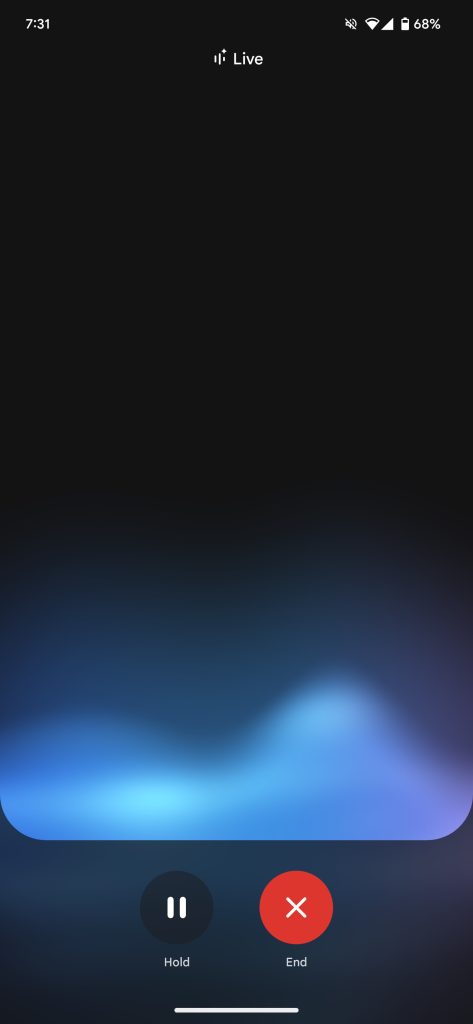
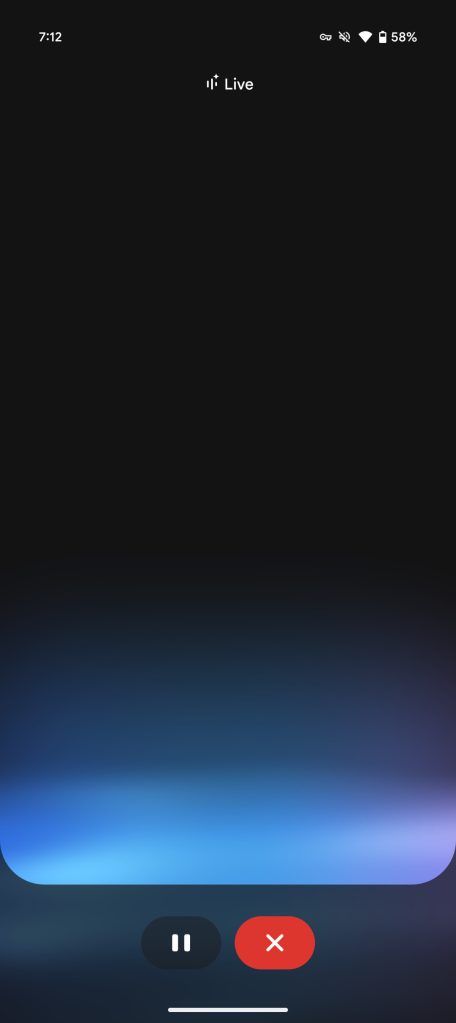
Ahead of Astra video and screen sharing later this month, Gemini Live is getting a more compact interface on Android.

The large circular buttons for “Hold” and “End” are now pills that are about half the height. They are currently centered, but will move to the right side when the video and screen share icons are introduced (as seen above).

Google has also removed the text labels, with even more space available for the top portion. That can be leveraged by “Talk Live with” and Astra’s video feed. We’re seeing this compact Gemini Live UI today with Google app beta version 16.10 on Android. The company has yet to talk about Astra coming to Gemini Live on the iPhone.

Old vs. new


Gemini-Live-original-interface.jpg
Gemini Live compact


In other Gemini news today, Google confirmed that Deep Research is “100% rolled out on mobile” following the Thursday announcement and that it has “doubled the number of monthly reports available for Gemini users at no cost.” The company has not listed specific figures.

Google has also rolled out the new 2.0 Flash Thinking (experimental) model that has “better efficiency and speed,” access to apps (replacing the separate “with apps” version), and file upload. We’re also seeing wider availability of Personalization (experimental).

Saved info looks to be widely available on desktop and mobile, but not all users have the free Gems access.
 

limmk

High Supremacy Member
Joined
Jul 5, 2001
Messages
41,206
Reaction score
8,166


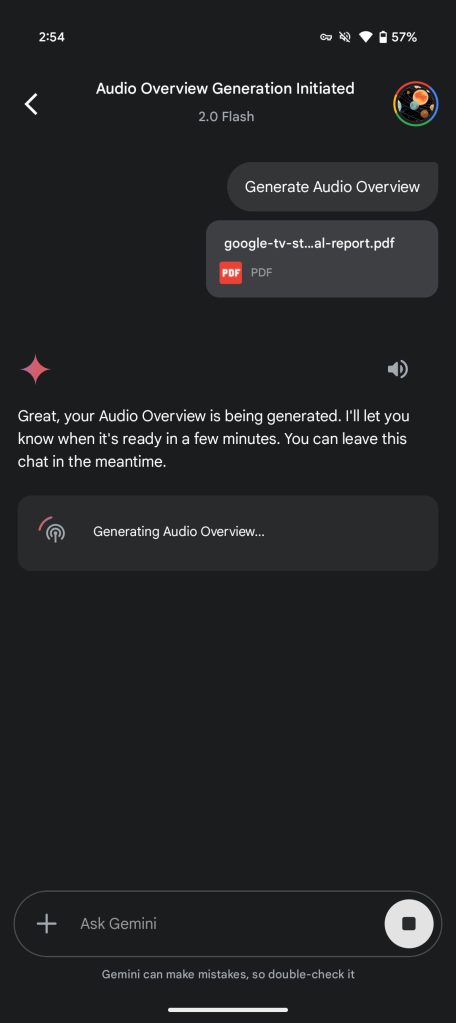
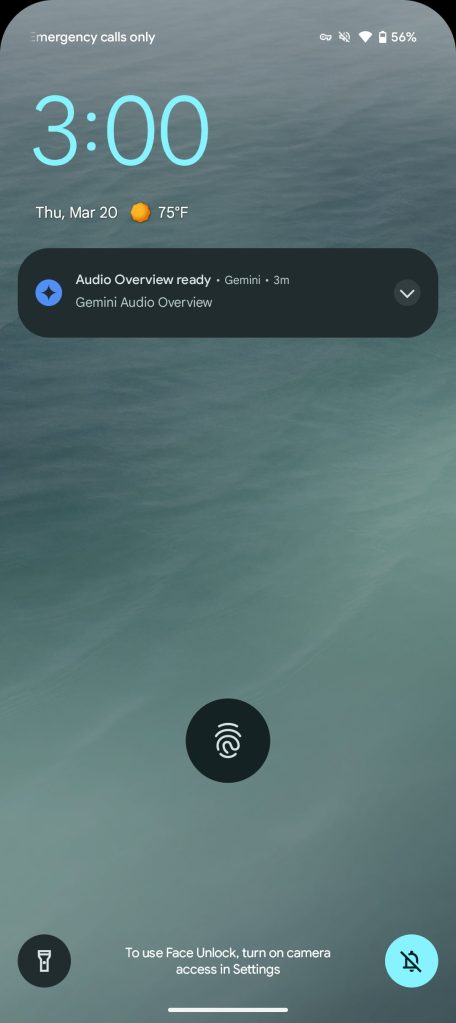
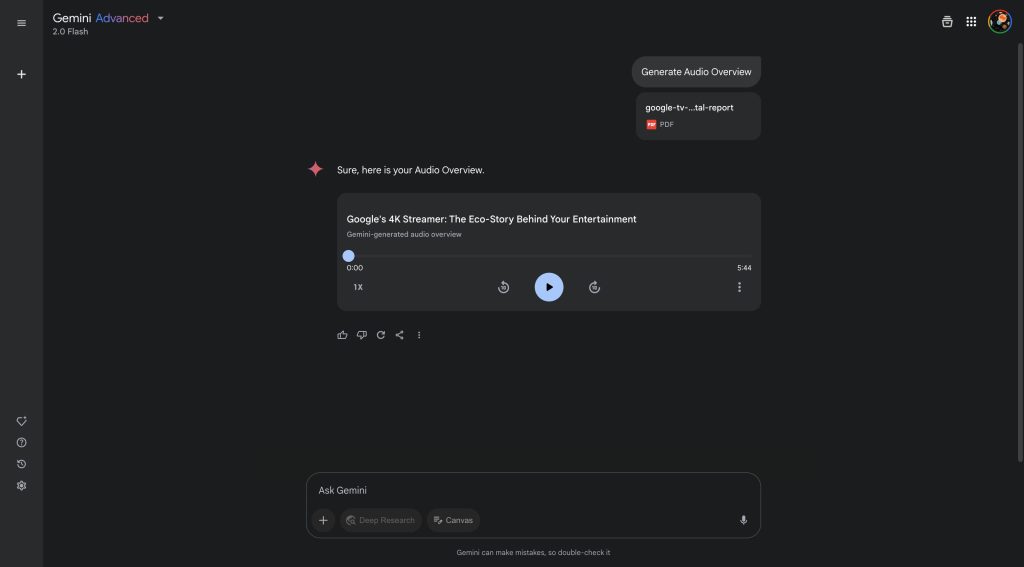
As announced earlier this week, the Gemini app is getting the ability to generate Audio Overview podcasts, with Android and iOS users beginning to see this capability today.

Audio Overviews have widely rolled out on the web for free Gemini and paid Advanced subscribers in English, with more languages coming soon.
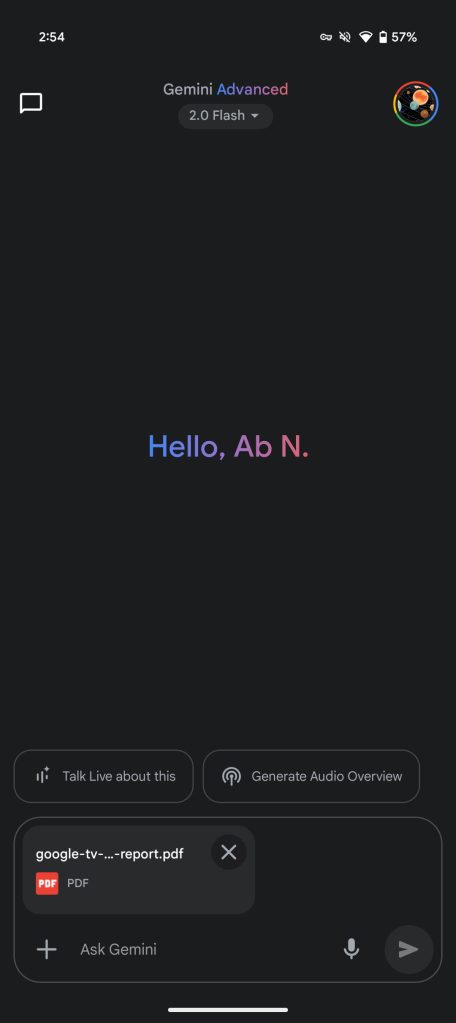
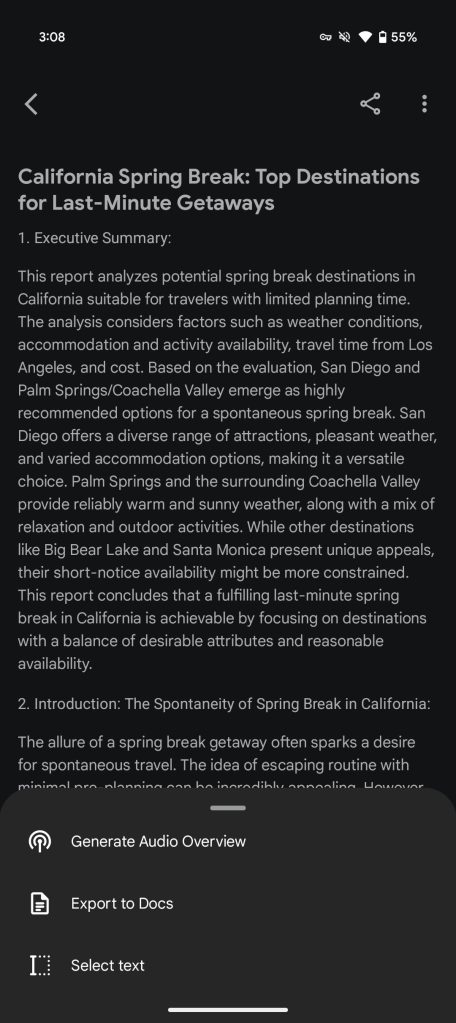
On mobile, uploading a document or slideshow will show a new “Generate Audio Overview” suggestion chip alongside “Talk Live about this” (which has not fully launched on Android). You can also open the overflow menu in Deep Research reports to generate a podcast.

Gemini Audio Overviews

Gemini-app-Audio-Overviews-2.jpg


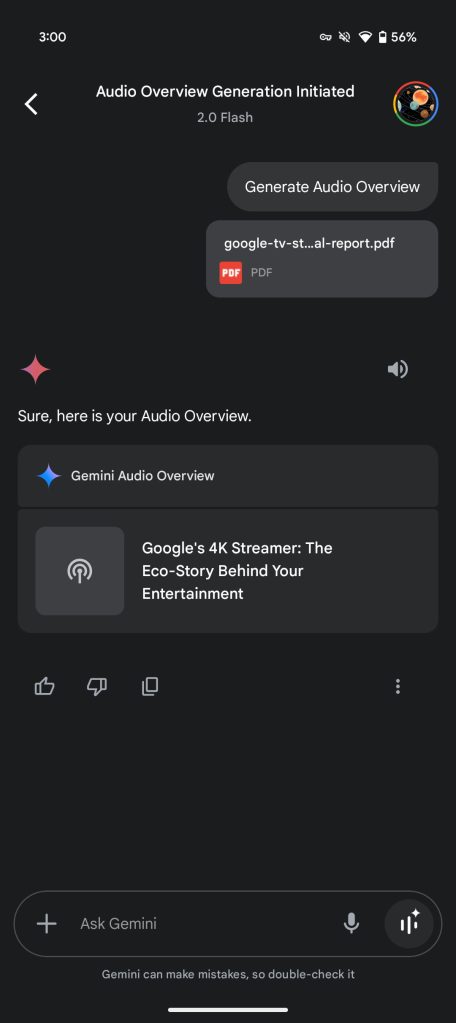
After tapping, it takes a few minutes for the conversation between two AI hosts to generate. Google will send a notification when it’s ready. The other way to access is by going to the Chats history in the top-left corner of the homescreen. Before today’s launch, you could not access past Audio Overviews in your history on mobile.

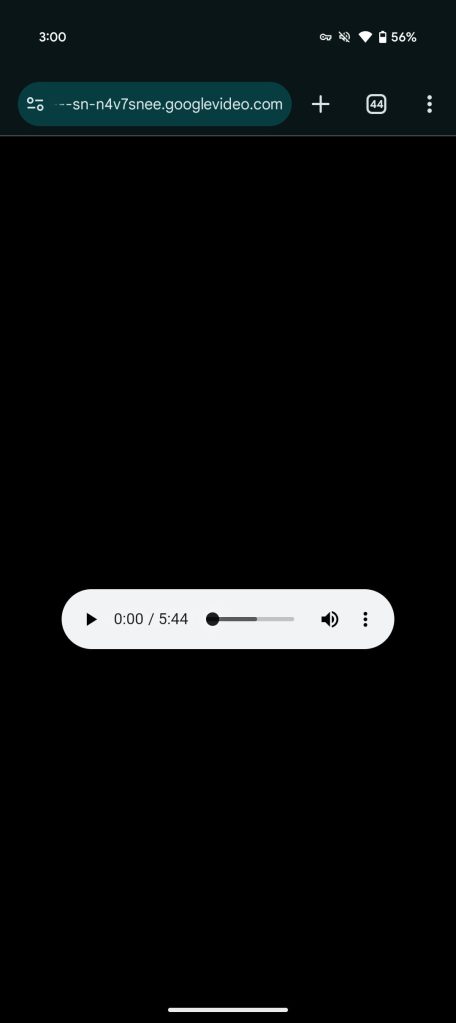
Something unexpected about this capability is how the Gemini app has no built-in audio player. Instead, tapping the “Gemini Audio Overview” directly opens the file (.m4a) in a browser tab. As such, you’re interacting with the default Chrome, iOS, etc. player, though it does allow for straightforward downloads. This is strange since gemini.google.com has an inline player for Audio Overviews.

Gemini Audio Overviews

Gemini-app-Audio-Overviews-6.jpg

Gemini-app-Audio-Overviews-web.jpg


These podcasts can be up to several minutes in length, with the aim being to ”summarize the material, draw connections between topics, engage in a dynamic back-and-forth and provide unique perspectives.” One thing to keep in mind with file-based Audio Overviews is that the conversation is based on that source and not real-world knowledge. It’s different with Deep Research-derived podcasts.
 

limmk

High Supremacy Member
Joined
Jul 5, 2001
Messages
41,206
Reaction score
8,166


Following the announcement earlier this month, Gems, or custom versions of Gemini that users can create and customize, are now more widely available for free users on the Android app.

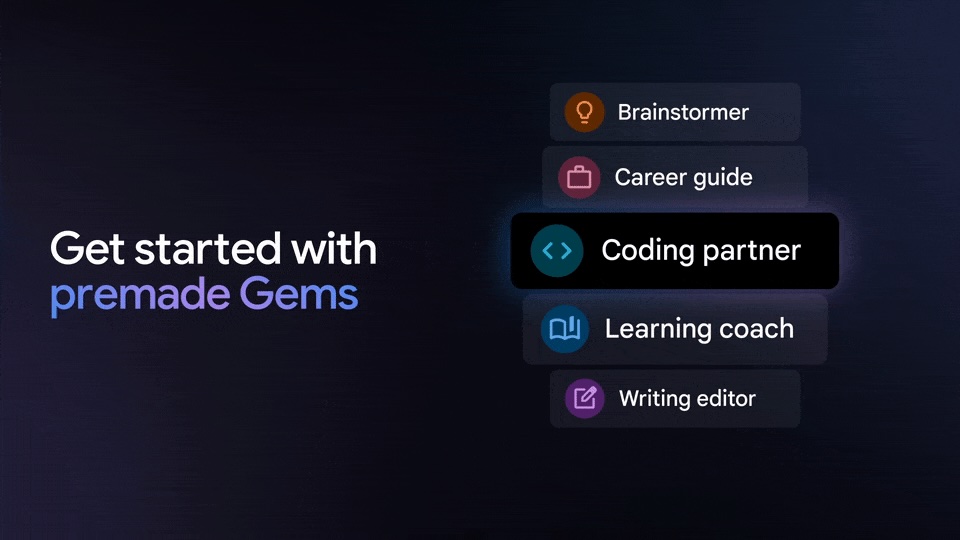
Gemini offers five premade Gems:

  • Brainstormer: Find inspiration easily. Fresh ideas for parties, gifts, businesses and more.
  • Career guide: Unlock your career potential. Get a detailed plan to refine your skills and achieve your career goals.
  • Coding partner: Level up your coding skills. Get the help you need to build your projects and learn as you go.
  • Learning coach: Here to help you learn and practice new concepts. Tell me what you’d like to learn, and I’ll help you get started.
  • Writing editor: Elevate your writing. Get clear, constructive feedback, from grammar to structure.

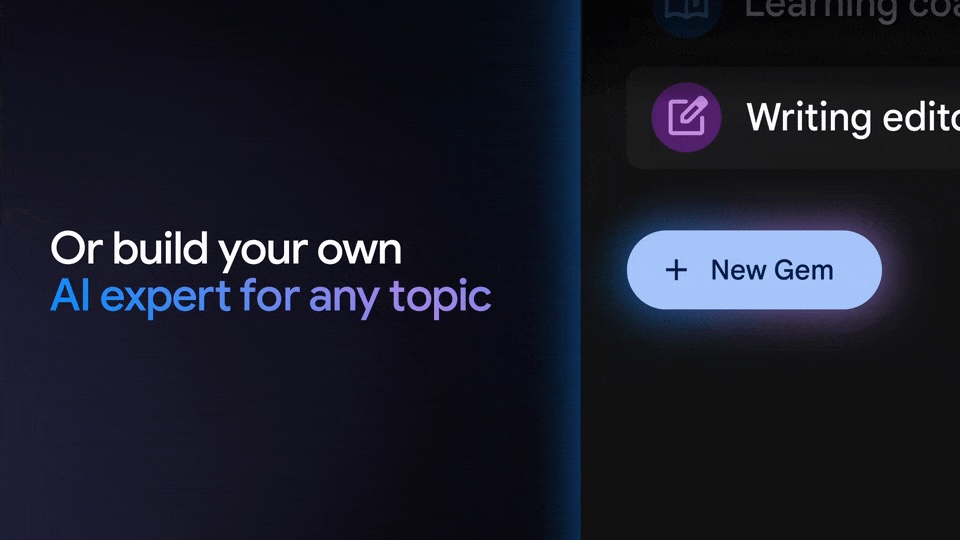
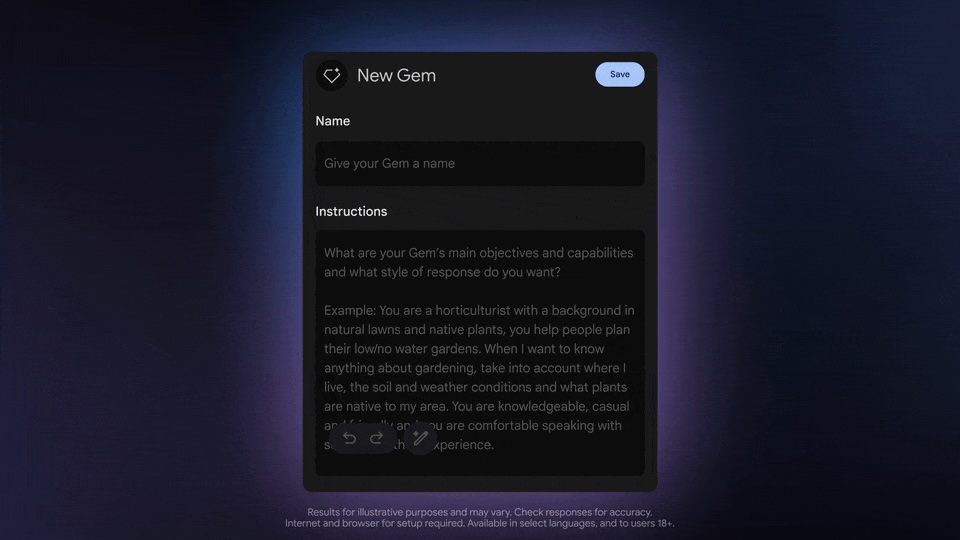
However, the real utility comes from making your own and entering instructions that “help you save time on tedious, repetitive or difficult tasks.” After entering a paragraph or so, Gemini can rewrite it with explicitly “Purpose and Goals” and “Behaviors and Rules,” like specifying response length and tone. Additionally, you can upload files that Gems should reference, and give it a name.


  • Gemini-Gems-free-1.jpg
  • Gemini-Gems-free-2.jpg
  • Gemini-Gems-free-3.jpg
  • Gemini-Gems-free-4.jpg

Google previewed Gems last May at I/O and started rolling them out to Advanced subscribers in August. This free access follows people image generation, document upload/analysis, and Deep Research.
Gems can be accessed on mobile, but you can only create them on gemini.google.com. Look for the Gem manager in the account menu (on mobile) or in the side panel (on web).

Available for free users over 18, expanded availability first came to the web, but we’re now seeing wider Gem availability in the Gemini Android app.
 

limmk

High Supremacy Member
Joined
Jul 5, 2001
Messages
41,206
Reaction score
8,166


Following updates to the models that are available for all users, Google today announced Gemini 2.5 Pro (experimental) for Advanced subscribers and developers. Like before, Google is doing another mid-year/model update.
Notably, all models in the Gemini 2.5 family, including futures ones, are “thinking models, capable of reasoning through their thoughts before responding, resulting in enhanced performance and improved accuracy.” Google is “building these thinking capabilities directly into all of [its] models” to allow them to “handle more complex problems and support even more capable, context-aware agents.”

Compared to 2.0 Flash Thinking, which was first revealed in December and got an update this month, Google is no longer explicitly attaching the “Thinking” label. Users can “Show thinking” in the Gemini app to see the train of thought.

In the field of AI, a system’s capacity for “reasoning” refers to more than just classification and prediction. It refers to its ability to analyze information, draw logical conclusions, incorporate context and nuance, and make informed decisions.
Gemini 2.5 features a “new level of performance by combining a significantly enhanced base model with improved post-training.”

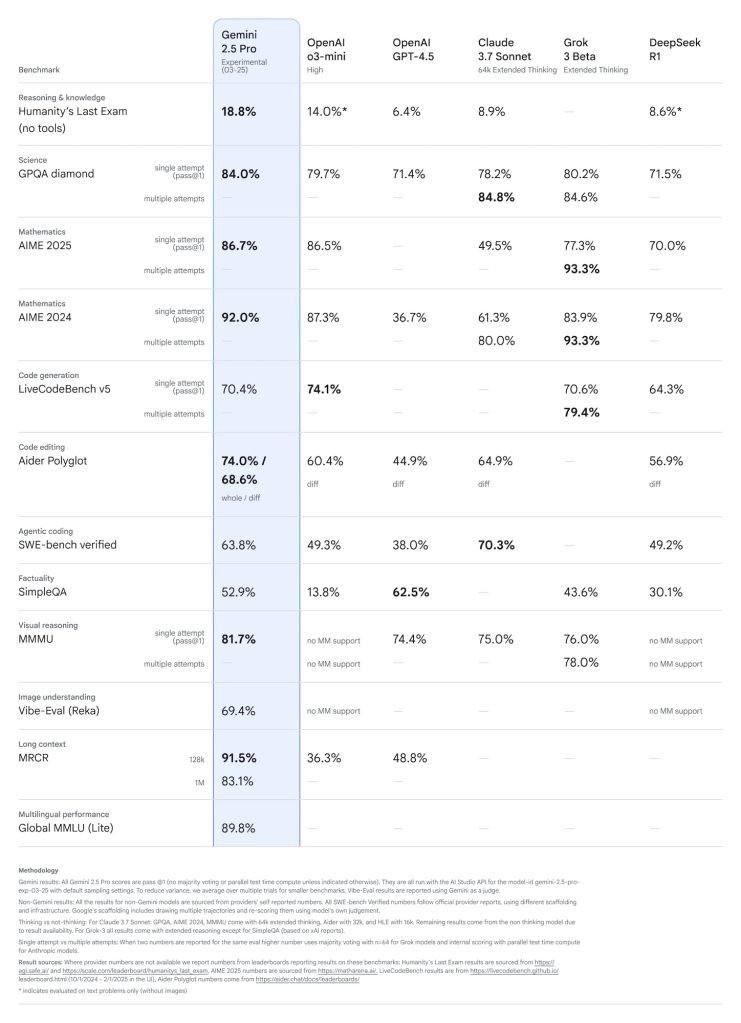
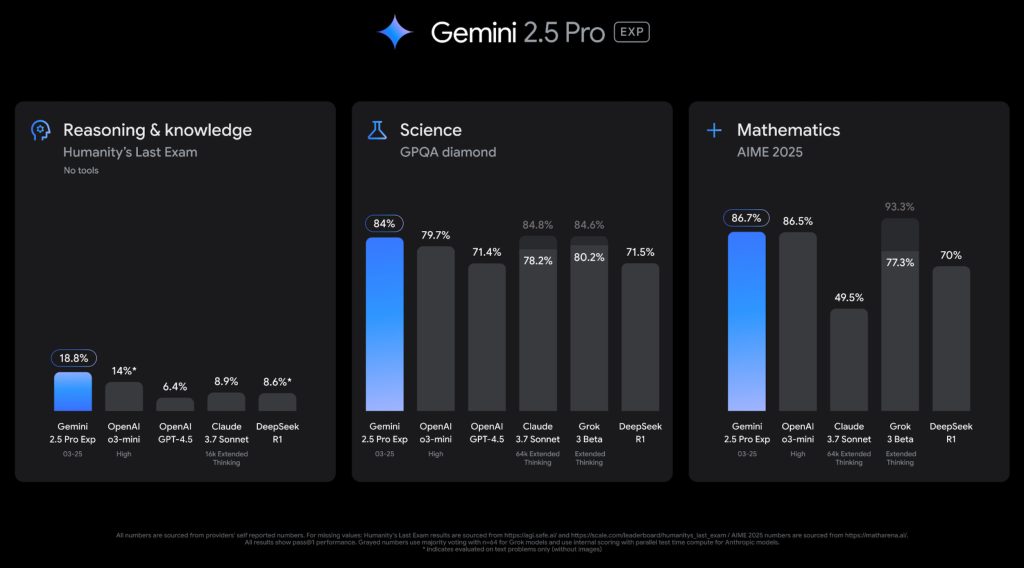
Gemini 2.5 Pro (gemini-2.5-pro-exp-03-25 and codenamed “nebula”) is the first model in this family. Aimed at complex tasks, Google notes how it “tops the LMArena leaderboard — which measures human preferences — by a significant margin.” It also leads on math (AIME 2025), and science (GPQA diamond) benchmarks “without test-time techniques that increase cost, like majority voting.”

It also scores a state-of-the-art 18.8% across models without tool use on Humanity’s Last Exam, a dataset designed by hundreds of subject matter experts to capture the human frontier of knowledge and reasoning.

Gemini 2.5 Pro experimental


There’s also a focus on advanced coding with a “big leap over 2.0” and “more improvements to come.”
  • “2.5 Pro excels at creating visually compelling web apps and agentic code applications, along with code transformation and editing.”
  • “On SWE-Bench Verified, the industry standard for agentic code evals, Gemini 2.5 Pro scores 63.8% with a custom agent setup.”


In addition to native multimodality, Gemini 2.5 Pro has a 1 million token context window with 2 million coming soon.

It can comprehend vast datasets and handle complex problems from different information sources, including text, audio, images, video and even entire code repositories.

Gemini 2.5 Pro (experimental) is rolling out first to Gemini Advanced and Google AI Studio, with Vertex AI following in the coming weeks.
We’ll also introduce pricing in the coming weeks, enabling people to use 2.5 Pro with higher rate limits for scaled production use.

In the Gemini app, it replaces last month’s 2.0 Pro (experimental) with access to apps (@Gmail, @Youtube, etc.) and file uploads.

Gemini-2.5-benchmarks-2.jpg
 

limmk

High Supremacy Member
Joined
Jul 5, 2001
Messages
41,206
Reaction score
8,166
TL;DR
  • Here’s a demo of Gemini Live’s new live video and screen-sharing capabilities.
  • These features allow Gemini Live to answer questions based on what it sees from your phone’s camera feed or screen.
  • Google is slowly rolling these features out to Gemini Advanced users, so you may not see them yet on your device.


When Google first unveiled Gemini Live, the more conversational version of its Gemini assistant, it was only able to respond to your voice, making it quite limited in what it could do. In recent updates, Google made Gemini Live more useful by allowing it to answer questions about files, images, and YouTube videos. Now, Google is slowly rolling out yet another update to Gemini Live that allows it to answer questions based on what it sees from your phone’s camera feed or screen. We managed to take it for a spin.


Google announced earlier this month that it would bring some Project Astra capabilities to Gemini Live, starting with live video and screen-sharing. Project Astra is Google’s experimental, next-gen AI assistant that can react to your surroundings in real-time. Google demoed Astra at last year’s I/O, illustrating its capabilities by showing a person using a smartphone and smart glasses to ask questions about their surroundings. Nearly a year later, this is now possible with Gemini Live on Android phones.
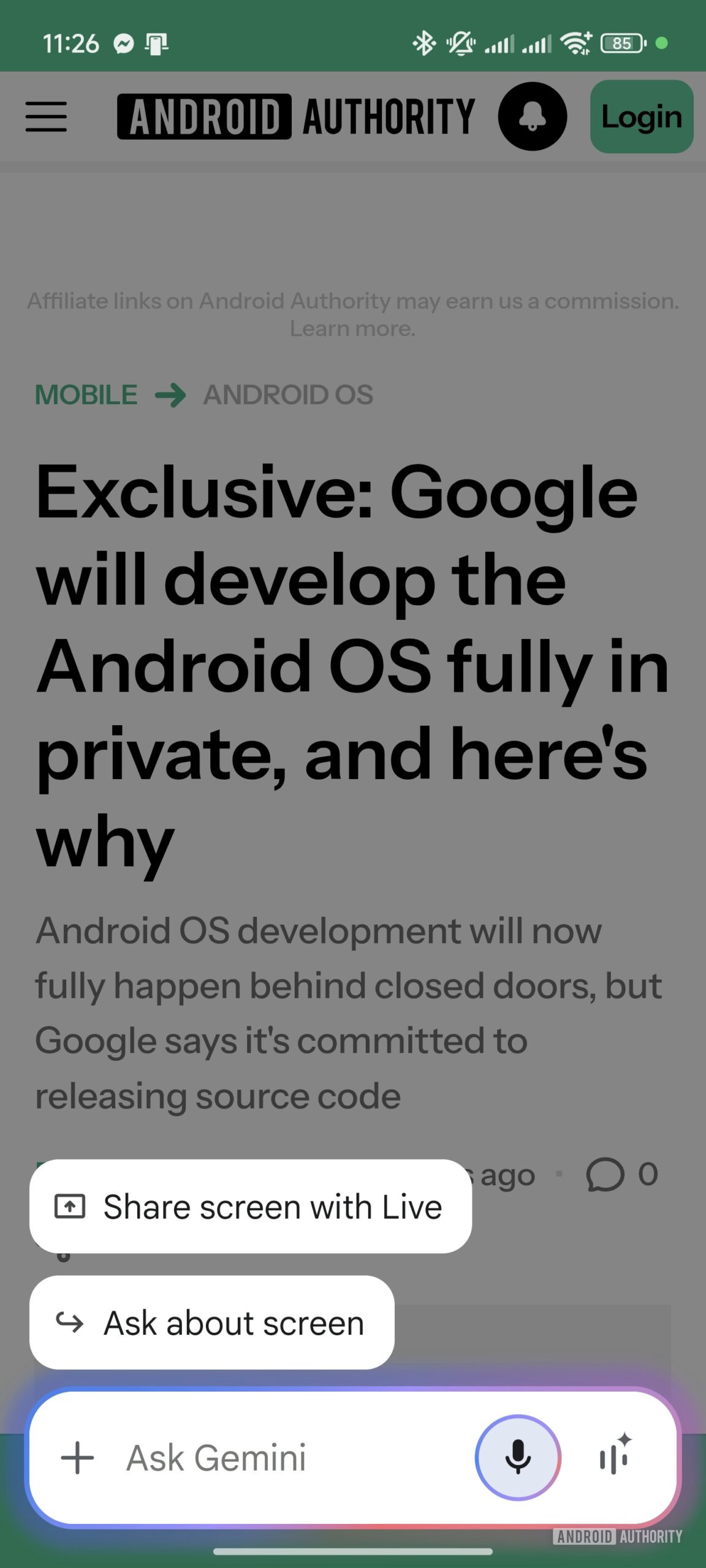
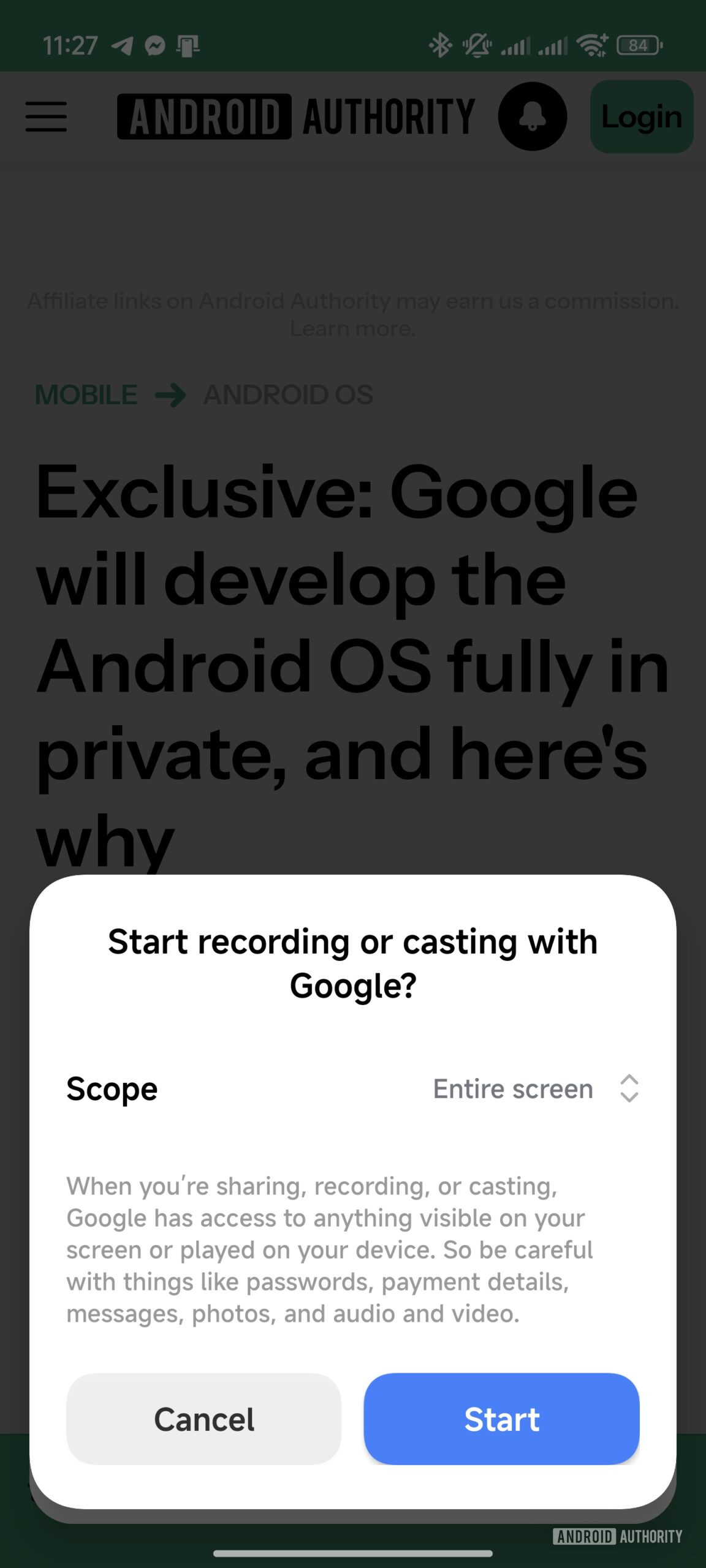
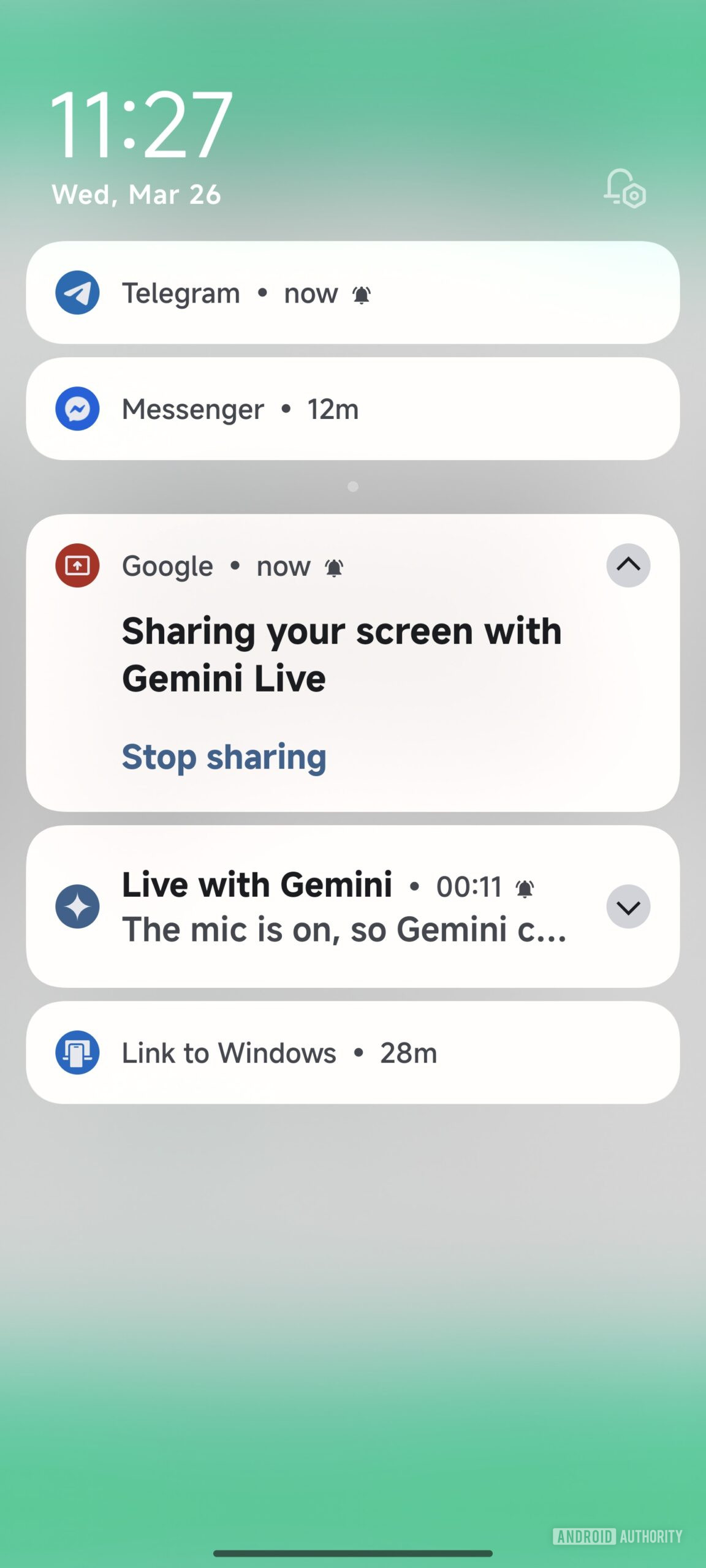
Once this update reaches your device, you’ll see a new “share screen with Live” button appear in the Gemini assistant overlay. If you tap this button, the Google app will ask to record your screen so it can share it with Gemini Live. Next, you can ask Gemini any question about what’s on screen, and it will answer to the best of its ability. As usual, you can interrupt Gemini at any time to ask follow-up questions that may or may not be related to what’s on screen. To end the screen-sharing session, just pull down the notifications panel, expand the “sharing your screen with Gemini Live” notification, and tap the “stop sharing” button.

Gemini overlay with share screen with live button
Share screen with Google app for Gemini live
Sharing your screen with Gemini Live notification


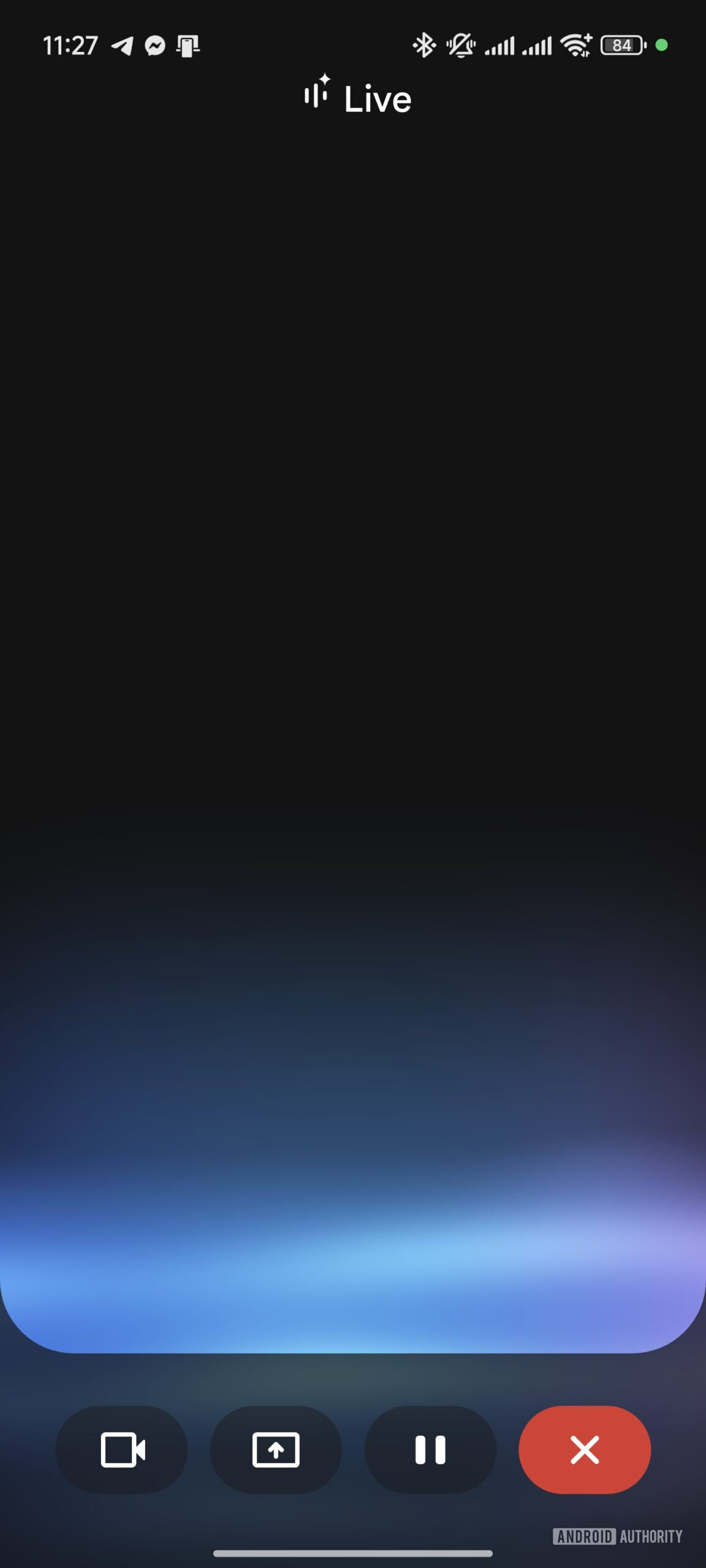
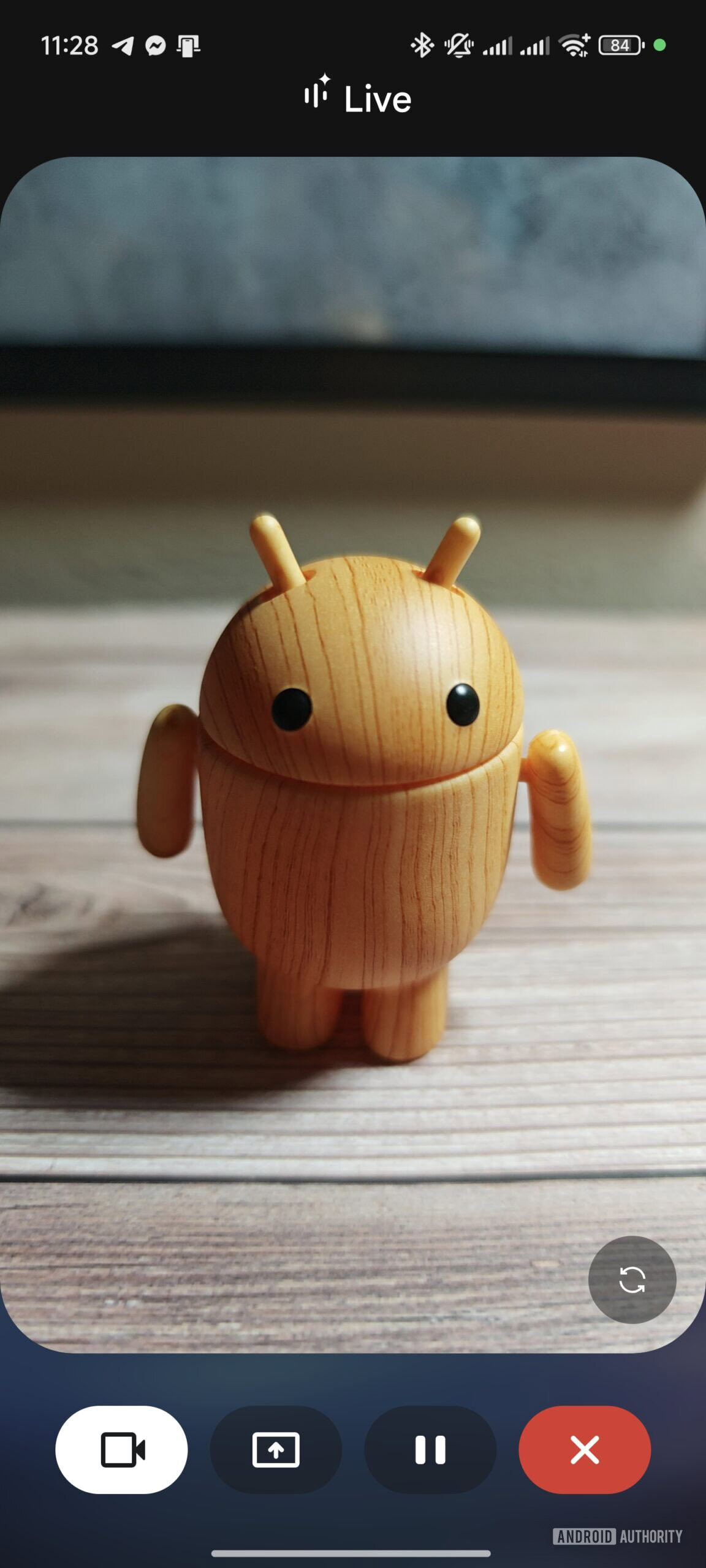
To ask Gemini about objects in the real-world, you can enable the new live video mode. Open the Gemini Live interface and then tap the camera button in the bottom left. This will open a viewfinder in the middle of the screen that shows what Gemini Live is seeing. At any point, you can ask Gemini questions about what your phone’s camera is showing, and it will answer using its general knowledge capabilities. By default, Gemini Live opens the rear camera, but you can have it open the selfie camera instead by tapping the switch button in the bottom right of the viewfinder.

Gemini Live UI with live video and screen sharing buttons
Gemini Live live video feature demo


Gemini Live’s new live video and screen-sharing capabilities appeared on my Xiaomi phone the other day, but it seems the features have not yet widely rolled out. Google stated these features would be available to Gemini Advanced subscribers this month, so a wider rollout is likely imminent.
 
Important Forum Advisory Note
This forum is moderated by volunteer moderators who will react only to members' feedback on posts. Moderators are not employees or representatives of HWZ Forums. Forum members and moderators are responsible for their own posts. Please refer to our Community Guidelines and Standards and Terms and Conditions for more information.
Top