MoCA Network Setup | Ethernet over TV cable

mrsun18

Master Member
Joined
May 30, 2011
Messages
2,916
Reaction score
23
Oh ok. It seems I was mistaken. Was under the impression that the digital TV for fta channels just means no more analog and all convert to coaxial. Did some reading and realized that it's actually conversion to uhf signals. My bad.
Sorry still not clear to me. After disconnect from SCV, you are getting fta (digital dvb-t2) with indoor antenna?


Ok in this case there is no need for a filter, just disconnect the incoming cable and change the splitters will do. Thanks for the help!
For the splitter, my suggestion is: "If it ain't broke, don't fix it".

Edit: It would be useful if you could share your experience, just as what others had shown what they knew in response to you. This would benefit the community of people interested in MoCA.


The long story in the Spoiler.
Theoretically, a wider bandwidth is better. But this is limited by the weakest link - the coaxial cable. Furthermore, the label says 5 to 2300 MHz, but actual performance may vary across the frequency spectrum.

To replace the splitter, you may have to replace the F connectors at the same time. This can be a hazzle unless you have the skill and tools.

On further reading of technical literature, I found that there is plenty of headroom to cater for deterioration of signals by digital means in the design of such adaptors, just as those in dvb-t2 and home plug.

In short, unless the performance is not up to expectations, leave them as they are.
 
Last edited:

pushtopen

Supremacy Member
Joined
Jan 21, 2007
Messages
7,368
Reaction score
2,729
Sorry still not clear to me. After disconnect from SCV, you are getting fta (digital dvb-t2) with indoor antenna?


For the splitter, my suggestion is: "If it ain't broke, don't fix it".

Edit: It would be useful if you could share your experience, just as what others had shown what they knew in response to you. This would benefit the community of people interested in MoCA.


The long story in the Spoiler.
Theoretically, a wider bandwidth is better. But this is limited by the weakest link - the coaxial cable. Furthermore, the label says 5 to 2300 MHz, but actual performance may vary across the frequency spectrum.

To replace the splitter, you may have to replace the F connectors at the same time. This can be a hazzle unless you have the skill and tools.

On further reading of technical literature, I found that there is plenty of headroom to cater for deterioration of signals by digital means in the design of such adaptors, just as those in dvb-t2 and home plug.

In short, unless the performance is not up to expectations, leave them as they are.

Yes, most likely should be using the indoor antenna for the fta channels since only 1 tv in my household requires it. And we might be getting an additional set top box too so it may not be needed.

Just checked the incoming main splitter and the splitter between the first and second floors. It's the same one as mentioned in the first post which only supports up to 1000mhz but has 110db isolation. The red/blue regal splitter. Is it not advisable to change that? The other splitters in the house are using the white generic starhub splitter. Able to advise why the f connectors have to change as well? They don't fit with the 5-2300 mhz ones?

Edit: I did some further reading on snbforums, decided not to change the splitters and go with the existing ones since the white starhub generic splitters is rated up to 1000mhz too. But my next question is, should I remove the signal boosters that are currently connected once I disconnect the main cable coming into my home? I have 2 signal boosters, 1 at the splitter between the first and second floor, the other is to a room where the other moca adapter will be placed.
 
Last edited:

wacko

Arch-Supremacy Member
Joined
Jan 1, 2000
Messages
15,480
Reaction score
243
Yes, most likely should be using the indoor antenna for the fta channels since only 1 tv in my household requires it. And we might be getting an additional set top box too so it may not be needed.

Just checked the incoming main splitter and the splitter between the first and second floors. It's the same one as mentioned in the first post which only supports up to 1000mhz but has 110db isolation. The red/blue regal splitter. Is it not advisable to change that? The other splitters in the house are using the white generic starhub splitter. Able to advise why the f connectors have to change as well? They don't fit with the 5-2300 mhz ones?

Edit: I did some further reading on snbforums, decided not to change the splitters and go with the existing ones since the white starhub generic splitters is rated up to 1000mhz too. But my next question is, should I remove the signal boosters that are currently connected once I disconnect the main cable coming into my home? I have 2 signal boosters, 1 at the splitter between the first and second floor, the other is to a room where the other moca adapter will be placed.

you may not even need to use any of the splitters anymore, if the source and destination of the MoCA adapters are connected by a single coaxial cable. if they are not connected by a single coaxial cable, you should use coaxial joiner to make it effectively a single cable.
 

JustDoLor

Senior Member
Joined
Dec 6, 2016
Messages
1,562
Reaction score
77
CATV booster normally is up to 860MHz, My suggestion is to remove.
Of course, u can always experiment with it first, with n without booster.

And also experiment with splitter or skip splitter. All depend on how many points u need to use, and how much u want to optimise the speed.
 

pushtopen

Supremacy Member
Joined
Jan 21, 2007
Messages
7,368
Reaction score
2,729
CATV booster normally is up to 860MHz, My suggestion is to remove.
Of course, u can always experiment with it first, with n without booster.

And also experiment with splitter or skip splitter. All depend on how many points u need to use, and how much u want to optimise the speed.

Oh ok understood, thanks! But technically speaking there's no need for the booster anymore right? Since there's no longer any incoming signal. I'm just worried cos I read that the booster also boosts the noise which will increase latency right?

you may not even need to use any of the splitters anymore, if the source and destination of the MoCA adapters are connected by a single coaxial cable. if they are not connected by a single coaxial cable, you should use coaxial joiner to make it effectively a single cable.

Wah I think this one abit hard cos the cables are not labelled man, need to do trial and error at least quite a few times. But if I use the coaxial joiner and remove the splitter, it will decrease the signal loss?

It should be doable since there's only need to connect to one point.
 

JustDoLor

Senior Member
Joined
Dec 6, 2016
Messages
1,562
Reaction score
77
Just buy a pair and fix it lah, so much theory no use lah.. ;-).

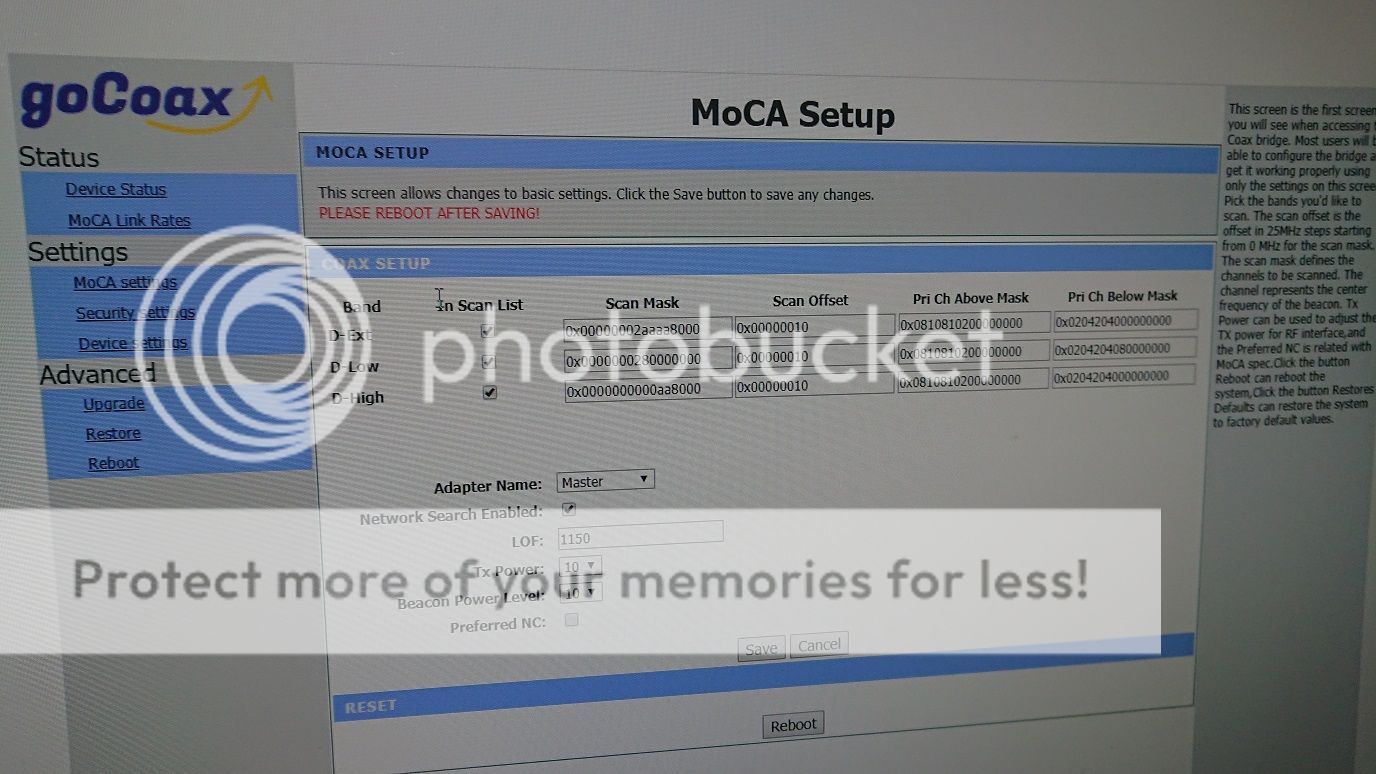
First connect the pair with a single coaxial cable to confirm working, then make sure it is at lowest freq 1150MHz. Then connect to your TV wall sockets, if not working, first is to remove booster... isolate one-by-one...... got problem cannot solve then come back here ask lah...

Wanna read more theory can refer to the url link at post #22.
 
Last edited:

pushtopen

Supremacy Member
Joined
Jan 21, 2007
Messages
7,368
Reaction score
2,729
Just buy a pair and fix it lah, so much theory no use lah.. ;-).

First connect the pair with a single coaxial cable to confirm working, then make sure it is at lowest freq 1150MHz. Then connect to your TV wall sockets, if not working, first is to remove booster... isolate one-by-one...... got problem cannot solve then come back here ask lah...

Wanna read more theory can refer to the url link at post #22.

Bought already, just waiting to switch to fibre for good. Probably this week. Originally wanted to be sure mah. Don't want later switch already, collect stb and router then realize need to make a trip to sls to buy more stuff.
 

pushtopen

Supremacy Member
Joined
Jan 21, 2007
Messages
7,368
Reaction score
2,729
Ok, got the moca set up and running. Speed test shows 450Mbps which is more than enough. Disconnected the main coaxial and used the f to f connectors to replace the splitter.

So one ont terminal port for internet which runs to the Linksys router and then used moca directly to one room. One other ont terminal port for tv. For the tv I got 2 stbs from starhub. Both running from an IP switch, one nearby, so direct from the IP switch, then for the other, ran a rj45 to a Eocc master unit which connected directly to the other slave unit in another room.

So I'm running both Eocc and moca in parallel coaxial lines to different rooms, one for internet, the other for tv, for the stb, on runs direct from the IP switch, the other uses Eocc.
 
Last edited:

gocoax

Junior Member
Joined
May 17, 2019
Messages
1
Reaction score
0
Anyone familiar with this brand:


They are making the MoCA 2.5 adaptor. Contacted them via email is it's available for purchase.

Thanks.

Thanks, our products are released now. It is based on MaxLinear latest MoCA 2.5 chipset. Can provide ultra-speed home network.
If you like, please visit our website.
 

1 Ghz

Arch-Supremacy Member
Joined
Jan 1, 2000
Messages
10,156
Reaction score
273
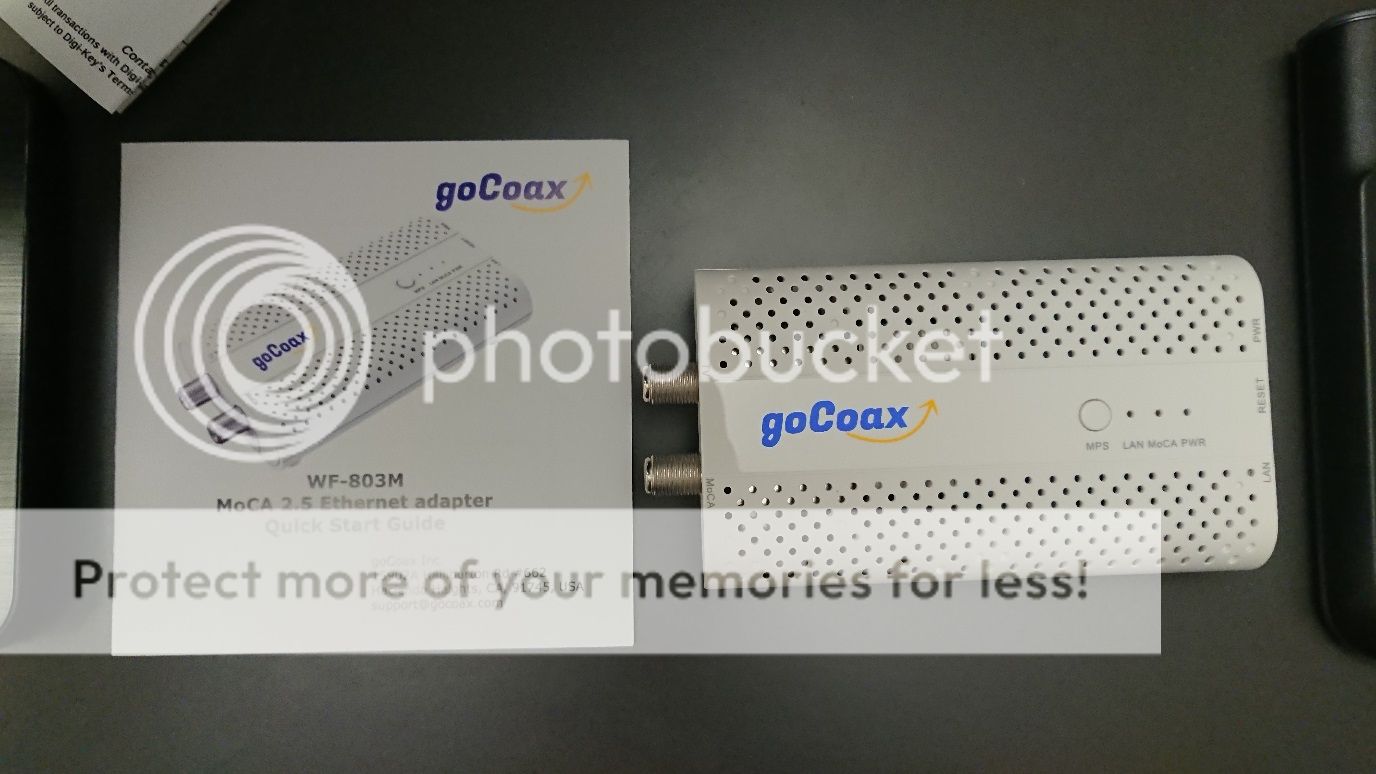
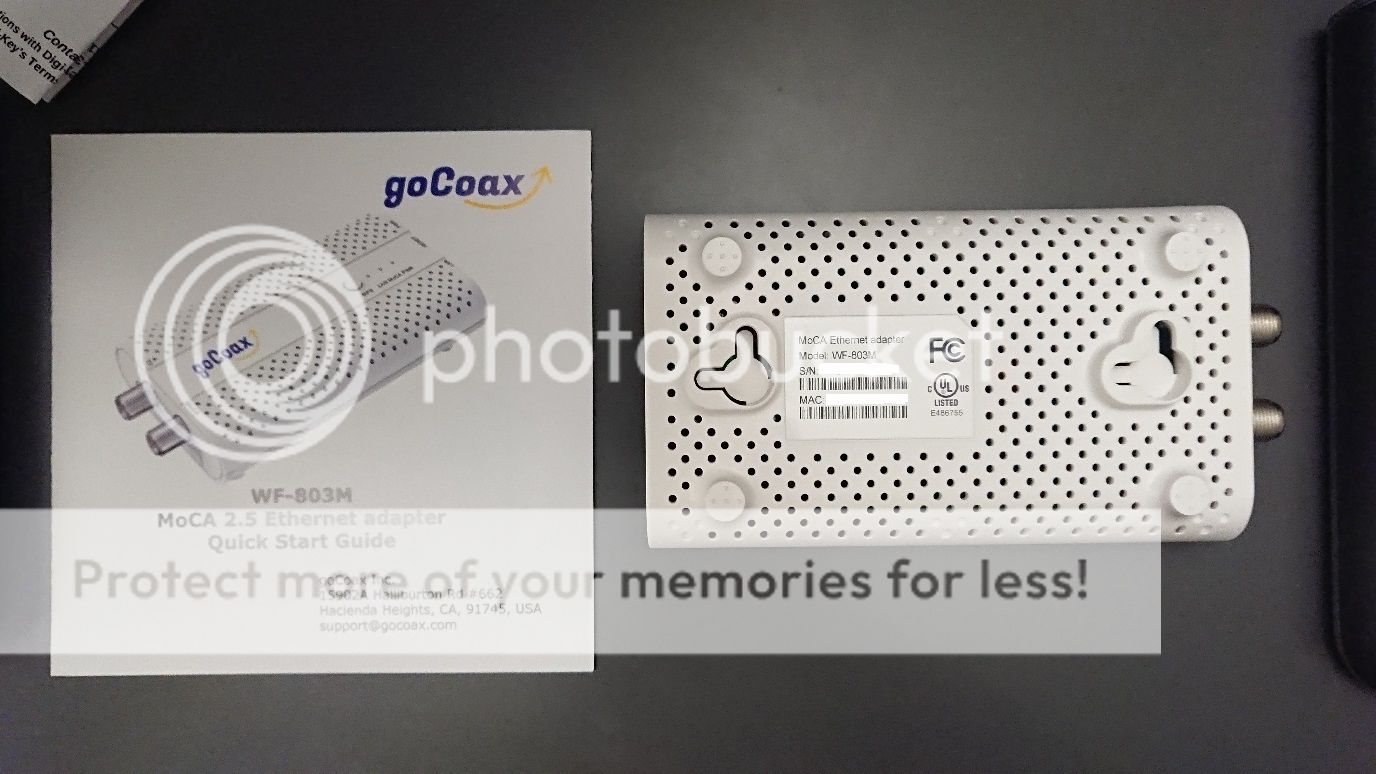
Just got a pair of the goCoax Moca 2.5 adapters.

The box contains the adapter, power plug and quick start guide.

1_1.jpg


Looks like adapter is meant to be mounted on the wall as there are no rubber feet at the bottom which makes it slippery.
2_1.jpg


3.jpg


4.jpg


5.jpg


6.jpg


7.jpg


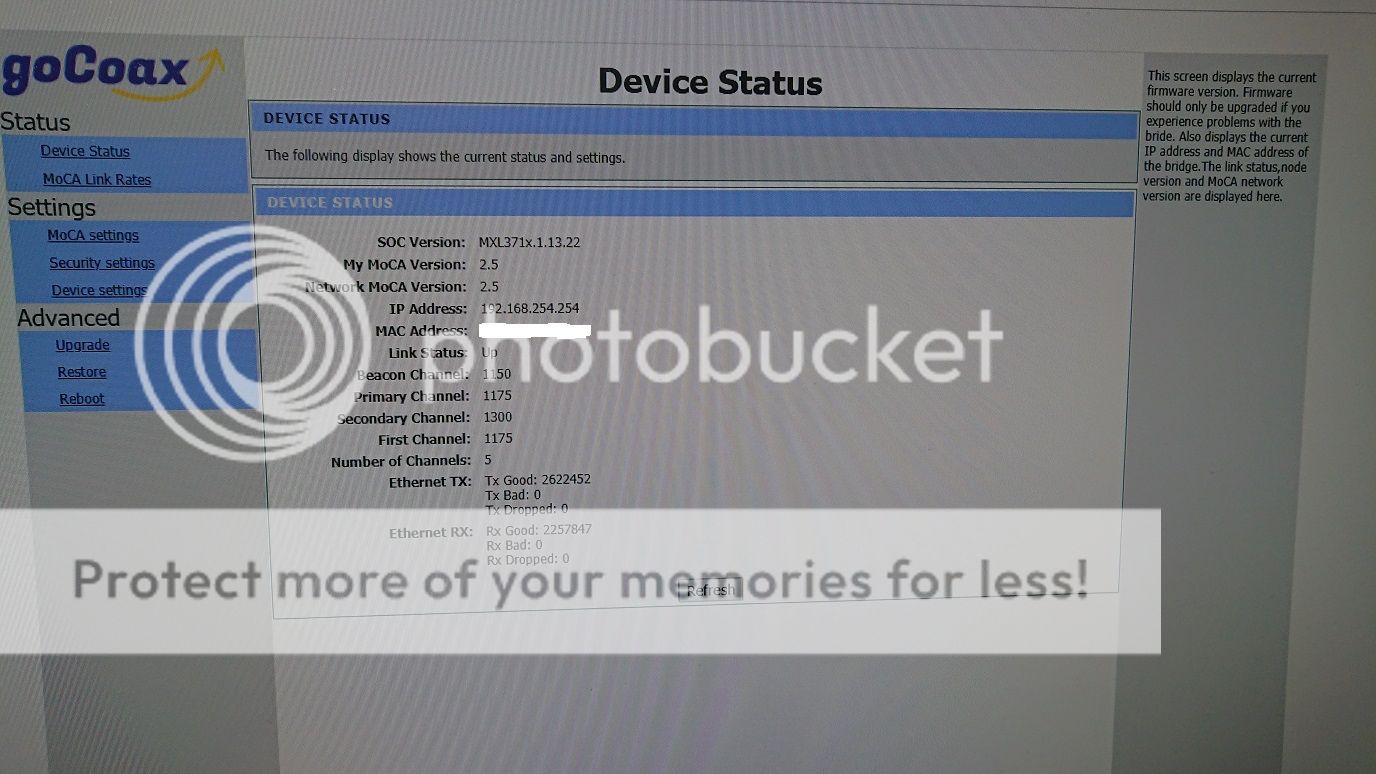
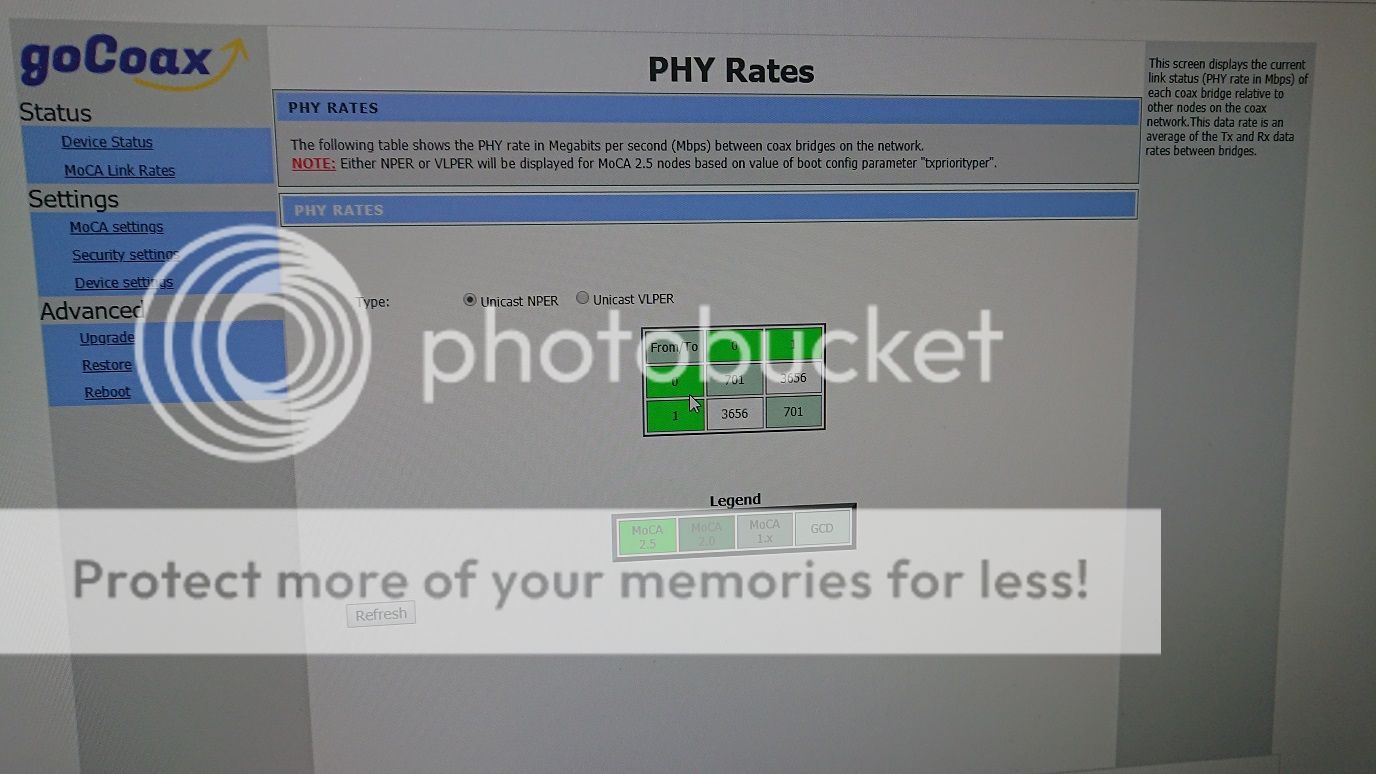
The adapter uses GbE interface, so downloads and uploads are each limited to 1Gbps. However, since ethernet is full duplex but Moca is half duplex, I setup iperf3 server and client on my desptop, did the same for my laptop and connected the two Moca adapters directly. There would be concurrent UDP downloads from desktop to laptop and vice versa.


For some reason, concurrent TCP downloads were slower and not as consistent, with the sum of the concurrent download speeds from both clients about 1.2Gbps, and the desktop always seems to gain the majority of the bandwidth. Perhaps it's due to the TCP handshaking and age of the 7 year old laptop?

MPS works similar to WPS button for Wifi.

Admittedly I haven't spent enough time with these adapters to gauge their long term stability, but the devices didn't hang when I tested them. If they remain stable and coupled with their prices relative to existing Moca 2.0 adapters, I'm not sure why someone would choose a Moca 2.0 adapter over this, unless the person requires a Moca+Wifi/Switch combo.
 
Last edited:

joseph333

Member
Joined
Nov 30, 2006
Messages
274
Reaction score
2
Thanks ! Would love to hear your review again after using it for a longer duration, this gocoax seems like a potentially much better alternative to the other bonded 2.0 adapters which costs much more.
 

claypot_king

Banned
Joined
Mar 29, 2018
Messages
12,622
Reaction score
2,445
US plug, but it's multi-voltage.

I ordered the same thing but it is still on its way. I have made a specific request to to them that I want type g aka sg plug to be included.

Let's see whether they will fulfill my request.

Sent from Xiaomi MI A2 LITE using GAGT
 
Last edited:

vaxvms

Arch-Supremacy Member
Joined
Sep 4, 2002
Messages
20,790
Reaction score
2,009
Just got a pair of the goCoax Moca 2.5 adapters.

The box contains the adapter, power plug and quick start guide.

1_1.jpg


Looks like adapter is meant to be mounted on the wall as there are no rubber feet at the bottom which makes it slippery.
2_1.jpg


3.jpg


4.jpg


5.jpg


6.jpg


7.jpg


The adapter uses GbE interface, so downloads and uploads are each limited to 1Gbps. However, since ethernet is full duplex but Moca is half duplex, I setup iperf3 server and client on my desptop, did the same for my laptop and connected the two Moca adapters directly. There would be concurrent UDP downloads from desktop to laptop and vice versa.


For some reason, concurrent TCP downloads were slower and not as consistent, with the sum of the concurrent download speeds from both clients about 1.2Gbps, and the desktop always seems to gain the majority of the bandwidth. Perhaps it's due to the TCP handshaking and age of the 7 year old laptop?

MPS works similar to WPS button for Wifi.

Admittedly I haven't spent enough time with these adapters to gauge their long term stability, but the devices didn't hang when I tested them. If they remain stable and coupled with their prices relative to existing Moca 2.0 adapters, I'm not sure why someone would choose a Moca 2.0 adapter over this, unless the person requires a Moca+Wifi/Switch combo.


jin satki ................
 

claypot_king

Banned
Joined
Mar 29, 2018
Messages
12,622
Reaction score
2,445
I ordered the same thing but it is still on its way. I have made a specific request to to them that I want type g aka sg plug to be included.

Let's see whether they will fulfill my request.

Sent from Xiaomi MI A2 LITE using GAGT

My moca 2.5 adapter arrived liao! And thanks Mr Liu for providing the type g power adapter as requested. Nice gesture!

eNsA8zkl.jpg

kKW6h8Ul.jpg

yaGPYHXl.jpg


Allow me some time to setup n test.

Sent from Xiaomi MI A2 LITE using GAGT
 
Important Forum Advisory Note
This forum is moderated by volunteer moderators who will react only to members' feedback on posts. Moderators are not employees or representatives of HWZ Forums. Forum members and moderators are responsible for their own posts. Please refer to our Community Guidelines and Standards and Terms and Conditions for more information.
Top