New HDB BTO Flat - How do you connect your Home Fiber Network

xiaofan

High Supremacy Member
Joined
Sep 16, 2018
Messages
31,460
Reaction score
8,872
IMDA COPIF documents got specify what kind of connectivity a flat should have. I don't think coaxial is mandated after COPIF 2013.

IMDA COPIF website
https://www.imda.gov.sg/regulations...or-info-communication-facilities-in-buildings

COPIF 2018
https://www.imda.gov.sg/-/media/imd...tations/consultation-papers/11/copif-2018.pdf

COPIF 2018 still has the following clause.

7.10 Provision of telecommunication wiring
7.10.1 Every residential unit shall be provided, at the minimum, with –
(a) RG6 coaxial cable(s) of a number equal to the total number of living room(s)
and bedroom(s), which shall terminate into the output of a multi-way splitter
(which may be located in the utility room or closet) at one end and into an
Ftype TV outlet in each of the living room(s) and bedroom(s) at the other end.
The RG6 coaxial cable(s) shall be provided in accordance with the
requirements set out in chapter 14;

(b) 1 RG6 coaxial cable, which shall terminate into the input of the splitter (which
may be located in the utility room or closet) at one end, and into an IEC 61169-
2 coaxial connector in the living room. This RG6 coaxial cable and IEC 61169-
2 coaxial connector shall be located at the opposite wall of the TV outlet
described in paragraph 7.10.1 (a), and shall be near a window, to enable the
installation of an indoor antenna.8 The RG6 coaxial cable shall be provided in
accordance with the requirements set out in chapter 14; and

(c) unshielded twisted pair cable(s) (Category 6 or better) complying with TIA 568-
C specifications of a number equal to the total number of specified location(s)
within the residential unit, as set out in Table 7.10.1 below, which shall terminate
into an RJ45 patch panel (which may be located in the utility room or closet) at
one end, and into an RJ45 outlet in each of the specified location(s) at the other
end within the residential unit. The length of each unshielded twisted pair cable
shall not exceed 90m.

Table 7.10.1 Number of unshielded twisted pair cable(s) to be provided Location
within residential unit
Number of unshielded twisted pair cable(s) (Category 6 or better) per location

Living room 2
Master bedroom 2
Kitchen 1
Bedroom(s) 1
 

xiaofan

High Supremacy Member
Joined
Sep 16, 2018
Messages
31,460
Reaction score
8,872

xiaofan

High Supremacy Member
Joined
Sep 16, 2018
Messages
31,460
Reaction score
8,872
I just noticed that IMDA COPIF 2018 mentions that there should be two LAN ports in the master bedroom and living room.

As per the reports in this forum, indeed the new HDB flats have two LAN ports in the living room, however the problem is that they are usually quite far apart in most cases.

I do not see reports of the two LAN ports in the master room. Are they close to each other or far apart?

Another thing, where is the typical location of the LAN port in the kitchen?

3Zc3qsh.png
 

1a2a3a

Senior Member
Joined
Sep 5, 2006
Messages
1,664
Reaction score
45
My living got 2 on opposite side of the wall. Mbr only have 1. Kitchen lan point is above the stove there about. Don’t have physical photo yet. Using the photo from the website virtual tour.

so other than moca, there is no other use for it right?
 

xiaofan

High Supremacy Member
Joined
Sep 16, 2018
Messages
31,460
Reaction score
8,872
My living got 2 on opposite side of the wall. Mbr only have 1. Kitchen lan point is above the stove there about. Don’t have physical photo yet. Using the photo from the website virtual tour.

so other than moca, there is no other use for it right?

That is basically correct now.

Take note MOCA is the faster standard but it is actually not yet approved by IMDA in Singapore. Moca 3.0 is supposed up to 10Gbps but I am not so sure if any product has come out yet with 10Gbps. Moca 2.5 (up to 2500Mbps) product is already out there in the market for a few years.
https://en.wikipedia.org/wiki/Multimedia_over_Coax_Alliance

There are the older ones which are approved by IMDA in SIngapore like the Starhub EOC and EOCC for FIbre TV box. They are only useful for legacy Fibre TV box only.
https://www.starhub.com/personal/support/article.html?id=PDr3YGLC7B44D2ZlB8GyU7 (EOC)
https://www.starhub.com/personal/support/article.html?id=vzdBzL2c7K5Zpr7lYUo826 (EOCC)
https://www.imda.gov.sg/-/media/imd...communication-standards/line/imda-ts-cchn.pdf

Then there are also product based on G.hn technology over coaxial cable as well.
https://en.wikipedia.org/wiki/G.hn
 
Last edited:

ralliart12

Supremacy Member
Joined
Jan 11, 2003
Messages
8,632
Reaction score
63

As per the reports in this forum, indeed the new HDB flats have two LAN ports in the living room, however the problem is that they are usually quite far apart in most cases.

Another thing, where is the typical location of the LAN port in the kitchen?

3Zc3qsh.png
Isn’t it better to have the LAN points per room physically spread out (assuming only “given” 2 per room)?
& wah nowadays the BTO has LAN points in kitchen?!
 

ralliart12

Supremacy Member
Joined
Jan 11, 2003
Messages
8,632
Reaction score
63
Can use as Moca2.5 convert to lan speed of 2.5Gbps
So say I wanna use it (these coaxial points), just get MOCA-to-RJ45 convertors, then on the room side just connect the downstream/client devices, then in the DB box side, just patch from my upstream router/switch? & assuming my router/switch is >1Gb, I can technically get above gigabit speed for internal transfers?
 

1a2a3a

Senior Member
Joined
Sep 5, 2006
Messages
1,664
Reaction score
45
Isn’t it better to have the LAN points per room physically spread out (assuming only “given” 2 per room)?
& wah nowadays the BTO has LAN points in kitchen?!
For normal user spreading out the lan point would make more sense. But for those power user they would prefer it side by side if they are going for the managed switch route.
 

xiaofan

High Supremacy Member
Joined
Sep 16, 2018
Messages
31,460
Reaction score
8,872
For normal user spreading out the lan point would make more sense. But for those power user they would prefer it side by side if they are going for the managed switch route.

Not the managed switch way (Option 3 in the FAQ below), and not for real power users (who want to put a wired router in the DB box), but rather those who want to put their main wireless router in a central location, without using a managed switch (Option 2 mentioned in the FAQ below).

Reference: three solutions for the BTO flats, for users who want to put the more powerful wireless router in a more central location than the DB Box, yet would still like to have functional LAN ports in the rooms.

https://forums.hardwarezone.com.sg/...home-networking.6653421/page-3#post-149431568
 

xiaofan

High Supremacy Member
Joined
Sep 16, 2018
Messages
31,460
Reaction score
8,872
My living got 2 on opposite side of the wall. Mbr only have 1. Kitchen lan point is above the stove there about. Don’t have physical photo yet. Using the photo from the website virtual tour.

Thanks for the info.

So the info below is basically correct except that Master Bedroom has only one LAN port.

3Zc3qsh.png
 

xiaofan

High Supremacy Member
Joined
Sep 16, 2018
Messages
31,460
Reaction score
8,872
So say I wanna use it (these coaxial points), just get MOCA-to-RJ45 convertors, then on the room side just connect the downstream/client devices, then in the DB box side, just patch from my upstream router/switch? & assuming my router/switch is >1Gb, I can technically get above gigabit speed for internal transfers?

You got the basic idea right, you can go to the MOCA thread for more information about the detail setup, brands recommended by the Moca users, and things to take note.
https://forums.hardwarezone.com.sg/threads/moca-network-setup-ethernet-over-tv-cable.5675388/page-40
 

TanKianW

Supremacy Member
Joined
Apr 21, 2005
Messages
6,666
Reaction score
3,319
FYI: older HDB flats only have Coaxial cable infrastructure. Then they have mixed Ethernet (initially RJ11 telephone jack but later change to RJ45 jack) + Coaxial cable infrastructure. Then they have only Ethernet cable infrastructure.

I belong to the best of both worlds where my unit comes with Cat6 + Coaxial. Just need to convert the front plate from RJ11 to RJ45 since the embedded cabling is all Cat6 which supports 10G. Due to the orientation of my MBR, my tv console is on the coaxial side but the network Cat6 RJ45 is on the other side.

To prevent pulling the ethernet cable across to the MBR TV console, I use the RJ45 to POE my 2nd AP (slave) in the MBR and use MoCA on the other side to wire up my Android tv box. Still prefer to wire up all my devices if there is a choice since my tvbox requires stable bandwidth for 4k media streaming.​
 

TanKianW

Supremacy Member
Joined
Apr 21, 2005
Messages
6,666
Reaction score
3,319
So say I wanna use it (these coaxial points), just get MOCA-to-RJ45 convertors, then on the room side just connect the downstream/client devices, then in the DB box side, just patch from my upstream router/switch? & assuming my router/switch is >1Gb, I can technically get above gigabit speed for internal transfers?

You will need at least a pair for them to work. One unit at the DB point connecting to your LAN (router/switch), then another unit in your room to connect to a switch or directly to your devices.

Whether can >1Gbps is subjected to the MoCA standard devices you choose. The latest MoCA devices can go much faster >1G, mine max at 2.5G.

You can check out the MoCA thread which @xiaofan indicates for more info.​
 

1a2a3a

Senior Member
Joined
Sep 5, 2006
Messages
1,664
Reaction score
45
is it possible to use a managed switch as an unmanaged switch?
for eg tl sg108e to be use as unmanaged? Just reset to factory state, then plug and play, dont set/touch anything, essentially it will be unmanaged right?
 

Apparatus

Great Supremacy Member
Joined
May 27, 2005
Messages
54,486
Reaction score
11,764
is it possible to use a managed switch as an unmanaged switch?
for eg tl sg108e to be use as unmanaged? Just reset to factory state, then plug and play, dont set/touch anything, essentially it will be unmanaged right?

Yes, just use the default settings will do
 

1a2a3a

Senior Member
Joined
Sep 5, 2006
Messages
1,664
Reaction score
45
any idea why my download latency is like 300 in speedtest? ping is 4, download latency jumps around between 200-1000 during the down, but upload is fine. is this a cable fault?
 

tangpx

Senior Member
Joined
Oct 29, 2000
Messages
768
Reaction score
10
is it possible to replace conceal network cable from DB to household shelter?
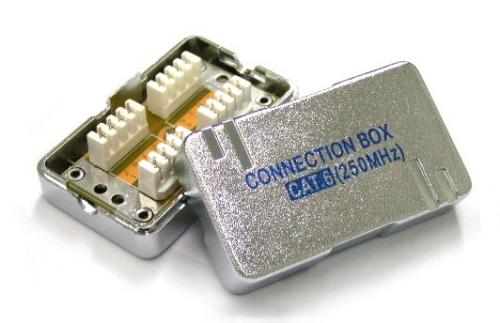
some house unit they give extra long cable inside the socket and some give it super short that it is impossible to convert telephone socket to network socket.
 
Important Forum Advisory Note
This forum is moderated by volunteer moderators who will react only to members' feedback on posts. Moderators are not employees or representatives of HWZ. Forum members and moderators are responsible for their own posts.

Please refer to our Community Guidelines and Standards, Terms of Service and Member T&Cs for more information.
Top