WiFi 7 Device SpeedTest and WiFi 7 adapters

Milo-Dino

Great Supremacy Member
Joined
May 15, 2009
Messages
69,675
Reaction score
28,751
Looks like iPhone 17 series mobile phones with the Apple N1 wireless networking chip still do not support 320 MHz channel bandwidth on the 6GHz band.

But the speed seems to be better than iPhone 16 series. It could be now 4096 QAM is supported, increasing the max PHY speed to 2882 Mbps (iPhone 16 series do not support 4096 QAM, only 1024 QAM).

Need to wait for Apple to update the following website. Now it only has WiFi spec data until iPhone 16 series.
https://support.apple.com/en-sg/guide/deployment/dep268652e6c/web

Wi-Fi specification details for iPhone models​

Wi-Fi specifications for the following iPhone models are detailed in the table below: iPhone 16, iPhone 16 Plus, iPhone 16 Pro, iPhone 16 Pro Max. These models also support Wi-Fi 7 in the 2.4 GHz, 5 GHz and 6 GHz bands, and Multi-Link Operation (MLO).

802.11 standard, name, frequencyMaximum PHY data rateMaximum channel bandwidthMaximum MCS indexMaximum spatial streams / Type
be@6 GHz2400 Mbps160MHz11 (EHT)2/MIMO
be@5 GHz2400 Mbps160MHz11 (EHT)2/MIMO
be@2.4 GHz229 Mbps20MHz9 (EHT)2/MIMO
ax@6 GHz2400 Mbps160MHz11 (HE)2/MIMO
ax@5GHz2400 Mbps160MHz11 (HE)2/MIMO
ac@5GHz866 Mbps80MHz9 (VHT)2/MIMO
a/n@5GHz300 Mbps40MHz7 (HT)2/MIMO
ax@2.4GHz229 Mbps20MHz9 (HE)2/MIMO
b/g/n@2.4GHz144 Mbps20MHz7 (HT)2/MIMO
No 6ghz is probably due to China not using that band... So they make all the phones compliant for sale to China.
 

xiaofan

High Supremacy Member
Joined
Sep 16, 2018
Messages
32,761
Reaction score
10,249
I guess it will take some time for companies to adopt business WiFi 7 AP solutions.

https://techcommunity.microsoft.com...g-wi-fi-7-for-enterprise-connectivity/4456751

From Microsoft:
We’re excited to announce the general availability of Wi-Fi 7 support for enterprise access points. Starting with the September 2025 Windows preview non-security update, a significant leap forward in wireless networking reaches Windows 11, version 24H2 and later.

Windows 11 has already supported Wi-Fi 7 for consumer access points since 2024. Now, your organization can also benefit from better speed, high throughput, improved reliability, and enhanced security for modern enterprise environments that support Wi-Fi 7 enterprise access points.
 

xiaofan

High Supremacy Member
Joined
Sep 16, 2018
Messages
32,761
Reaction score
10,249
MediaTek WiFi Chipset Clarifications.
Filogic 830/860/880 chipsets are for Router/AP.

But still it is quite confusing which chip belongs to which as seen from the following discussion. I tend to believe MT7925/MT7927 (also known as AMD RZ717/RZ738) belong to Filogic 380 family.
https://community.frame.work/t/wifi-7-clarification/43316/6
 

xiaofan

High Supremacy Member
Joined
Sep 16, 2018
Messages
32,761
Reaction score
10,249
For Linux, MT7925 is supported (mainly PCIe or M2 format) but not MT7927.

Intel BE200 and Qualcomm QCNCM865 (PCIe and M2 version) should work fine under Linux. But Intel BE200 may have compatibility issues with AMD platforms (even under Windows).

First Sighting: mt7925 m.2 card (WiFi 7) (be careful with mt7927) under Linux
https://github.com/morrownr/USB-WiFi/issues/431

MT7927 Linux support is still pending.
https://github.com/openwrt/mt76/issues/927
https://github.com/morrownr/USB-WiFi/issues/517

Reference for Linux: USB WiFi adapters (MT7925 USB WiFi 7 version not common now).
https://github.com/morrownr/USB-WiFi/blob/main/home/USB_WiFi_Chipsets.md

Chipset​
Standard
Maximum
Channel
Width​
Linux
In-Kernel
Driver​
AP Mode​
Monitor Mode​
Recommended
For
Linux​
Mediatek MT7925​
WiFi 7
160​
✔️ 6.7+​
✔️
✔️
Yes [4]​
Realtek RTL8922au​
WiFi 7
160​
❌ [6]​
No​
Realtek RTL8912au​
WiFi 7
160​
❌
No​
Realtek RTL8852cu​
WiFi 6E
160​
❌ [6]​
No​
Realtek RTL8832cu​
WiFi 6E
160​
❌
No​
Mediatek MT7921au​
WiFi 6E
80​
✔️ 5.18+​
✔️
✔️
Yes​
Realtek RTL8852bu​
WiFi 6
80​
✔️ 6.17+ [6]​
✔️
✔️
No​
Realtek RTL8832bu​
WiFi 6
80​
✔️ 6.17+​
✔️
✔️
No​
Realtek RTL8852au​
WiFi 6
80​
❌
No​
Realtek RTL8832au​
WiFi 6
80​
❌
No​
Realtek RTL8851bu​
WiFi 6
?​
✔️ 6.17+ [6]​
✔️
✔️
No​
Realtek RTL8831bu​
WiFi 6
?​
✔️ 6.17+​
✔️
✔️
No​
Realtek RTL8814au​
WiFi 5
80​
✔️ 6.16+​
✔️
✔️
Yes​
Mediatek MT7662u​
WiFi 5
80​
✔️ 5.9+ [6]​
✔️
✔️
No​
Mediatek MT7612u​
WiFi 5
80​
✔️ 4.19+​
✔️
✔️
Yes​
Realtek RTL8822bu​
WiFi 5
80​
✔️ 6.12+ [3][6]​
✔️
✔️
No​
Realtek RTL8812bu​
WiFi 5
80​
✔️ 6.12+ [3]​
✔️
✔️
Yes​
Realtek RTL8822cu​
WiFi 5
80​
✔️ 6.12+ [3][6]​
✔️
✔️
No​
Realtek RTL8812cu​
WiFi 5
80​
✔️ 6.12+ [3]​
✔️
✔️
Yes​
Realtek RTL8812au​
WiFi 5
80​
✔️ 6.14+ [5]​
✔️
✔️
Yes​
Mediatek MT7610u​
WiFi 5
80​
✔️ 4.19+​
✔️
✔️
Yes​
Realtek RTL8821cu​
WiFi 5
80​
✔️ 6.12+ [3][6]​
✔️
✔️
No​
Realtek RTL8811cu​
WiFi 5
80​
✔️ 6.12+ [3]​
✔️
✔️
No​
Realtek RTL8821au​
WiFi 5
80​
✔️ 6.14+ [5]​
✔️
✔️
No​
Realtek RTL8811au​
WiFi 5
80​
✔️ 6.14+ [5]​
✔️
✔️
Yes​
 

morimorimori

Member
Joined
Jan 8, 2004
Messages
325
Reaction score
206
Wanted to evaluate Linux Mint as a daily driver so threw together all my spare hardware to test. As with all things Linux if you want something friendlier maybe its not right for you.

  • Comfast 983 USB (RTL8912AU) does have drivers now but you need to compile it yourself. Follow the instructions here to DIY:
  • At step 4 I used make not dkms, no particular reason but this is what worked for me.
  • The comfast usb has a built in driver partition that screws up device detection with a modeswitch failure
    • In Disks clicking the gear icon only shows everything greyed out, cannot power off (has to be powered off, ejecting device or resetting usb does not remove from system)
  • You can just replug the USB to detect the device correctly but thats a PITA so:
    • go into terminal
      • systemctl --failed
      • look for the device id of the failed modeswitch
        • for mine it was 0bda:1a2b
      • sudo nano /lib/udev/rules.d/40-usb_modeswitch.rules
        • find the device id and comment it out
        • ctrl-x and save
  • Reboot and after login power off the built in partition (appears as a CDRom drive /dev/sr0)
    • Add this line to your startup applications so it will kick the CDRom when you login
      • udisksctl power-off -b /dev/sr0
  • Wait a few seconds and comfast will be properly detected
 

xiaofan

High Supremacy Member
Joined
Sep 16, 2018
Messages
32,761
Reaction score
10,249
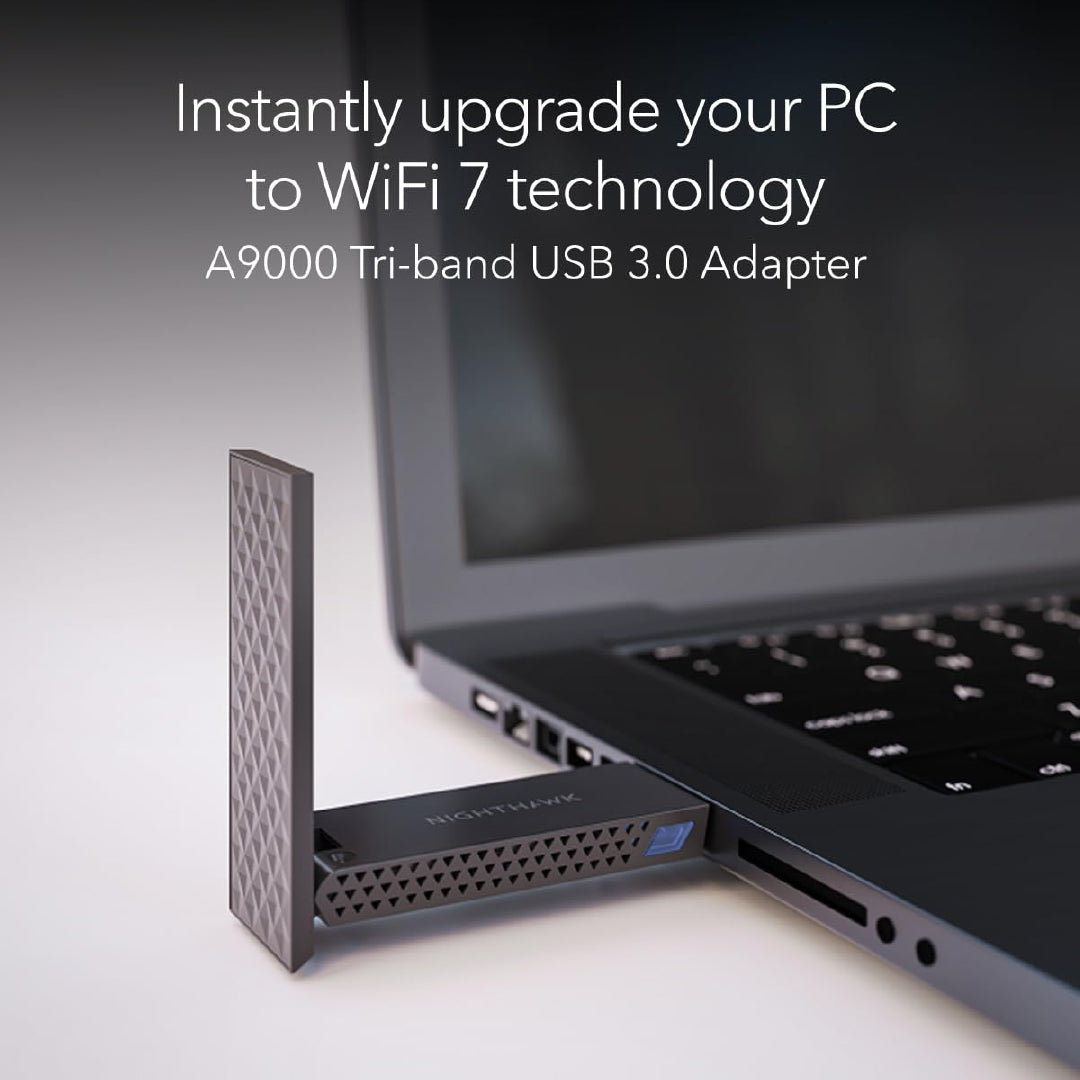
If u r also a LinuxHead, can't go wrong with those based on Mediatek MT7925 chipset with full TXQS/ATF/AQL features, like the Netgear A9000 .

NighthawkA9000-02.jpg

For those who would like to get this adapter which is supported by Linux, Netgear Singapore store has it at S$109. You may be able to find better lobangs elsewhere.

NETGEAR Nighthawk A9000 Tri-band WiFi 7 USB 3.0 Adapter
Regular price at S$159.
Sale price at S$109.
https://netgearstore.sg/products/ne...7-usb-3-0-adapter?_pos=1&_sid=39cb618e2&_ss=r
 

xiaofan

High Supremacy Member
Joined
Sep 16, 2018
Messages
32,761
Reaction score
10,249
Test results of TP-Link Archer TBE400UH BE6500 Wi-Fi 7 High Gain Wireless USB Adapter, from M1 thread.

Tp link TBE-400UH is not recommended as well? I dont have option to use wifi card as my gpu is blocking the bottom pcie bracket

Yeah actually i already got it, just waiting for M1 to install the new ONT for my recontract plan. Got it at 60+ after discount on shopee so still ok i guess. Will see how it goes

Just installed new modem.

Test results (2 concrete walls in between client and router):

1Gbps plan:

Wifi 6 Router (TUF AX4200) + In-built Wifi 6 card on mobo
343 Mbps / 229 Mbps (5Ghz)

6 Gbps plan:

Wifi 7 Router (TP Link BE805) + In-built Wifi 6 card on mobo
920 Mbps / 518 Mbps (5Ghz)

Wifi 7 Router (TP Link BE805) + Wifi 7 USB Adapter TP Link TBE400UH
1430 Mbps / 804 Mbps (5Ghz)
1443 Mbps / 1114 Mbps (6Ghz)
 

xiaofan

High Supremacy Member
Joined
Sep 16, 2018
Messages
32,761
Reaction score
10,249
Asus TUF-BE6500 router in AP mode (after OpenWRT router)

Acer Swift Go 14 2024 model laptop (Core Ultra 5 125H CPU, 16GB/1TB model)
Intel BE200 based Intel Killer BE1750x adapter, driver version 24.10.0.4
Windows 11 25H2

Two walls in between the router and the laptop.

Somehow MLO does not seem to offer real advantage in this case, in terms of both speed and latency.

1) MLO SSID (5GHz + 2.4GHz), WiFi 7
Bash:
PS C:\work\networking\ookla-speedtest-1.2.0-win64> .\speedtest.exe -s 13623

   Speedtest by Ookla

      Server: Singtel - Singapore (id: 13623)
         ISP: Singtel, Singtel Broadband
Idle Latency:     6.54 ms   (jitter: 6.11ms, low: 5.05ms, high: 15.14ms)
    Download:   286.87 Mbps (data used: 257.7 MB)
                 43.07 ms   (jitter: 16.52ms, low: 5.37ms, high: 195.75ms)
      Upload:   113.34 Mbps (data used: 124.6 MB)
                133.73 ms   (jitter: 43.08ms, low: 36.76ms, high: 330.59ms)
 Packet Loss:     0.0%
  Result URL: https://www.speedtest.net/result/c/3b82dc8d-af1f-4b0f-9a1e-392ca8328166

2) IoT SSID (5GHz only, WiFi 6)
Bash:
PS C:\work\networking\ookla-speedtest-1.2.0-win64> .\speedtest.exe -s 13623

   Speedtest by Ookla

      Server: Singtel - Singapore (id: 13623)
         ISP: Singtel, Singtel Broadband
Idle Latency:     7.16 ms   (jitter: 10.41ms, low: 4.35ms, high: 21.86ms)
    Download:   297.36 Mbps (data used: 327.6 MB)
                 43.75 ms   (jitter: 19.22ms, low: 4.68ms, high: 147.35ms)
      Upload:    34.05 Mbps (data used: 61.2 MB)
                128.01 ms   (jitter: 43.81ms, low: 4.83ms, high: 356.00ms)
 Packet Loss:     0.0%
  Result URL: https://www.speedtest.net/result/c/48997a6e-933f-40f0-bb82-7c227e177024
 
Last edited:

xiaofan

High Supremacy Member
Joined
Sep 16, 2018
Messages
32,761
Reaction score
10,249
Asus TUF-BE6500 router in AP mode (after OpenWRT router)

Acer Swift Go 14 2024 model laptop (Core Ultra 5 125H CPU, 16GB/1TB model)
Comfast CF-983BE USB BE6500 WiFi 7 adapter, driver version 5102.24.126.0 from Comfast (June 2025)
Windows 11 25H2

Two walls in between the router and the laptop.

You can see the speed is faster than the built-in Intel Killer BE1750x WiFi 7 adapter. The main advantage is probably the two small external antenna.

Somehow MLO does not seem to offer real advantage in this case, in terms of both speed and latency.

1) MLO SSID (5GHz + 2.4GHz), WiFi 7
Bash:
PS C:\work\networking\ookla-speedtest-1.2.0-win64> .\speedtest.exe -s 13623

   Speedtest by Ookla

      Server: Singtel - Singapore (id: 13623)
         ISP: Singtel, Singtel Broadband
Idle Latency:     4.67 ms   (jitter: 0.51ms, low: 4.40ms, high: 5.90ms)
    Download:   301.70 Mbps (data used: 289.7 MB)
                 57.52 ms   (jitter: 16.92ms, low: 5.37ms, high: 161.06ms)
      Upload:   154.93 Mbps (data used: 277.1 MB)
                115.08 ms   (jitter: 39.69ms, low: 5.27ms, high: 374.43ms)
 Packet Loss:     0.0%
  Result URL: https://www.speedtest.net/result/c/13437de4-f3a5-4df3-a339-25bf525e76f6

2) IoT SSID (5GHz only, WiFi 6)
Bash:
PS C:\work\networking\ookla-speedtest-1.2.0-win64> .\speedtest.exe -s 13623

   Speedtest by Ookla

      Server: Singtel - Singapore (id: 13623)
         ISP: Singtel, Singtel Broadband
Idle Latency:     4.87 ms   (jitter: 0.26ms, low: 4.81ms, high: 5.30ms)
    Download:   512.63 Mbps (data used: 867.0 MB)
                 34.92 ms   (jitter: 17.92ms, low: 4.03ms, high: 278.25ms)
      Upload:   149.23 Mbps (data used: 261.5 MB)
                 98.45 ms   (jitter: 36.43ms, low: 3.93ms, high: 303.84ms)
 Packet Loss:     0.4%
  Result URL: https://www.speedtest.net/result/c/473825b3-0d49-4707-a507-620ade7963b2
 

xiaofan

High Supremacy Member
Joined
Sep 16, 2018
Messages
32,761
Reaction score
10,249
Asus TUF-BE6500 router in AP mode (after OpenWRT router), MLO SSID

Acer Swift Go 14 2024 model laptop (Core Ultra 5 125H CPU, 16GB/1TB model)
Windows 11 25H2

4m near range.

1) Intel BE200 based Intel Killer BE1750x adapter, driver version 24.10.0.4
Bash:
PS C:\work\networking\ookla-speedtest-1.2.0-win64> .\speedtest.exe -s 13623

   Speedtest by Ookla

      Server: Singtel - Singapore (id: 13623)
         ISP: Singtel, Singtel Broadband
Idle Latency:     4.18 ms   (jitter: 2.39ms, low: 2.89ms, high: 10.47ms)
    Download:  1181.35 Mbps (data used: 1.5 GB)
                 11.72 ms   (jitter: 5.48ms, low: 3.40ms, high: 27.10ms)
      Upload:   850.58 Mbps (data used: 1.0 GB)
                 13.35 ms   (jitter: 6.94ms, low: 3.56ms, high: 39.33ms)
 Packet Loss:     0.0%
  Result URL: https://www.speedtest.net/result/c/735a4948-322f-4141-96d9-0e558c6b0508

2) Comfast CF-983BE USB BE6500 WiFi 7 adapter, driver version 5102.24.126.0 from Comfast (June 2025), somehow the download speed is low.
Bash:
PS C:\work\networking\ookla-speedtest-1.2.0-win64> .\speedtest.exe -s 13623

   Speedtest by Ookla

      Server: Singtel - Singapore (id: 13623)
         ISP: Singtel, Singtel Broadband
Idle Latency:     6.35 ms   (jitter: 2.06ms, low: 5.09ms, high: 8.53ms)
    Download:   623.57 Mbps (data used: 410.3 MB)
                 26.49 ms   (jitter: 5.56ms, low: 3.05ms, high: 44.79ms)
      Upload:  1070.07 Mbps (data used: 964.8 MB)
                  9.69 ms   (jitter: 3.68ms, low: 4.76ms, high: 29.29ms)
 Packet Loss:     0.0%
  Result URL: https://www.speedtest.net/result/c/ccebf33e-887e-4e31-904a-22e40dca5081
 

xiaofan

High Supremacy Member
Joined
Sep 16, 2018
Messages
32,761
Reaction score
10,249
An interesting development on the 6GHz band WiFi/Mobile usage from UK Government
https://www.ofcom.org.uk/siteassets...ercial-mobile-and-wi-fi-services.pdf?v=410329

Wi-Fi vendors are of course happy about this one.

https://wifinowglobal.com/news-blog...-wi-fi-are-you-listening-european-commission/

January 9, 2026

UK regulator Ofcom today released their decision on how to regulate the upper 6 GHz band between Wi-Fi and mobile – and the results are unequivocal: The Ofcom decision is an all out victory for Wi-Fi while reasonably accommodating the wishes of the mobile industry. The decision also puts the EU’s recent – and dubious – IMT-only recommendation on the same band in perspective. Are you listening, European Commission?

UK regulator Ofcom is once again proving that they are in pole position (at least on this side of the Atlantic) when it comes to regulatory innovation: Ofcom’s decision as of today means that standard power (36 dBm EIRP) Wi-Fi may be used outdoors within the 5925 MHz – 6425 MHz band while under the control of a third-party AFC system.

Ofcom is also proceeding to make the upper 6 GHz band available to low-power Wi-Fi devices “while consulting further on approaches to enable Wi-Fi in the upper 6 GHz band (6425–7125 MHz),” the regulator says – although in practice, use of the upper 6 GHz band will only happen once the remainder of the regulation for upper 6 GHz is in place.

And if that wasn’t enough, Ofcom is mapping out the road ahead for use of the upper 6 GHz band using a prioritised scheme: Wi-Fi priority at the bottom (6425–6585 MHz) and mobile priority at the top (6585–7125 MHz). For the bottom part Ofcom is proposing that the Wi-Fi rules are the same as for lower 6 GHz, meaning indoor low power and standard power with AFC.

But here’s the kicker: Ofcom is proposing also to make the top part of the upper 6 GHz band available to Wi-Fi under the control of AFC for the time being. “This will ensure that we can clear Wi-Fi out of the way, in the locations and channels where mobile deploys later on,” Ofcom says. This is arguably a little work of genius by Ofcom to enable the fast adoption of Wi-Fi into this band while reasonably accommodating the wishes of the mobile industry – all the while introducing relatively little risk to any AFC-operated Wi-Fi that could be deployed in the meantime. This is remarkably clever – by any standards.

The latter two proposals are not final but rather new consultations issued by Ofcom with a submission deadline of March 20. The full Ofcom statement and related documents can be found here.

 
Last edited:

xiaofan

High Supremacy Member
Joined
Sep 16, 2018
Messages
32,761
Reaction score
10,249
For EU, right now the mobile operators have an upper hands for the upper-6GHz band,
https://lafibre.info/images/6g/202511_cee_radio_spectrum_policy_group_bande_haute_6ghz.pdf

Of course Wi-Fi vendors are not happy about it.
https://www.wi-fi.org/news-events/n...ees-rspg-recommendation-blocking-wi-fi-access

Brussels, Belgium – November 12, 2025 – Wi-Fi Alliance® expresses strong disappointment with the Radio Spectrum Policy Group’s (RSPG) recent recommendation to the European Commission not to make spectrum in the upper 6 GHz band (6425 –7125 MHz) available for Wi-Fi. This outcome represents a serious setback for Europe’s digital future and risks leaving the region behind in connectivity, innovation, and competitiveness.

While the RSPG outcome keeps 160 MHz of the upper 6 GHz band nominally “on hold” until late-2027, it offers no clear path toward Wi-Fi access and no protection for future Wi-Fi use. This recommendation effectively defers the introduction of high-performance, low-latency Wi-Fi connectivity in Europe, which is essential to support next-generation applications and critical services. Restricting Wi-Fi access to the full 6 GHz band will create a severe bottleneck in Europe’s digital infrastructure, limiting performance and capacity when demand for reliable, high-speed Wi-Fi connectivity is accelerating.

By contrast, leading economies such as the United States, Canada and South Korea have already opened the entire 6 GHz band for Wi-Fi use, fueling innovation in immersive education, healthcare services, smart manufacturing, and sustainable technology. Europe’s failure to do the same would erode its digital competitiveness, discourage investment, and compromise progress toward its own Digital Decade goals.

“This recommendation sends a deeply concerning signal to Europe’s digital ecosystem,” said Kevin Robinson, President and CEO of Wi-Fi Alliance. “Europe cannot achieve its connectivity, sustainability, or innovation ambitions without strong, future-proof Wi-Fi infrastructure. Denying access to the upper 6 GHz band will constrain the very technology that connects most Europeans to the internet and provides the connectivity foundation for the region’s economy. The ongoing regulatory uncertainty surrounding the upper 6 GHz band is already deterring investment, slowing development, and creating hesitation among innovators who need clear policy direction. Wi-Fi functionality is mission-critical for European enterprises, institutions, and consumers, and this short-sighted recommendation risks stifling the innovation and digital transformation needed for Europe to compete globally. Europe should not fall behind while the rest of the world moves forward.”

Europe stands at a decisive moment for its digital future. Wi-Fi Alliance urges European policymakers to authorize Wi-Fi access to the upper 6 GHz band as soon as possible. The urgency of this decision cannot be overstated.
 

xiaofan

High Supremacy Member
Joined
Sep 16, 2018
Messages
32,761
Reaction score
10,249
I have not done SpeedTest with TP-Link Archer BE805 for a while.

Singtel 5Gbps Fibre Internet plan.

TP-Link Archer BE805 in router mode, behind main OpenWRT router (Double NAT)
Firmware Version: 1.3.1 Build 20250915 rel.62093(5347)
Hardware Version: Archer BE805 v1.0

Acer Swift 14 Go 2024 model, Intel Killer BE1750x WiFi 7 adapter (Intel BE200NGW chipset based), driver version 24.10.0.4

3m distance between the laptop and the router

Unfortunately SingTel SpeedServer is having some issues recently. So I have to use another SpeedTest server.

1) 6GHz (320MHz channel bandwidth)
Bash:
PS C:\work\networking\ookla-speedtest-1.2.0-win64> .\speedtest.exe -s 62020

   Speedtest by Ookla

      Server: Axclusive Pte Ltd - Singapore (id: 62020)
         ISP: Singtel, Singtel Broadband
Idle Latency:     3.59 ms   (jitter: 0.68ms, low: 2.98ms, high: 4.37ms)
    Download:  2114.77 Mbps (data used: 2.4 GB)
                 15.32 ms   (jitter: 4.32ms, low: 3.77ms, high: 30.58ms)
      Upload:  2806.74 Mbps (data used: 2.7 GB)
                 33.53 ms   (jitter: 11.68ms, low: 4.59ms, high: 69.22ms)
 Packet Loss:     0.0%
  Result URL: https://www.speedtest.net/result/c/4a5365c2-6027-4797-a5cb-16f4ac5a1e9b

2) 5GHz/6GHz MLO
Bash:
PS C:\work\networking\ookla-speedtest-1.2.0-win64> .\speedtest.exe -s 62020

   Speedtest by Ookla

      Server: Axclusive Pte Ltd - Singapore (id: 62020)
         ISP: Singtel, Singtel Broadband
Idle Latency:     4.04 ms   (jitter: 0.38ms, low: 3.47ms, high: 4.23ms)
    Download:  2282.75 Mbps (data used: 1.9 GB)
                 15.67 ms   (jitter: 3.86ms, low: 4.11ms, high: 27.20ms)
      Upload:  2516.57 Mbps (data used: 2.7 GB)
                 22.26 ms   (jitter: 9.31ms, low: 6.10ms, high: 57.84ms)
 Packet Loss:     0.0%
  Result URL: https://www.speedtest.net/result/c/0bcb9bca-5ae1-453c-97e5-0a1451f24866

3. 5GHz (160MHz channel bandwidth)
Bash:
PS C:\work\networking\ookla-speedtest-1.2.0-win64> .\speedtest.exe -s 62020

   Speedtest by Ookla

      Server: Axclusive Pte Ltd - Singapore (id: 62020)
         ISP: Singtel, Singtel Broadband
Idle Latency:     3.83 ms   (jitter: 0.35ms, low: 3.45ms, high: 4.21ms)
    Download:  1776.10 Mbps (data used: 3.2 GB)
                 21.52 ms   (jitter: 7.37ms, low: 6.51ms, high: 218.10ms)
      Upload:  1122.25 Mbps (data used: 1.3 GB)
                 59.93 ms   (jitter: 18.93ms, low: 3.85ms, high: 176.28ms)
 Packet Loss:     0.0%
  Result URL: https://www.speedtest.net/result/c/4a47bc5a-551d-41b9-95e9-e488c443883f

4. 2.4GHz (20MHz channel bandwidth)
Bash:
PS C:\work\networking\ookla-speedtest-1.2.0-win64> .\speedtest.exe -s 62020

   Speedtest by Ookla

      Server: Axclusive Pte Ltd - Singapore (id: 62020)
         ISP: Singtel, Singtel Broadband
Idle Latency:     4.64 ms   (jitter: 0.29ms, low: 4.26ms, high: 5.22ms)
    Download:   191.49 Mbps (data used: 339.3 MB)
                181.20 ms   (jitter: 55.22ms, low: 12.73ms, high: 401.75ms)
      Upload:    78.72 Mbps (data used: 107.4 MB)
                464.30 ms   (jitter: 84.69ms, low: 15.31ms, high: 844.37ms)
 Packet Loss:     0.0%
  Result URL: https://www.speedtest.net/result/c/2ba3f579-01ac-4b6a-a4f5-26414d629a09
 

xiaofan

High Supremacy Member
Joined
Sep 16, 2018
Messages
32,761
Reaction score
10,249
https://www.rtings.com/router/learn/research/wifi-7-mlo

This article probably explains why enabling MLO has no significant improvement compared to just 6Ghz. As it seems most MLO implementations are alternating and not simultaneous

Fundamentally, I am also not sure how a client device with only one or two antennas can simultaneously use multiple bands

YouTube video from RTINGS.


My take is that MLO may or may not work for you, but WiFi 7 router is really worth it once you have more WiFi 7 enabled devices.
 

xiaofan

High Supremacy Member
Joined
Sep 16, 2018
Messages
32,761
Reaction score
10,249
And in the context of Singapore, many people are anyway getting the bundled free router from the ISPs, most of the bundled routers are Wi-Fi 7 routers anyway.
 

Mancunian2

Greater Supremacy Member
Joined
Jan 7, 2006
Messages
82,706
Reaction score
7,305
And in the context of Singapore, many people are anyway getting the bundled free router from the ISPs, most of the bundled routers are Wi-Fi 7 routers anyway.

using EB810v + HB710 and just ran panduit cat 6 cable for ethernet backhaul

I turned mlo off and have only 1 wifi 7 (iphone 17 pro) device at home
most of other my devices feel the same
wifi 7 got any advantage?
 
Important Forum Advisory Note
This forum is moderated by volunteer moderators who will react only to members' feedback on posts. Moderators are not employees or representatives of HWZ Forums. Forum members and moderators are responsible for their own posts. Please refer to our Community Guidelines and Standards and Terms and Conditions for more information.
Top