Xiaomi Mi Max

Status
Not open for further replies.

Bobby Goh

Senior Member
Joined
Jan 12, 2014
Messages
1,049
Reaction score
0
Thank you for your post and assistance, I have tried it and it does not work. Will stop posting. Apologise for all the inconvenience cause.

xman13

I just came up with a step by step guide on how to the upgrade using the Updater tool.

Download here:

Upgrading to MIUI 8 with Updater Tool

Give it a try. I really think your not working issue is with the Charging mode vs File Transfer mode.

It's just a pdf file and no risk of any malware.

Others who have the same issue with upgrading to MIUI 8, I used these exact steps to upgrade 3 phones with no issue at all.

Give it a try and let me know if it need to be improved.
 

jazzman80

Master Member
Joined
Jan 28, 2006
Messages
4,787
Reaction score
0
i don't get it, just google or YouTube for the steps to flash MIUI.
I've been there and done that.
 
Joined
Aug 5, 2011
Messages
226
Reaction score
0
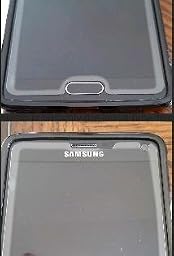
Like this?

31JSeOf41LL._SL256_.jpg


It's cos the screen is curved, not cos the SP not sticky

Almost the same. But even the flat corner portion (because the SP does not fully cover) also not sticky
 

azbyza

Member
Joined
Dec 1, 2011
Messages
137
Reaction score
0
xman13

I just came up with a step by step guide on how to the upgrade using the Updater tool.

Download here:

Upgrading to MIUI 8 with Updater Tool

Give it a try. I really think your not working issue is with the Charging mode vs File Transfer mode.

It's just a pdf file and no risk of any malware.

Others who have the same issue with upgrading to MIUI 8, I used these exact steps to upgrade 3 phones with no issue at all.

Give it a try and let me know if it need to be improved.
I tried your method. Unfortunately it doesn't work for my 128GB phone.
1. My version is a weird MIUI 7.4.14.0 stable
I checked on Xiaomi site and no such version exist.

2. The error message is
"couldn't verify update package".
So it's probably a hacked version from XDA?
Maybe I need to use twrp method to update?

3. I download the Rom file direct using this Mi Max phone,
miui_MIMAX652_V8.0.2.0.MBDCNDG_55200d7b4e_6.0.zip.

You'll notice that the 652 in the name means it's for the 64/128 GB phones.

4. I was wondering why you need to use the pc to download with the extra steps needed to transfer to phone?
 

DRAGONGUY

Senior Member
Joined
Jan 1, 2000
Messages
1,798
Reaction score
0
alright... a bit sianz of china rom for my mi max liaoz.... jumping ship to xiaomi eu rom.... currently waiting for my mi max to charge enuff juice before i proceed.... (lucky i bought my anker qc3 charger... phew....)
 

DRAGONGUY

Senior Member
Joined
Jan 1, 2000
Messages
1,798
Reaction score
0
I tried your method. Unfortunately it doesn't work for my 128GB phone.
1. My version is a weird MIUI 7.4.14.0 stable
I checked on Xiaomi site and no such version exist.

2. The error message is
"couldn't verify update package".
So it's probably a hacked version from XDA?
Maybe I need to use twrp method to update?

3. I download the Rom file direct using this Mi Max phone,
miui_MIMAX652_V8.0.2.0.MBDCNDG_55200d7b4e_6.0.zip.

You'll notice that the 652 in the name means it's for the 64/128 GB phones.

4. I was wondering why you need to use the pc to download with the extra steps needed to transfer to phone?


1. probably vendor rom

2. u cannot do that with vendor rom currently on your phone. find the guide i posted by searching my username on this thread on edl mode.

3. if you need to flash, download the fastboot rom and use the edl mode guide...... i guess that's the only way....

4. yes you will need to use your pc for my guide.

sorry... i simply just to lazy to type all over...

EDIT: oh btw... you will need to install gapps after you install china rom for your helium set..... it's pretty simple.... just go to en miui forum and find the batch file posted by one of the vietnam users... that method is easier than those google installer 2.0 thing for newbies....
 
Last edited:

DRAGONGUY

Senior Member
Joined
Jan 1, 2000
Messages
1,798
Reaction score
0
Ok ��. Heng ar. So I just stay on with it ba. This flash rom had been a headache from the 1st day I want to buy mi max. I bought my set from new star electronics btw. Thank you so much for your kind advise! Appreciate it so much.

My suggestion for you is to try out the current rom that came with your set.... as long as it don't suddenly pop out unusual ads... then you are fine....

However.... if it ever pop out unusual ads (on whatapps especially).... that typical rom is loaded with malware and it's the best you flash to either to official rom or xiaomi.eu unofficial global rom.....

so far.... as of my knowledge (based on Bro Oinkize usage).... only simder sets with 7.3.14 vendor rom shows no problems.... and actually I quite regretted flashing it away... but i learnt so many things during the flash... got lose got gains ba....
 

roidred

Member
Joined
Sep 23, 2016
Messages
172
Reaction score
30
Hi Guys here is my 2 days opinon on mimax 64GB from NSElectronics

1. Got it for $259, thanks to my fellow buyer she passed the phone at my office place. It came with a SP... thats good.

2. Google play is pre-installed by seller and came with china rom 7.3 stable (7.3.15.0.MBDCNDE. Did a factory reset and started using it. It shows a update notification to MIUI 8.0.3.0.MBDCNDG stable version which i havent update yet.

3. Like the finger print scanner it works 10 out of 10 times. Battery life is phenomaneonal never had a phone like this. I have only charged once so far:s13:

5. Camera is okay. pictures are bit sharper but colour reproduction is good in well lit conditions. Screen is okay, may be i am a fan of amoled displays. Sound is impressive. Wifi radio is good too never disconnects and 3g works fine as expected.I did an one hour skype call in train from one north to woodlands call was not dropped. I am still on singtel 12GB plan so cant test 4g.

6. Phone is real value for money i would recommend anyone to buy this provided you are going to buy extra pants. It wont fit in your tight jeans haha.
 

DRAGONGUY

Senior Member
Joined
Jan 1, 2000
Messages
1,798
Reaction score
0
Goodbye official china rom....
mimaxpro_8.0.3_china_rom_zpsm1e4ifqy.jpg


Hello xiaomi.eu rom!!
mimaxpro_6.9.22_xiaomi.eu_zpsmenwuram.jpg


OK.... Sleep time.....
 
Last edited:

jazzman80

Master Member
Joined
Jan 28, 2006
Messages
4,787
Reaction score
0
.
so far.... as of my knowledge (based on Bro Oinkize usage).... only simder sets with 7.3.14 vendor rom shows no problems.... and actually I quite regretted flashing it away... but i learnt so many things during the flash... got lose got gains ba....

im on 7314 but i still experience ads sometimes, maybe because i installed opera mini.
why go for eu ROM since you said 7314 ROM shows no problem?
 

Oinkize

Arch-Supremacy Member
Joined
May 22, 2009
Messages
11,944
Reaction score
191
im on 7314 but i still experience ads sometimes, maybe because i installed opera mini.
why go for eu ROM since you said 7314 ROM shows no problem?

The modified rom that i am using so far so good. No weird apps or ads...
 

htngwilliam

Supremacy Member
Joined
Dec 31, 2004
Messages
8,703
Reaction score
4
I am told there are 2 versions (India and China). India comes with pre installed playstore. Anyone can share what are the other differences? Wanted to get a set for my mum but better to have pre-installed playstore
 
Status
Not open for further replies.
Important Forum Advisory Note
This forum is moderated by volunteer moderators who will react only to members' feedback on posts. Moderators are not employees or representatives of HWZ Forums. Forum members and moderators are responsible for their own posts. Please refer to our Community Guidelines and Standards and Terms and Conditions for more information.
Top