Xiaomi's Routers!

janghamin

Junior Member
Joined
Jun 3, 2014
Messages
7
Reaction score
0
Hi,
I just got my new BTO and planning to buy the Mi AX1800. Currently I have a terminal in the DB cabinet that backhauls ethernet connection to all the rooms. Would like to know if the below set up will work:

ONT > terminal inside the DB cabinet > backhaul to living room > Mi AX1800

I am planning to have just 1 router to serve my 4-room BTO.

Do I need to have additional router between the ONT and the terminal and set the Mi router to AP mode, or can I just connect the ONT directly to terminal and use the Mi AX1800 as a router?

Thanks
 

uncle_josh

Master Member
Joined
Jun 16, 2018
Messages
3,021
Reaction score
733
You need another data point in the living so that you can loop back to the DB cabinet and add a switch in the DB cabinet and to backhaul ethernet to the rest of the rooms.

TP--> ONT --> MI AX1800 --> Switch --> AP in rest of the rooms.


Hi,
I just got my new BTO and planning to buy the Mi AX1800. Currently I have a terminal in the DB cabinet that backhauls ethernet connection to all the rooms. Would like to know if the below set up will work:

ONT > terminal inside the DB cabinet > backhaul to living room > Mi AX1800

I am planning to have just 1 router to serve my 4-room BTO.

Do I need to have additional router between the ONT and the terminal and set the Mi router to AP mode, or can I just connect the ONT directly to terminal and use the Mi AX1800 as a router?

Thanks
 

magix

Arch-Supremacy Member
Joined
May 28, 2000
Messages
16,882
Reaction score
90
Hi,
I just got my new BTO and planning to buy the Mi AX1800. Currently I have a terminal in the DB cabinet that backhauls ethernet connection to all the rooms. Would like to know if the below set up will work:

ONT > terminal inside the DB cabinet > backhaul to living room > Mi AX1800

I am planning to have just 1 router to serve my 4-room BTO.

Do I need to have additional router between the ONT and the terminal and set the Mi router to AP mode, or can I just connect the ONT directly to terminal and use the Mi AX1800 as a router?

Thanks

BTW which ISP you plan to use?
 

janghamin

Junior Member
Joined
Jun 3, 2014
Messages
7
Reaction score
0
BTW which ISP you plan to use?

I have not signed up but am thinking of trying out Whizcomms :)

You need another data point in the living so that you can loop back to the DB cabinet and add a switch in the DB cabinet and to backhaul ethernet to the rest of the rooms.

TP--> ONT --> MI AX1800 --> Switch --> AP in rest of the rooms.

Thanks for your advise!

If let's say I am using the Mi AX1800 to serve the whole house via wifi and not going to have APs in the rooms, I won't need a switch in the DB closet right?
 

tckrto

Arch-Supremacy Member
Joined
Oct 21, 2001
Messages
23,885
Reaction score
1,256
I have not signed up but am thinking of trying out Whizcomms :)


Thanks for your advise!

If let's say I am using the Mi AX1800 to serve the whole house via wifi and not going to have APs in the rooms, I won't need a switch in the DB closet right?

Signal might not be strong unless u put the router at the center of the house.
 

xiaofan

High Supremacy Member
Joined
Sep 16, 2018
Messages
34,765
Reaction score
11,532
I have not signed up but am thinking of trying out Whizcomms :)

Thanks for your advise!

If let's say I am using the Mi AX1800 to serve the whole house via wifi and not going to have APs in the rooms, I won't need a switch in the DB closet right?

For Whizcomms by default they will give you an ONR. In that case you can put the ONR in the DB box. And you need to configure your AX1800 as an AP. It acts as a router with four LAN ports so you can save the switch in the DB box. If you have structured Ethernet wiring at home, you can use the following.

Fibre TP -- ONR
ONR port 1-- living room AX1800
ONR port 2 -- room 1
ONR port 3 -- room 2
ONR port 4 -- room 3

Whether single AX1800 is good enough or not will depend on your room layout and where you put the AX1800.
 
Last edited:

uncle_josh

Master Member
Joined
Jun 16, 2018
Messages
3,021
Reaction score
733
Yes, personally, I prefer a one router solution.
Btw how big is your house ?
The Mi AX1800 wireless signal is not known to be strong. I would strongly recommend that you go for Mi AIot AX3600 for a single router solution

Thanks for your advise!

If let's say I am using the Mi AX1800 to serve the whole house via wifi and not going to have APs in the rooms, I won't need a switch in the DB closet right?
 
Last edited:

janghamin

Junior Member
Joined
Jun 3, 2014
Messages
7
Reaction score
0
Yes, personally, I prefer a one router solution.
Btw how big is your house ?
The Mi AX1800 wireless signal is not known to be strong. I would strongly recommend that you go for Mi AIot AX3600 for a single router solution

it's a 4-room BTO with 93 m2. I was considering the AX3600 also, but wasn't too sure if it's overkill haha, and I actually kinda prefer the looks of the AX1800 :)

If I place the router as central as possible, do you think AX1800 would suffice? based on my layout max 1 wall between the router and each of my devices. I can't post my floor plan as my post count too low :s22:

I'm not a heavy user, main usage are for Netflix (4K), net surfing/streaming and occasional online console gaming.

For Whizcomms by default they will give you an ONR. In that case you can put the ONR in the DB box. And you need to configure your AX1800 as an AP. It acts as a router with four LAN ports so you can save the switch in the DB box. If you have structured Ethernet wiring at home, you can use the following.

Fibre TP -- ONR
ONR port 1-- living room AX1800
ONR port 2 -- room 1
ONR port 3 -- room 2
ONR port 4 -- room 3

Whether single AX1800 is good enough or not will depend on your room layout and where you put the AX1800.

Thanks for the advise! That saves me a lot of trouble. Just a few more qns:

1. Will setting it as AP affect its performance? I understand from other threads that functions/settings are limited once a router is set as AP mode.

2. Will I be able to connect my AX1800 (AP mode) via wired connection to my TVs/gaming consoles? Meaning ONR port 1 > living room AX1800 (AP mode) > TV/gaming consoles.

Thanks!
 

xiaofan

High Supremacy Member
Joined
Sep 16, 2018
Messages
34,765
Reaction score
11,532
Thanks for the advise! That saves me a lot of trouble. Just a few more qns:

1. Will setting it as AP affect its performance? I understand from other threads that functions/settings are limited once a router is set as AP mode.

2. Will I be able to connect my AX1800 (AP mode) via wired connection to my TVs/gaming consoles? Meaning ONR port 1 > living room AX1800 (AP mode) > TV/gaming consoles.

Thanks!

1. Yes the features will be limited but the wireless coverage will not be affected.

2. Yes.

If you are worried about 1, then you have to request Whizcomms to configure the ONR as an ONT and you will have to add a switch in the DB.

FTP -- ONT -- cable -- Router in the living room -- cable -- switch --- to each room.
 

ChaoJiBoomz

Master Member
Joined
May 17, 2014
Messages
3,345
Reaction score
6
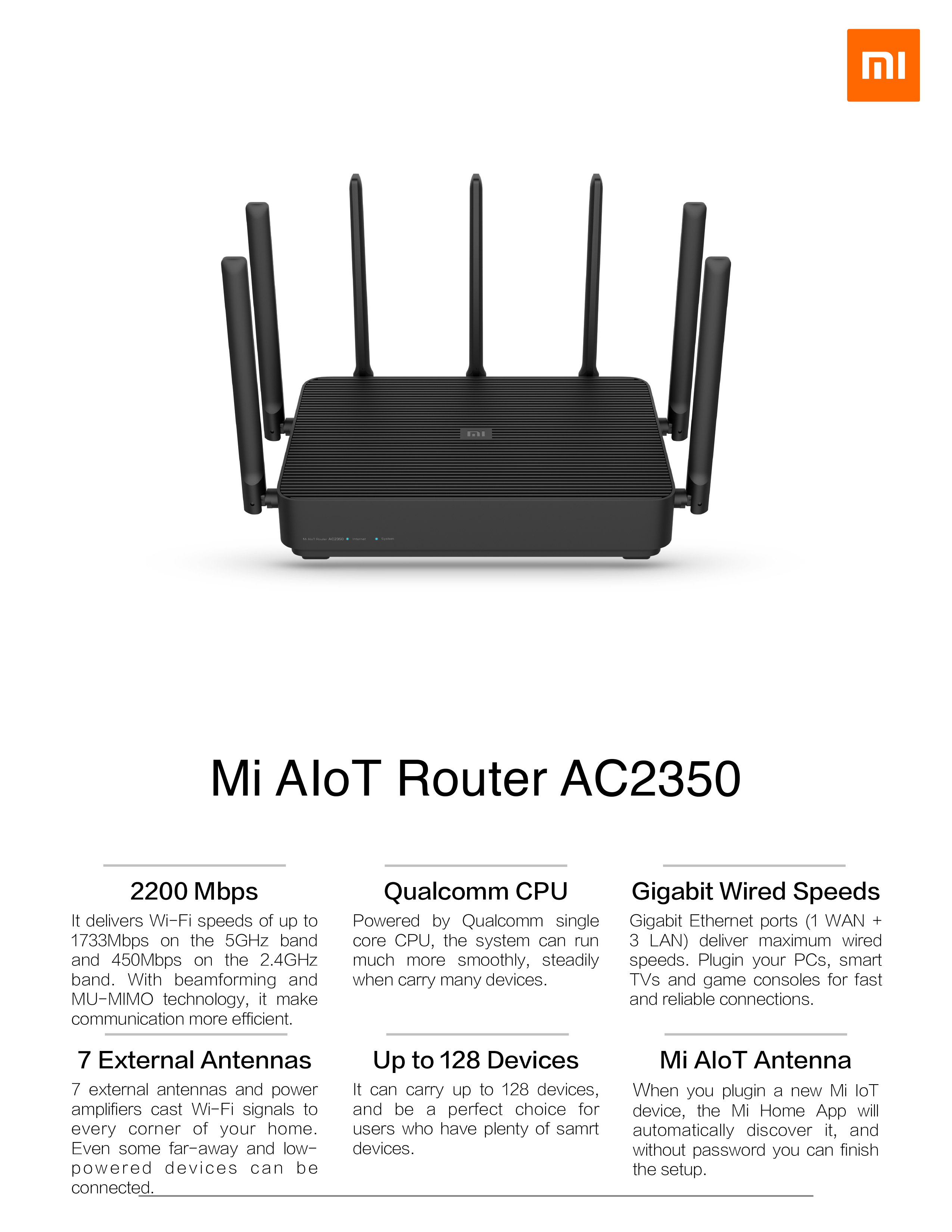
Anybody bought / tried the new AC2350? Quite tempted to get this.

Or should I get AX1800?

For me, it's more of covering the entire house. Normal usage, no gaming. I'm using rt68u now (placed in my DB) and I can't get signal in the last room.

https://www.lazada.sg/products/xiaomi-mi-aiot-router-ac2350-i969370908-s3468214464.html

494b7050184d12f8d9d65df60bac433e.png
 
Last edited:

tuntun

Senior Member
Joined
Jan 1, 2000
Messages
881
Reaction score
54

tuntun

Senior Member
Joined
Jan 1, 2000
Messages
881
Reaction score
54
I believe not.

Thanks..I will let my friend know...he wants to get one but using singtel given router with ONT....Old fibre plan one year....Not sure singtel can help him to set as bridge mode so that can change to this router without VLAN tagging...
 

xiaofan

High Supremacy Member
Joined
Sep 16, 2018
Messages
34,765
Reaction score
11,532
Thanks..I will let my friend know...he wants to get one but using singtel given router with ONT....Old fibre plan one year....Not sure singtel can help him to set as bridge mode so that can change to this router without VLAN tagging...

Pure ONT users always get vlan tagging. I have been an ONT user since Feb 2012.
 

tuntun

Senior Member
Joined
Jan 1, 2000
Messages
881
Reaction score
54
Pure ONT users always get vlan tagging. I have been an ONT user since Feb 2012.

In such, will ask him to request change to ONR? then ask tech to set brindge mode to port1? Possible as still left for 1 year contract...
 

xiaofan

High Supremacy Member
Joined
Sep 16, 2018
Messages
34,765
Reaction score
11,532
In such, will ask him to request change to ONR? then ask tech to set brindge mode to port1? Possible as still left for 1 year contract...

If he has SingTel TV, not easy but can try.

If no SingTel TV, tough.

On the other hand, Vlan enabled routers are pretty cheap as well, like the Asus RT-AC2600 and EA8100 dumped by M1 and StarHub users. Or TP-Link AX10 (at S$99 ) and AX20, or Asus RT-AX56U and RT-AX58U. So in the end,no point to go through the trouble. Just get a new router.
 
Last edited:

loganrunning

Master Member
Joined
May 12, 2017
Messages
3,744
Reaction score
2,285
Anybody bought / tried the new AC2350? Quite tempted to get this.

Or should I get AX1800?

For me, it's more of covering the entire house. Normal usage, no gaming. I'm using rt68u now (placed in my DB) and I can't get signal in the last room.

https://www.lazada.sg/products/xiaomi-mi-aiot-router-ac2350-i969370908-s3468214464.html

494b7050184d12f8d9d65df60bac433e.png

RT-AC68U actually has decent signal and coverage. Perhaps it is obstructed when placed in the db. you can verify layout/obstructions by moving it closer to the centre of the house. If the current location is sub-optimal, then a new router will also be similarly affected (although to a different degree).

if can't move it, and there is a LAN point in/nearer the last room, then the other alternative is to place an old re-purposed router as an AP to extend the wireless range.
 

uncle_josh

Master Member
Joined
Jun 16, 2018
Messages
3,021
Reaction score
733
Rule of thumb, want signal coverage for the entire house, put your router in the central location of the house, not leaves it in the DB. Make sure it is place high on top of some cabinets.

One router cannot cover entire house, add multiple APs.

Sent from 天作孽 犹可恕 自作孽 不可活 using GAGT
 

ikkozilla

Supremacy Member
Joined
Dec 25, 2011
Messages
8,583
Reaction score
1
Can I check? My new xiaomi ax3600 router doesn't support whatsapp call? Everything else is working fine though.
 

Repsol_2

High Supremacy Member
Joined
Feb 10, 2001
Messages
39,195
Reaction score
342
Rule of thumb, want signal coverage for the entire house, put your router in the central location of the house, not leaves it in the DB. Make sure it is place high on top of some cabinets.

One router cannot cover entire house, add multiple APs.

Sent from 天作孽 犹可恕 自作孽 不可活 using GAGT

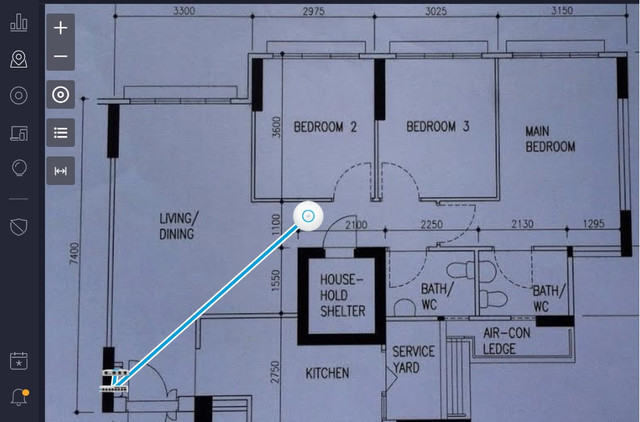
1 AP more than enough to cover, mount the AP from ceiling from nearest LAN point located in Shelter. best location.

 
Last edited:
Important Forum Advisory Note
This forum is moderated by volunteer moderators who will react only to members' feedback on posts. Moderators are not employees or representatives of HWZ Forums. Forum members and moderators are responsible for their own posts. Please refer to our Community Guidelines and Standards and Terms and Conditions for more information.
Top