Google Gemini 3.5

limmk

High Supremacy Member
Joined
Jul 5, 2001
Messages
41,216
Reaction score
8,166
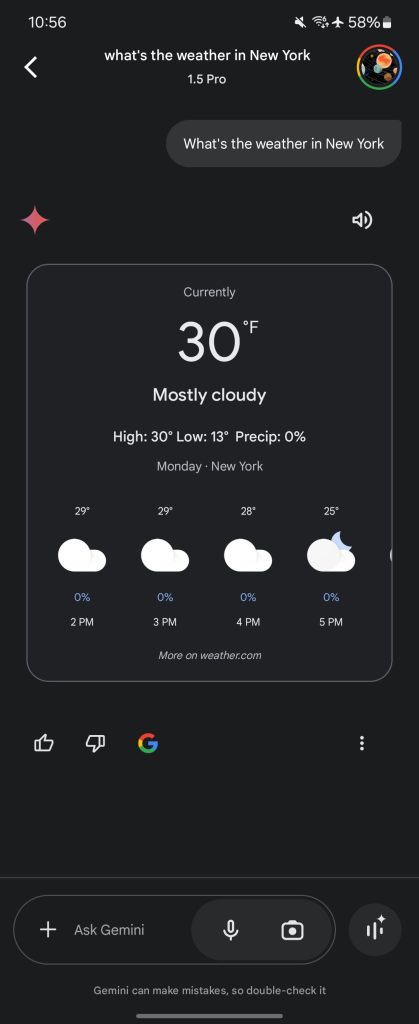
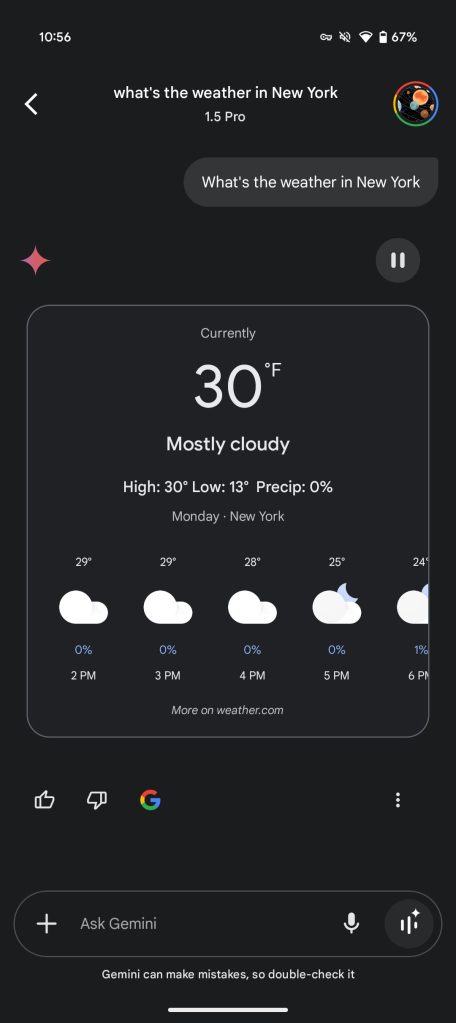
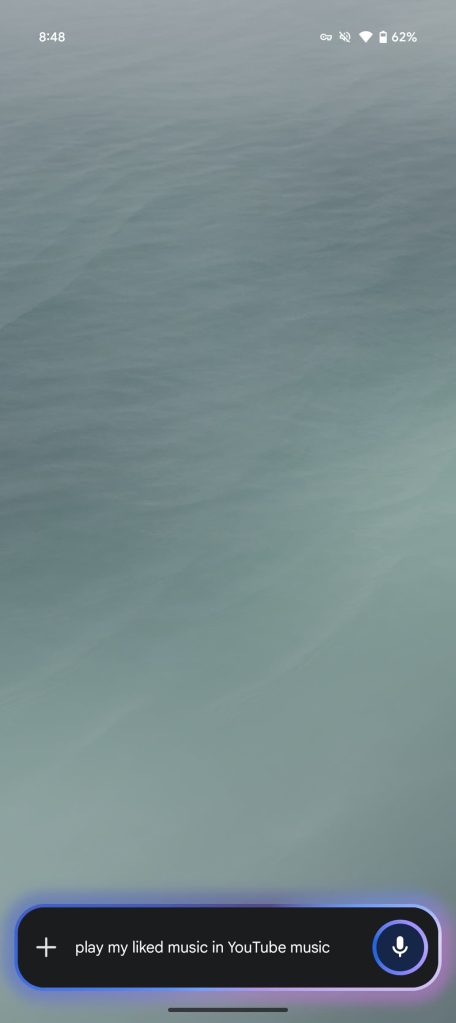
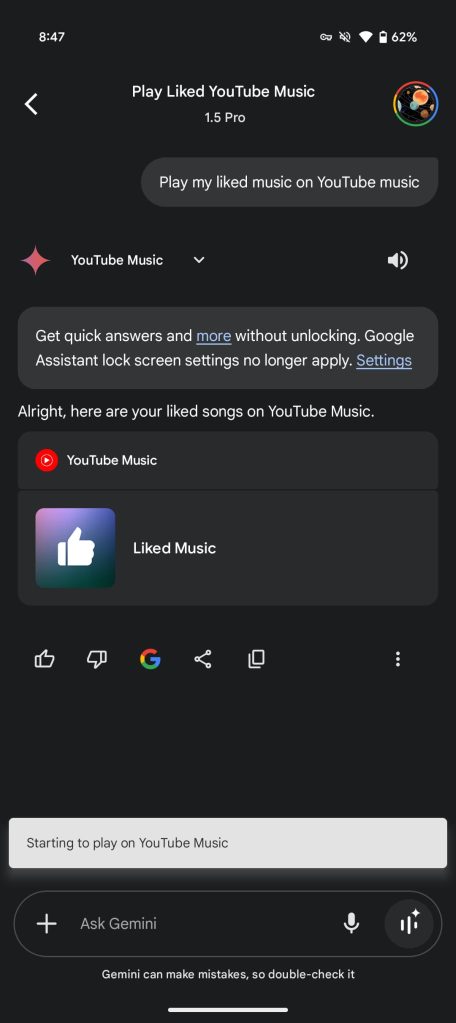
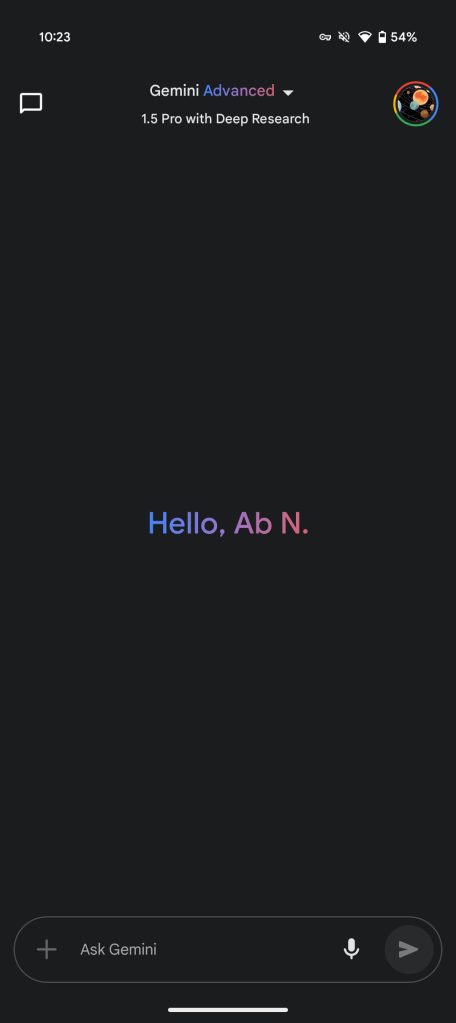
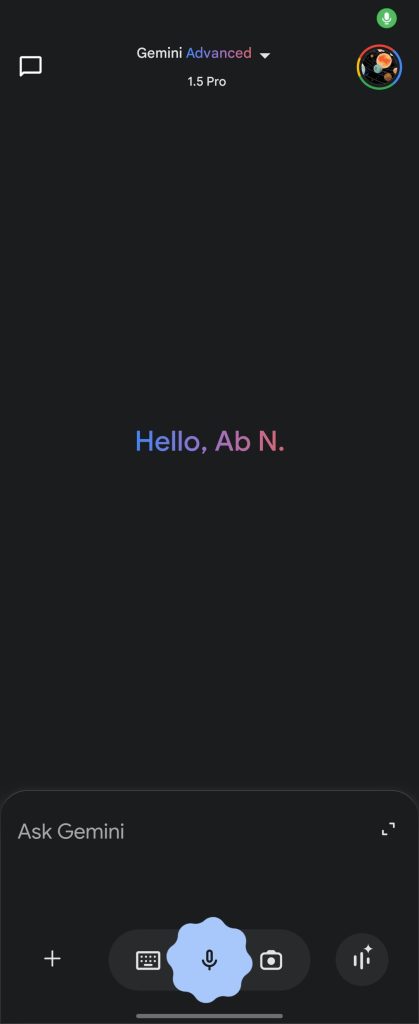
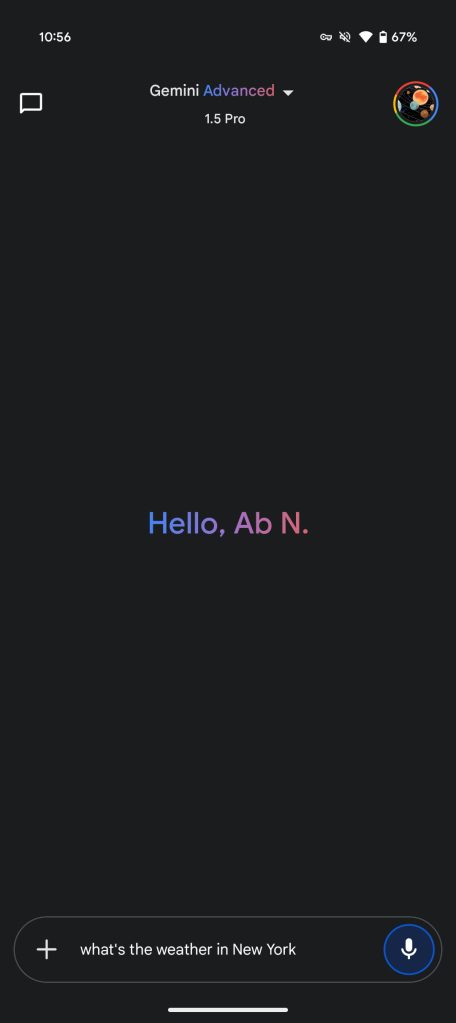
Meanwhile, the Gemini app homepage has also been tweaked with this redesign. The pill housing the camera and voice input has been removed. The latter is now accessed from the ‘plus’ menu, which offers Files and Drive upload if you’re a Gemini Advanced subscriber. The microphone features the same glow ring when active, while the Gemini Live shortcut has been moved inside the container.

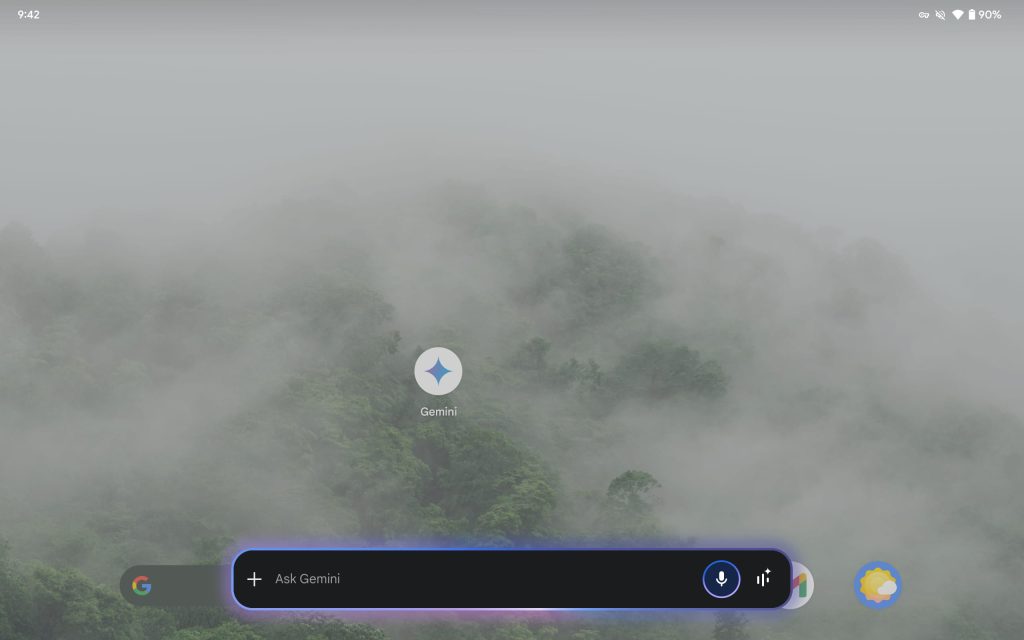
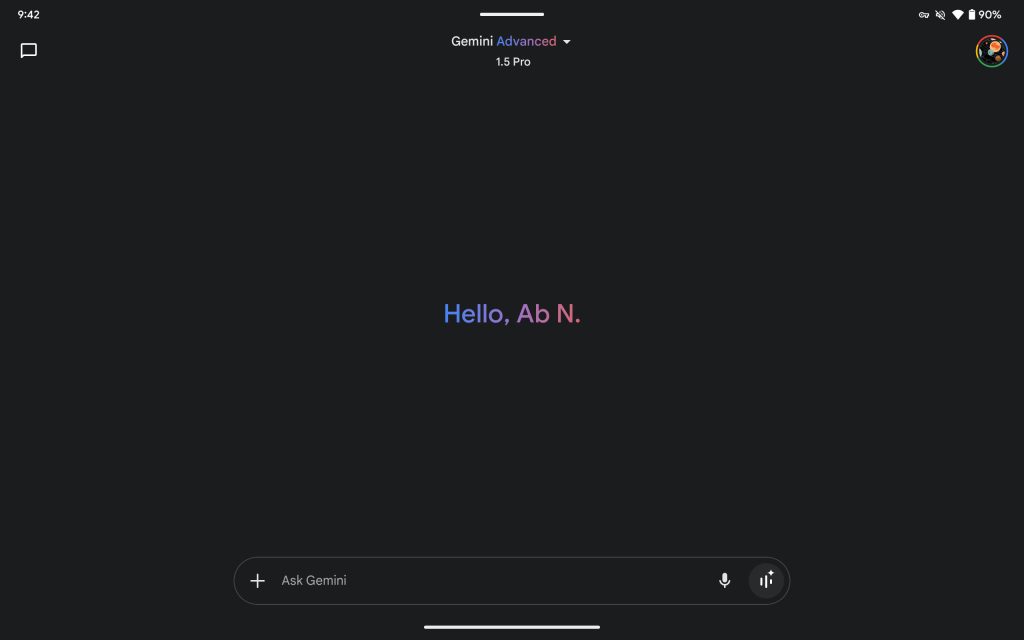
Inside the app, the “Ask Gemini” field is a pill, while the overlay uses the rounded rectangle (for whatever reason).
Gemini-app-homepage-late-2024-1.jpg
Gemini homepage redesign

Gemini-app-homepage-late-2024-2.jpg
Gemini homepage redesign


After slowly appearing in recent weeks, this Gemini overlay redesign should now be rolling out for all users. Google app 16.2.40 is hitting the stable channel so update in the Play Store before checking. (Force stop the Google app if you don’t have it.)

As of today, we’re seeing it on all devices we checked, including Samsung and the Pixel Tablet (which was not the case earlier this week). On that large screen form factor, the in-app Ask Gemini field no longer spans the entire length of your screen.
Gemini-overlay-redesign-tablet.jpg
Gemini-app-redesign-tablet.jpg
 

limmk

High Supremacy Member
Joined
Jul 5, 2001
Messages
41,216
Reaction score
8,166


Following last week’s announcement, we are now seeing Gemini’s new “Talk Live about this” capability on the Pixel 9 series.

You can now talk to Gemini Live about images, files, and YouTube videos. Conversations were previously limited to general knowledge.

To start, launch the floating Gemini overlay (not the app) for a new suggestion chip above the existing “Ask about…” button:

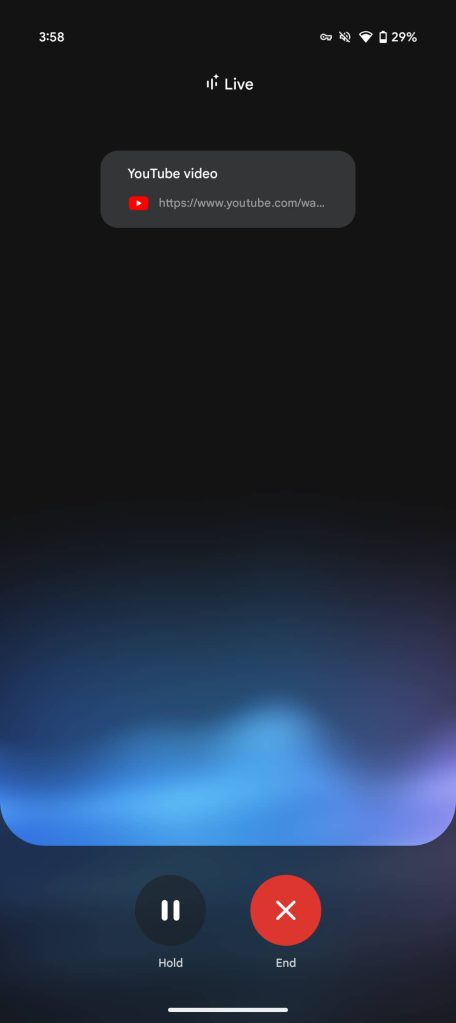
  • In YouTube, you’ll see “Talk Live about video”
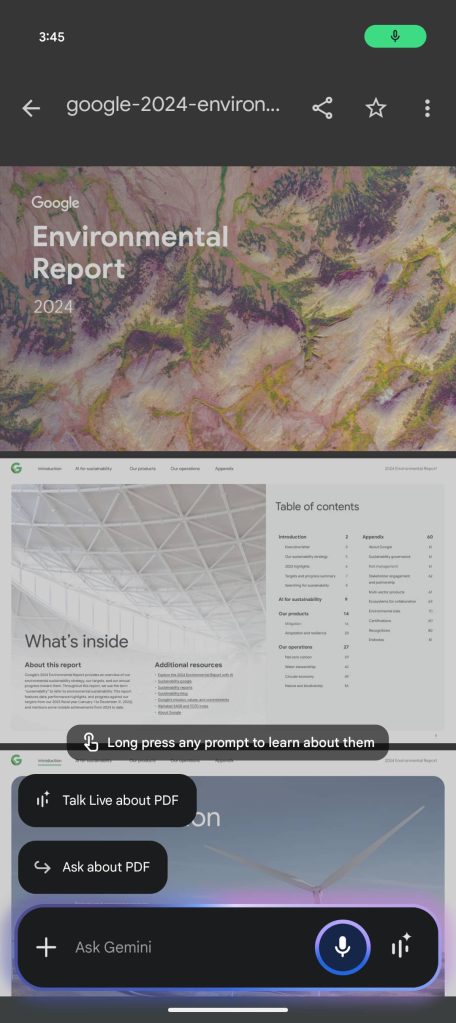
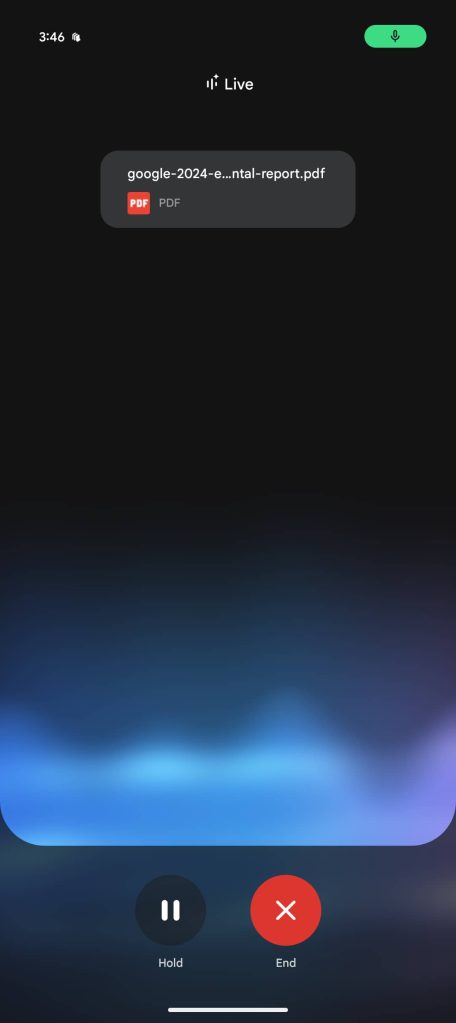
  • In Files by Google, it’s “Talk Live about PDF”
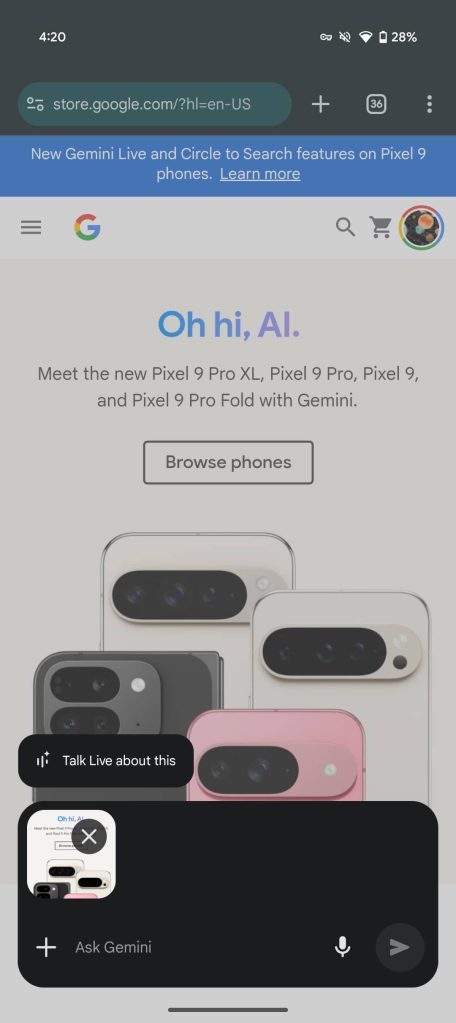
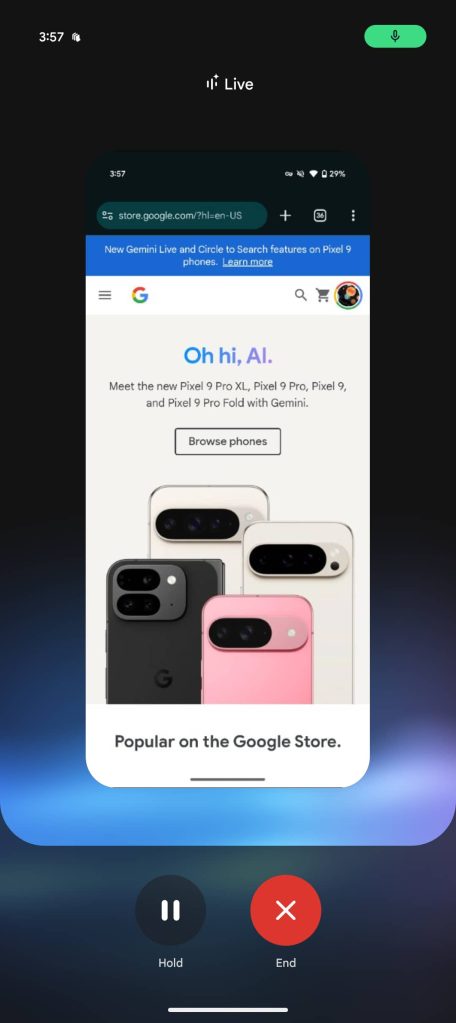
  • With images, “Talk Live about this” appears
To talk about images, you cannot use the “Ask about screen” shortcut (which automatically takes a screenshot). Rather, you have to use the ‘plus’ menu to upload from your gallery or take a new picture. (This seems like a rather arbitrary distinction.)

After tapping, you’re taken to the Gemini Live interface with a preview of what you’re talking about appearing above the usual blue/purple sound waves. It’s a pretty straightforward experience from there.

Gemini Talk Live Pixel 9
Gemini-Talk-Live-YouTube-1.jpg
Gemini-Talk-Live-image-1a.jpg
Gemini Talk Live Pixel 9


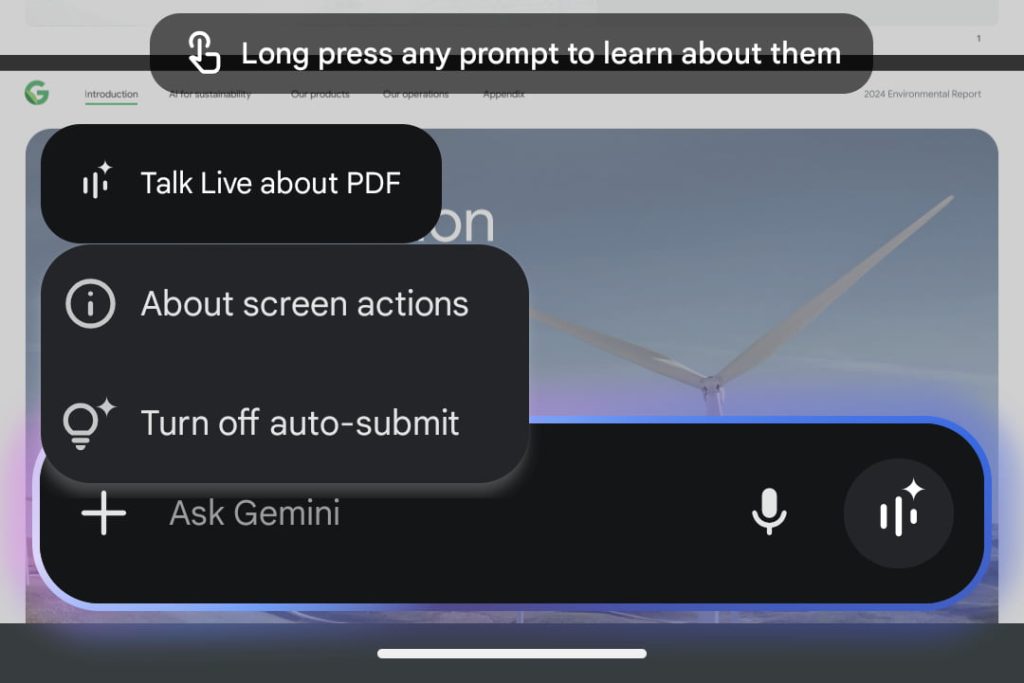
On initial use, Gemini explains how you can “Long press any prompt to learn more about them.” Doing so reveals the “Turn off/on auto-submit” preference. When disabled, the “Talk Live” button will not appear until you manually submit content.

  • All screen actions except “Ask about…” will automatically submit the content on your screen to Gemini when you tap them.
  • To turn off auto-submit, you can press and hold on a suggestion chip then tap Turn off auto-submit. To enable auto-submit, you can press and hold on the “Ask about…” chip then tap Turn on auto-submit.

Gemini-Talk-Live-PDF-3.jpg


We’re seeing Talk (Gemini) Live on our Pixel 9 devices running Google app 16.3.32, which is currently in beta, this afternoon. It should also be rolling out to the Galaxy S24, while S25 owners will have it out of the box at launch. It will officially “expand to more Android devices in the coming weeks.”

This comes ahead of Project Astra, which will let you share your screen and stream video in real-time while talking to Gemini Live.
 

limmk

High Supremacy Member
Joined
Jul 5, 2001
Messages
41,216
Reaction score
8,166


After entering preview last month, Google is now rolling out the stable version of Gemini 2.0 Flash to the Gemini app.

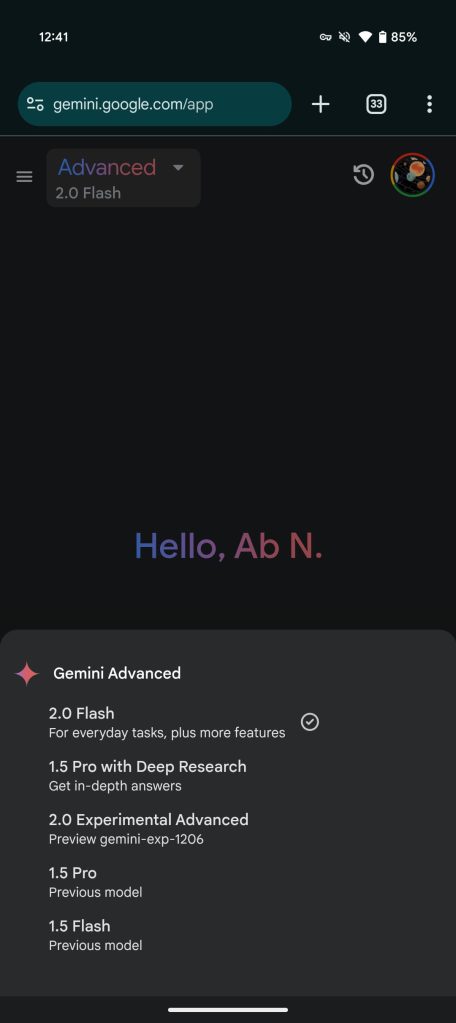
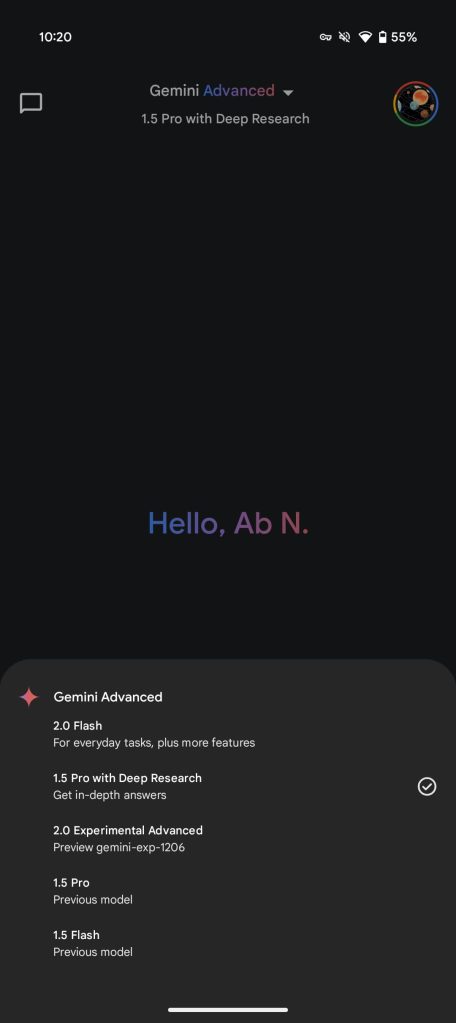
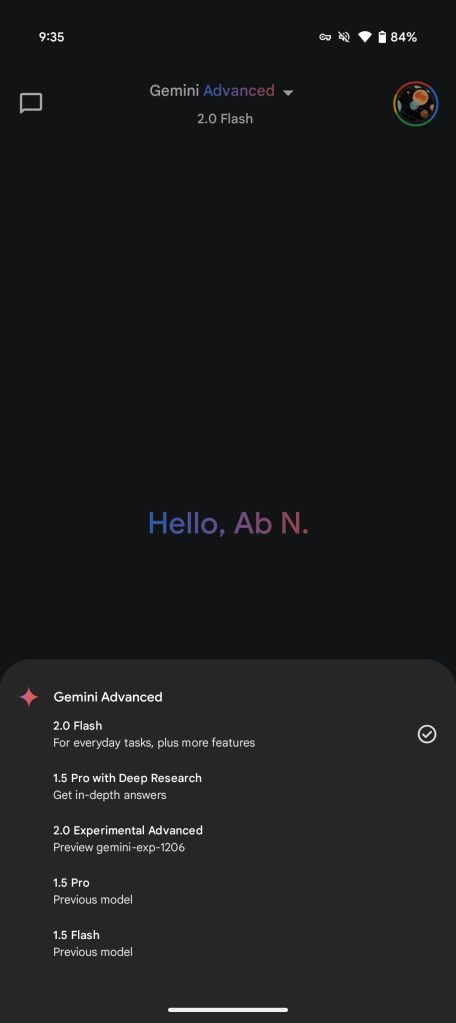
2.0 Flash is the Gemini app model picker is described as being “For everyday tasks, plus more features.”

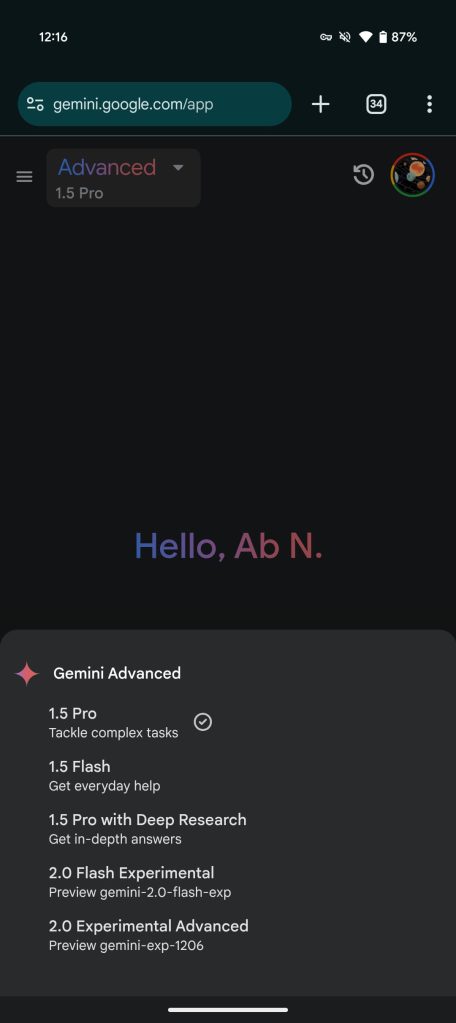
The descriptions for 1.5 Flash (previously “Get everyday help”) and 1.5 Pro (“Tackle complex tasks”) have been renamed to “Previous model.” For Gemini Advanced subscribers, there are no changes to 1.5 Pro with Deep Research and 2.0 Experimental Advanced (which remains gemini-exp-1206).

Gemini-1.5-app-old.jpg
Gemini-2.0-Flash-app-new.jpg


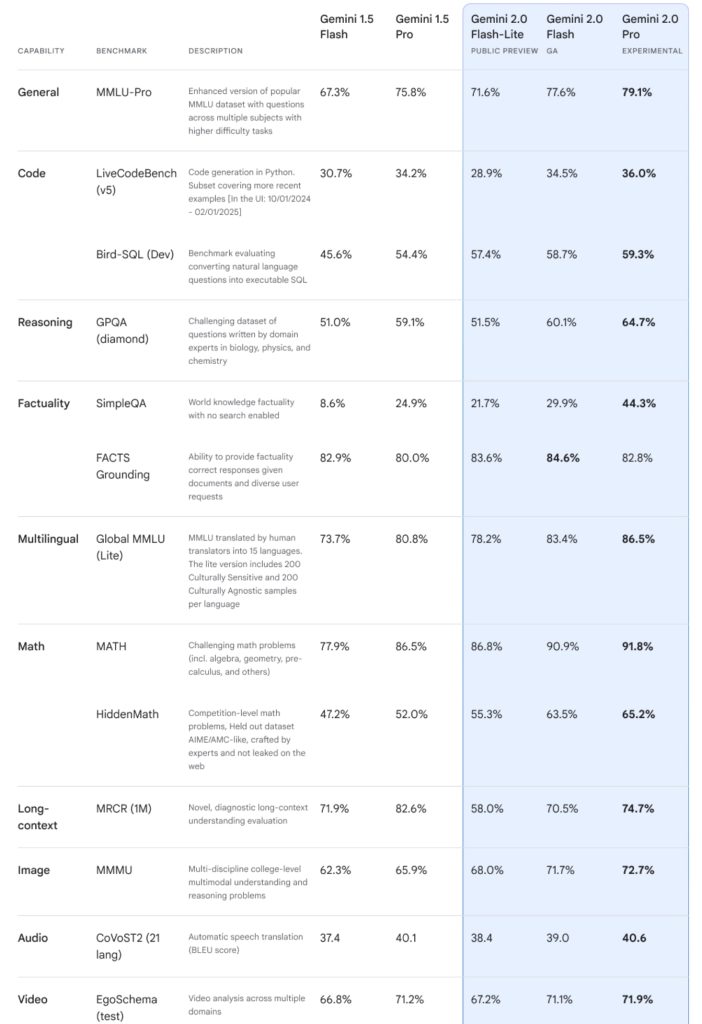
Google last month said Gemini 2.0 Flash outperforms 1.5 Pro across code, factuality, math, reasoning, and other benchmarks at twice the speed. This family is meant to be a “new AI model for the agentic era.”

As of Thursday afternoon (PT), it’s slowly rolling out and not yet widely available. We’re seeing it on both free and Gemini Advanced accounts on the web (but not the mobile app), with Google keeping 1.5 Flash around at the moment. Some are seeing a “New model added: Choose one that best fits your needs” banner that doesn’t reveal 2.0 Flash when tapped.

There’s no official announcement from Google just yet, while the updated API for developers is not yet appearing.

Updating…
 

limmk

High Supremacy Member
Joined
Jul 5, 2001
Messages
41,216
Reaction score
8,166


It took a year from launch, but Gemini on Android is now a much better phone assistant. The latest update lets you access Gemini Extensions from the Android lockscreen.

Last Friday, Google made official how “Gemini extensions are now accessible directly from your Android mobile device’s lockscreen.” This includes when long-pressing on the power button or using the “Hey Google” hotword. Users have been noticing this improvement in recent weeks, and it should now be widely available.

This means some of your most frequently used interactions with Gemini can now be executed without having to unlock your device.

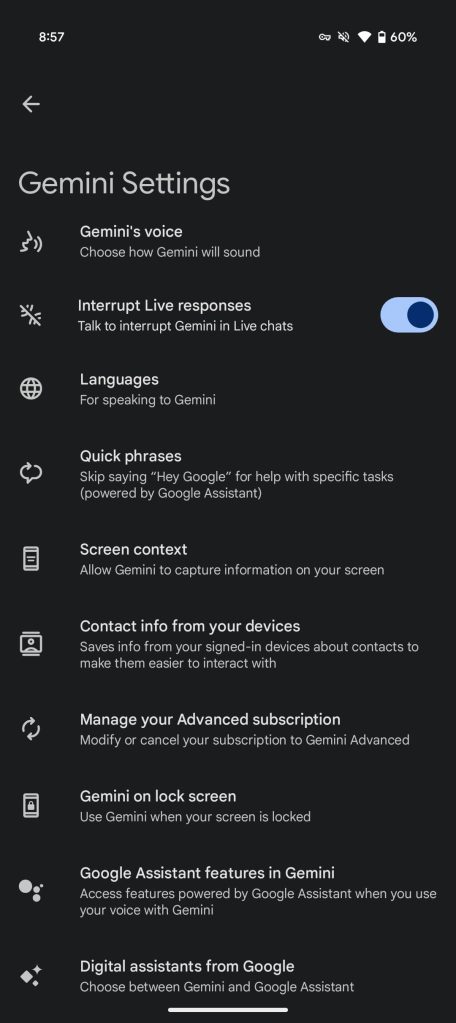
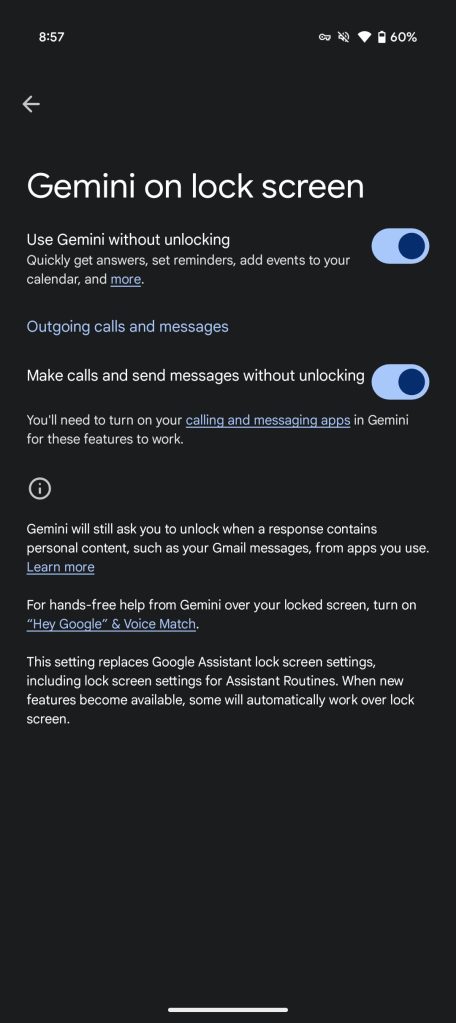
In July, Gemini added a setting to let you get answers to general questions from your Android lockscreen. As of today, that preference is called “Use Gemini without unlocking” under Gemini Settings > Gemini on lock screen. You can:
  • Get answers to general questions
  • Make calls or answer text messages
  • Handle some personal requests, like creating a reminder
  • Control most smart devices, like Smart Displays or a smart thermostat
  • Set, stop, and snooze alarms
  • Set and stop timers
  • Control media, like pause a song
  • Control some phone features, like turn on the flashlight and change the volume
Gemini-Extensions-Android-lockscreen-a.jpg
Gemini-Extensions-Android-lockscreen-b.jpg


Example prompts, which are more complex, include:
  • “I’m planning a date night tonight, remind me to pick up some chocolates, strawberries and roses”
  • “What time does the nearest Starbucks close at, and how long would it take me to get there?”
Like with Google Assistant in the past, this does not change how “Gemini will still require you to unlock for some actions” that involve personal content from apps, like calendar events.

This joins how Google in December rolled out a separate “Make calls and send message without unlocking” setting that you have to enable.

Gemini Extensions Android lockscreen
 

limmk

High Supremacy Member
Joined
Jul 5, 2001
Messages
41,216
Reaction score
8,166


Google Photos started testing Ask Photos in September. An update to Google Photos for Android today tones down the UI of this Gemini-powered search capability.

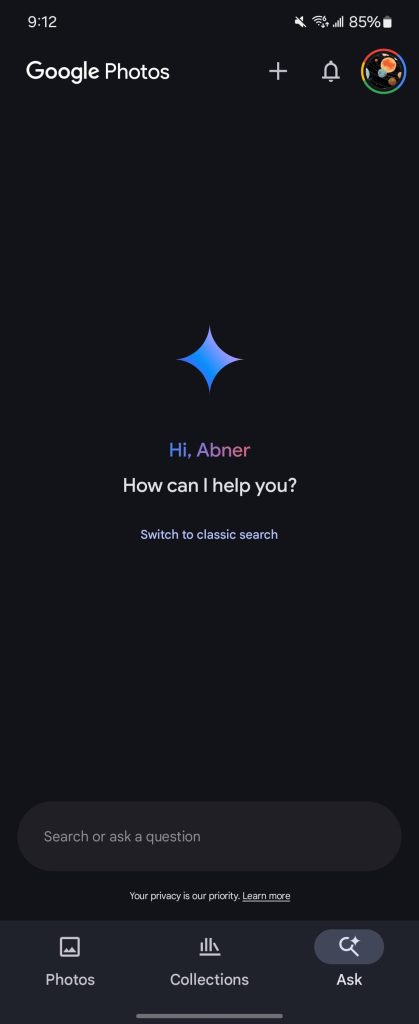
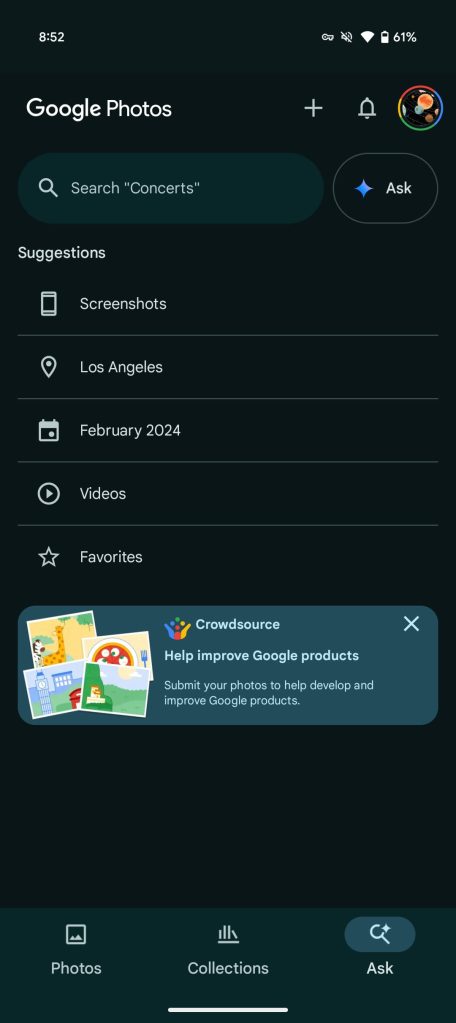
Those in the US that have access to Ask Photos see the “Search” tab replaced by “Ask” with a magnifying glass icon badged with the Gemini sparkle in the corner.

Previously, tapping the bottom bar would take you to a fullscreen UI reminiscent of a chat conversation with a field at the bottom to “Search or ask a question.”

Google has now brought back the previous search screen with “Suggestions,” like Screenshots, Videos, and Favorites, for common queries. The classic search pill at the top is shrunken down to make room for an “Ask” button. Tapping takes you to the chat screen.
Old vs. new

Google-Photos-Ask-Gemini-old.jpg
Google-Photos-Ask-Gemini-1.jpg
Google-Photos-Ask-Gemini-2.jpg


This is the right move as most of the time you don’t want conversational search. Ask Photos is not necessarily suited for queries where you just want to see all results in a grid, with standard Google Photos search ultimately quite good. In fact, Google updated this “classic search” with natural language lookup and “Best Match” in September.

We’re seeing this new Ask Photos behavior with version 7.14 of Google Photos for Android. Gemini-powered search remains an experimental feature in Google Labs that is only in the US. There’s also a waitlist.
 

limmk

High Supremacy Member
Joined
Jul 5, 2001
Messages
41,216
Reaction score
8,166


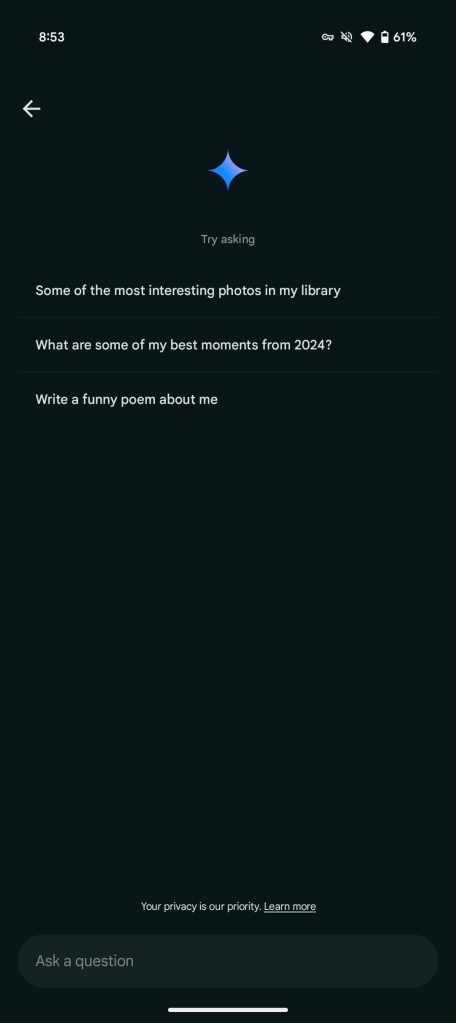
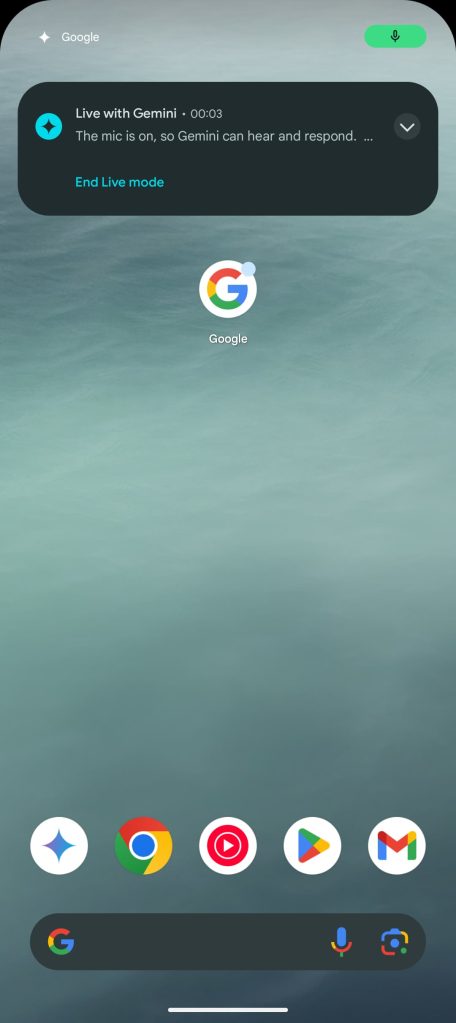
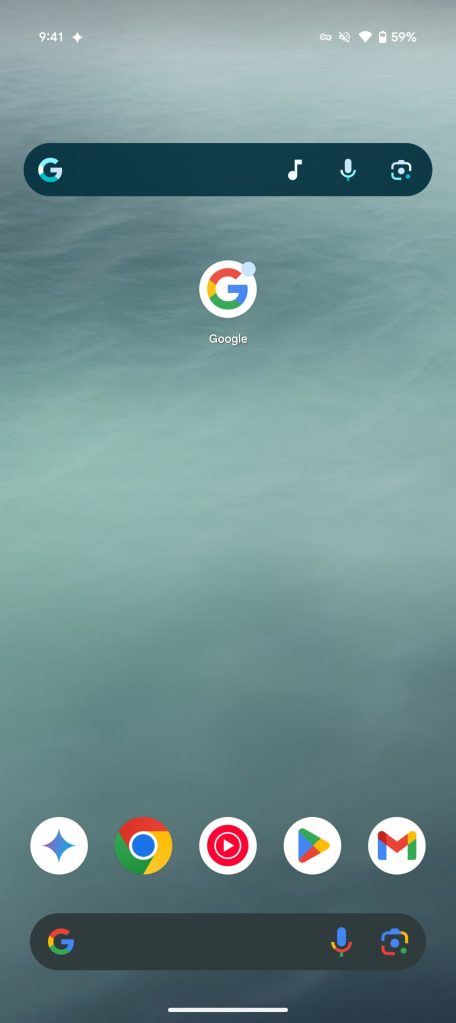
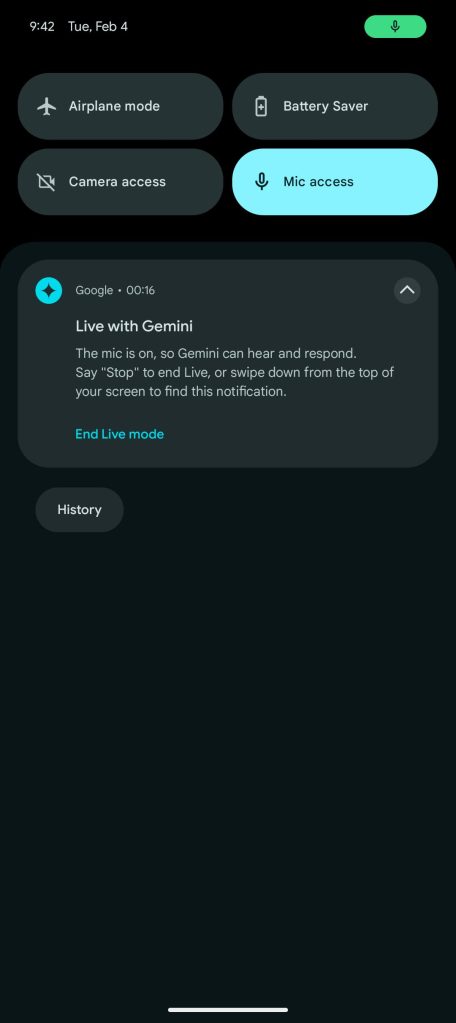
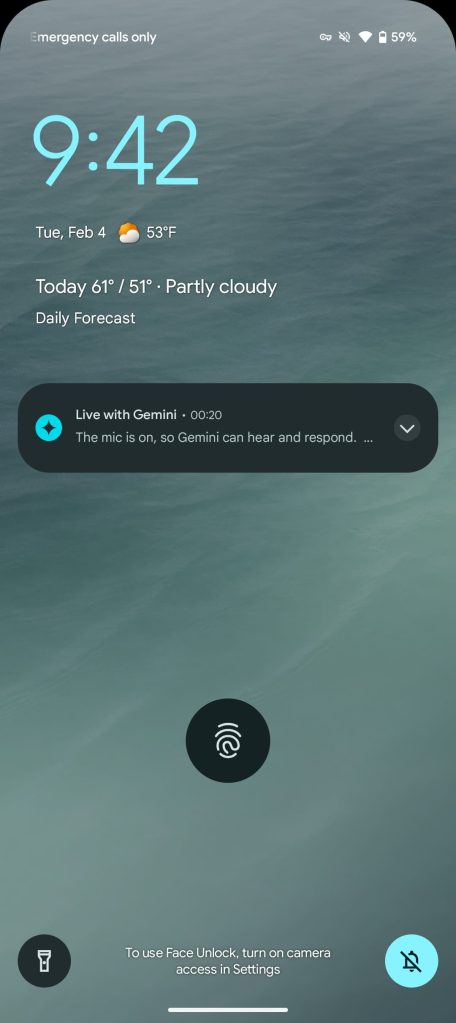
After rolling out “Talk Live about this” last week, Gemini Live is now starting to use phone call-style notifications on Android.

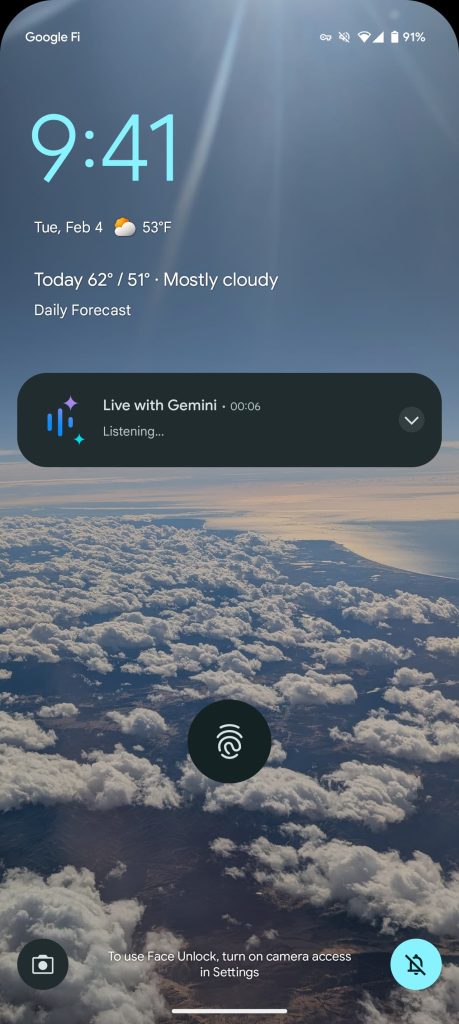
Previously, starting Gemini Live and exiting the fullscreen UI would result in a standard notification for “Live with Gemini” that provides instructions and an “End Live mode” button. In the status bar, you’d see a Gemini sparkle icon.

Gemini-Live-old-notification-1.jpg
Gemini-Live-old-notification-2.jpg
Gemini-Live-old-notification-3.jpg
Gemini-Live-old-notification-4.jpg


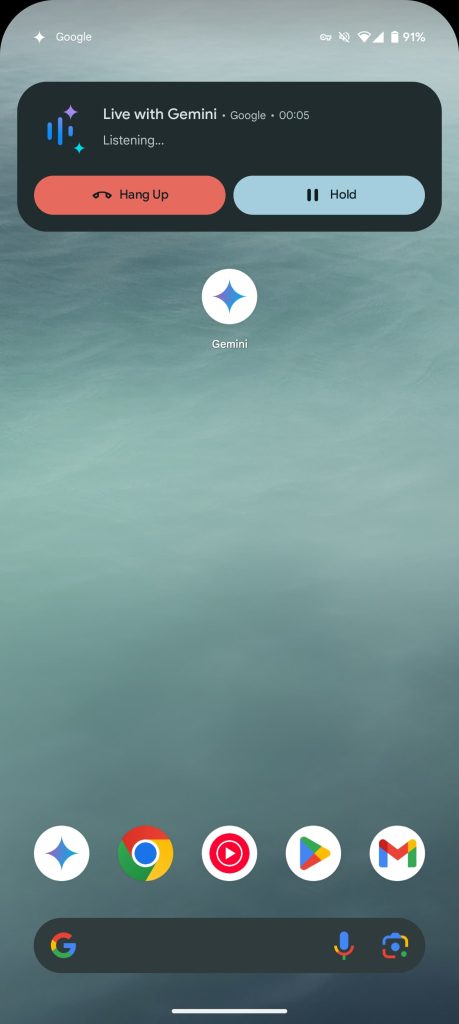
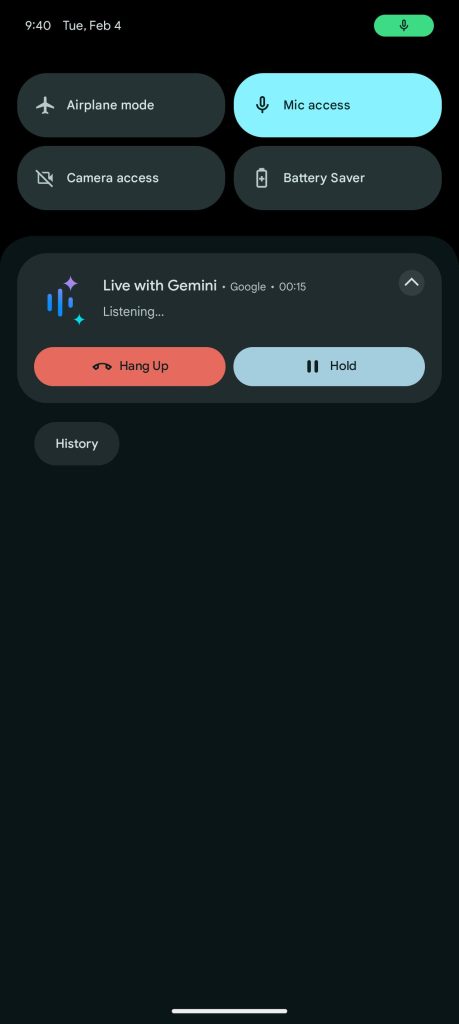
Live with Gemini now makes use of Android’s call-style notification. In place of a user avatar, you get the Gemini Live icon with a big red button for “Hang Up” and “Hold.” Being able to “Continue” without needing to return to the app is convenient.

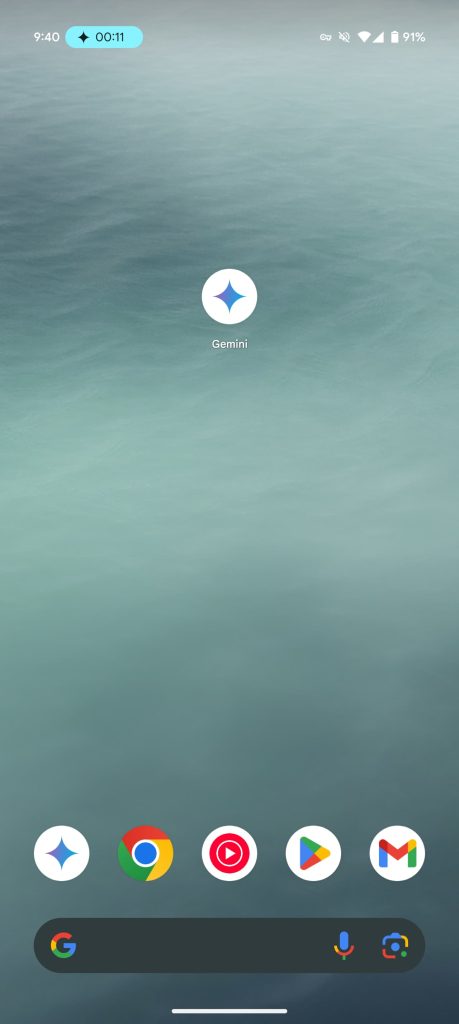
Meanwhile, next to the status bar time, you get a call chip that shows a live count alongside the sparkle. (However, the count continues even when you’re on hold, so it’s not accurate.)

This Gemini Live notification does not appear on the Pixel Watch and is not treated as a call on Wear OS.

Gemini Live call notification


This does a better job emphasizing that Gemini Live is active in the background, which becomes more important when Astra will let you share your screen during conversations.

So far, we’re only seeing this call-style Gemini Live notification on one phone (Pixel 9 Pro running Google app beta version 16.4) out of the several we checked this morning.

This is similar to how the Gemini app on iPhone uses Live Activities.
 

limmk

High Supremacy Member
Joined
Jul 5, 2001
Messages
41,216
Reaction score
8,166


After debuting on the web in December, Deep Research is now available in Gemini for Android.

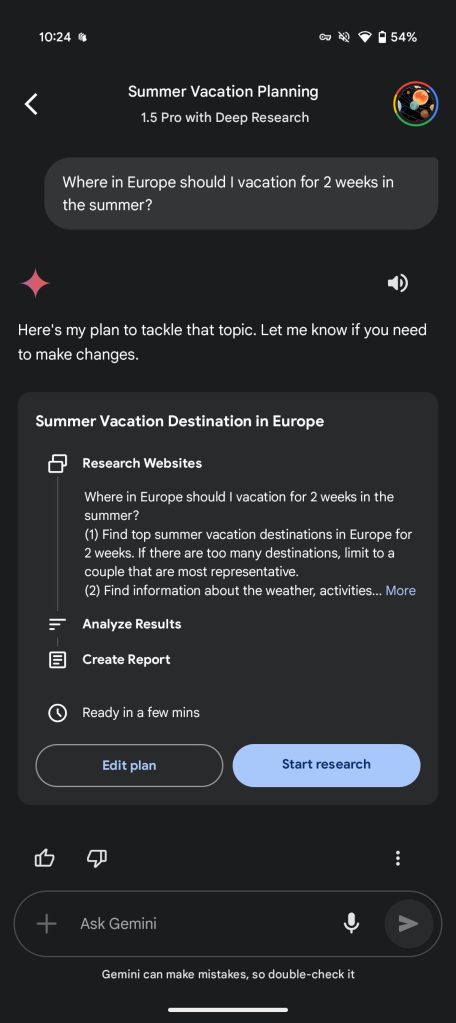
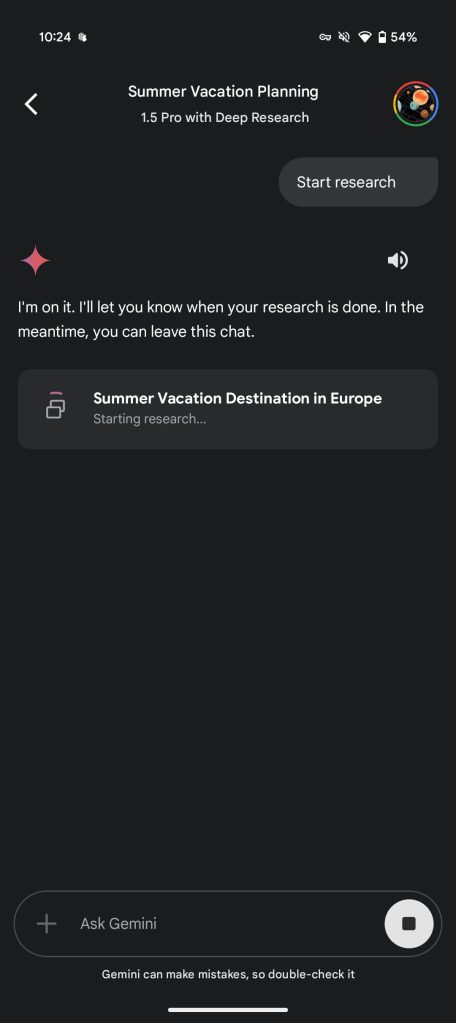
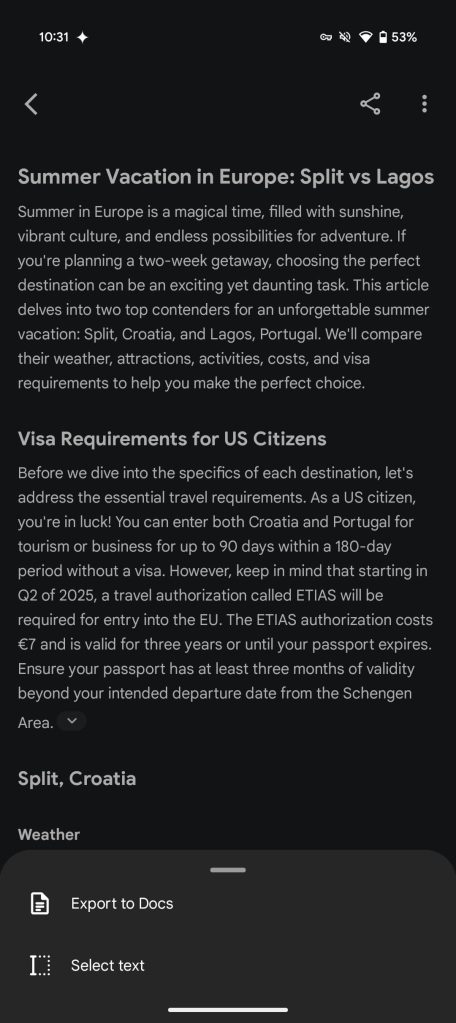
“Deep Research’ is Gemini’s first agentic feature that lets you ask an extended (research) question. Google will offer a multi-step plan that you can granularly customize. After tapping “Start research,” Gemini will take 5-10 minutes on average (“For more complex reports, it may take longer”) to search the web, look through websites, and perform new searches based on what it has learned. This process happens several times. You then get a report organized into sections with sources listed at the bottom.

Gemini Deep Research Android


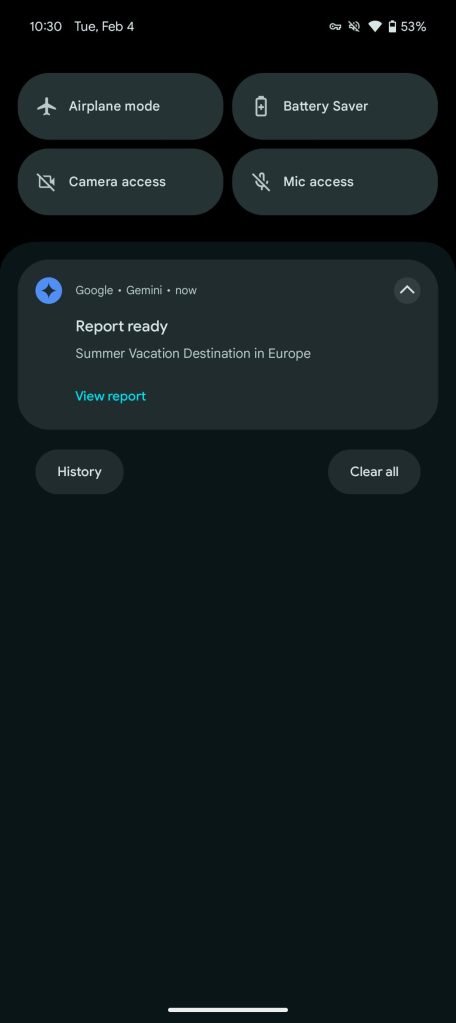
The UI on mobile is pretty similar, with the ability to export to Google Docs afterwards. File upload and Gemini Live are disabled with this model. You can leave the Gemini app as Deep Research is working, with a notification marking completion. It is currently powered by Gemini 1.5 Pro.

Google reiterated that Deep Research was coming to Android when it announced Talk Live about this, multi-Extension prompts, and the Circle to Search redesign. Deep Research was first previewed in August (at Made by Google 2024) and launched in December.

There are limits for “Daily research requests” and “Number of research requests you can run at the same time”:

If you’re close to your limit, Gemini Apps notifies you how many research requests are left for the day.

As of Tuesday morning, we’re seeing Gemini Deep Research widely rolled out on Android. It’s not yet available in the iOS app, with a Gemini Advanced subscription required. This follows 2.0 Flash widely rolling out to the mobile app yesterday.

Gemini Deep Research Android
Gemini-Deep-Research-Android-5.jpg
Gemini Deep Research Android
 

limmk

High Supremacy Member
Joined
Jul 5, 2001
Messages
41,216
Reaction score
8,166


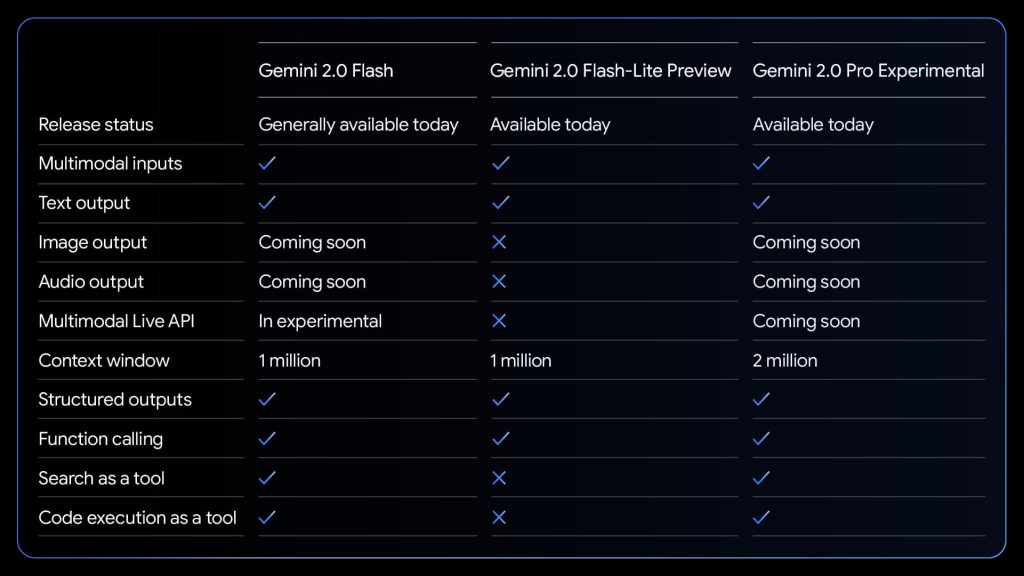
Google is following the consumer launch of 2.0 Flash with new preview models that will be available to test in the Gemini app: 2.0 Pro Experimental and 2.0 Flash Thinking Experimental.

Gemini 2.0 Pro Experimental​

In December, Google started testing 2.0 Experimental Advanced (gemini-exp-1206) alongside the Flash preview. Many assumed it would launch in the Pro family, and Google today released an updated model with Gemini 2.0 Pro Experimental.

Google says 2.0 Pro Experimental is its “best model yet for coding performance and complex prompts.” It also has “better understanding and reasoning of world knowledge, than any model we’ve released so far.”

For the Gemini API, there’s a 2 million token context window that “enables it to comprehensively analyze and understand vast amounts of information.” In Gemini Advanced today, you’ll get 1 million like before.

Gemini Advanced subscribers ($19.99 per month) will be able to preview 2.0 Pro Experimental on the web and mobile app. It’s rolling out starting today to the Gemini app (already live on the web), and also available for developers (Google AI Studio + Vertex AI).

Gemini-2.0-Flash-Pro-benchmarks.jpg

Gemini 2.0 Flash Thinking Experimental​

Google debuted its first thinking model in December, and updated it last month in AI Studio. Gemini 2.0 Flash Thinking Experimental will be available to test in the Gemini app for free.

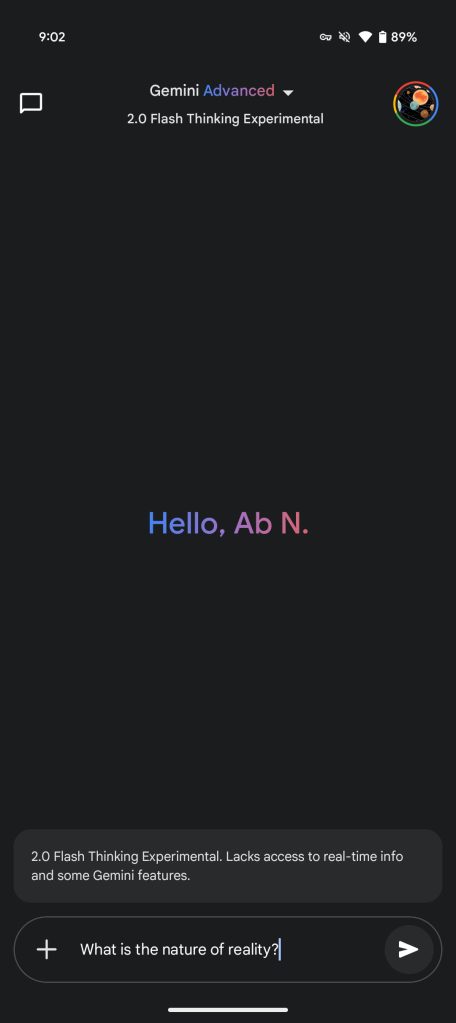
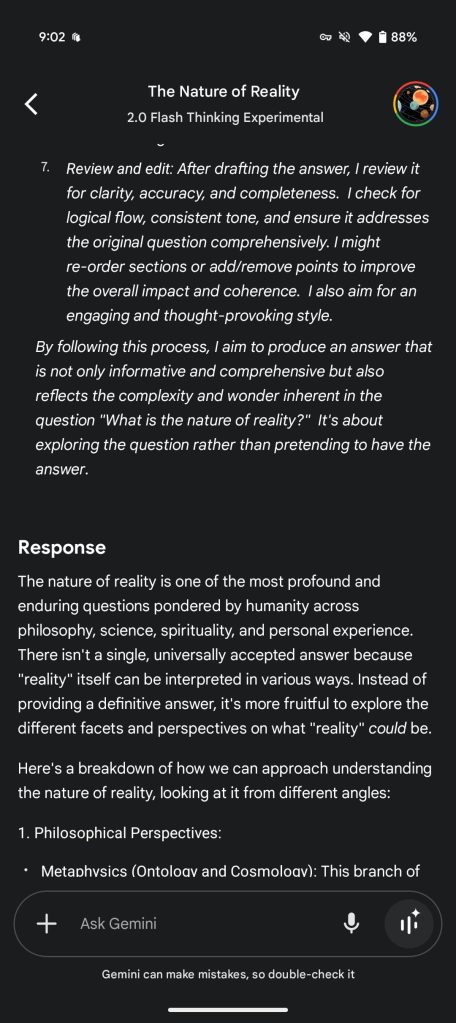
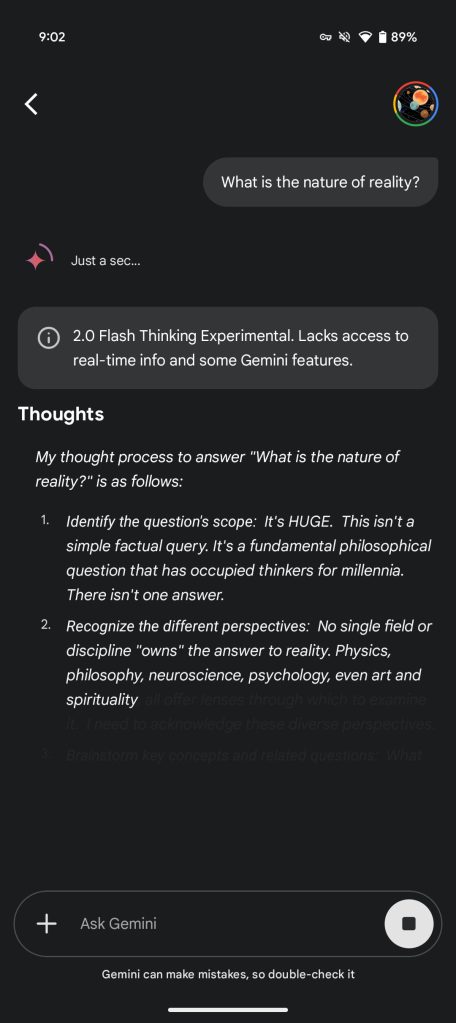
Featuring the speed and performance of 2.0 Flash, Google says this “model is trained to break down prompts into a series of steps to strengthen its reasoning capabilities and deliver better responses.” You can see that in real-time in the UI:

2.0 Flash Thinking Experimental shows its thought process so you can see why it responded in a certain way, what its assumptions were, and trace the model’s line of reasoning.


Meanwhile, Google is also making available a second version “2.0 Flash Thinking Experimental with apps” that can reason/“interact with apps like YouTube, Search and Google Maps.”

These connected apps already make the Gemini app a uniquely helpful AI-powered assistant, and we’re exploring how new reasoning capabilities can combine with your apps to help you do even more.

This is also rolling out now to all Gemini web and mobile app users.

gemini-2-0-pro-flash-thinking-experimental-app.jpg


Other announcements today:

Gemini 2.0 Flash has hit general availability (GA) for developers building apps and features with Google’s API. Pricing details are available here. Image generation and text-to-speech capabilities are “coming soon.”

The company also shared that the 2.0 family was “built with new reinforcement learning techniques that use Gemini itself to critique its responses.”

This resulted in more accurate and targeted feedback and improved the model’s ability to handle sensitive prompts, in turn.

Google today announced the cost-efficient Gemini 2.0 Flash-Lite model for developers. It is better than 1.5 Flash across a majority of benchmarks, while maintaining the speed and cost that devs have come to appreciate. It’s available in public preview through Google AI Studio and Vertex AI.

Like 2.0 Flash, it has a 1 million token context window and multimodal input. For example, it can generate a relevant one-line caption for around 40,000 unique photos, costing less than a dollar in Google AI Studio’s paid tier.

Gemini-2.0-Experimental-Feb-2025.jpg
 

limmk

High Supremacy Member
Joined
Jul 5, 2001
Messages
41,216
Reaction score
8,166


Edits generated by the Pixel 9’s Reimagine feature inside the Google Photos Magic Editor will now be watermarked with SynthID.

SynthID (from Google DeepMind) adds a digital watermark to AI-generated content, including images, videos, music, and text, without compromising quality. It’s not visible to people, but detectable by features like “About this image” in Circle to Search and Google Lens. Imagen already uses it.

When you make generative AI edits (e.g., change the background or add elements) to pictures with Reimagine on the Pixel 9, Google Photos will embed the SynthID watermark. The safety feature is rolling out this week.

However, Google warns that some Reimagine edits “may be too small for SynthID to label and detect.” An example of this is changing the “color of a small flower in the background of an image.”

This joins how Magic Editor, Magic Eraser, and Zoom Enhance already add IPTC metadata to their outputs. Back in October, the Google Photos Details sheet was updated with an “AI info” section that identifies whether a work was “Edited using Generative AI” or a “Composite of captured elements” (like Best Take or Add Me).

Looking ahead, Google is looking into work from the Coalition for Content Provenance and Authenticity (C2PA).
 

limmk

High Supremacy Member
Joined
Jul 5, 2001
Messages
41,216
Reaction score
8,166


Following the web, the Gemini app on Android and iOS are starting to get access to 2.0 Flash Thinking Experimental and 2.0 Pro Experimental (if you’re an Advanced subscriber).

Gemini 2.0 Flash Thinking Experimental is Google’s reasoning model that shows its thoughts. It was introduced in December and updated in January. Built on 2.0 Flash’s speed and performance, Gemini breaks down the prompt into steps that you can see.

On desktop, you’ll see: Show thinking, Identify the question’s scope, Recognize the different perspectives, Brainstorm key concepts and related questions, Structure the answer, Refine and Elaborate within each section, Consider adding nuance and caveats, Review and edit.

In the mobile app, it’s a simpler “Thoughts” section followed by the “Response.”

gemini-app-2-0-flash-thinking-experimental-a.jpg
gemini-app-2-0-flash-thinking-experimental-b.jpg
gemini-app-2-0-flash-thinking-experimental-c.jpg


The Gemini app shows this in real-time, with users able to see the streaming text (though it comes in faster than you can read). This lets you understand “why it responded in a certain way, what its assumptions were, and trace the model’s line of reasoning.” You can also tap the chevron to hide it. As a preview, it “lacks access to real-time info and some Gemini features.”

2.0 Flash Thinking Experimental will be available for free users, and we’re seeing it on several Android devices today.

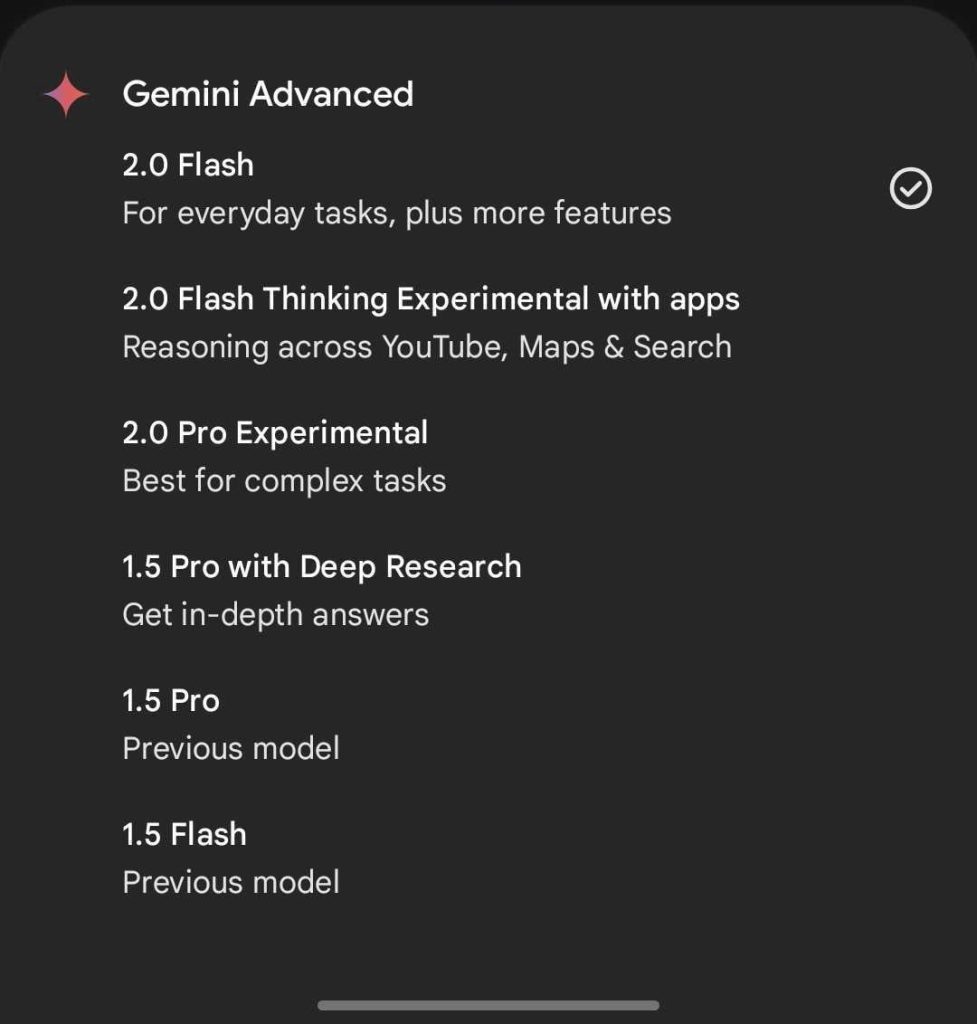
Google also announced Gemini 2.0 Flash Thinking Experimental with apps for “reasoning across Google apps.” It “works best” with YouTube, Maps, and Search,” while some Gemini features are not available. For comparison, the main model is “best for multi-step reasoning.”

On mobile, some people are seeing “with apps” instead of 2.0 Flash Thinking Experimental.

Gemini-2.0-Flash-Thinking-Experimental-with-apps-1.jpg


Meanwhile, Gemini 2.0 Pro Experimental (gemini-2.0-pro-exp-02-05) has “better understanding and reasoning of world knowledge” than any of Google’s previous models. It’s said to be ideal for complex and coding prompts.

In Gemini Advanced, there’s a 1 million token context window, but the developer API offers 2 million. At this stage, it “lacks access to real-time info and some Gemini features.” As the rollout continues, paid subscribers appear to be getting the new models ahead of free accounts.

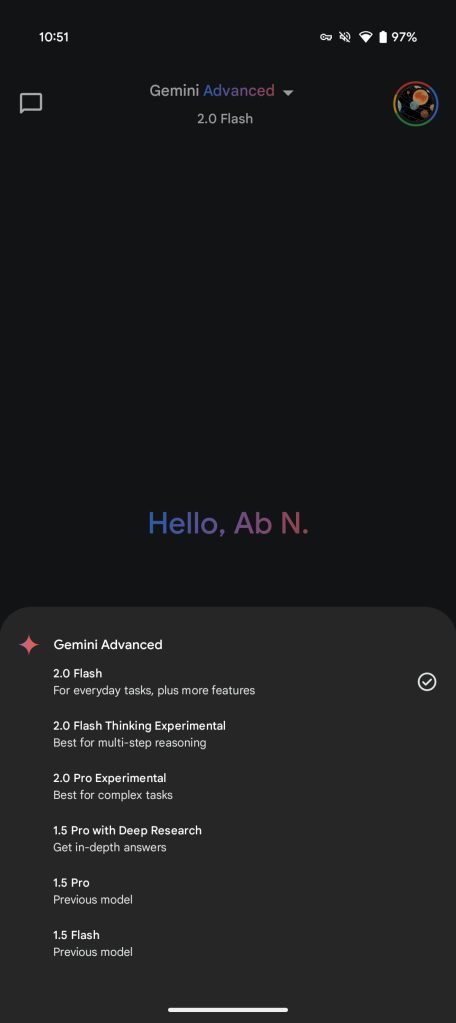
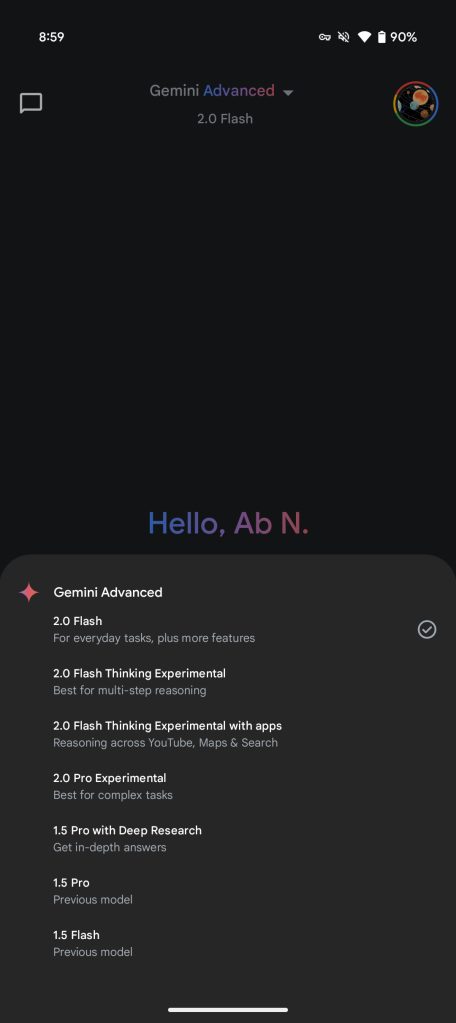
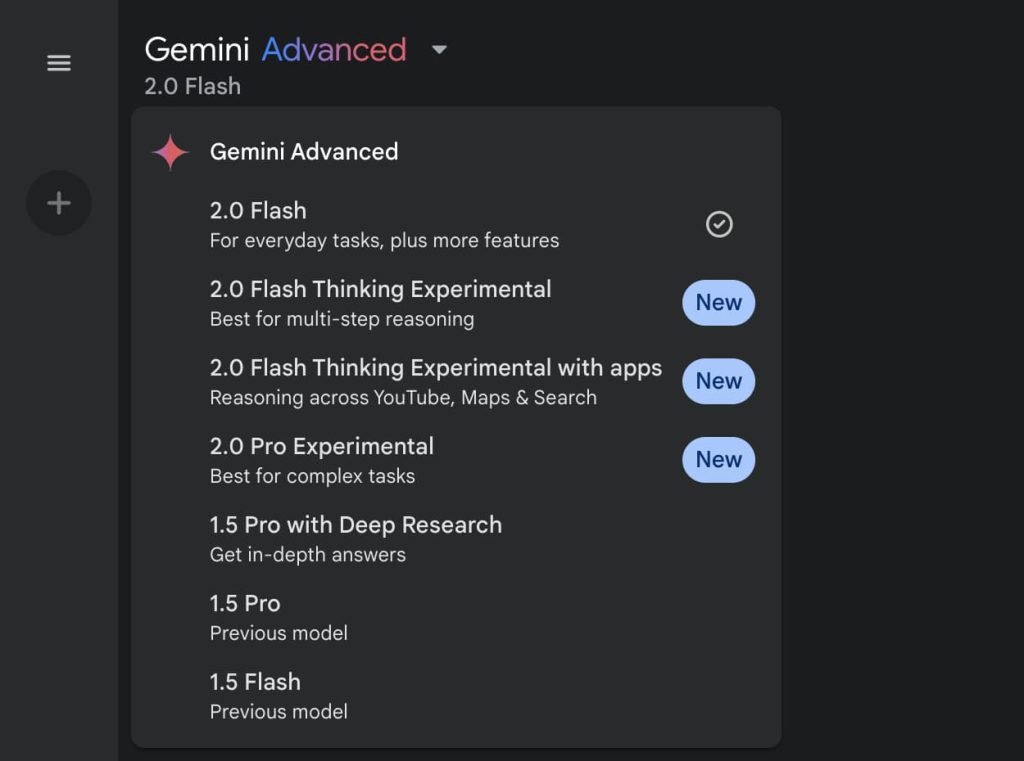
At the end of the day, the Gemini app model picker will offer:

  • 2.0 Flash: For everyday tasks
  • 2.0 Flash Thinking Experimental: Best for multi-step reasoning
  • 2.0 Flash Thinking Experimental with apps: Reasoning across YouTube, Maps & Search
  • 2.0 Pro Experimental: Best for complex tasks
  • 1.5 Pro with Deep Research: Get in-depth answers
  • 1.5 Pro: Previous model
  • 1.5 Flash: Previous model
Old vs. new
gemini-app-Feb-2025-models.jpg
gemini-app-2-0-flash-thinking-2-0-pro-experimental.jpg
 

limmk

High Supremacy Member
Joined
Jul 5, 2001
Messages
41,216
Reaction score
8,166


Following the announcement last Wednesday, Gemini 2.0 Flash Thinking Experimental and 2.0 Pro Experimental are seeing wider availability in the Android and iOS apps.

Gemini 2.0 Flash is the stable model that serves as Google’s default offering.

The company is now letting everyone test Gemini 2.0 Flash Thinking Experimental. What’s new is how this model shows its thoughts after you enter a prompt. Gemini cycles through: Show thinking, Identify the question’s scope, Recognize the different perspectives, Brainstorm key concepts and related questions, Structure the answer, Refine and Elaborate within each section, Consider adding nuance and caveats, Review and edit.

Google launched its first reasoning model in December and released an update in January for developers.

gemini-app-2-0-flash-thinking-experimental-a.jpg
gemini-app-2-0-flash-thinking-experimental-b.jpg
gemini-app-2-0-flash-thinking-experimental-c.jpg


On mobile, you get a “Thoughts” section, with the expected “Response” appearing afterwards. Built on 2.0 Flash’s speed and performance, you can see the streaming text in real-time, though it comes in faster than you can read. As a preview model, it “lacks access to real-time info and some Gemini features.”

Meanwhile, Google also released Gemini 2.0 Flash Thinking Experimental with apps for “reasoning across Google apps,” like YouTube, Maps, and Search. This gets you more information, with the primary model “best for multi-step reasoning.”

Both are available to all for free, and we’re seeing it widely rolled out today in Gemini for Android and iOS, which got a small update today.

If you’re an Advanced subscriber, you’ll now see Gemini 2.0 Pro Experimental (gemini-2.0-pro-exp-02-05). It’s aimed at complex and coding prompts, with “better understanding and reasoning of world knowledge” than any previous Google model. It has the same 1 million token context window as before, while also lacking real-time info at this stage.

Old vs. new

gemini-app-Feb-2025-models.jpg
Gemini 2.0 experimental models app


The current lineup is:

  • 2.0 Flash: For everyday tasks
  • 2.0 Flash Thinking Experimental: Best for multi-step reasoning
  • 2.0 Flash Thinking Experimental with apps: Reasoning across YouTube, Maps & Search
  • 2.0 Pro Experimental: Best for complex tasks
  • 1.5 Pro with Deep Research: Get in-depth answers
  • 1.5 Pro: Previous model
  • 1.5 Flash: Previous model
 

limmk

High Supremacy Member
Joined
Jul 5, 2001
Messages
41,216
Reaction score
8,166


As announced last month, the Google Home Gemini Extension is no longer in preview and widely available. This stable rollout took a few weeks.

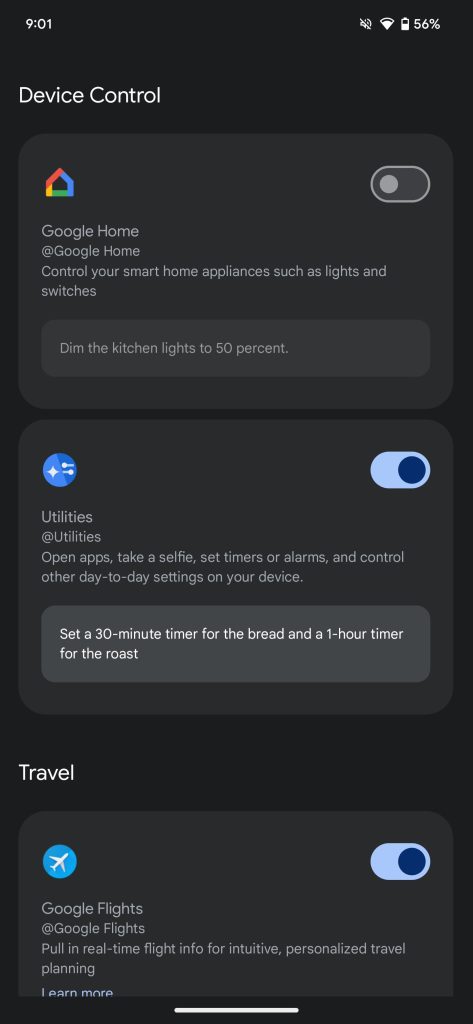
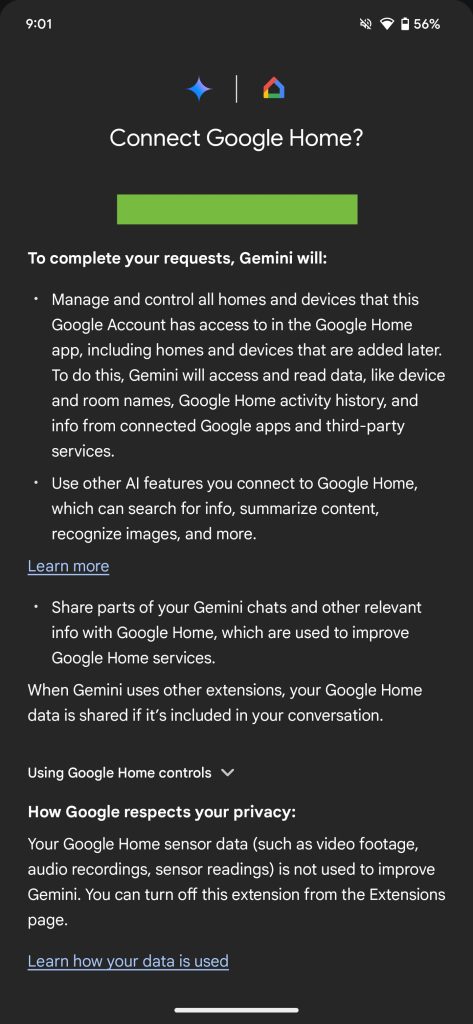
You can manually enable it in the Gemini app on Android and iOS by tapping your profile avatar in the top-right corner and going to Extensions. Scroll down for “Device Control” where you’ll see @google Home without the green preview badge. Tap the toggle to enable and agree to “Connect Google Home.”

This Gemini Extension has been in testing through the Google Home Public Preview for the past few months. In going stable, this integration now lets you control lights and other non-sensitive devices from your lockscreen without unlocking. Sensitive controls will direct you to the Google Home app. It can also now adjust the volume, pause, and resume media on entertainment devices, while the thermostat tile now matches the Home app.

@google Home allows for natural and complex queries like:

  • “Turn on all the living room lights except the armchair light.”
  • “Actually, turn the armchair light on too, but dim the kitchen lamp.”
  • “Is the back porch light still on?”
Google Home Gemini Extension

Supported capabilities and example commands appear below:


Lights

  • Turn on/off [light name].
  • Turn on/off all of the lights.
  • Turn my [room name] lights on/off.
  • Dim the [light name].
  • Dim the [room name] lights.
  • Brighten the [light name].
  • Set [light name] to 50%.
  • Turn [light name] green.
Switches or outlets

  • Turn on/off [outlet name].
  • Turn on/off [switch name].

Thermostats​

Turn on or off
  • Turn on heating/cooling mode.
  • Turn on heat-cool mode.
  • Turn off thermostat.
Set or adjust the temperature

  • Set the heat to [temperature].
  • Set heat-cool to [temperature].
  • Set the air conditioning to [temperature].
  • Set the [room name] thermostat to [temperature].
  • Make it warmer/cooler.
  • Raise/lower the temp.
  • Raise/lower the temp by 2 degrees.
Switch heating or cooling modes

  • Turn on heating/cooling.
  • Set thermostat to cooling/heating.
  • Turn thermostat to heat-cool mode.

Fans, heaters & A/C units​

  • Turn on/off [fan, heater, A/C, device name].
  • Increase the temperature on my heater
  • Increase/decrease the fan speed

Control window coverings​

  • Open/close [curtain name]
  • Open/close [blinds name]
  • Open/close [shutters name]

Control media devices​

  • Turn on/off [TV name]
  • Turn volume up/down on [TV name, speaker name]
  • Pause/resume [TV name, speaker name]

Control other smart home devices​

Other devices, like a vacuum, washer, coffee maker & more
  • Start [device name]
  • Stop [device name]
  • Vacuum the [room]
  • Turn on/off [device name]
 
Important Forum Advisory Note
This forum is moderated by volunteer moderators who will react only to members' feedback on posts. Moderators are not employees or representatives of HWZ Forums. Forum members and moderators are responsible for their own posts. Please refer to our Community Guidelines and Standards and Terms and Conditions for more information.
Top