M4 Mac mini

erwinrommel

High Supremacy Member
Joined
Sep 30, 2007
Messages
27,787
Reaction score
3,100
Do u need so much disk space? I got the based model. Still got a lot of disk space left as i use an external ssd to store my personal data. I can use the ssd with my laptop too.
As a reference, my M4 MBP 512gb ssd uses up about 140 GB space, and that includes 70GB of basic work data. All other data, photos and videos and personal stuff are on external storage.

This means i am using about 70GB for OS, apps etc. So if i am using 256gb as storage, i will have only about 180 gb of storage space left if i don't keep any work documents in there. Everything must be quickly moved to external ssd.
 

rosschang

Master Member
Joined
Sep 3, 2007
Messages
4,833
Reaction score
1,627
As a reference, my M4 MBP 512gb ssd uses up about 140 GB space, and that includes 70GB of basic work data. All other data, photos and videos and personal stuff are on external storage.

This means i am using about 70GB for OS, apps etc. So if i am using 256gb as storage, i will have only about 180 gb of storage space left if i don't keep any work documents in there. Everything must be quickly moved to external ssd.
thats why I'd said at least need 512.

if got $$$ why not 1TB... but no more than that la...
 

twosix

High Supremacy Member
Joined
Nov 27, 2000
Messages
28,469
Reaction score
8,136
As a reference, my M4 MBP 512gb ssd uses up about 140 GB space, and that includes 70GB of basic work data. All other data, photos and videos and personal stuff are on external storage.

This means i am using about 70GB for OS, apps etc. So if i am using 256gb as storage, i will have only about 180 gb of storage space left if i don't keep any work documents in there. Everything must be quickly moved to external ssd.
256 -140 u still have 100GB+ left. dun be a sucker and pay apple tax, although i dun mind as a aapl share holder.
 

erwinrommel

High Supremacy Member
Joined
Sep 30, 2007
Messages
27,787
Reaction score
3,100
thats why I'd said at least need 512.

if got $$$ why not 1TB... but no more than that la...
If you edit a lot of photos and videos, i think 512gb is bare minimum. Will easily exceed.
256 -140 u still have 100GB+ left. dun be a sucker and pay apple tax, although i dun mind as a aapl share holder.
Technically still can use 256gb as storage if I don't edit videos or photos or store a lot of stuff. And then it will have to be always connected to an external storage. Can be a deal breaker if it is a macbook as it is portable.

Luckily the 14" M4 MBP comes with 16gb ram and 512gb ssd as standard.

My two nephews are students and are using MBA M1 8gb ram 256 gb ssd and most of their work is in the cloud. Occasionally they will use imovie and Photos for multimedia edit before uploading into NAS. So it is still ok for them.
 

twosix

High Supremacy Member
Joined
Nov 27, 2000
Messages
28,469
Reaction score
8,136
If you edit a lot of photos and videos, i think 512gb is bare minimum. Will easily exceed.

Technically still can use 256gb as storage if I don't edit videos or photos or store a lot of stuff. And then it will have to be always connected to an external storage. Can be a deal breaker if it is a macbook as it is portable.

Luckily the 14" M4 MBP comes with 16gb ram and 512gb ssd as standard.

My two nephews are students and are using MBA M1 8gb ram 256 gb ssd and most of their work is in the cloud. Occasionally they will use imovie and Photos for multimedia edit before uploading into NAS. So it is still ok for them.
Not everyone do video editing.

I am using 256gb and doing some video editing for my holiday trips using davinci resolve. 256gb is more than enough. After I'm done, i will upload to yt and backup the videos to an external disk. It's all down to housekeeping.
 

twosix

High Supremacy Member
Joined
Nov 27, 2000
Messages
28,469
Reaction score
8,136
If u have the dough, just go for it.

Look at apple store on 1Jan, full of people. Haha.

20250101-155250.jpg
 

reddevil0728

Great Supremacy Member
Joined
Dec 16, 2005
Messages
65,632
Reaction score
5,663
thats why I'd said at least need 512.

if got $$$ why not 1TB... but no more than that la...
Of course if got money anything works.

but 256 is perfectly ok depending on use case.

no such thing as minimally need 512
 

kamsani0

Banned
Joined
Mar 9, 2002
Messages
3,747
Reaction score
1,624
This powerful Mac mini should last a long time before needing a change of hardware upgrade.

512GB should be good enough. 256 is just getting by.

Files/apps work much faster locally than via external storage.

In time, internal storage will fill up without knowing.
 

stupidog

Arch-Supremacy Member
Joined
Feb 15, 2005
Messages
23,223
Reaction score
10,181
my m1 mac mini base storage 256gb lasted me for 3.2 years

was using it with 2 x 4TB SSD Thunderbolt drives. So no issues with base storage.

still waiting for it to spoil lol

for the time being, i am using my m4 pro mbp 1tb to replace my m1 mac mini
(already disconnected the mac mini and chugged it aside)
 

anthonygreenisreal

Arch-Supremacy Member
Joined
Oct 2, 2014
Messages
13,798
Reaction score
7,466
my m1 mac mini base storage 256gb lasted me for 3.2 years

was using it with 2 x 4TB SSD Thunderbolt drives. So no issues with base storage.

still waiting for it to spoil lol

for the time being, i am using my m4 pro mbp 1tb to replace my m1 mac mini
(already disconnected the mac mini and chugged it aside)
my M1 mac mini still alive and kicking also. Just the HDMI port mysteriously stopped working half a year ago.
 

Kunkka

Great Supremacy Member
Joined
Sep 12, 2013
Messages
67,382
Reaction score
22,374
Anyone upgrade ram? My swap use on my mb high even at 16gb
 

yusoffb01

Arch-Supremacy Member
Joined
Jun 17, 2008
Messages
16,660
Reaction score
1,693
Curious abt this, does spending. 300 extra for 512 storage worth it? Or u guys jus get the based n get external m2 ssd?
if 16GB base ram is enough, just install OS to external SSD from recovery (press and hold power button).

DexKMUR.png


No noticeable slowdown using the OS from external ssd
 
Last edited:

twosix

High Supremacy Member
Joined
Nov 27, 2000
Messages
28,469
Reaction score
8,136
if 16GB base ram is enough, just install OS to external SSD from recovery (press and hold power button).

DexKMUR.png


No noticeable slowdown using the OS from external ssd
good idea but not many dare to do this. Just use external ssd if one is short of internal storage, no need to move OS to external ssd too imo.
 

Op_Valkyrie

Arch-Supremacy Member
Joined
Nov 9, 2009
Messages
13,167
Reaction score
1,309
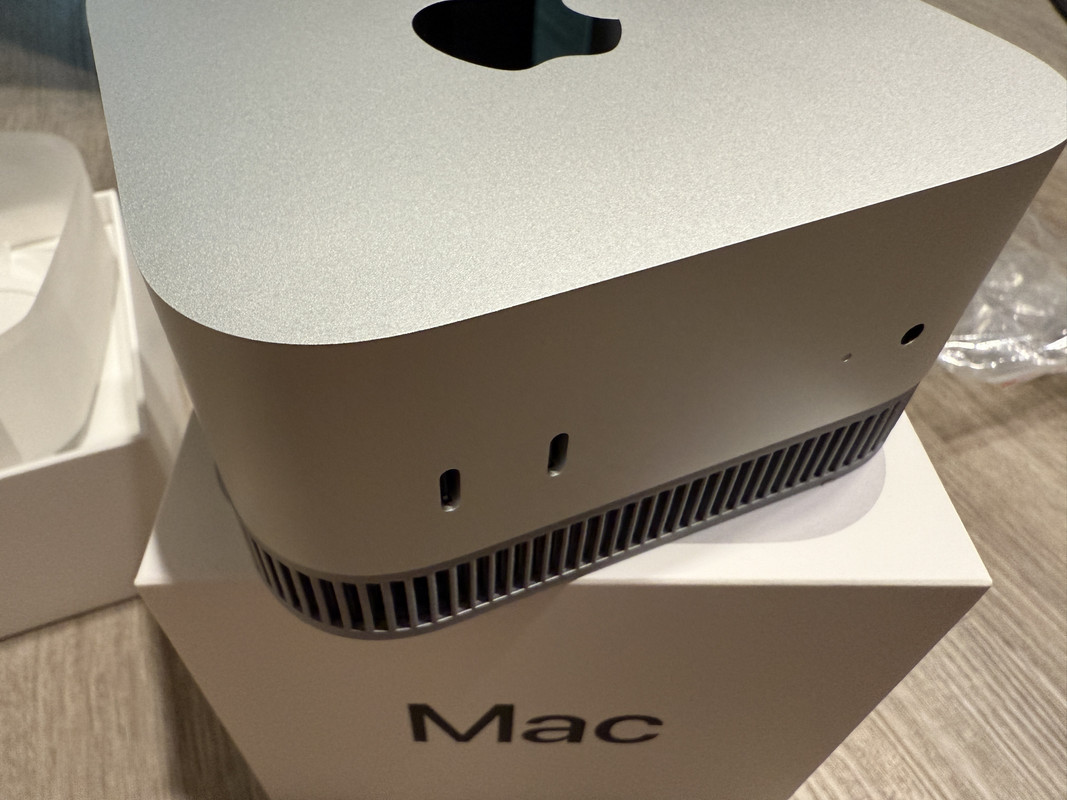
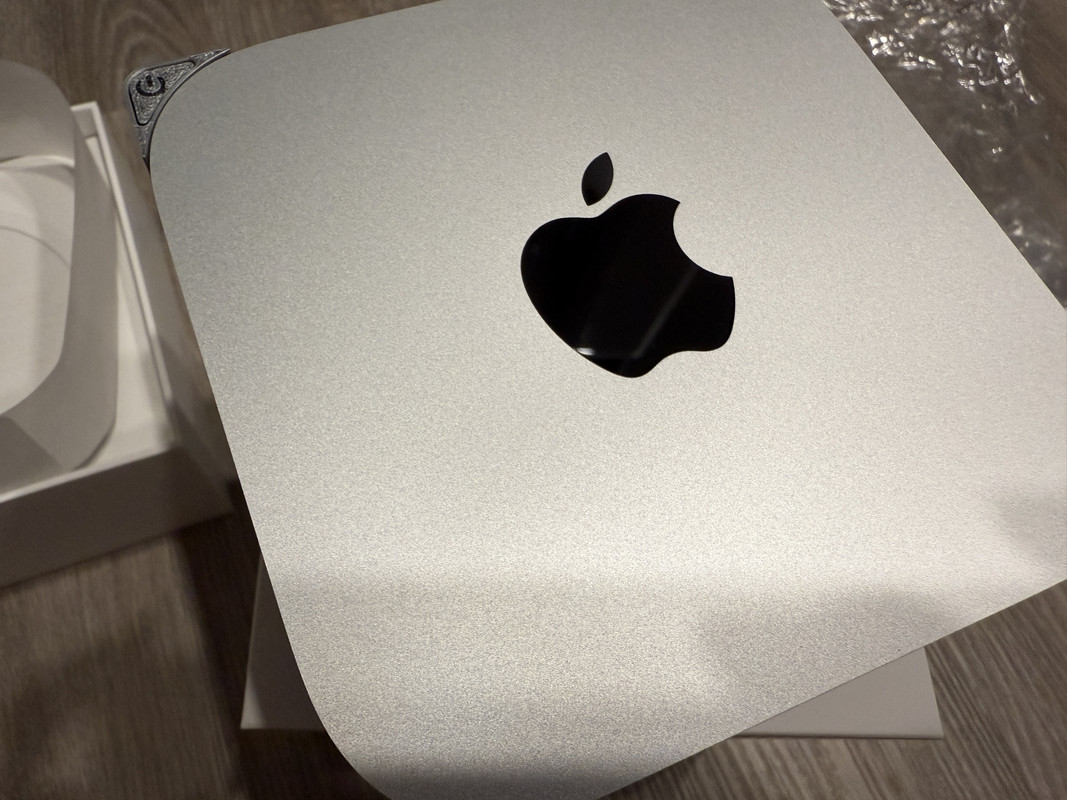
Got a 3D printed elevated air vent plus power button relocated. Cheap and good buy for my mini M4 pro!

9-FE4226-D-BAC4-4-D1-F-9601-FF0-C627-C1-F49.jpg


IMG-3059.jpg


IMG-3060.jpg
 

watzup_ken

High Supremacy Member
Joined
Nov 21, 2003
Messages
25,671
Reaction score
2,122
For Mac Mini M4/ M4 Pro, just do the below. You can storage and install apps to your external storage. For the money you save from upgrading from 256 to 512 GB, you can get a good external USB C 3.2 Gen 2 SSD on Amazon for example.


Given that the system is pretty much on your work desk, having an external storage sticking out doesn't really matter as much. If one is looking to buy like a MacBook Air/ Pro, then I would strongly encourage to try and upgrade the storage by a tier.
 
Important Forum Advisory Note
This forum is moderated by volunteer moderators who will react only to members' feedback on posts. Moderators are not employees or representatives of HWZ Forums. Forum members and moderators are responsible for their own posts. Please refer to our Community Guidelines and Standards and Terms and Conditions for more information.
Top