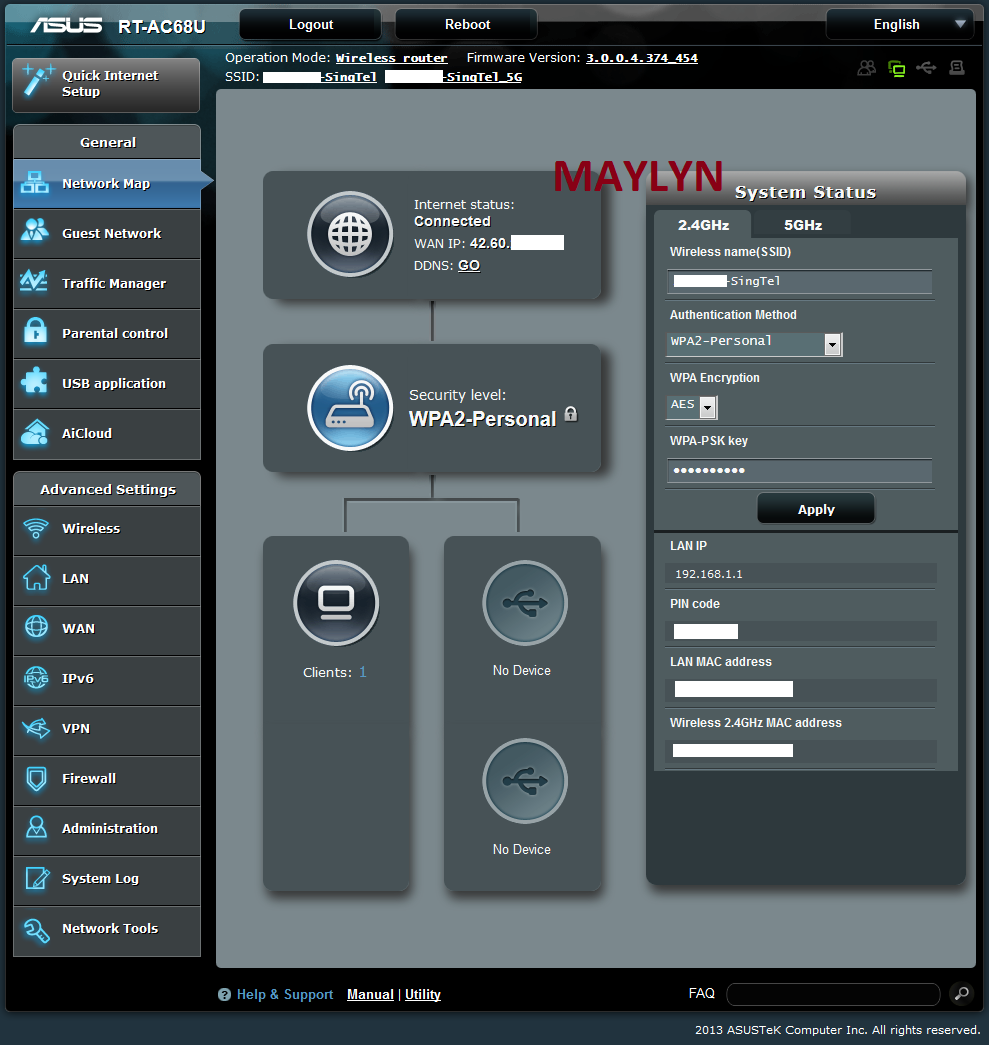
[Maylyn's Preview ~ Networking] ASUS RT-AC68U

maylyn

Master Member
Joined
Jul 12, 2007
Messages
4,861
Reaction score
77
ASUS RT-AC68U Firmware version 3.0.0.4.374.454

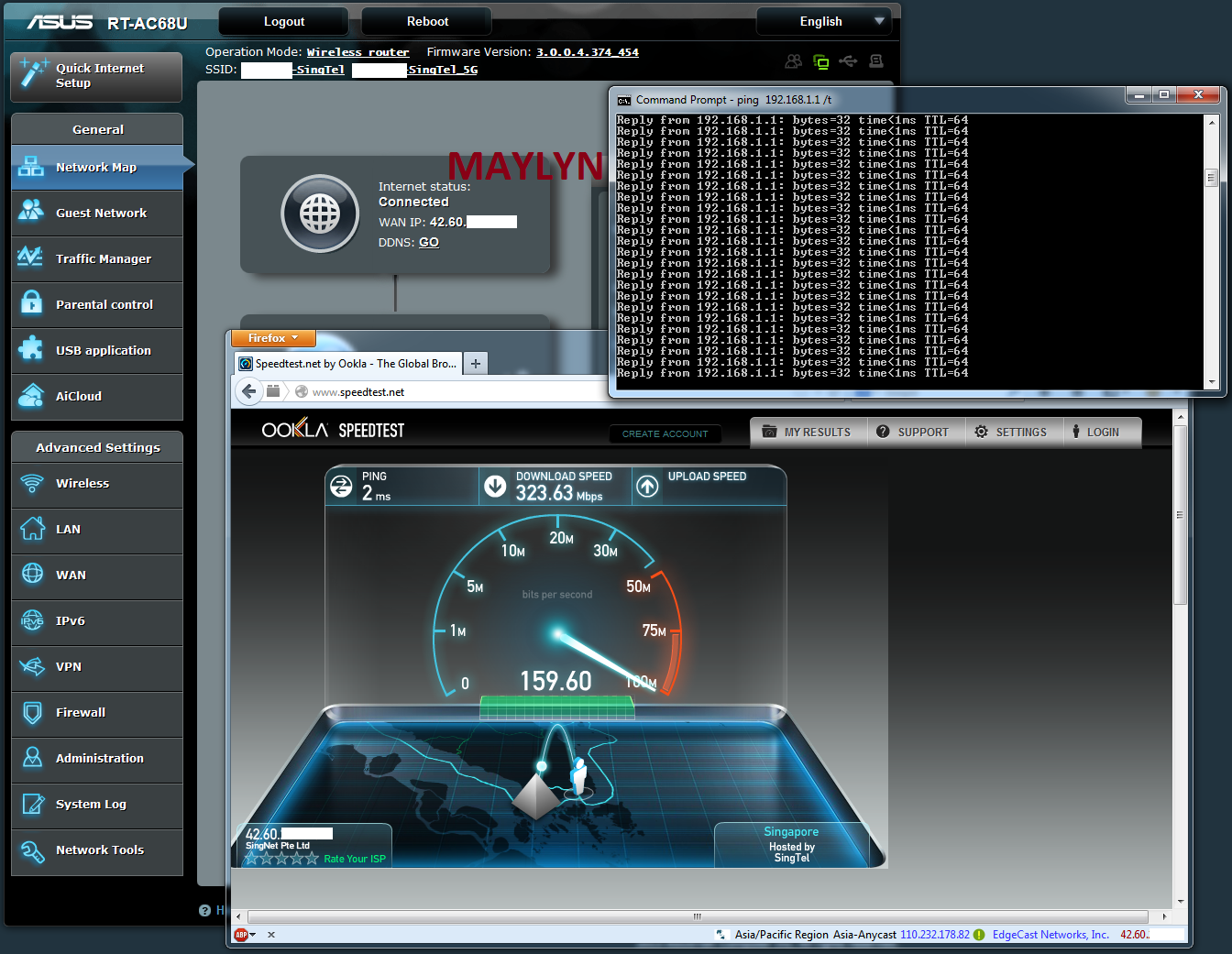
Scoring world's first on ASUS RT-AC68U running on 3.0.0.4.374.454 firmware posting :s13:


Wired speed is fantastic :p can't even make the ASUS RT-AC68U sweat even pinging back to the router continuously.

I'm feeling good about this firmware with Viewqwest IPv6, fingers crossed :D let me hook it up with my Viewqwest Fiber connection to try it out shortly. still loving the Ubiquiti ERL a little bit more :p
 
Last edited:

maylyn

Master Member
Joined
Jul 12, 2007
Messages
4,861
Reaction score
77
Hi maylyn, just to say thanks for your updates on this thread! I've been watching this thread since I got my router in September, and have finally done my first firmware flash (RT-AC68U_3.0.0.4_374.35_4), and its wonderful!! Thank you!

You're welcome, do feel free to post any observations (good or bad) :s13: when updating to a newer firmware. RMerlin should be releasing a newer ASUSWRT-Merlin firmware soon based on the newer Broadcom SDK.
 
Last edited:

maylyn

Master Member
Joined
Jul 12, 2007
Messages
4,861
Reaction score
77
The ASUS RT-AC68U Firmware 3.0.0.4.374.454 is out ^^

ASUS RT-AC68U Firmware version 3.0.0.4.374.454 - 11/12/2013 update

Fixed:

1. Improved 2.4Ghz speed.
2. Fixed OpenVPN manual client setting UI issues.
3. Changed Time machine and VPN client FAQ URL link.
4. Fixed port forwarding issues in dual wan load balanced mode.
5. Fixed dual wan UI issues.
6. Updated descriptions in VPN server.
7. Fixed VPN client unable to get DNS response issue.

IPv6

1. Allowed LAN stateful auto configuration while DHCP-PD enabled.
2. Fixed DHCPv6 related issues.

Add:

1. Added RSSI/PSM/SGI/STBC information in wireless log.

Direct download link ~> http://dlcdnet.asus.com/pub/ASUS/wireless/RT-AC68U/FW_RT_AC68U_3004374454.zip
 
Last edited:

maylyn

Master Member
Joined
Jul 12, 2007
Messages
4,861
Reaction score
77
Connected to the Internet via the ASUS PCE-AC68 on ASUS RT-AC68U running on 3.0.0.4.374.454 firmware

5GHz 1300Mbps terror ;) :D a force to be reckon with and put the AV2 homeplugs to shame :s8: Although i'm using the AV2 homeplugs .... as well :s13: maybe it's time to do a media bridging to try it out.

 
Last edited:

mikecjw

Member
Joined
Jun 17, 2009
Messages
278
Reaction score
0
Thanks Maylyn for the update. I had update my router to ASUS RT-AC68U Firmware version 3.0.0.4.374.454. Looking great !!!
 

bkling1

Member
Joined
Dec 27, 2004
Messages
381
Reaction score
1
Need help here. I am using Asus Z87 deluxe with WiFiGo 24/5G built in. Just bought the Asus 68U yesterday and flashed with .454 firmware. I can only connect to 24Ghz wifi network but totally no luck on the 5g even though my computer wifi network can detect it with almost full green bar. The 24Ghz is also very slow like crawling with around 3mbps down and upload speed. I am not sure whether it is due to Windows 8 or driver problem. Anyone can give some tips.? By the way, I have also flashed the ram to higher clock speed by using Asus utility software.
 
Last edited:

sg_rangers

Member
Joined
May 23, 2009
Messages
155
Reaction score
28
Need help here. I am using Asus Z87 deluxe with WiFiGo 24/5G built in. Just bought the Asus 68U yesterday and flashed with .454 firmware. I can only connect to 24Ghz wifi network but totally no luck on the 5g even though my computer wifi network can detect it with almost full green bar. The 24Ghz is also very slow like crawling with around 3mbps down and upload speed. I am not sure whether it is due to Windows 8 or driver problem. Anyone can give some tips.? By the way, I have also flashed the ram to higher clock speed by using Asus utility software.

did u install the antenna for your motherboard?
 

maylyn

Master Member
Joined
Jul 12, 2007
Messages
4,861
Reaction score
77
Need help here. I am using Asus Z87 deluxe with WiFiGo 24/5G built in. Just bought the Asus 68U yesterday and flashed with .454 firmware. I can only connect to 24Ghz wifi network but totally no luck on the 5g even though my computer wifi network can detect it with almost full green bar. The 24Ghz is also very slow like crawling with around 3mbps down and upload speed. I am not sure whether it is due to Windows 8 or driver problem. Anyone can give some tips.? By the way, I have also flashed the ram to higher clock speed by using Asus utility software.

Are you using the latest ASUS Z87 Deluxe wireless drivers? if not please update it accordingly and try again ;)

Latest version as shown

Wi-Fi Driver V6.32.223.1 for Windows 7 32bit & 64bit.(WHQL)
Wi-Fi Driver V6.31.223.1 for Windows 8 32bit & 64bit.(WHQL)
Wi-Fi Driver V6.30.223.1 for Windows 8.1 32bit & 64bit.(WHQL)

Motherboards - Z87-DELUXE/DUAL

Including this as well :p

did u install the antenna for your motherboard?
 

maylyn

Master Member
Joined
Jul 12, 2007
Messages
4,861
Reaction score
77
Thanks Maylyn for the update. I had update my router to ASUS RT-AC68U Firmware version 3.0.0.4.374.454. Looking great !!!

You're welcome ;) like i always say, do post any observations here or on smallnetbuilder forums (good or bad) so ASUS SG/TW networking peeps can take a look and resolve or improve on if needed.

The firmware isn't 100% perfect but the strong support and commitment from ASUS TW in getting it done is incredible :D

Some sneak leaks on the next generation of the 2014 ASUS routers in the drawing board :p that will offer 160 MHz channel width as well as MU-MIMO :eek: :D

I have some tangible ideas for them as well like coming out dedicated AP units? POE? with injectors or implement onto the ASUS AC68U something similar like Ubiquiti UnFi which allows zero roaming configuration with the ease of use (idiot proof) on centralized management.

Fingers crossed and hope things will work out :p
 
Last edited:

bkling1

Member
Joined
Dec 27, 2004
Messages
381
Reaction score
1
Antenna have been installed and also made sure it has been connected and tighthened.:D

I have not checked on the Asus Z87 firmware yet. Might not be the latest but I have to check.

Thanks


Are you using the latest ASUS Z87 Deluxe wireless drivers? if not please update it accordingly and try again ;)

Latest version as shown

Wi-Fi Driver V6.32.223.1 for Windows 7 32bit & 64bit.(WHQL)
Wi-Fi Driver V6.31.223.1 for Windows 8 32bit & 64bit.(WHQL)
Wi-Fi Driver V6.30.223.1 for Windows 8.1 32bit & 64bit.(WHQL)

Motherboards - Z87-DELUXE/DUAL

Including this as well :p
 

bkling1

Member
Joined
Dec 27, 2004
Messages
381
Reaction score
1
Ok..updated the driver and the 2.4ghz download can hit 23mbps and upload 15mbps. Can detect 5g with full solid green bar but unable to connect in even I made it open without password. I have tried to change the 5G channel from auto to certain specified channel such as 48 etc then manage to make the connection with similar speed as 2.4ghz. Is it normal? By the way, I am using starhub 200 fibre. The PC is inside a room and router is at living probably 5-6m away.
 

ASUS@SG

Suspended
Joined
Jul 26, 2011
Messages
7,579
Reaction score
3
Ok..updated the driver and the 2.4ghz download can hit 23mbps and upload 15mbps. Can detect 5g with full solid green bar but unable to connect in even I made it open without password. I have tried to change the 5G channel from auto to certain specified channel such as 48 etc then manage to make the connection with similar speed as 2.4ghz. Is it normal? By the way, I am using starhub 200 fibre. The PC is inside a room and router is at living probably 5-6m away.

Dear Bkling,

Can you try hard reset your router?

Press & Hold reset button until power LED blinking than release.

You are require to reconfig the router settings.

Make sure both 2.4GHz and 5GHZ SSID not same name.
 

mkaeda

Member
Joined
Jul 23, 2011
Messages
388
Reaction score
0
Hi, does the AC68U not support Singtel Mio VoIP? I connected my phone to LAN3 port and it still doesn't work
 

mkaeda

Member
Joined
Jul 23, 2011
Messages
388
Reaction score
0
Hi, does the AC68U not support Singtel Mio VoIP? I connected my phone to LAN3 port and it still doesn't work

Nevermind, solved it by connecting the old PACE router to LAN3 and using the RJ11 connection from there, it's not pretty but it works I suppose
 

bkling1

Member
Joined
Dec 27, 2004
Messages
381
Reaction score
1
Dear Bkling,

Can you try hard reset your router?

Press & Hold reset button until power LED blinking than release.

You are require to reconfig the router settings.

Make sure both 2.4GHz and 5GHZ SSID not same name.

Hard reset done. the 2.4Ghz and 5Ghz always with different name. Unable to hit more high Mbps. Around 20Mbps and 5Ghz can detect but cannot connect.
 

maylyn

Master Member
Joined
Jul 12, 2007
Messages
4,861
Reaction score
77
Hi, does the AC68U not support Singtel Mio VoIP? I connected my phone to LAN3 port and it still doesn't work

None of the ASUS routers is a SIP device (i.e don't support VOIP) and all of the ports are RJ45, not RJ11 :D

Nevermind, solved it by connecting the old PACE router to LAN3 and using the RJ11 connection from there, it's not pretty but it works I suppose

You can just give SingTel customer support a call to request to move the digital voice directly to the SingTel ONT, there is 2x telephone ports behind the ONT and usually only telephone port 1 is being used so this way you don't even need to use the PACE router.
 

maylyn

Master Member
Joined
Jul 12, 2007
Messages
4,861
Reaction score
77
ASUS RT-AC68U 3.0.0.4.374.454 firmware has been removed from the ASUS support due to some compatibility issues with some client drivers discovered. If you are not experiencing any weird anomalies, you are not required to perform any downgrade to previous version.

See quote

Hi All,

Sorry but this firmware has been pulled from the site due to compatibility issues with some client drivers. Based on positive feedback, this firmware will still be an overall improvement for many people so I am making it available here:

RT-AC68R 3.0.0.4.374.454: https://www.dropbox.com/s/5k0elm85qzz2fon/FW_RT_AC68R_3004374454.trx

RT-AC68U 3.0.0.4.374.454: https://www.dropbox.com/s/m9ithbv2650ozo0/RT-AC68U_3.0.0.4_374_454-g6ed564d.trx

For RT-AC56U owners:
https://www.dropbox.com/s/t7d24x6r6iwfnv5/RT-AC56U_3.0.0.4_374_454-g6ed564d.trx

Development is continuing to work on the firmware so please keep an eye out for the official update.
 

SimonLam

Moderator
Moderator
Joined
Jan 1, 2000
Messages
11,800
Reaction score
0
Hooted my AC68U ... Is it just me that IE11 seems to have issues with the web ui? I plug my coy win7/ie9 laptop to finish setup.
 
Important Forum Advisory Note
This forum is moderated by volunteer moderators who will react only to members' feedback on posts. Moderators are not employees or representatives of HWZ. Forum members and moderators are responsible for their own posts.

Please refer to our Community Guidelines and Standards, Terms of Service and Member T&Cs for more information.
Top