
DELL XPS 17
optical output stops working after installing this driver =(
have u check with the setting on Realtek HDA setting?
DELL XPS 17
optical output stops working after installing this driver =(
i've downloaded the file from the 1st page of the thread.. but when i installed the audio driver, it says 2.62 in the installer instead of 2.65... is that correct?

Download here.
Read the README first.
For the activation part you need to right click the bat script and run as admin.


Sorry more noob questions from me. After installation, I could not run all those creative settings (no creative card detected) BUT I could enable THX from the creative control panel and enable all the settings inside there.
So just enable all and this is deemed working? Not really sure if I could hear any differences from my speakers
No. Microsoft changed Driver Architecture from Windows Xp to Vista(That was why there was so many complains on Vista Sucks but it is not really true) so not it will not work.Can use this on XP
Sorry more noob questions from me. After installation, I could not run all those creative settings (no creative card detected) BUT I could enable THX from the creative control panel and enable all the settings inside there.
So just enable all and this is deemed working? Not really sure if I could hear any differences from my speakers
i`ve maybe got a problem with the TruStudio.
this is what SB Panel says
SB X-Fi MB2 (Realtek High Defintition Audio)
this is what TruStudio said, if i tried to select a device
(no device found)
the SW-Lock files
CTD1JXF23A
CTD3SPO23G
CTD5H2W3DK
CTL42SW23M
CTL52C6FE2
CTLD2JX234
CTLD14KLI5
CTLE2C3BA1
CTLP22SV21
CTT78HSK12
CTT92KD23N
i still can do all settings on Control Panel, Console Launcher and TruStudio.
Hardware
Realtek 892 on AsRock 970Extreme4, OS is Win7 x64.
I did the activation in Windows and save mode.
So this is correct that i can do all settings, but TruStudio dont find a device?
I don't think TruStudio is working what is confirmed working is SoundBlaster Panel detects the correct device.
my TruStudio is working fine
Do you have the tick on the trustudio? Like the Crystaliser?
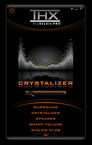
like this ? ^^
No you must have the tick and the section activated when you right click on the sound blaster icon on the systray.
Just like the X-Fi CMSS-3D and the X-Fi Crystalizer.


