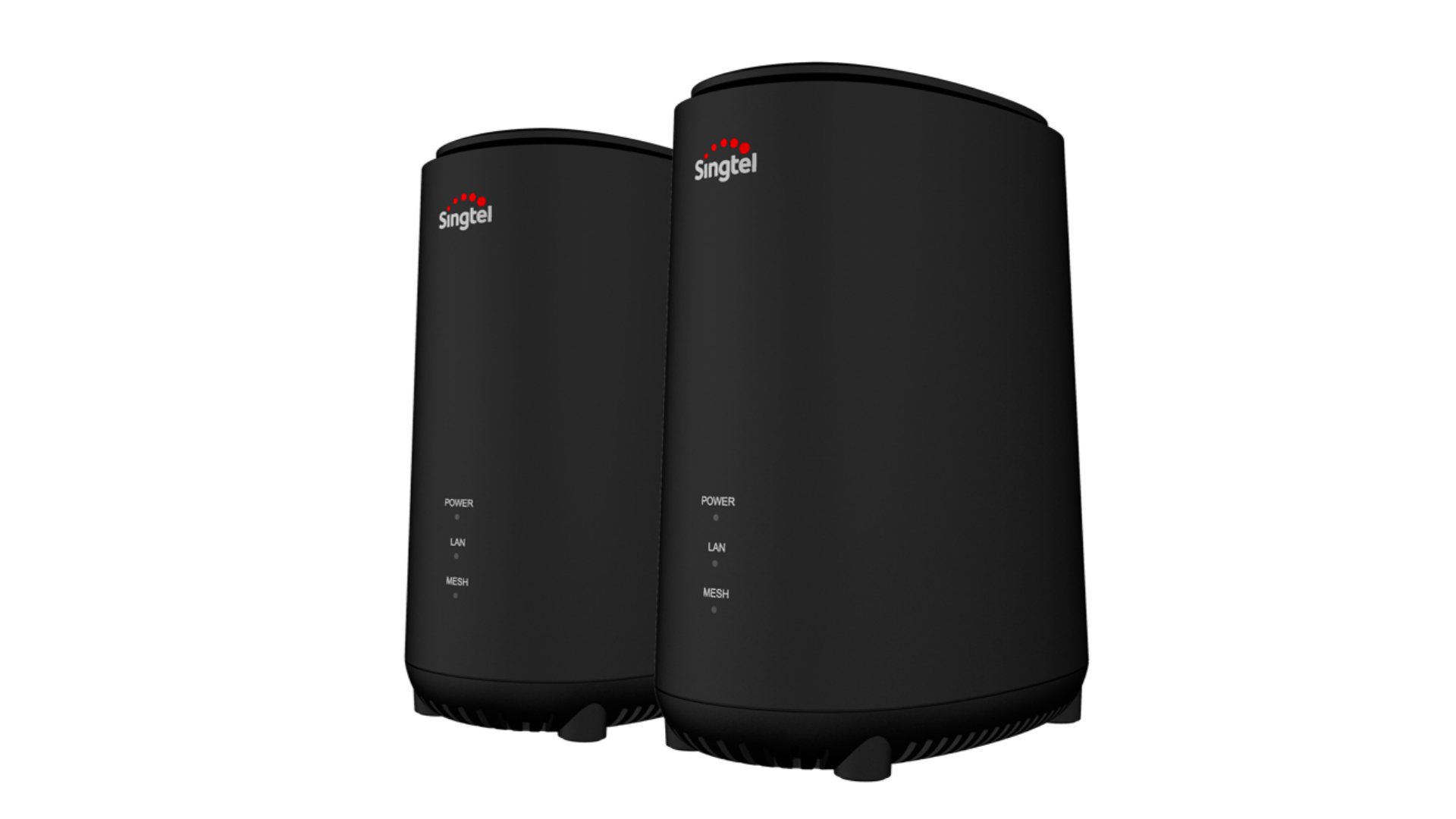
Singtel Mesh Router

Why so serious

Arch-Supremacy Member
Joined
Dec 8, 2018
Messages
23,535
Reaction score
2,070
i got about 300+mbps for wifi speed test on my phone with ONR to singtel mesh router
not sure if its at max cap speed (on singtel 1gbps bb)

however only my LAN 1 port of my ONR is working, LAN port 2,3,4 i tried to connect to TV or PC it doesn't respond.

based on the instruction manual is to connect mesh router and TV box to ONR :cry:
 

xiaofan

High Supremacy Member
Joined
Sep 16, 2018
Messages
32,622
Reaction score
10,163
i got about 300+mbps for wifi speed test on my phone with ONR to singtel mesh router
not sure if its at max cap speed (on singtel 1gbps bb)

however only my LAN 1 port of my ONR is working, LAN port 2,3,4 i tried to connect to TV or PC it doesn't respond.

based on the instruction manual is to connect mesh router and TV box to ONR :cry:

Maybe yours is not an ONR but rather ONT.

Take note ZTE model is configured as ONT.

Reference:
https://www.singtel.com/content/dam...roadband-troubleshooting/ONT vs ONR Guide.pdf
Please note that the newer version of the ZTE ONT is labelled Optical Network Router. However, this is not an ONR. This is an ONT.
 

Singtel

Suspended
Joined
Feb 17, 2001
Messages
1,087
Reaction score
49
Maybe yours is not an ONR but rather ONT.

Take note ZTE model is configured as ONT.

Reference:
https://www.singtel.com/content/dam...roadband-troubleshooting/ONT vs ONR Guide.pdf
Please note that the newer version of the ZTE ONT is labelled Optical Network Router. However, this is not an ONR. This is an ONT.
We definitely would like to help, Why so serious. Please reach out to us via 1688 or chat with us on WhatsApp via help.singtel.com/chat , so that we can look into the issues that you're facing.
 

pilico

Senior Member
Joined
Feb 23, 2011
Messages
620
Reaction score
16
Guys how do i access the setup page? I tried 193.168.1.254 but still cant access. Reset the mesh extender now i check the gate way, it contain ipv6 address and isp address.

speaking with singtel agents is like speaking with a recorder==
 

phayze

Supremacy Member
Joined
Aug 14, 2000
Messages
5,284
Reaction score
231
Guys how do i access the setup page? I tried 193.168.1.254 but still cant access. Reset the mesh extender now i check the gate way, it contain ipv6 address and isp address.

speaking with singtel agents is like speaking with a recorder==

You can try 192.168.1.254
 

ah_cleo

Master Member
Joined
Oct 9, 2005
Messages
4,054
Reaction score
27
hi just curious. if i have singtel mesh router and the old singtel AC1900, i should be using mesh router as main and old ac 1900 as AP with 2 SSID right.

from my singtel mesh router, lan port 1, i connect lan cable to ac1900's wan port or lan port?
 

guile

High Supremacy Member
Joined
Jan 1, 2000
Messages
26,090
Reaction score
2,411
hi just curious. if i have singtel mesh router and the old singtel AC1900, i should be using mesh router as main and old ac 1900 as AP with 2 SSID right.

from my singtel mesh router, lan port 1, i connect lan cable to ac1900's wan port or lan port?
yes, i was using the mesh router as main and the old ac 1900 ac as 2nd ap with different ssid.

i would change to management page of the ac 1900 to 192.168.1.253 so that i can still access it later. there's also an option to set it to ap mode.
you can connect to either wan or lan port of the ac1900 and it will work fine.

routing and dhcp will be controlled by the mesh router.
 

ozy615

Senior Member
Joined
Jul 29, 2008
Messages
584
Reaction score
48
dear experts, may be a simple question.
To move my Singtel fibre broadband from old home to new home (both homes are fibre ready for Singtel), can I do it myself? One thing is to save money. Another is that there is no interruptions / gaps in between.
 

xiaofan

High Supremacy Member
Joined
Sep 16, 2018
Messages
32,622
Reaction score
10,163
dear experts, may be a simple question.
To move my Singtel fibre broadband from old home to new home (both homes are fibre ready for Singtel), can I do it myself? One thing is to save money. Another is that there is no interruptions / gaps in between.

No, you have to contact Singtel to carry out the task, you can not do it by yourself.

BTW, if you use ONT, they may change to ONR. They basically treat relocation almost the same as a new sign-up.
https://www.singtel.com/personal/my-account/manage-accounts/relocate-services-web
 

ozy615

Senior Member
Joined
Jul 29, 2008
Messages
584
Reaction score
48

Questionaire

Senior Member
Joined
Dec 11, 2003
Messages
1,512
Reaction score
1
Hi gurus, i just signed up with Singtel and they gave me Singtel Arcadyan Mesh Router. I added another pair of their Singtel Mesh Extender.

One of the mesh extender, i plugged into one of the ethernet ports to the router for wired backhaul, all 3 LEDs are white. The other one, i set up as wireless backhaul, with Power and Mesh LEDs solid white.

However, my question is, the main mesh router, the Mesh LED is turned off. Does that mean the wireless backhaul is actually meshing with the wired one and not with the router?

Shouldn't the router mesh LED also solid white?
 
Last edited:

xiaofan

High Supremacy Member
Joined
Sep 16, 2018
Messages
32,622
Reaction score
10,163
Hi gurus, i just signed up with Singtel and they gave me Singtel Arcadyan Mesh Router. I added another pair of their Singtel Mesh Extender.
One of the mesh extender, i plugged into one of the ethernet ports to the router for wired backhaul, all 3 LEDs are white. The other one, i set up as wireless backhaul, with Power and Mesh LEDs solid white.
However, my question is, the main mesh router, the Mesh LED is turned off. Does that mean both the wireless backhaul is actually meshing with the wired one and not with the router?
Shouldn't the router mesh LED also solid white?

No idea about the mesh LED.

But the main SingTel Mesh Router should show the network topology. You may post the screenshot here.

How is the roaming performance and coverage? It is not recommended to use wireless backhaul as this is a very low end dual band mesh system.

In general I do not recommend using SingTel provided mesh system (Arcardyan, Askey or Airties), no matter it is WiFi 5 or WiFi 6.
 

Questionaire

Senior Member
Joined
Dec 11, 2003
Messages
1,512
Reaction score
1
Ok, mystery solved. Seems like is because singtel gave me the wrong wifi mesh extender to pair with the mesh router. The technician came and change the mesh extender.

Now all working fine.
 

absoluthk

Member
Joined
Nov 6, 2003
Messages
244
Reaction score
16
Hi guys,
Is mesh routing an industry standard or vendor specified?
I recently changed to Askey router (oblang shape - Wifi 6), can I use my Arcadyan router (flat - Wifi 5) as extender?
 

xiaofan

High Supremacy Member
Joined
Sep 16, 2018
Messages
32,622
Reaction score
10,163
Hi guys,
Is mesh routing an industry standard or vendor specified?
I recently changed to Askey router (oblang shape - Wifi 6), can I use my Arcadyan router (flat - Wifi 5) as extender?

Mesh is typically specific to the vendor. Most of the consumer mesh vendors are using technology based on 802.11 k/v (or 802.11 k/v/r) and add their own proprietary technology on top (eg: Asus AImesh, TP-Link Deco, Netgear Orbi and Linksys Velop).

In your case, the two routers can not form a mesh. However, you can still use the Singtel Mesh Router (Arcadyan) in AP mode to extend WiFi coverage. Take note Singtel Mesh Router can only be used with wired connection (AP mode) and NOT wireless connection (repeater mode). Singtel Mesh Router will automatically run in AP mode if connected to another router.

1) Connection scheme 1 for Singtel ONT
Singtel ONT -- Askey RT5703W as main router -- wired connection -- Singtel Mesh Router (Arcadyan) in AP mode

2) Connection scheme 2, for Singtel ONR users
Singtel ONR -- Askey RT5703W in AP mode -- wired connection -- Singtel Mesh Router (Arcadyan) in AP mode

3) Connection scheme 3, for Singtel ONR users
Singtel ONR -- Askey RT5703W in AP mode
Singtel ONR -- wired connection -- Singtel Mesh Router (Arcadyan) in AP mode

Now you have two APs at home, you can try to set them up with same SSID and same password but different wireless channels to see how it works for your devices. If not working, then you have to use two SSIDs.

Reference: Singtel ONT/ONR and Routers
https://www.singtel.com/personal/support/broadband/routers-ont

 

Nyquist

Master Member
Joined
May 5, 2001
Messages
3,984
Reaction score
1
Hi all,

Recently i changed to Singtel and they gave me the 2 mesh nodes - pic as attached below
singtel-routers.png


I was previously on M1 and was using the Asus RT-AX82U

My question is should i use the 2 mesh nodes and sell the RT-AX82U or should i be using the asus router?

TIA all gurus!
 

xiaofan

High Supremacy Member
Joined
Sep 16, 2018
Messages
32,622
Reaction score
10,163
Hi all,

Recently i changed to Singtel and they gave me the 2 mesh nodes - pic as attached below
singtel-routers.png


I was previously on M1 and was using the Asus RT-AX82U

My question is should i use the 2 mesh nodes and sell the RT-AX82U or should i be using the asus router?

TIA all gurus!

The Asus RT-AX82U is way better.

Not so sure how much you can sell the two Singtel Mesh Extenders though. Singtel provided mesh solutions are pretty much junk grade. You also can not upgrade the FW outside Singtel network. So usually you can not sell at good price. It is probably tough to sell the two units at above S$120.
https://www.carousell.sg/search/singtel wifi 6 mesh extender/?searchId=UubK_m

But you can still use it if you do not want to spend extra money and if you can use Ethernet backhaul.
 
Last edited:

Nyquist

Master Member
Joined
May 5, 2001
Messages
3,984
Reaction score
1
The Asus RT-AX82U is way better.

Not so sure how much you can sell the two Singtel Mesh Extenders though. Singtel provided mesh solutions are pretty much junk grade. You also can not upgrade the FW outside Singtel network. So usually you can not sell at good price. It is probably tough to sell the two units at above S$120.
https://www.carousell.sg/p/singtel-ax5400-wi-fi-6-mesh-extenders-dual-1215366477/

But you can still use it if you do not want to spend extra money and if you can use Ethernet backhaul.
Hi xiaofan,

Thanks for the prompt response. My main concern is the speed/stability/reliaiblity.

I'm very layman when it comes to networking, but I guess the oem ones from Singtel are cfm lower spec than the asus since its distributed to the masses.

So technically i can just replace the Singtel router with my Asus RT-AX82U without much configurations?

Now i am getting occassional 500mbps from the Singtel router. Will i see improvements on the RT-AX82U?

Thanks again!
 
Last edited:
Important Forum Advisory Note
This forum is moderated by volunteer moderators who will react only to members' feedback on posts. Moderators are not employees or representatives of HWZ Forums. Forum members and moderators are responsible for their own posts. Please refer to our Community Guidelines and Standards and Terms and Conditions for more information.
Top