SIMBA Fibre Broadband

Nefalrin

Banned
Joined
Dec 4, 2018
Messages
4,399
Reaction score
2,148
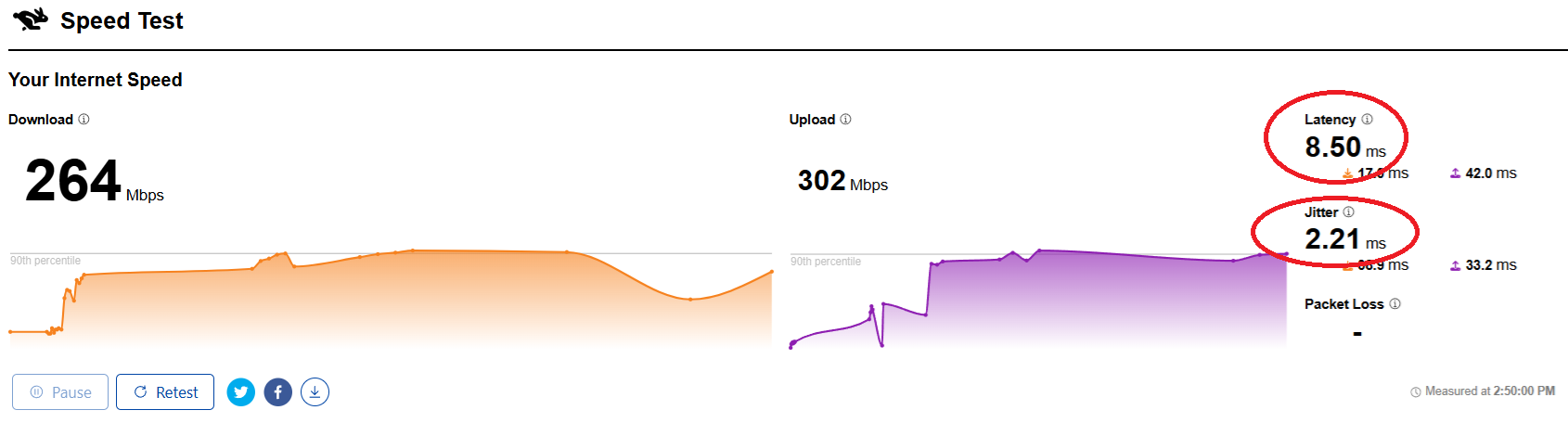
M1 latency is usually quite good with the exception to China.

Results from Singtel -- Singtel usually does not have good routing to many places compared to M1, but better than M1 when it comes to China.
Using wireless connection here, Singtel 1Gbps, Asus RT-AX86U router, Acer Windows 11 laptop late 2021 model with Intel AX201 WiFi 6 adapter.

eitiApl.png
Your 1gbps internet for upload is capped to 500mbps 🙈
 

xiaofan

High Supremacy Member
Joined
Sep 16, 2018
Messages
36,674
Reaction score
12,415
Your 1gbps internet for upload is capped to 500mbps 🙈

Wireless, so the upload speed is a bit slow.

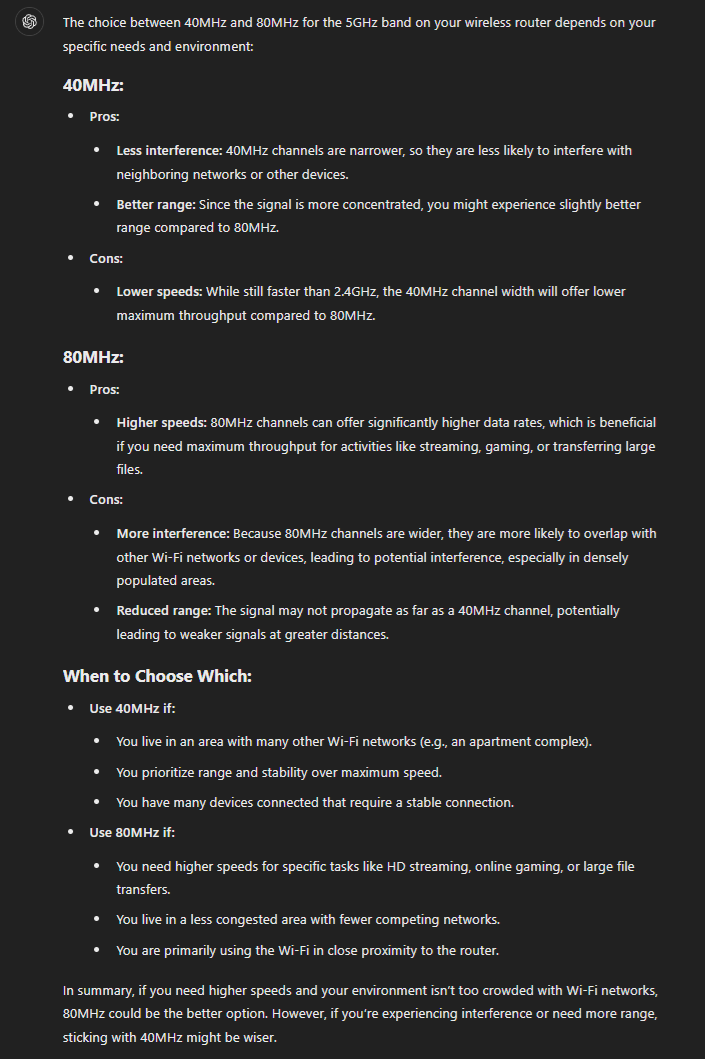
BTW, the router 5GHz band is set to use 80MHz channel bandwidth, not 160MHz in this case. So it may not show the best speed.
 
Last edited:

Nefalrin

Banned
Joined
Dec 4, 2018
Messages
4,399
Reaction score
2,148
Wireless, so the upload speed is a bit slow.

BTW, the router 5GHz band is set to use 80MHz channel bandwidth, not 160MHz in this case. So it may not show the best speed.
2GHZ should use 20MHz and 5GHZ should use 40 MHz
Channel I always choose the last channel for each bands to avoid conflict with neighbours.

Above is for stability ..
 

xiaofan

High Supremacy Member
Joined
Sep 16, 2018
Messages
36,674
Reaction score
12,415
2GHZ should use 20MHz and 5GHZ should use 40 MHz
Channel I always choose the last channel for each bands to avoid conflict with neighbours.

Above is for stability ..

No need to be so conservative for 5GHz for household usage. Your 40MHz number is more for enterprise APs. 80MHz is quite okay for most of the household. In fact you can even try 160MHz to see if it works for you or not.

For WiFi 6E/WiFi 7, no issue to use 160MHz on the 6GHz band, you can even try your luck with 320MHz channel bandwidth for WiFi 7 at 6GHz.
 

xiaofan

High Supremacy Member
Joined
Sep 16, 2018
Messages
36,674
Reaction score
12,415
Your 1gbps internet for upload is capped to 500mbps 🙈

Interestingly I use the wired test and the results are the same. I know Singtel does not have good connection to Cloudflare though through IPv6 (using Singtel native IPv6 here, not 6rd).

Wired test results to Singtel OOkla SpeedTest server.
Bash:
PS C:\work\speedtest\ookla-speedtest-1.2.0-win64> .\speedtest.exe -s 13623

   Speedtest by Ookla

      Server: Singtel - Singapore (id: 13623)
         ISP: Singtel Fibre
Idle Latency:     2.19 ms   (jitter: 0.17ms, low: 1.84ms, high: 2.27ms)
    Download:   935.64 Mbps (data used: 422.3 MB)
                  3.22 ms   (jitter: 0.64ms, low: 1.74ms, high: 4.01ms)
      Upload:   944.44 Mbps (data used: 1.1 GB)
                  4.31 ms   (jitter: 0.89ms, low: 2.04ms, high: 34.31ms)
 Packet Loss:     0.0%
  Result URL: https://www.speedtest.net/result/c/b5adf9b9-3acb-44d2-9b89-2fb7f664c190

Wired test results to Speed.cloudflare.com.
DnhRH73.png
 

Nefalrin

Banned
Joined
Dec 4, 2018
Messages
4,399
Reaction score
2,148
No need to be so conservative for 5GHz for household usage. Your 40MHz number is more for enterprise APs. 80MHz is quite okay for most of the household. In fact you can even try 160MHz to see if it works for you or not.

For WiFi 6E/WiFi 7, no issue to use 160MHz on the 6GHz band, you can even try your luck with 320MHz channel bandwidth for WiFi 7 at 6GHz.
I ask chatGPT.

I prefer stability 😂

speed.png


Interestingly I use the wired test and the results are the same. I know Singtel does not have good connection to Cloudflare though through IPv6 (using Singtel native IPv6 here, not 6rd).

Wired test results to Singtel OOkla SpeedTest server.
Bash:
PS C:\work\speedtest\ookla-speedtest-1.2.0-win64> .\speedtest.exe -s 13623

   Speedtest by Ookla

      Server: Singtel - Singapore (id: 13623)
         ISP: Singtel Fibre
Idle Latency:     2.19 ms   (jitter: 0.17ms, low: 1.84ms, high: 2.27ms)
    Download:   935.64 Mbps (data used: 422.3 MB)
                  3.22 ms   (jitter: 0.64ms, low: 1.74ms, high: 4.01ms)
      Upload:   944.44 Mbps (data used: 1.1 GB)
                  4.31 ms   (jitter: 0.89ms, low: 2.04ms, high: 34.31ms)
 Packet Loss:     0.0%
  Result URL: https://www.speedtest.net/result/c/b5adf9b9-3acb-44d2-9b89-2fb7f664c190

Wired test results to Speed.cloudflare.com.
DnhRH73.png
Your upload is capped by something ?
Try fast.com and test the speed and see if really is cloud server issue with your singtel.

No wonder many people say Singtel is not good 😂
 

xiaofan

High Supremacy Member
Joined
Sep 16, 2018
Messages
36,674
Reaction score
12,415
Your upload is capped by something ?
Try fast.com and test the speed and see if really is cloud server issue with your singtel.

No wonder many people say Singtel is not good 😂

It is not capped as shown by the OOKla SpeedTest results. Just connection to Cloudflare is not good.

For my use case Singtel is way better than M1 due to China contents. I do not play games either. In the end it depends on individual use cases.
 

chiu2000

Member
Joined
May 12, 2006
Messages
460
Reaction score
237
I ask chatGPT.

I prefer stability 😂

speed.png


Your upload is capped by something ?
Try fast.com and test the speed and see if really is cloud server issue with your singtel.

No wonder many people say Singtel is not good 😂
Use the DFS channel if you want stability.

The legacy channels are so occupied even if you use inly 20MHz will still have a lot of interference.
 

Nefalrin

Banned
Joined
Dec 4, 2018
Messages
4,399
Reaction score
2,148
Use the DFS channel if you want stability.

The legacy channels are so occupied even if you use inly 20MHz will still have a lot of interference.
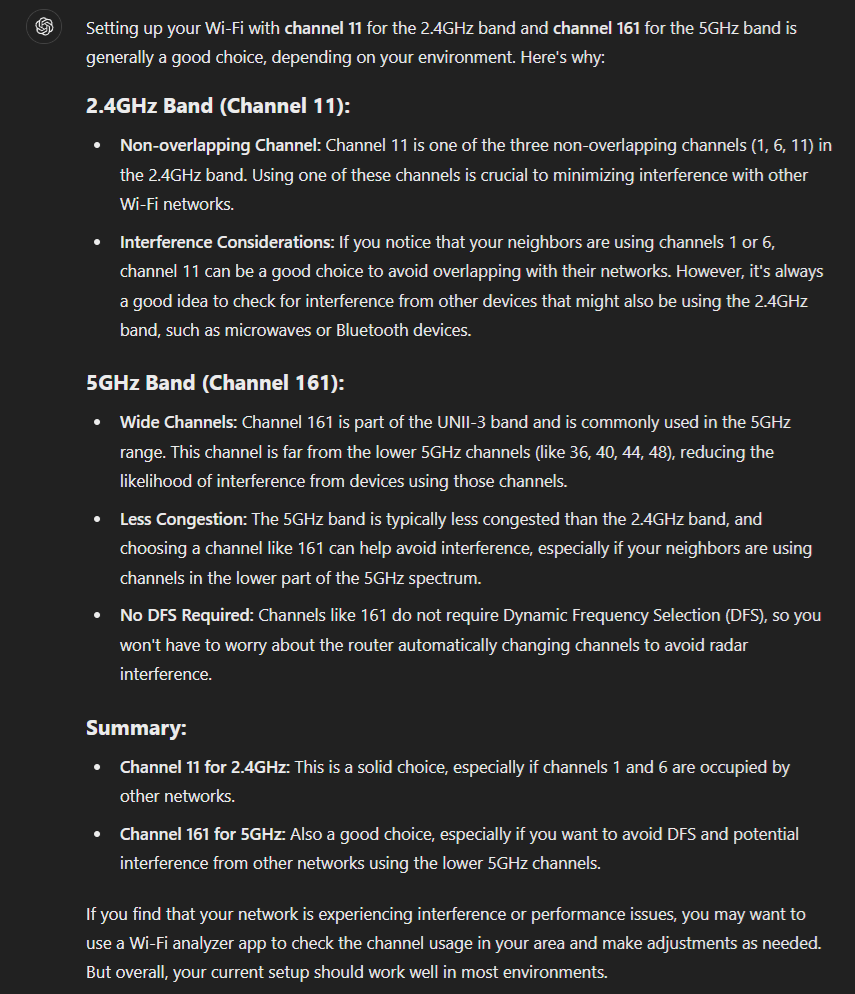
I use channel 11 for 2ghz and channel 161 for 5ghz .. the last channel available.
 

joesph

Supremacy Member
Joined
May 15, 2005
Messages
9,523
Reaction score
755
m1 hotline best, they billing error overcharge last april 1 cent will return. as today i already 7 years 6 months 10 days tenure
 

Nefalrin

Banned
Joined
Dec 4, 2018
Messages
4,399
Reaction score
2,148
Use the DFS channel if you want stability.

The legacy channels are so occupied even if you use inly 20MHz will still have a lot of interference.

ChatGPT also agree 😂

speed.png


I don't understand your sentence, "powerline connected to my power plug".

Thanks
I using powerline because my room is very far away from my optical fiber point.

the powerline is plugged in to my 3 pin electric socket point in my bedroom I mean ..
 

xiaofan

High Supremacy Member
Joined
Sep 16, 2018
Messages
36,674
Reaction score
12,415
Yeah.

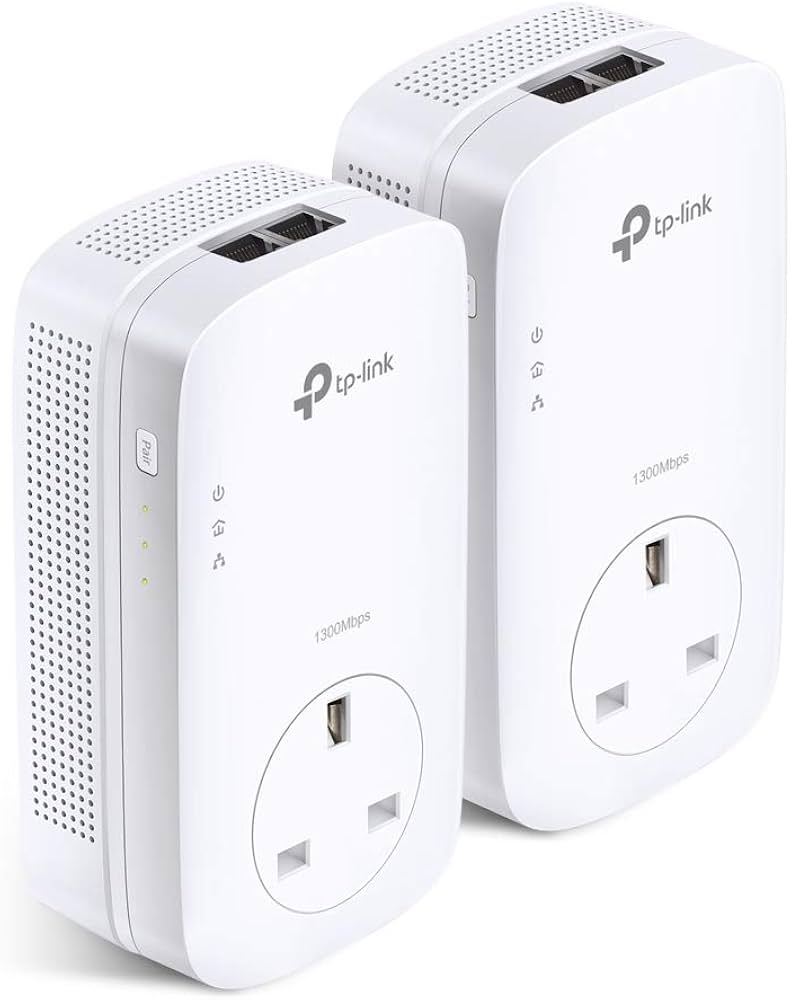
I am using this .. TL-PA9020P KIT

51v9-wImeTL._AC_UF894,1000_QL80_.jpg

Your powerline adapter is one of the best AV2000 grade power line adapters in the market.

I got four D-Link DHP-P701AV AV2000 adapters (bought in 2018/1029) can only achieve up to 250Mbps in one bedroom, then 150Mbps and 100Mbps in the other two bedrooms. I still use them for some of my ARM development boards which do not have WiFi or have poor WiFi.

Newer generation G.hn based Powre Line adapters may be slightly better. But I guess none of the powerline adapters can cross 500Mbps in a typical Singapore household setup, especially when crossing different circuit breakers.
 

Nefalrin

Banned
Joined
Dec 4, 2018
Messages
4,399
Reaction score
2,148
Your powerline adapter is one of the best AV2000 grade power line adapters in the market.

I got four D-Link DHP-P701AV AV2000 adapters (bought in 2018/1029) can only achieve up to 250Mbps in one bedroom, then 150Mbps and 100Mbps in the other two bedrooms.

Newer generation G.hn based Powre Line adapters may be slightly better, but I guess none of the powerline adapters can cross 500Mbps in a typical Singapore household, especially when across different circuit breakers.
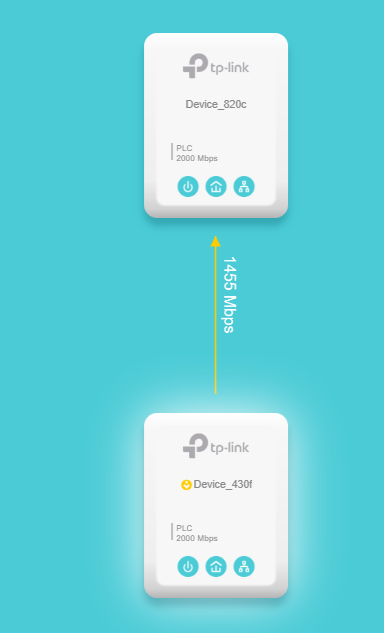
Actually I don't quite get it.

It says can support up to 2000mbps but the ethernet port is only 1gbps and it comes with 2 x 1gbps ethernet port.

When connected, I use the software they provided and check the link is 1500mbps from point to point.
speed.png
 
Last edited:

xiaofan

High Supremacy Member
Joined
Sep 16, 2018
Messages
36,674
Reaction score
12,415
Actually I don't quite get it.

It says can support up to 2000mbps but the ethernet port is only 1gbps and it comes with 2 x 1gbps ethernet port.

When connected, I use the software they provided and check the link is 1500mbps from point to point.

Just treat AV2000 spec as fake one. Their test is on the same power strip which makes no sense in real application.

MOCA is way better at up to 2.5Gbps now.

But in the end, CAT6 cable (and later Fibre) is the way to go. We still do not have LAN ports in the rooms but I have bought CAT 6 cables and Fibre cables to prepare for the upgrade (getting Singtel 5Gbps plan later this month). My wife claims that she can help me lay the transparent Fibre later in December this year. Let's see how it goes then.
 
Last edited:

chiu2000

Member
Joined
May 12, 2006
Messages
460
Reaction score
237
Actually I don't quite get it.

It says can support up to 2000mbps but the ethernet port is only 1gbps and it comes with 2 x 1gbps ethernet port.

When connected, I use the software they provided and check the link is 1500mbps from point to point.
speed.png
1Gbps duplex

Meaning 1Gbps upload and 1Gbps download at the same time

And 1+1=2
 

xiaofan

High Supremacy Member
Joined
Sep 16, 2018
Messages
36,674
Reaction score
12,415
Important Forum Advisory Note
This forum is moderated by volunteer moderators who will react only to members' feedback on posts. Moderators are not employees or representatives of HWZ Forums. Forum members and moderators are responsible for their own posts. Please refer to our Community Guidelines and Standards and Terms and Conditions for more information.
Top