⚡️💻 [Official] README First! 2026 SG ISP Comparison & Latest Promo Deals! ✨

AncientLionson

Junior Member
Joined
Feb 18, 2025
Messages
5
Reaction score
0
Are you an existing Singtel user? If yes, ONR user or ONT user? If you are a new user, then no point.

New users:
M1 6Gbps at S$34.90 per month with free Archer BE805, adding another Archer BE805 at less than S$300 (dumped by M1 users), effective cost at S$47.4 per month with two TP-Link Archer BE805 mesh.

Starhub 5Gbps at S$29.55 per month with free HB710, adding another Archer BE805 at less than S$300, effective cost at S$42.05 per month with two TP-Link Archer BE805 + HB710 mesh. Or adding another EB810v from Starhub at S$360, effective cost at S$44.55 per month with EB810v + HB710 mesh.
Existing user already using ONR with old mesh router from singtel
 

xiaofan

High Supremacy Member
Joined
Sep 16, 2018
Messages
32,802
Reaction score
10,270
Existing user already using ONR with old mesh router from singtel

Is this plan worth it? 5Gbps Enhanced Mesh (WiFi 7) Plan at $78.55/mth (U.P. $135.35/mth) + Apple HomePod Mini + FREE $100 Shopping Voucher with 2 HB810 routers, am keen due to the 2 mesh routers or would it better to get the 29.90 plan and get 2 wifi 6 routers?

Then it is probably an okay deal. Singtel values each HB810 at S$16.80 x 24 month = S$403.2. So two HB810 units will cost you S$806.40. Apple HomePod Mini is at S$140.25 from Apple Singapore Store. So the effective price of Singtel 5Gbps no-frills plan is at S$78.55 - (S$806.40+ S$140.25 + S$100)/24 = S$34.94 per month.

If you need to use mesh with wireless backhaul, then two HB810 is a pretty good combination. Even if you can use Ethernet backhaul, If you want a 10G capable WiFi 7 router with high-end HW spec, then HB810 is also a pretty cost effective one. I mention that Archer BE805 at S$300 (or a bit less) is a very cost effective one. Still HB810 has better HW spec (dual 2.5G ports) and maybe "nicer" form factor.

Take note Singtel 5Gbps recontract offer at S$29.90 per month is reported to be only for "targeted existing customers". So you may or may not get it. If you go with this route, IMHO there is no point to get more units of the lousy "Singtel AX5400 device". If you want to save cost then you can probably get cheaper ones like TP-Link Archer BE230 *2 unit (less than S$100 per unit, total less than S$200).

In the end, you should compare different options and come to your own conclusion. My opinion is just for your reference.
 

AncientLionson

Junior Member
Joined
Feb 18, 2025
Messages
5
Reaction score
0
Then it is probably an okay deal. Singtel values each HB810 at S$16.80 x 24 month = S$403.2. So two HB810 units will cost you S$806.40. Apple HomePod Mini is at S$140.25 from Apple Singapore Store. So the effective price of Singtel 5Gbps no-frills plan is at S$78.55 - (S$806.40+ S$140.25 + S$100)/24 = S$34.94 per month.

If you need to use mesh with wireless backhaul, then two HB810 is a pretty good combination. Even if you can use Ethernet backhaul, If you want a 10G capable WiFi 7 router with high-end HW spec, then HB810 is also a pretty cost effective one. I mention that Archer BE805 at S$300 (or a bit less) is a very cost effective one. Still HB810 has better HW spec (dual 2.5G ports) and maybe "nicer" form factor.

Take note Singtel 5Gbps recontract offer at S$29.90 per month is reported to be only for "targeted existing customers". So you may or may not get it. If you go with this route, IMHO there is no point to get more units of the lousy "Singtel AX5400 device". If you want to save cost then you can probably get cheaper ones like TP-Link Archer BE230 *2 unit (less than S$100 per unit, total less than S$200).

In the end, you should compare different options and come to your own conclusion. My opinion is just for your reference.
ok thank you!
 

xiaofan

High Supremacy Member
Joined
Sep 16, 2018
Messages
32,802
Reaction score
10,270
A few more comments about Post #1501 on my experiences with SIngtel.

1) I am indeed lazy to switch ISPs.
Starhub Cable online from late 2004 --> Jan 2012
Singtel Fibre Internet from Feb 2012 to now.
Singtel mobile --> from Sept 2013 to now (Combo 2, Combo 2 x 2, now SIM Only x 2 for me and my wife)
Singtel TV --> from Feb 2012 to Oct 2024.

2) Singtel ONT trick (Singtel loophole to get two native IPv4 addresses)
https://forums.hardwarezone.com.sg/threads/working-singtel-vlan-settings-with-tplink-sg108e.5746952/

3) Singtel XGS-PON ONR manual bridging methods (ZTE F8648P and Nokia XS-240X-A ONR), not supported by Singtel. Proceed at your own risk. YMMV.
https://forums.hardwarezone.com.sg/threads/singtel-10gbps-zte-f8648p-superadmin-password.6946718/

4) Singtel IPv6 for XGS-PON ONR user -- indeed not easy. I was lucky to get it.
https://forums.hardwarezone.com.sg/threads/singtel-5gbps-ipv6.7053976/

5) Singtel 3Gbps/5Gbps/10Gbps plan discussion
https://forums.hardwarezone.com.sg/threads/singtel-3gbps-5gbps-10-gbps-enhanced.7030365/
 
Last edited:

froztheart

Supremacy Member
Joined
Aug 8, 2012
Messages
8,456
Reaction score
3,688
A few more comments about Post #1501 on my experiences with SIngtel.

1) I am indeed lazy to switch ISPs.
Starhub Cable online from late 2004 --> Jan 2012
Singtel Fibre Internet from Feb 2012 to now.
Singtel mobile --> from Sept 2013 to now (Combo 2, Combo 2 x 2, now SIM Only x 2 for me and my wife)
Singtel TV --> from Feb 2012 to Oct 2024.

2) Singtel ONT trick (Singtel loophole to get two native IPv4 addresses)
https://forums.hardwarezone.com.sg/threads/working-singtel-vlan-settings-with-tplink-sg108e.5746952/

3) Singtel XGS-PON ONR manual bridging methods (ZTE F8648P and Nokia XS-240X-A ONR), not supported by Singtel. Proceed at your own risk. YMMV.
https://forums.hardwarezone.com.sg/threads/singtel-10gbps-zte-f8648p-superadmin-password.6946718/

4) Singtel IPv6 for XGS-PON ONR user -- indeed not easy. I was lucky to get it.
https://forums.hardwarezone.com.sg/threads/singtel-5gbps-ipv6.7053976/

5) Singtel 3Gbps/5Gbps/10Gbps plan discussion
https://forums.hardwarezone.com.sg/threads/singtel-3gbps-5gbps-10-gbps-enhanced.7030365/
Time to stop feeding Singtel if they are not providing value for money.
As they saying goes, vote with your wallet. :s13:
 

xiaofan

High Supremacy Member
Joined
Sep 16, 2018
Messages
32,802
Reaction score
10,270
Time to stop feeding Singtel if they are not providing value for money.
As they saying goes, vote with your wallet. :s13:

It depends on the users -- I do not recommend new users to sign up with Singtel. On the other hand, for existing users using Singtel ONR (or Singtel ONT + Singtel issued router), I actually will say it is quite okay to continue with Singtel if they have no issues and fine with the pricing.

It is the same that I do not recommend new users to go with SIMBA (lack for support for average users, CGNAT without Static IPv4 add-on for power users), but for existing users it is fine to continue if they have no issues and fine with the pricing.

In fact, I am consistent here. You can refer to what I write in the first post.
1) For existing users of any ISPs: no switching of ISP unless if you got issues or you got good offers from the other ISPs.

This is especially true for M1 500Mbps and Starhub 500Mbps plan users since you still pay S$30.45 per month out of contract. You can always wait for recontract offer which you like to upgrade to a new plan from M1/Starhub, You also have the freedom to jump to other ISPs as well.

Same for Singtel users -- if you are fine with your Singtel Fibre internet plan using ONR, no need to change, even though I do not recommend new users to go with Singtel because of the use of ONR and relatively higher cost compared to other ISPs.

However, as per the updates from Singtel thread on 12-Dec-2024, Singtel does not allow recontract of ONT based plan (legacy 1Gbps plan) any more -- it is better for Singtel ONT users who want to keep using ONT with their own router to consider switching to other ISPs using ONT.
https://forums.hardwarezone.com.sg/threads/singtel-1-gbps-fibre.5930834/page-253

WC 2.5Gbps plan is also a good one for existing WC users even though it may not be of very good values for new users due to NLT charges and installation charges.
 

nomoreliaola

Arch-Supremacy Member
Joined
Mar 4, 2008
Messages
11,233
Reaction score
402
BDlO4Rv.jpeg
currently i am on m1 500 mbps out of cotract. for the above offer of 64.77/mth for 2 year contract, is it worth it? i figured i would be watching the shows and i know i won't be utilizing the full 10gbps (1gbps is enough for me), more like if the value is worth it, i would sign up due to the content of streaming+ channels .
 

xiaofan

High Supremacy Member
Joined
Sep 16, 2018
Messages
32,802
Reaction score
10,270
BDlO4Rv.jpeg
currently i am on m1 500 mbps out of cotract. for the above offer of 64.77/mth for 2 year contract, is it worth it? i figured i would be watching the shows and i know i won't be utilizing the full 10gbps (1gbps is enough for me), more like if the value is worth it, i would sign up due to the content of streaming+ channels .

If you need the contents, just go ahead.

But first thing to check is whether you are okay with ONR or not? Which router are you using and are you using any special feature of your router? Most of the average users will be okay with ONR but you need to make sure your use case is okay.

BTW, the above seems to be the same as the "hidden link offer" in Post #3 of the this thread (first page).
https://www.singtel.com/personal/products-services/broadband/eform/5gbps-10gbps-addons-tv

From Post #3.
https://www.singtel.com/personal/products-services/broadband/eform/5gbps-10gbps-addons-tv
fibre-eform-tablemat.jpg
 

froztheart

Supremacy Member
Joined
Aug 8, 2012
Messages
8,456
Reaction score
3,688

Fronsac

Member
Joined
Jul 26, 2006
Messages
449
Reaction score
117
Kind of true that I am lazy and very reluctant to change ISPs in general.

I don't recommend new users to go with SingTel because of ONR. If SingTel were to use ONT, I would have recommended SingTel to many users (except gamers and those who like to use torrent).

I was using SingTel ONT and SingTel ONT was very good for my use cases. By using a trick of adding a VLAN switch after the SingTel ONT, I could get dual dynamic public IPv4 addresses and dual /56 IPv6 prefixes. You can say it is a loophole from SingTel side. No other ISPs can do that even until now. So my 1Gbps plan was really well worth the S$40.65 per month pricing.

For the August 2024 recontract, I was eager to try out 5Gbps service and I was encouraged by the successful bridging story by the existing reports. So I did the recontract even though the offer was not good at S$49.90 per month (with free lousy SingTel AX5400 wireless router).

At that time (before August 2024), power users could bridge the SingTel issued ZTE ONR easily, the remaining ports would still work. So again that would mean two dynamic IPv4 addresses and two /56 IPv6 prefixes if I could get SingTel to activate native IPv6 for me.

Unfortunately SingTel changed something in August 2024 and I could not bridge the ZTE F868P ONR for about 1.5 months. I did managed to get SingTel to activate native IPv6 though. And I was kind of accept using things like DMZ, Double NAT and Tailscale to work around the issues of unbridged ONR. But it was still a downgrade compared to my previous SingTel 1Gbps setup.

Luckily I was able to bridge the ONR later. Things are still not as good as before though -- somehow devices connected to the unbridged ports cannot have Internet access. So I have now dual IPv4 address and dual /56 IPv6 prefixes (my own router and SingTel ONR). But I can use only one network (my own router). /56 IPv6 also does not work as intended and I can use it only as /64.

I may continue with SingTel for August 2026 recontract if bridging still works at that time. But I would not recommend new users to sign up with SingTel. This is especially true now that M1/Starhub plans are much more cost effective.

For existing SingTel users who have no issues with SingTel Fibre Internet services and unbridged ONR, I actually recommend them to stay as long as they accept the pricing (SingTel has some okay recontract offers as well from time to time).
Thanks so much for the detailed explaination, I thought you found way to make Singtel good but it sounded like too much work. I am on M1 right now beyond really crappy europe route, I am mostly happy with it. Singtel seems to have the best all rounder connectivity but maybe only applicable to their commercial line, thus my curiousity. Back then my company was using Singtel primary, M1 as secondary and Singtel line was way superior.
I would rather pay for a 1G line that works with good routing than 10g with crappy routing, which was viewqwest when they first started but sadly they seems to go down the same bandwagon as all of the rest.
 

funnywits

Junior Member
Joined
Apr 28, 2014
Messages
57
Reaction score
6
Hi all, I've previously benefited from HWZ forums on the wireless setup for home, for context I am with Starhub ONR setup now at my own home. Recently my folks got their resale flat (5 years old) with a layout identical to my place. I dont think I have enough posts to put links (https://pickapalette.com/wp-content/uploads/2024/03/4room-1.webp) so if the link i embed doesn't work, I can describe that the place is one of those problematic 4 room new flat layout with bomb shelter in the middle. There are intact Lan ports in every room. I am still trying to learn about networking and have very basic knowledge now, so please bear with me.

My original plan was to help them have network setup identical to my place by signing up to Starhub on the 29.55 ONR plan. Please see below for original planned setup (credit to xiaofan for the below suggestion when I asked about my own place previously) :

Nokia XS-2426X-A ONR in living room, providing wireless access to the clients
Nokia XS-2426X-A ONR 10G LAN port --> 2.5G/10G wired device if any
Nokia ONR 1G LAN port 1 --> patch panel --> main bedroom LAN port --> Nokia Beacon 2 as mesh node (to improve the wireless coverage of the main bedroom)
Nokia ONR 1G LAN port 2 --> patch panel --> bedroom 1 LAN port --> wired device if any (can add Nokia Beacon 2 if needed)
Nokia ONR 1G LAN port 3 --> patch panel --> bedroom 2 LAN port --> wired device if any (can add Nokia Beacon 2 if needed)

However, I realised that the 29.55 ONR is now being phased out by Starhub, it is only possible to signup the 29.55 ONT plan with 1 Free TP-Link HB710 WiFi 7 Router (i went down to Starhub to confirm that the ONR is no longer avail). The internet requirements of my folks new home is not high spec or anything, it is just regular TV , laptop and handphone use for streaming of videos from netflix youtube and teams call. No gaming or heavy requirements. Starhub also mentioned that it is too early to sign up anything now as the place will only complete renovation in about 2-3 months time.

I realised that the free TP-Link HB710 router only has 1 port so it is not possible to do up the wired mesh setup similar to above plan. Would the most cost effective option be to still sign up on the $29.55 ONT plan and put the free HB710 in the living and purchase 1 extra HB710 as a mesh node (wireless) in a central bedroom to minimise deadspots? Or would it be better if I purchase the EB810V as the main router to enable wired mesh throoughout the house and put HB710 into the different rooms as needed? Should other providers be considered as well?

As a side (unrelated) note (very stupid qn), I noticed that there are intact internet lan ports in every room of the home which is great. I also noticed there is also something called a "TV System" port in every room as well. I suppose this port is useless in today's context since everyone is using Digital tv and it is not worth keeping as it cannot be converted to a lan point right? Am thinking to ask the electrician to get rid of these "TV system" ports during renovation.

Also, in the living area, apart from the clearly labeled existing internet lan port, there is also an additional RJ45 socket labeled as for data at the existing TV console area. I am not sure why there are 2 lan ports in the living room but I am guessing the previous owner converted the original telephone point to a lan port - is this something that people usually do? I suppose this means I have 2 lan ports in the living room now?

I apologise if any of the points or question I asked may seem silly. I am trying to learn as much as possible. Thank you.

 

zzxxzzxx

Supremacy Member
Joined
Jan 5, 2006
Messages
5,232
Reaction score
727
Hi all, I've previously benefited from HWZ forums on the wireless setup for home, for context I am with Starhub ONR setup now at my own home. Recently my folks got their resale flat (5 years old) with a layout identical to my place. I dont think I have enough posts to put links (https://pickapalette.com/wp-content/uploads/2024/03/4room-1.webp) so if the link i embed doesn't work, I can describe that the place is one of those problematic 4 room new flat layout with bomb shelter in the middle. There are intact Lan ports in every room. I am still trying to learn about networking and have very basic knowledge now, so please bear with me.

My original plan was to help them have network setup identical to my place by signing up to Starhub on the 29.55 ONR plan. Please see below for original planned setup (credit to xiaofan for the below suggestion when I asked about my own place previously) :

Nokia XS-2426X-A ONR in living room, providing wireless access to the clients
Nokia XS-2426X-A ONR 10G LAN port --> 2.5G/10G wired device if any
Nokia ONR 1G LAN port 1 --> patch panel --> main bedroom LAN port --> Nokia Beacon 2 as mesh node (to improve the wireless coverage of the main bedroom)
Nokia ONR 1G LAN port 2 --> patch panel --> bedroom 1 LAN port --> wired device if any (can add Nokia Beacon 2 if needed)
Nokia ONR 1G LAN port 3 --> patch panel --> bedroom 2 LAN port --> wired device if any (can add Nokia Beacon 2 if needed)

However, I realised that the 29.55 ONR is now being phased out by Starhub, it is only possible to signup the 29.55 ONT plan with 1 Free TP-Link HB710 WiFi 7 Router (i went down to Starhub to confirm that the ONR is no longer avail). The internet requirements of my folks new home is not high spec or anything, it is just regular TV , laptop and handphone use for streaming of videos from netflix youtube and teams call. No gaming or heavy requirements. Starhub also mentioned that it is too early to sign up anything now as the place will only complete renovation in about 2-3 months time.

I realised that the free TP-Link HB710 router only has 1 port so it is not possible to do up the wired mesh setup similar to above plan. Would the most cost effective option be to still sign up on the $29.55 ONT plan and put the free HB710 in the living and purchase 1 extra HB710 as a mesh node (wireless) in a central bedroom to minimise deadspots? Or would it be better if I purchase the EB810V as the main router to enable wired mesh throoughout the house and put HB710 into the different rooms as needed? Should other providers be considered as well?

As a side (unrelated) note (very stupid qn), I noticed that there are intact internet lan ports in every room of the home which is great. I also noticed there is also something called a "TV System" port in every room as well. I suppose this port is useless in today's context since everyone is using Digital tv and it is not worth keeping as it cannot be converted to a lan point right? Am thinking to ask the electrician to get rid of these "TV system" ports during renovation.

Also, in the living area, apart from the clearly labeled existing internet lan port, there is also an additional RJ45 socket labeled as for data at the existing TV console area. I am not sure why there are 2 lan ports in the living room but I am guessing the previous owner converted the original telephone point to a lan port - is this something that people usually do? I suppose this means I have 2 lan ports in the living room now?

I apologise if any of the points or question I asked may seem silly. I am trying to learn as much as possible. Thank you.
If there's major rewiring....

It's always best to have 2 Ethernet Ports where the TV Console is.

  1. If the DB Box is super far away from TV Console.
  2. If you plan to have 2 devices near the TV Console with Ethernet IN.
Say Inside DB. You placed the ONT connected to the TP using Fibre Cable.

A. You can choose to have the main router at the TV Console......
By ONT -> Patch Panel Living Room (1) -> Router
Then Router -> Patch Panel Living Room (2) -> DB -> Switch -> Other Ethernet Ports In Room

B. Or (Inside DB) ONT -> Router -> Patch Panels To Other Places

If using HB710 (router) with only 1 LAN, then cannot do this.
Need Add Switch or Get EB810v.


Maybe to add to the above.
If you only need to have 1 Ethernet to be in the other rooms....
When the HB710 is placed at TV Console and enough for the Wifi coverage for the whole unit...
Then there's no need to get a switch.
ONT -> Patch Panel Living Room (1) -> Router (WAN)
Then Router (LAN) -> Patch Panel Living Room (2) -> DB -> Patch Panel To Bedroom (1)


Regarding Newer BTOs
Usually the Telephone lines are also using Cat 5e or 6 Cables.
As most peoplr are no longer using home lines, these are usually converted to Ethernet Ports.

As for TV System, those are Coaxial Cables.
Speed aint great for conversion. So best to be removed.
 
Last edited:

xiaofan

High Supremacy Member
Joined
Sep 16, 2018
Messages
32,802
Reaction score
10,270
Hi all, I've previously benefited from HWZ forums on the wireless setup for home, for context I am with Starhub ONR setup now at my own home. Recently my folks got their resale flat (5 years old) with a layout identical to my place. I dont think I have enough posts to put links (https://pickapalette.com/wp-content/uploads/2024/03/4room-1.webp) so if the link i embed doesn't work, I can describe that the place is one of those problematic 4 room new flat layout with bomb shelter in the middle. There are intact Lan ports in every room. I am still trying to learn about networking and have very basic knowledge now, so please bear with me.

My original plan was to help them have network setup identical to my place by signing up to Starhub on the 29.55 ONR plan. Please see below for original planned setup (credit to xiaofan for the below suggestion when I asked about my own place previously) :

Nokia XS-2426X-A ONR in living room, providing wireless access to the clients
Nokia XS-2426X-A ONR 10G LAN port --> 2.5G/10G wired device if any
Nokia ONR 1G LAN port 1 --> patch panel --> main bedroom LAN port --> Nokia Beacon 2 as mesh node (to improve the wireless coverage of the main bedroom)
Nokia ONR 1G LAN port 2 --> patch panel --> bedroom 1 LAN port --> wired device if any (can add Nokia Beacon 2 if needed)
Nokia ONR 1G LAN port 3 --> patch panel --> bedroom 2 LAN port --> wired device if any (can add Nokia Beacon 2 if needed)

However, I realised that the 29.55 ONR is now being phased out by Starhub, it is only possible to signup the 29.55 ONT plan with 1 Free TP-Link HB710 WiFi 7 Router (i went down to Starhub to confirm that the ONR is no longer avail). The internet requirements of my folks new home is not high spec or anything, it is just regular TV , laptop and handphone use for streaming of videos from netflix youtube and teams call. No gaming or heavy requirements. Starhub also mentioned that it is too early to sign up anything now as the place will only complete renovation in about 2-3 months time.

I realised that the free TP-Link HB710 router only has 1 port so it is not possible to do up the wired mesh setup similar to above plan. Would the most cost effective option be to still sign up on the $29.55 ONT plan and put the free HB710 in the living and purchase 1 extra HB710 as a mesh node (wireless) in a central bedroom to minimise deadspots? Or would it be better if I purchase the EB810V as the main router to enable wired mesh throoughout the house and put HB710 into the different rooms as needed? Should other providers be considered as well?

As a side (unrelated) note (very stupid qn), I noticed that there are intact internet lan ports in every room of the home which is great. I also noticed there is also something called a "TV System" port in every room as well. I suppose this port is useless in today's context since everyone is using Digital tv and it is not worth keeping as it cannot be converted to a lan point right? Am thinking to ask the electrician to get rid of these "TV system" ports during renovation.

Also, in the living area, apart from the clearly labeled existing internet lan port, there is also an additional RJ45 socket labeled as for data at the existing TV console area. I am not sure why there are 2 lan ports in the living room but I am guessing the previous owner converted the original telephone point to a lan port - is this something that people usually do? I suppose this means I have 2 lan ports in the living room now?

I apologise if any of the points or question I asked may seem silly. I am trying to learn as much as possible. Thank you.

mMAjohQ.png


1. Yes it is okay to go with Starhub S$29.55 per month 5Gbps special offer with free TP-Link HB710.

2. The new HDB flat indeed have two LAN ports in the living room, but often they are not close to each other, usually one in the TV console area, the other one on the wall between the Living Room and Bedroom 3.

3. If you can, as replied by zzxxzzxx, it will be good to pull one more Ethernet cable from DB box to the living room TV console area. Then you can use the method he mentioned in the reply. You can use a 2.5G switch or mixed 2.5G/10G switch depending on your budget.

This is called Option 2 in the FAQ mentioned in the second sticky thread.

2.5G switch: TP-Link TL-SG105-M2 at about S$79 when on offer, from local online store
2.5G/10G switch: Hasivo at about RMB 499+GST+shipment from Taobao.

For 2.5G switches, the other alternative is 2.5G switches with 10G uplinks (one or two 10G uplink, like SFP+ port of 10G RJ45 port).

Example:
Hasivo S600W-4GT-2SX-SE, RMB 219 listed, quad 2.5G ports, two 10G SFP+ ports
Hasivo S600W-4GT-1SX-1XGT-SE, RMB 399 listed, quad 2.5G ports, one 10G RJ45 port and one 10G SFP+ port
Hasivo S600W-4GT-2XGT-SE, RMB 499 listed, quad 2.5G ports, two 10G RJ45 ports

【淘宝】退货运费险 http://e.tb.cn/h.TagwCPy1xtfft6L?tk=OUoQ3qhNKyt MF3543 「hasivo 2.5G万兆上行POE轻网管交换机企业办公猫棒VLAN猫棒网管型」
点击链接直接打开 或者 淘宝搜索直接打开

3. FAQ in the sticky thread: 🛜 Understanding the ABCs of home networking
How to put the main wireless router out of DB box in the central location and keep room LAN ports functional?
https://forums.hardwarezone.com.sg/...home-networking.6653421/page-2#post-145334936

4. If not, you can use the following two options with HB710.
a) EB810v in DB box + HB710 in master room. I will recommend this option over the next option.​
b) HB710 + 2.5G switch or 2.5G/10G mixed switch in DB box + HB710 in master room.​

2.5G switch: TP-Link TL-SG105-M2 at about S$79 when on offer, from local online store
2.5G/10G switch: Hasivo at about RMB 499+GST+shipment from Taobao.
 

funnywits

Junior Member
Joined
Apr 28, 2014
Messages
57
Reaction score
6
Thank you zzxxzzxx and xiaofan for the advice! The existing and future TV console will be at the wall between living and bedroom 3. Indeed there is 1 lan point on that TV wall and another port in the other living wall where the sofa will be at. I am not sure if the electrician is well-versed to relocate lan points, if he is confident I will definitely relocate the other lan point to be at the TV console. After googling and looking up at different threads I have assumed "patch panel" refers to the white box that has D1,2,34..6 in the DB box (not sure if I am right). If my assumption is right, for the option of ONT -> Patch Panel Living Room (1) -> Router
Then Router -> Patch Panel Living Room (2) -> DB -> Switch -> Other Ethernet Ports In Room:
I am not sure how the router connects back to the patch panel living room (2) if it is physically outside the DB box? Maybe it means installing another patch panel at the TV console? This option appears to also result in a console that will have more devices being placed on it so I think we will have to cater for more space in the console. Sorry about this noobness.

I think I understand the other idea a bit better (don't require relocation of second lan port in living to be next to each other):
(Inside DB) ONT -> Inside DB place Router (EB810V) -> Patch Panels To (D1/2/3/4/5/6), then use HB710V as wired mesh node at selected lan ports.

Originally I was thinking that the HB810V inside the DB box can provide the wireless coverage to the living area as well, and just have only 1 HB710 wired to a lan port in master or bedroom 2 to cover the other spots.
However, the previous owner changed the DB box door to an aluminum door which also incorporate mirror. I am not sure if these will affect the signal to the living? Looked up online and the opinions are mixed about mirrors (it appears the type of mirror matters). So I may need total 2 HB710 to place 1 wired to lan port in living and another at lan port of bedroom 2 or master.

I think I might have to try it out with 1 HB710 first and see how it goes. I think it is not difficult to DIY to add another HB710 mesh node in future? The room doors in my folks home are made of aluminum (LOL). But hopefully wifi signals can pass through the walls which are mostly partition material. They seem to be ok at my existing flat (but I have wooden room doors).
 

xiaofan

High Supremacy Member
Joined
Sep 16, 2018
Messages
32,802
Reaction score
10,270
I think I understand the other idea a bit better (don't require relocation of second lan port in living to be next to each other):
(Inside DB) ONT -> Inside DB place Router (EB810V) -> Patch Panels To (D1/2/3/4/5/6), then use HB710V as wired mesh node at selected lan ports.

Originally I was thinking that the HB810V inside the DB box can provide the wireless coverage to the living area as well, and just have only 1 HB710 wired to a lan port in master or bedroom 2 to cover the other spots.
However, the previous owner changed the DB box door to an aluminum door which also incorporate mirror. I am not sure if these will affect the signal to the living? Looked up online and the opinions are mixed about mirrors (it appears the type of mirror matters). So I may need total 2 HB710 to place 1 wired to lan port in living and another at lan port of bedroom 2 or master.

I think I might have to try it out with 1 HB710 first and see how it goes. I think it is not difficult to DIY to add another HB710 mesh node in future? The room doors in my folks home are made of aluminum (LOL). But hopefully wifi signals can pass through the walls which are mostly partition material. They seem to be ok at my existing flat (but I have wooden room doors).

Metal door and mirror are both bad for the wireless router.

Can you just change it back to the normal door and remove the mirror?

But yes, it is easy to add one more HB710 if necessary. So your plan is good.
 

xiaofan

High Supremacy Member
Joined
Sep 16, 2018
Messages
32,802
Reaction score
10,270
Thank you@ zzxxzzxx and xiaofan for the advice! The existing and future TV console will be at the wall between living and bedroom 3. Indeed there is 1 lan point on that TV wall and another port in the other living wall where the sofa will be at. I am not sure if the electrician is well-versed to relocate lan points, if he is confident I will definitely relocate the other lan point to be at the TV console. After googling and looking up at different threads I have assumed "patch panel" refers to the white box that has D1,2,34..6 in the DB box (not sure if I am right). If my assumption is right, for the option of ONT -> Patch Panel Living Room (1) -> Router
Then Router -> Patch Panel Living Room (2) -> DB -> Switch -> Other Ethernet Ports In Room:
I am not sure how the router connects back to the patch panel living room (2) if it is physically outside the DB box? Maybe it means installing another patch panel at the TV console? This option appears to also result in a console that will have more devices being placed on it so I think we will have to cater for more space in the console. Sorry about this noobness.

1. Your understanding of atch panel is correct.

1) ONT -> Patch Panel --> Living Room LAN port 1 -> Main wireless Router WAN port
2) Main wireless router LAN port --> Living Room LAN port 2 --> patch panel in DB box -->
Unmanaged Switch -> Other Ethernet Ports In Room.

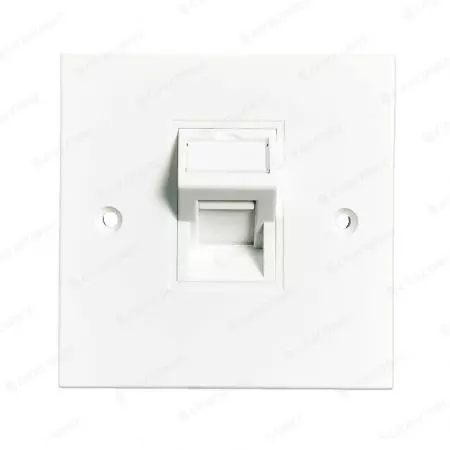
Living room LAN port 1/2, usually you do not call it DB box, rather just Face Plate (with one RJ45 port).

2. You may not need to relocate the LAN port, but rather pull another cable between the two LAN ports in the Living Room.

1) ONT -> Patch Panel --> Living Room LAN port 1 -> Main wireless Router WAN port
2) Main wireless router LAN port --> new Face Plate (Living room LAN port 3) --> Ethernet cable --> Living Room LAN port 2 --> patch panel in DB box --> Unmanaged Switch -> Other Ethernet Ports In Room.
 

zzxxzzxx

Supremacy Member
Joined
Jan 5, 2006
Messages
5,232
Reaction score
727
Something of a thought, as i don't seem to see any duscussion of it here.

When doing reno or rewiring for ethernet ports.

Does anyone ever thought of just having 1 Face Plate from the DB to the central of the house.
(Or an area nearer to where all the ports will branch off from)
Then place the Router and branch out from there instead?


Say for funnywits layout.
DB -> Face Plate (0) -> Face Plate (L) : Living Room Wall By Bedroom 3 (TV Console)
Setup the Router there and Patch Panels to the 3 bedrooms from there.
TV Console there will have 4 ethernet ports.
1 to DB + 3 to bedrooms.

CC-09-00077-1.jpg

6379d77d69443.jpg


Edited : Face Plate instead of Patch Panel (commonly used in DB)
 
Last edited:

xiaofan

High Supremacy Member
Joined
Sep 16, 2018
Messages
32,802
Reaction score
10,270
Something of a thought, as i don't seem to see any duscussion of it here.

When doing reno or rewiring for ethernet ports.

Does anyone ever thought of just having 1 Patch Panel from thr DB to the central of the house.
(Or an area nearer to where all the ports will branch off from)
Then place the Router and branch out from there instead?

Say for funnywits layout.
DB -> Patch Panel (0) -> Patch Panel (L) : Living Room Wall By Bedroom 3 (TV Console)
Setup the Router there and Patch Panels to the 3 bedrooms from there.
TV Console there will have 4 ethernets ports.
1 to DB + 3 to bedrooms.

I guess the cost is higher in this case, you need to pull three more Ethernet cables from the new patch panel to three bed rooms, for a typical flat with three bedrooms (main bedroom and two common bedrooms).

For older flat without LAN ports in the rooms, often the FTP is located in the Living Room. In that case, if the owner wants to lay Ethernet cables, then indeed it is a good idea to put the patch panel in the Living room console area.
 

zzxxzzxx

Supremacy Member
Joined
Jan 5, 2006
Messages
5,232
Reaction score
727
I guess the cost is higher in this case, you need to pull three more Ethernet cables from the new patch panel to three bed rooms, for a typical flat with three bedrooms (main bedroom and two common bedrooms).

For older flat without LAN ports in the rooms, often the FTP is located in the Living Room. In that case, if the owner wants to lay Ethernet cables, then indeed it is a good idea to put the patch panel in the Living room console area.
I supposed ALL BTO should have ethernet to every bedroom + 1 to the living room By HDB Default?
Then it's a waste of money.

Only for those doing full reno will make sense.
The FTP will be very near the door and mostly exposed on the door wall near the living room light switch.
Or next nearest power socket (to power the ONT).
 

ykeen

Moderator
Moderator
Joined
Jul 31, 2000
Messages
4,620
Reaction score
97
Something of a thought, as i don't seem to see any duscussion of it here.

When doing reno or rewiring for ethernet ports.

Does anyone ever thought of just having 1 Face Plate from the DB to the central of the house.
(Or an area nearer to where all the ports will branch off from)
Then place the Router and branch out from there instead?


Say for funnywits layout.
DB -> Face Plate (0) -> Face Plate (L) : Living Room Wall By Bedroom 3 (TV Console)
Setup the Router there and Patch Panels to the 3 bedrooms from there.
TV Console there will have 4 ethernet ports.
1 to DB + 3 to bedrooms.

Edited : Face Plate instead of Patch Panel (commonly used in DB)
Actually an idea could be to lay additional APC fibre cable from DB to TV console area, then have to place ONR/ONT at TV console area, and then still patch back RJ45 from TV console back to DB, but in DB would require an additional switch to patch to other bedrooms if additional connectivity is required.

Doing this way, maybe the ONR/ONT/Router might be able to supply enough WiFi coverage rather than being confined to the DB, if not, then maybe furthest away MBR may need an additional AP.
 
Important Forum Advisory Note
This forum is moderated by volunteer moderators who will react only to members' feedback on posts. Moderators are not employees or representatives of HWZ Forums. Forum members and moderators are responsible for their own posts. Please refer to our Community Guidelines and Standards and Terms and Conditions for more information.
Top